The choice in care home software is rarely between a good system and a bad one. It is between a system your team opens on a late shift and one that becomes another login the manager uses alone. Cost follows that split, because an unused licence is the most expensive line in the budget.
Three things decide it: who has to log in, what the system records, and what happens when the law moves. The criteria below are in the order we would weigh them.
The question a demo will not answer
Every demonstration shows a filled in account. Yours will be empty, and the gap between those two states is where most purchases go wrong.
So ask for a figure instead of a feature. How many of the supplier's customers have more than half their staff logging in each month, and how do they know?
Criterion one: can people on shift use it unaided
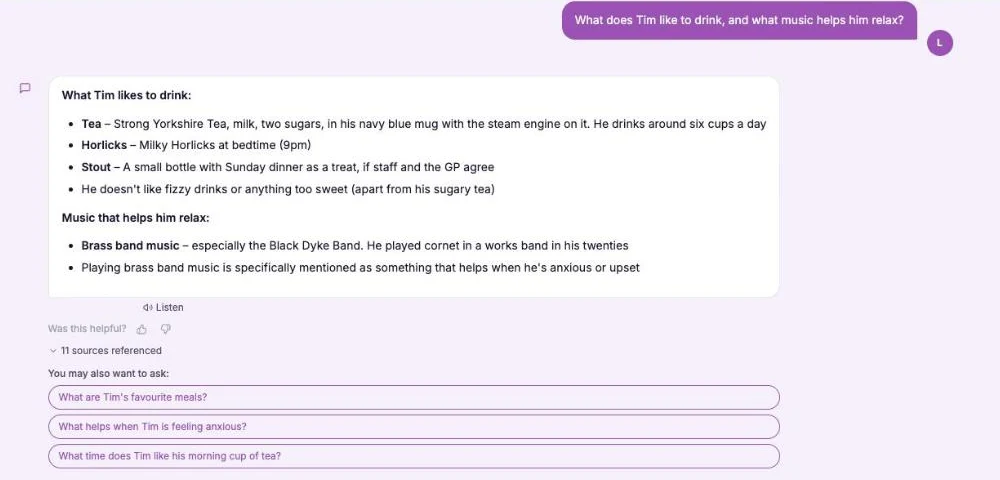
Care compliance software is used by people who are mid shift, often on a phone, often in a second language. If a task takes a login, a search and three menus, it will be done at the desk later or not at all.
Have your policies read against the regulations to see what is missing or out of date. No card needed.
Create a free accountLook at what a care worker sees when they open it. A short list of what is theirs to do beats a dashboard every time.
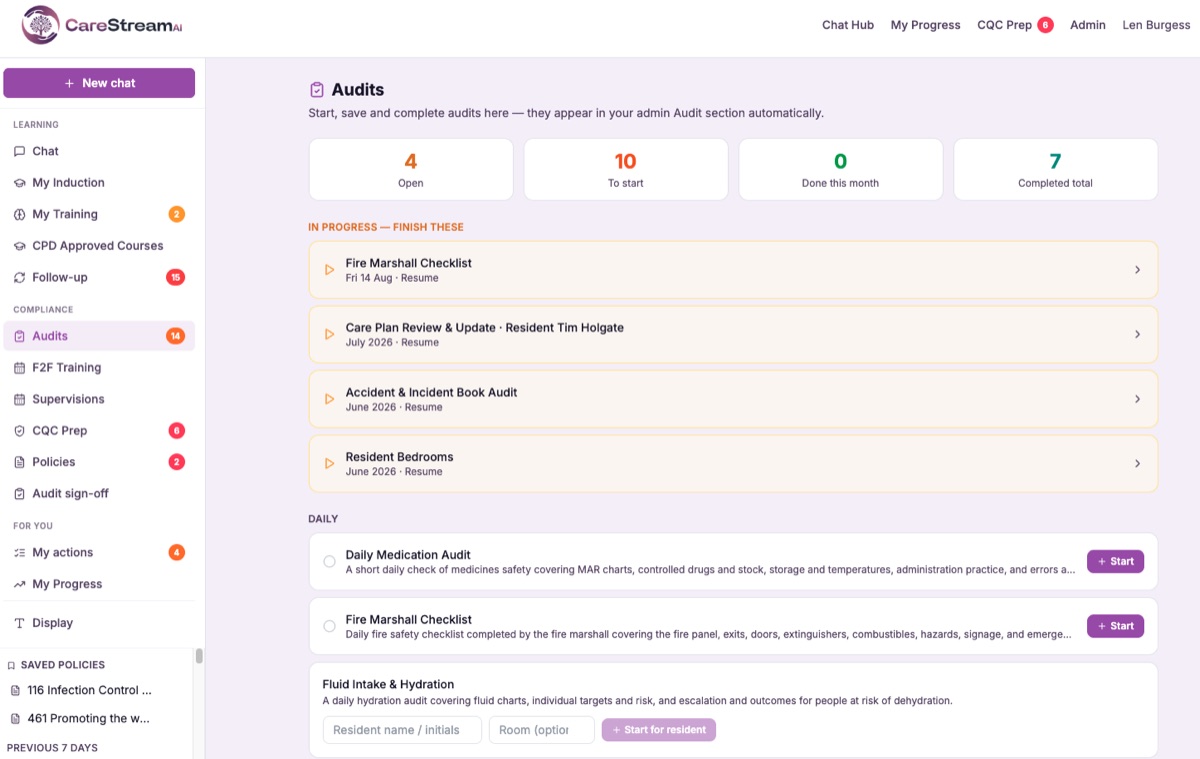
Figure: the staff view, with what is open, what is to start and what is already done.
Language is part of adoption, not a nice extra. Translation on the lesson itself means a worker understands the content rather than passing a test in a language they are still learning.
Criterion two: what it records, and whether you can produce it
Records are the point. You must keep an accurate and complete record for each person you support. You must keep records about the staff you employ too, under Regulation 17 on good governance.
There is a sharper test in the same regulation. When the Care Quality Commission asks, you have twenty eight days to send a written report on how you assess and monitor quality and safety.
Ask any supplier to produce that in front of you. A system that cannot assemble the evidence inside a month is storage, not governance.
The Single Assessment Framework points the same way. A service is expected to act on the best information it has about risk and outcomes. That is the wording of the governance quality statement.
Information you cannot find is not information you can act on. That is the whole argument for a system of record, and it is a better argument than any feature list.
Criterion three: the denominator problem
Most reporting screens show you the people who did something. The number that matters is the people who did not.
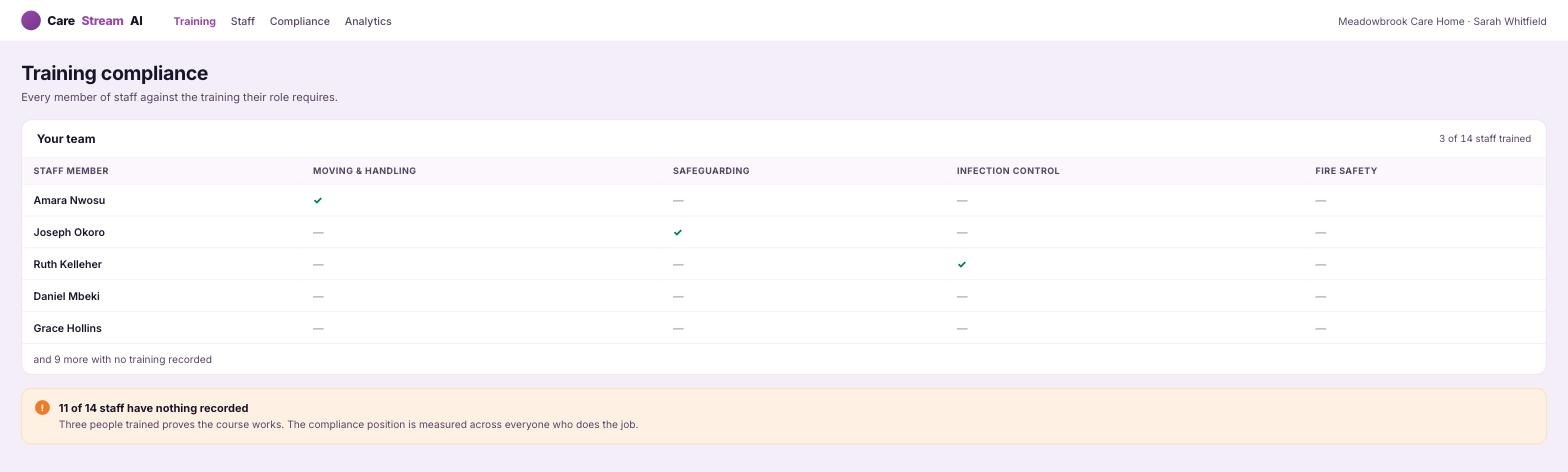
Figure: three completions look like progress until the view counts everyone who does the job.
Three trained staff proves the course works. Eleven with nothing recorded is the compliance position, and only a system that counts every person who does the job will show it to you.
This is why unlimited accounts matter more than they sound. The moment a licence limit exists, somebody gets left off the list, and the denominator quietly shrinks to fit the budget.
Ask to see the training matrix with every member of staff in it, including bank and agency. If the view only holds the people who have an account, the figure on screen is an opinion rather than a measurement.
Criterion four: what happens the week the law changes
Regulation moves slowly and then all at once. Your real question is how a change reaches the staff handbook, the training plan and the audit questions without three separate projects.
Care home policy software earns its keep here. One change should flow from the policy to the people who need telling, with a record of who was told.
Where those sit in separate systems, that flow becomes a manual job. It is usually the first thing to lapse in a busy month.
The free policy check shows where a policy falls short of the regulations. Create a free account to begin.
Create a free accountThere is a question worth asking every supplier here. When a regulation changes, who updates the wording, you or them, and how will your staff know it happened?
The answers vary more than you would expect. Some products alert you, some rewrite the clause and ask you to approve it, and some do neither and leave it to your consultant.
Criterion five: how the price scales
Pricing models differ more than headline figures. Per learner pricing suits a service with low turnover and punishes one that uses agency cover.
Per site pricing is easier to forecast and can look expensive for a small home. Work out your own cost per person for a full year, counting bank and agency staff, before you compare anything.
CareStream plans start at £85 a month with a 14 day trial, and the free plan has no user limit at all. Our plans and pricing set out what sits in each tier.
The four shapes a system comes in
- Spreadsheets and a shared drive. Low cost, flexible, and the hardest to prove anything from when someone asks.
- A single purpose tool, such as audits only. Strong where it is strong, and a second system to keep in step.
- A broad platform covering policies, training and audits. This is what most buyers mean by care home compliance software. More to learn, far less to reconcile.
- A consultancy retainer with documents attached. Good advice, though the records still end up being yours to keep.
Most services end up with two of these at once. That is a fair outcome as long as you choose which one is the system of record.
Write that choice down somewhere a new manager will find it. The commonest failure we see is two half kept systems, each assumed by someone to be the real one.
How we would weigh it
Adoption first, evidence second, breadth third, price fourth. We would take a narrower product that staff open over a wider one they do not.
The exception is a service already carrying a gap. If policies have drifted and nobody knows which ones, a cqc compliance software tool that reads your existing documents will pay for itself before any training module does.
Benefits of CareStream for care home software
A free account is a fair way to test care home software before any money moves.
- Every member of staff gets CPD certified training free, in English, with certificates and no card needed.
- Every audit in the library is free to run, with scoring, findings and actions.
- The first 5 policies get a gap check against regulation coverage, out of date content and consistency.
- Staff logins are unlimited, so the compliance figure counts everyone.
- Paid plans add translation into 60+ languages, AI recommendations at the end of an audit and wider policy work.
See how the staff hub works for people on shift, or run the policy gap check on documents you already hold.
How to choose without a long procurement
Pick the area that hurts most and test one system there for a month. Give it to two staff with no training and see what they do with it.
Then look at the evidence it produced, not at the interface. Our comparison of care home audit software runs the same test across audit tools if that is your pressing gap.
Buy for the shift, not for the demonstration. The system that gets opened is the one that holds the record.
Sources
Frequently asked