Your CQC inspection report. Now you can talk to it.
Upload your latest CQC inspection report and ask it anything in plain English. CareStream cross-references it against your own policies and the CQC framework to find action points, explain findings, and help you plan your response, in seconds, not hours.
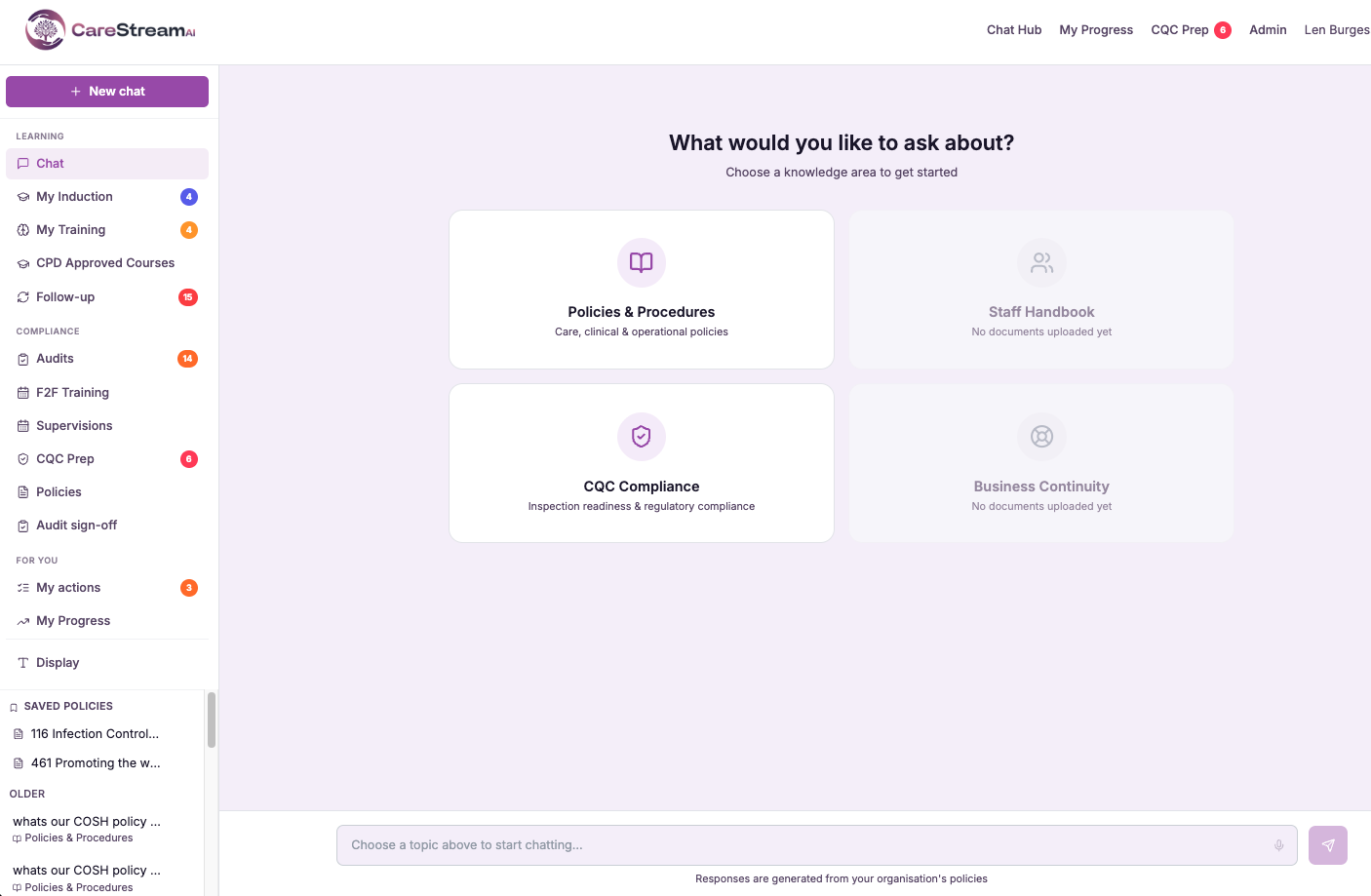
Stop hunting through 17 pages. Just ask the question.
Ask "What action points did the inspector raise?" and get a structured, numbered list drawn directly from your report, with section references where the report provides them.
Ask about any CQC finding and get a plain English explanation. CareStream draws on the CQC framework to tell you what the inspector meant and what evidence you would need to address it.
Ask "What do I need to do to address the Safe domain findings?" and get a clear action list, cross-referenced with the policies you already have in place.
Three steps from report to clarity.
Drag and drop your latest CQC inspection report PDF. CareStream reads and indexes the full document in moments. No CQC login required.
Type any question about your report, action points, specific domain findings, inspector language, what evidence is needed. No keyword searching, no page numbers.
Every answer is grounded in your report and cross-referenced with your policies and the CQC framework, with section references where the report provides them. Precise answers about your inspection, your home.
It reads your report against your whole compliance picture.
CQC Report Chat does not read your inspection report on its own. It cross-references the report against your own policies and the CQC assessment framework, so it can tell you not just what the inspector said, but whether your policies already answer it and what evidence would support your case.
It can also help you draft a factual-accuracy challenge, the formal response you can send to CQC to correct factual errors in a draft report. CareStream drafts it from your report and your policies. You review it, and you decide whether to send it.
Not the report in isolation. The report against your policies and the CQC framework.
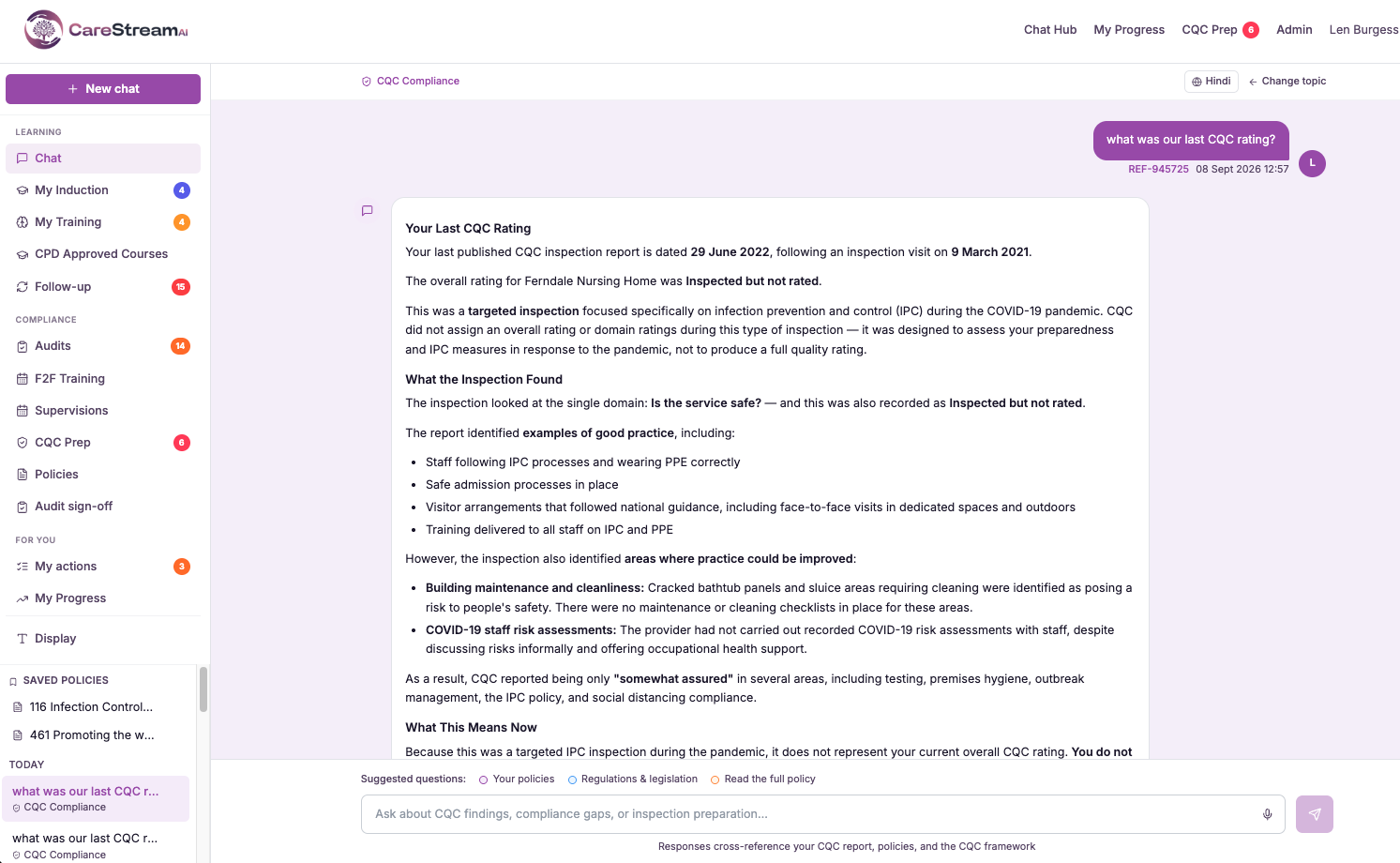
Sees where your existing policies already address a finding, so you can evidence it.
Explains what the inspector means and what evidence is expected, using the CQC assessment framework.
Helps you draft a factual-accuracy challenge grounded in your report and policies, for you to review and send.
The questions care managers actually ask.
- What action points did the inspector raise?
- What did the inspector say about medication management?
- Which CQC key questions were rated Requires Improvement?
- What evidence did the inspector say was missing?
- Do my policies already cover the handover finding?
- What does the inspector mean by "embedding"?
- Help me draft a factual-accuracy challenge for the staffing finding.
- Show me everything the inspector said about staffing.
- What does section 5.3 mean in plain English?
No CQC login
Secure
Ready in moments
CQC Report Chat helps you understand and navigate your inspection report. It does not provide regulatory advice and does not guarantee any particular outcome at future inspections. Any factual-accuracy challenge it drafts is a starting point for you to review. Always verify important decisions with your regulatory lead or legal adviser.
See CQC Report Chat against your own policies
Chat directly with your inspection reports. Upload what you already have and see it working inside a fortnight.





