Every policy, every answer, wherever your team is
The staff hub is the part of CareStream your carers actually touch. It holds your whole policy library, answers questions in plain language from your own documents, and works on the phone in someone’s pocket rather than a machine in the office.
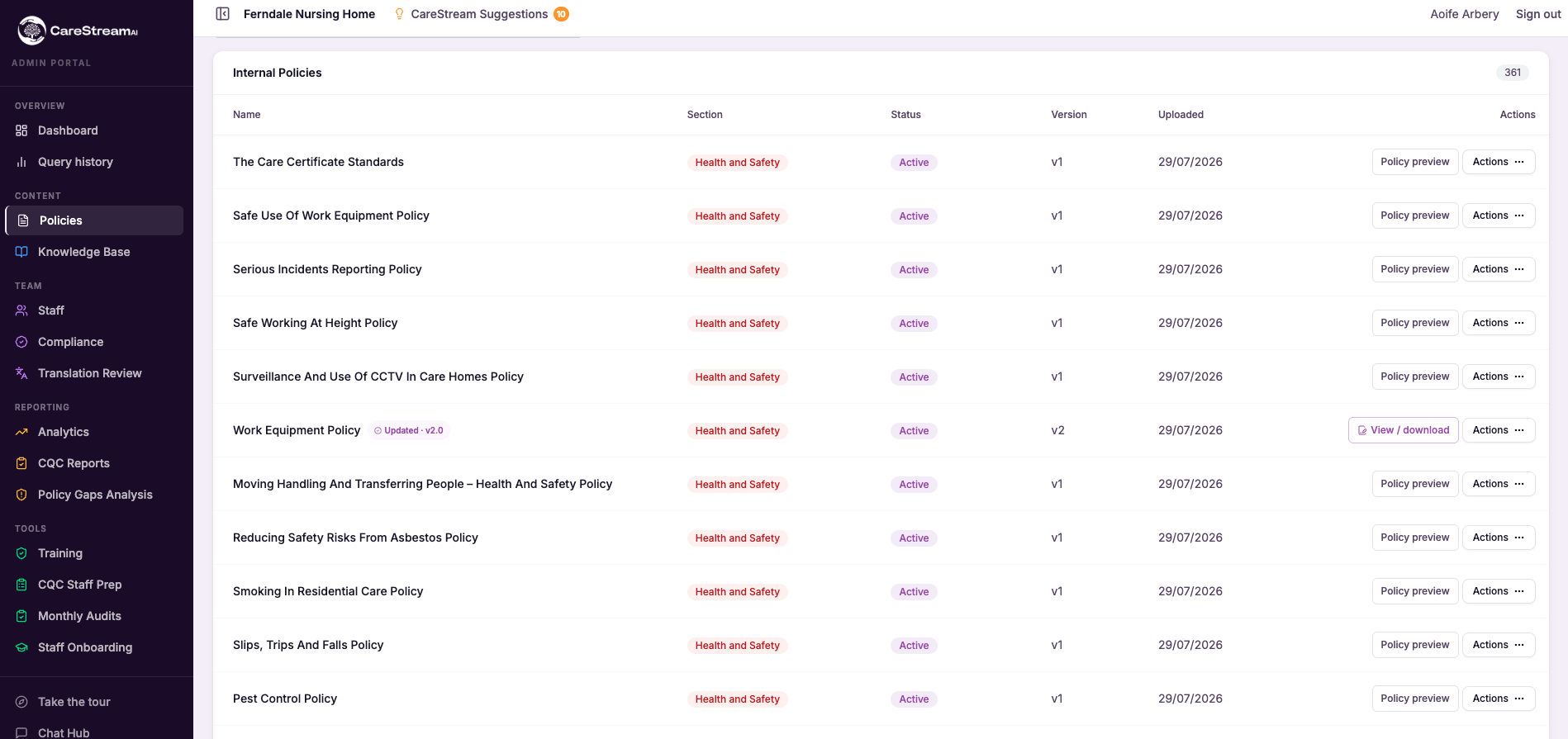
Care Sector Policies with Multi-language support
Workforces in care homes and nursing homes reflect the communities they serve, bringing together people from a wide range of backgrounds and first languages. A language barrier should never prevent a member of staff from fully understanding the care policies and procedures in health and social care settings that guide their work. CareStream's multi-language support means each person can access chat, policies and procedures, induction and training in the language they are most comfortable with, at the tap of a button. Official records and reporting stay in English throughout, so your compliance obligations are unaffected, and your care providers can be confident every team member genuinely understands what is expected of them.
When staff can engage with care management processes and procedures in health in their own language, misunderstandings are less likely and the quality of care your residents receive is better supported across every shift and every interaction.
- Care Staff truly understand your policies, rather than half-reading them in a second language.
- New starters from overseas get up to speed without a language barrier holding them back.
- Training and inductions land properly, because people learn in the language they think in at the flick of a button.
- Fewer misunderstandings at the point of care, which means safer, more consistent support for all your team and your residents.
- Your care records, audits and reporting all stay in English, so compliance is unaffected.
- People feel included and valued, which helps you keep the good staff you have hired.
How it works, step by step
Each member of staff chooses their language once, and the chat, policies and training all follow, with no separate app or login to manage.
Staff type questions and read answers in the language they are most confident in, and the guidance still comes from your own policies.
Induction steps, training modules and scenario questions all appear in the chosen language, so understanding is genuine, not guessed.
Whatever language a member of staff uses, what is stored, reported and shown at inspection stays in clear English.
Giving people the option to work in their own language shows you value them, which supports morale and retention across a diverse team.
It works out of the box for your whole team, so there is no extra admin and no per-language configuration to maintain.
- More than 60 languages, chosen per member of staff
- Chat, policies, induction and training all follow the chosen language
- Official records and reporting always stay in English
- No separate app, login or per-person setup
- Supports understanding, safety, inclusion and retention
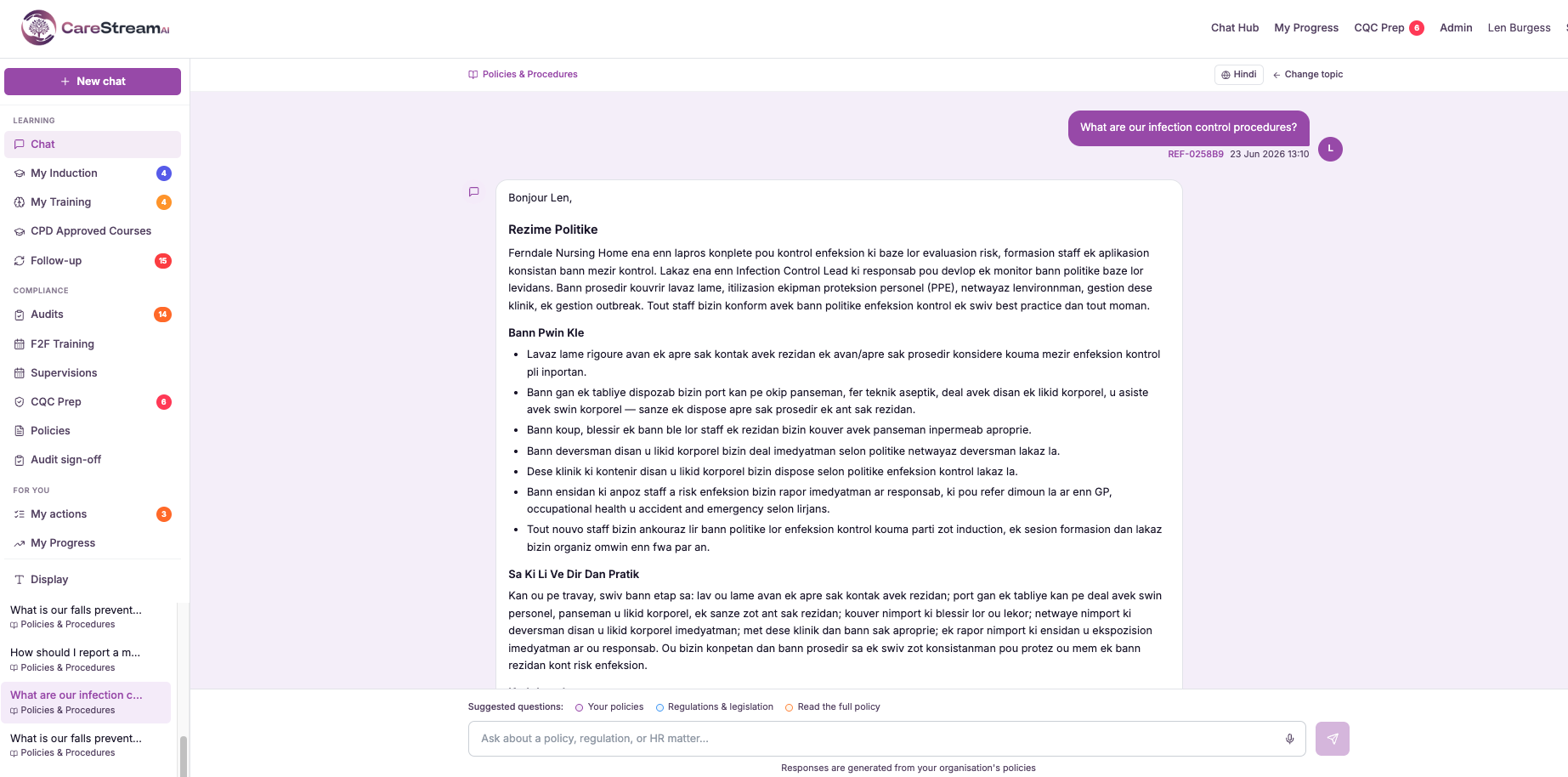
Email interface
The email interface lets care staff and managers interact with CareStream entirely through their inbox, alongside the app. Training reminders by email for care staff, compliance questions and other prompts arrive directly in a person's inbox, and they can respond simply by replying. There is no separate login, no new password to remember, and no additional system to open. This care platform email integration works as a genuine alternative channel, not just a notification tool. It matters because adoption is the quiet make-or-break of any care platform. Busy staff working across care home and nursing home policies, audits and daily routines will engage with what is easy and overlook what adds steps. By routing compliance activity through email, a channel staff already check constantly, CareStream keeps care staff training engagement and compliance activity tracking moving even for those who rarely or never open the app.
For managers overseeing care home audits or nursing home audits, this means compliance activity does not stall simply because a staff member has not logged in. Engagement happens through the channel that is already part of the working day.
- Let staff and managers engage with CareStream without logging into a separate system.
- Deliver training reminders straight to the inbox people already check.
- Allow people to respond simply by replying to an email.
- Reach staff who prefer email over apps, lifting overall engagement.
- Remove a common barrier to adoption across your team.
- Keep compliance and training activity moving without new habits to build.
How it works, step by step
Training reminders, prompts and questions arrive by email in the inbox people already check daily.
Staff and managers see what is being asked without opening a separate app or logging in.
People act by replying to the email, so responding takes no new tool or password.
Responses flow back into the platform so records and training progress stay up to date.
The email channel works in parallel with the app so each person uses whatever suits them.
Because there is no login friction, reminders and questions are far more likely to get a response.
- Lets staff and managers interact with CareStream by email as well as the app
- Sends things like training reminders and questions to the inbox
- People respond simply by replying, with no separate login
- Runs alongside the app so each person uses their preferred channel
- Removes login friction that often blocks staff engagement
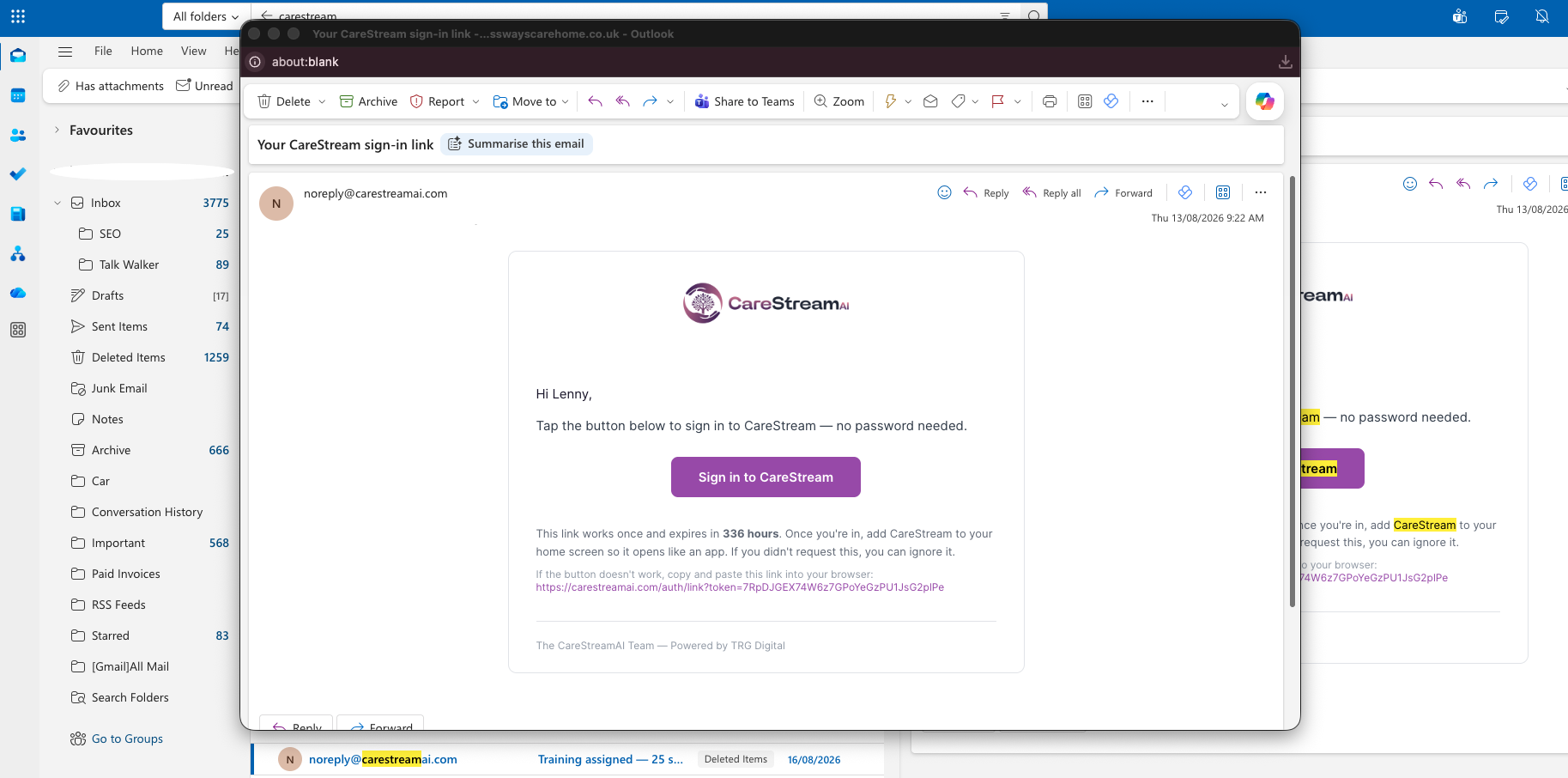
Voice input
Voice input lets staff talk to CareStream rather than type. A care worker can ask a question or interact with the platform out loud, and CareStream responds, so engaging does not depend on stopping to find a keyboard or being confident with typing.
This matters because care is a hands-on, on-the-move job, and not every member of staff finds typing easy or quick. By allowing voice, CareStream removes a practical and a confidence barrier at once, making sure the platform is genuinely usable during a busy shift by everyone on the team, not just the fast typists at a desk.
- Let care workers ask questions by speaking instead of stopping to type.
- Support staff who are less confident typing so they can still engage fully.
- Keep hands free for care tasks while interacting with CareStream.
- Make the platform usable on the move during a busy shift.
- Widen access across the team, whatever each person's comfort with typing.
- Get quick answers out loud without breaking the flow of care.
How it works, step by step
A member of staff starts voice input and simply talks instead of reaching for a keyboard.
They ask their question or interact out loud, in natural everyday language.
The platform interprets what was said so the spoken request is acted on like a typed one.
An answer comes back so the member of staff can carry on without stopping to type.
Because it is hands free, staff can use it mid-round or between tasks on a busy shift.
Voice runs alongside typing so each person uses whichever is easiest in the moment.
- Lets staff speak to CareStream instead of typing
- Supports care workers on the move and those less confident with typing
- Keeps hands free during hands-on care tasks
- Works alongside typing so people choose what suits the moment
- Makes the platform more accessible in a real care setting
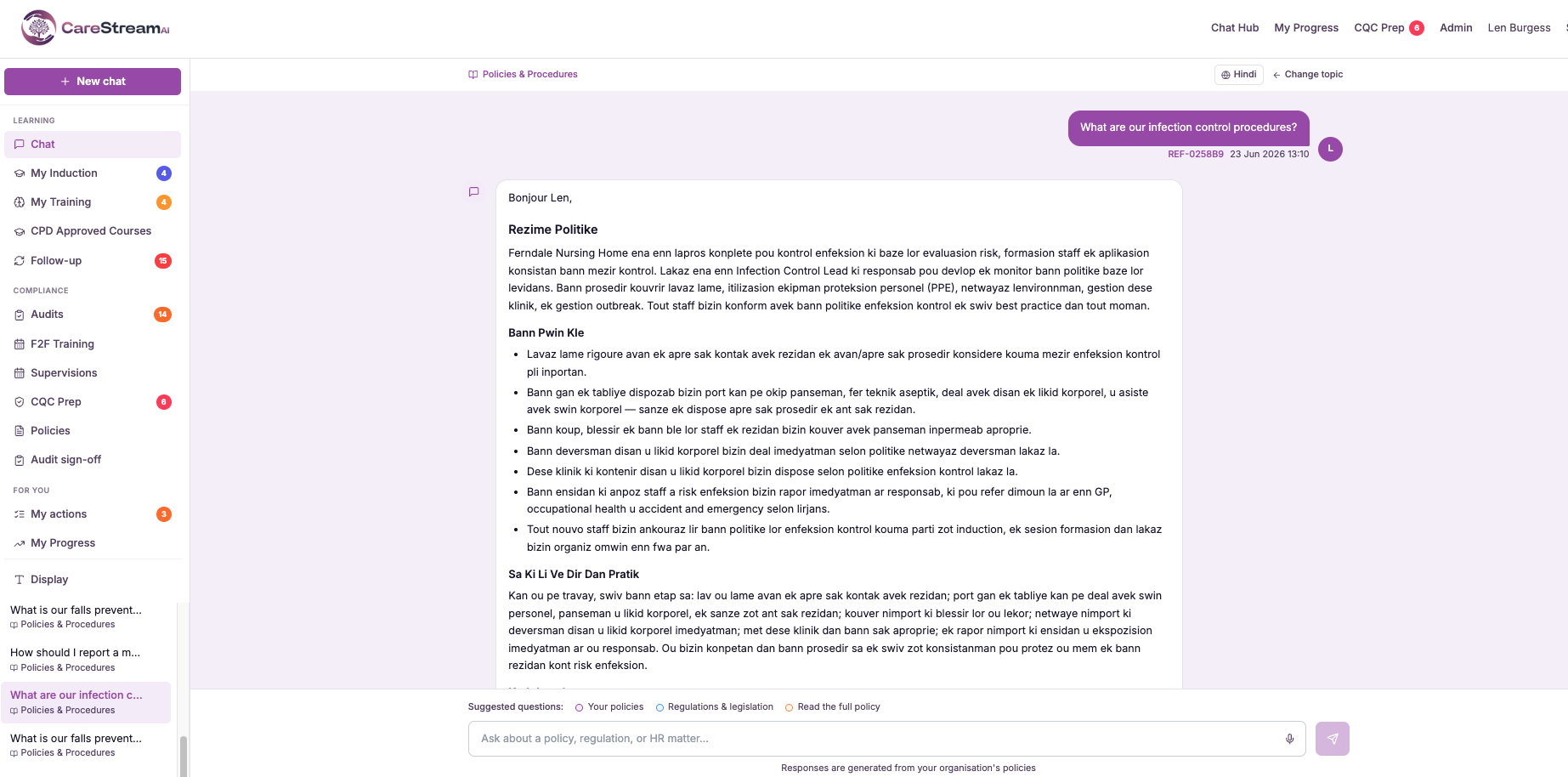
Home knowledge base (auto)
A staff assistant is only as useful as the information behind it. If it answers from generic care knowledge, it cannot tell a carer what your home actually does in a given situation. But building a home-specific knowledge base by hand, and keeping it current every time a policy changes, is exactly the kind of ongoing admin that overwhelmed teams never get to.
The home knowledge base is generated automatically from your existing policies. The word auto is the whole point: CareStream builds and maintains this store of your home's information from the documents you already have, with no manual data entry. Your staff Q&A assistant then answers from it, so when someone asks a question they get a response grounded in your real policies rather than a generic guess, and that grounding stays accurate as your documents evolve.
- Staff questions are answered from your own home's policies rather than generic care information.
- The knowledge base is built automatically, so no one has to type it all in by hand.
- It stays up to date as your policies change, with no ongoing manual maintenance.
- Your Q&A assistant gives answers that are actually true for your service.
- Staff get consistent, document-backed answers instead of guessing or asking around.
- You get a self-maintaining knowledge base without adding an admin job to anyone's week.
How it works, step by step
CareStream takes your existing policies and procedures as the source of truth for your home.
It generates a knowledge base from those documents with no manual data entry required from you.
Your staff Q&A assistant answers questions using this knowledge base of your real information.
Responses are drawn from your own policies, so they reflect what your home actually does.
When your policies are updated, the knowledge base updates too, keeping answers current.
Because it is automatic, nobody has to keep a separate store in sync or re-type anything.
- Built automatically from your existing policies, with no manual data entry
- Answers reflect your home's real documents, not generic care information
- Kept up to date as your policies change
- Powers the staff Q&A assistant directly
- Removes the ongoing admin of maintaining a knowledge store by hand
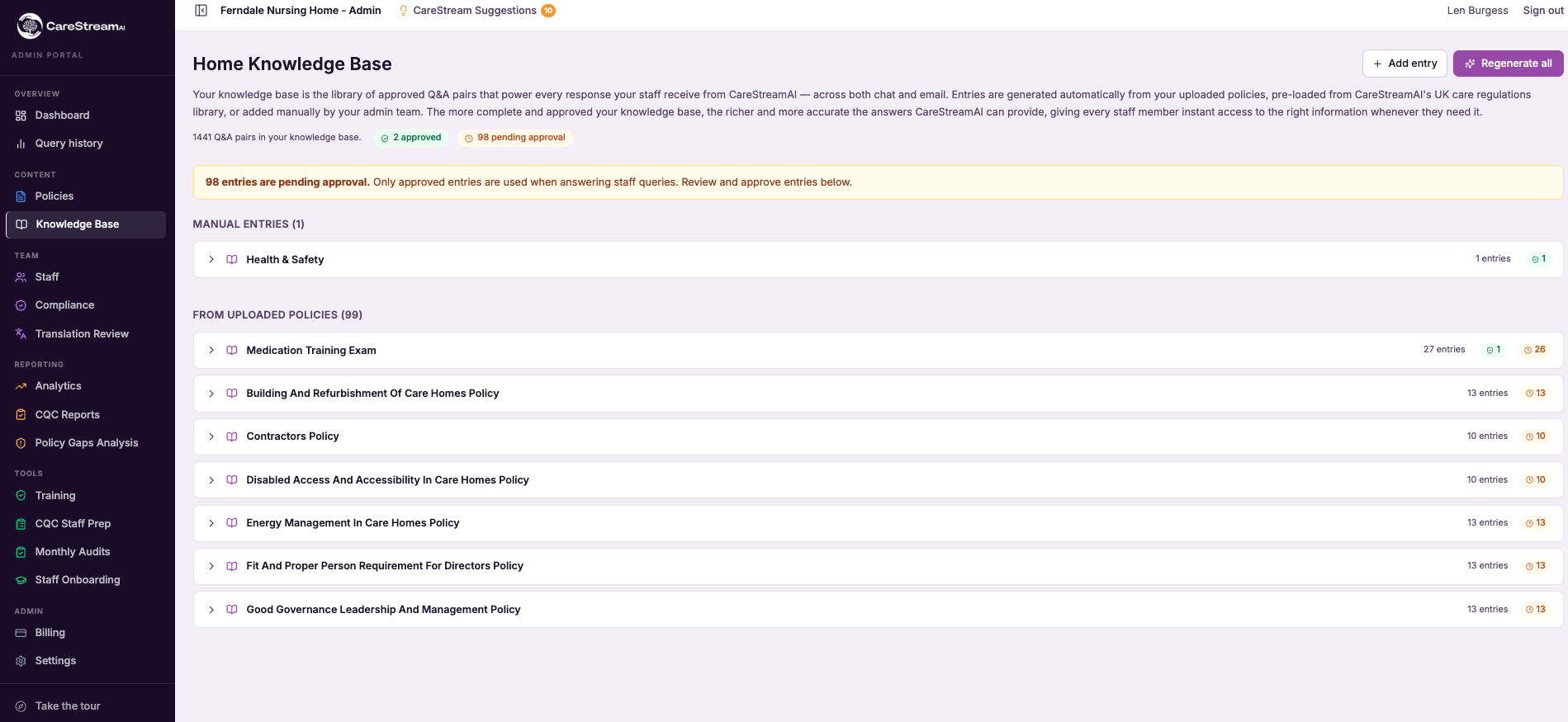
Home knowledge base (manual)
The manual knowledge base is a curated library of home-specific entries that you and your managers add and edit directly. It captures the practical, local knowledge that keeps a service running: how your medication round is timed, which contact to use out of hours, the small preferences of a long-standing resident, or the plain-English answer to a question staff ask again and again.
This matters because a formal policy cannot, and should not, hold every detail of daily practice. By writing these things down yourself, you turn scattered corridor knowledge into a single dependable source. The word manual is the point here: nothing is generated or assumed, so every entry reads exactly as you intended and reflects how your home genuinely works.
- New starters get consistent answers to everyday questions without waiting for a senior to be free.
- Local ways of working are written down once instead of being explained over and over in handover.
- Knowledge stays in the service when an experienced member of staff moves on or retires.
- Staff get guidance on the practical details that no formal policy was ever meant to cover.
- You keep full editorial control, so every answer reflects your standards and your language.
- Your care team feels supported day to day, which strengthens confidence and quality care.
How it works, step by step
Write a knowledge entry in plain English, covering a local practice, a common question or a piece of extra guidance your team needs.
Group, title and tidy your entries so the assistant can find the right one and staff always get a clear, relevant answer.
Your manual entries work alongside the automatic knowledge base drawn from approved policies, so staff draw on both without knowing the difference.
When a member of staff asks the Q&A assistant something not covered by a formal policy, the answer can come straight from your curated entries.
When practice changes, you update the entry in seconds and every future answer reflects the new guidance immediately.
Review your entries periodically so the local knowledge stays current, correct and genuinely useful to your team.
- Every entry is written and curated by you, not generated automatically.
- Captures local practice and common questions that formal policies do not cover.
- Works alongside the automatic policy knowledge base to power the staff Q&A assistant.
- Editable at any time, so guidance stays current with how your home actually works.
- Keeps hard-won knowledge inside the service rather than in individual heads.
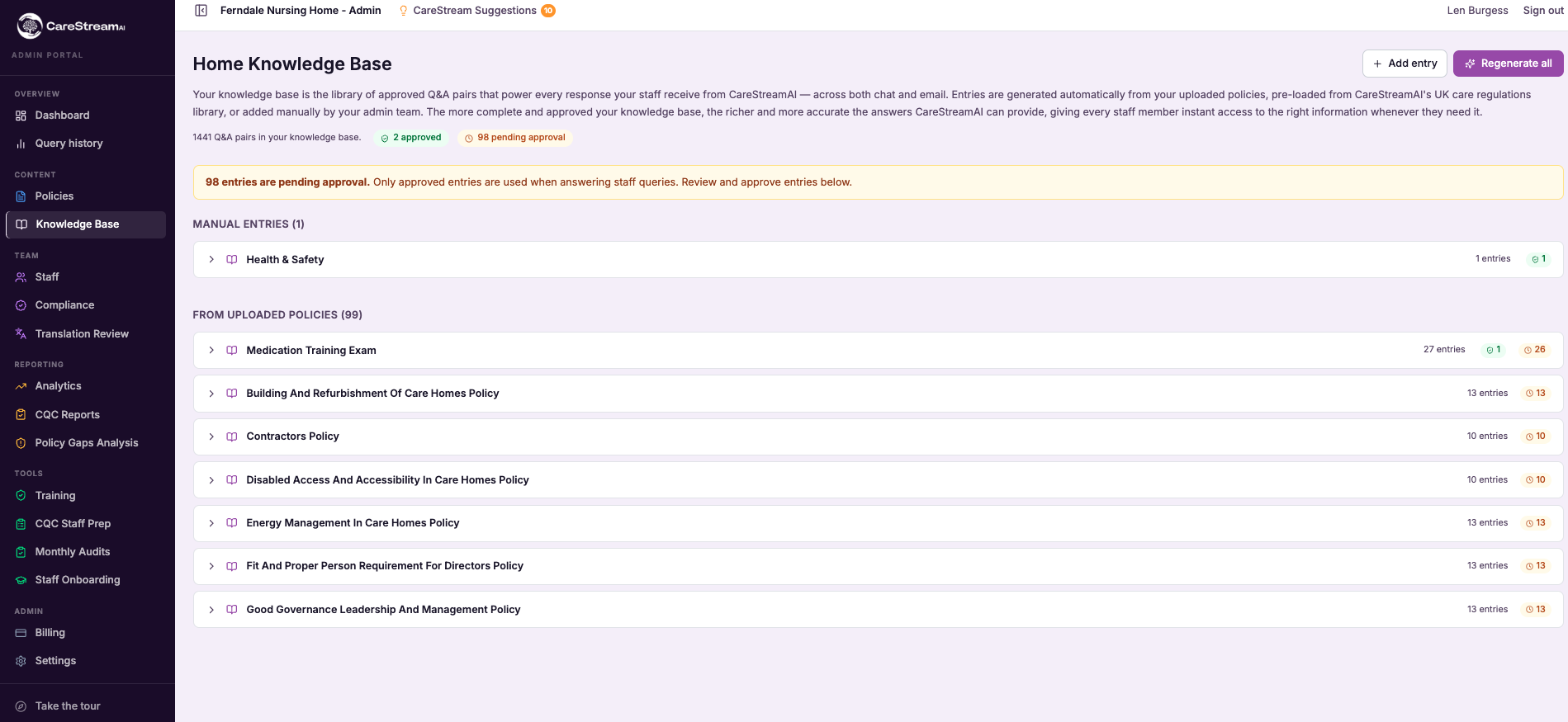
External regulatory knowledge base
A general AI model carries a broad, fuzzy sense of many topics, frozen at the point it was trained and never quite specialised to your world. Ask it about care regulation and it will answer confidently, but you cannot see where that answer came from or whether it reflects current statutory guidance. That is a poor foundation for decisions an inspector will scrutinise.
The external regulatory knowledge base gives CareStream's analysis something solid to stand on. It is a maintained store of the regulations, standards and statutory guidance that govern adult social care, and it is what the AI consults when it reviews your policies and procedures. The recommendations you receive are therefore anchored to real, current sector rules rather than a model's recollection, which is what makes them safe to act on.
- Policy recommendations are grounded in current regulations and statutory guidance, not a model's memory.
- You can trust that analysis reflects the actual expectations placed on care providers.
- The AI draws on a body of sector rules that is maintained rather than frozen at a training date.
- Advice reflects the specifics of adult social care regulation rather than generic knowledge.
- You reduce the risk of acting on confident but outdated AI suggestions.
- Every other CareStream analysis feature inherits this grounded, current foundation.
How it works, step by step
A body of relevant regulations, standards and statutory guidance for adult social care is assembled.
The knowledge base is kept up to date so it reflects current sector rules rather than a fixed snapshot.
When CareStream reviews your policies, its AI draws on the knowledge base rather than its own memory.
Recommendations are tied to the real rules in the knowledge base, so advice reflects current expectations.
Other analysis features build on this grounded foundation for consistency across the platform.
As the knowledge base is expanded and refreshed, the grounding behind every recommendation strengthens.
- A maintained external store of regulations, standards and statutory guidance
- Grounds AI recommendations in current sector rules, not model memory
- Specialised to adult social care rather than general knowledge
- Kept up to date rather than frozen at a training date
- Underpins every CareStream policy analysis feature
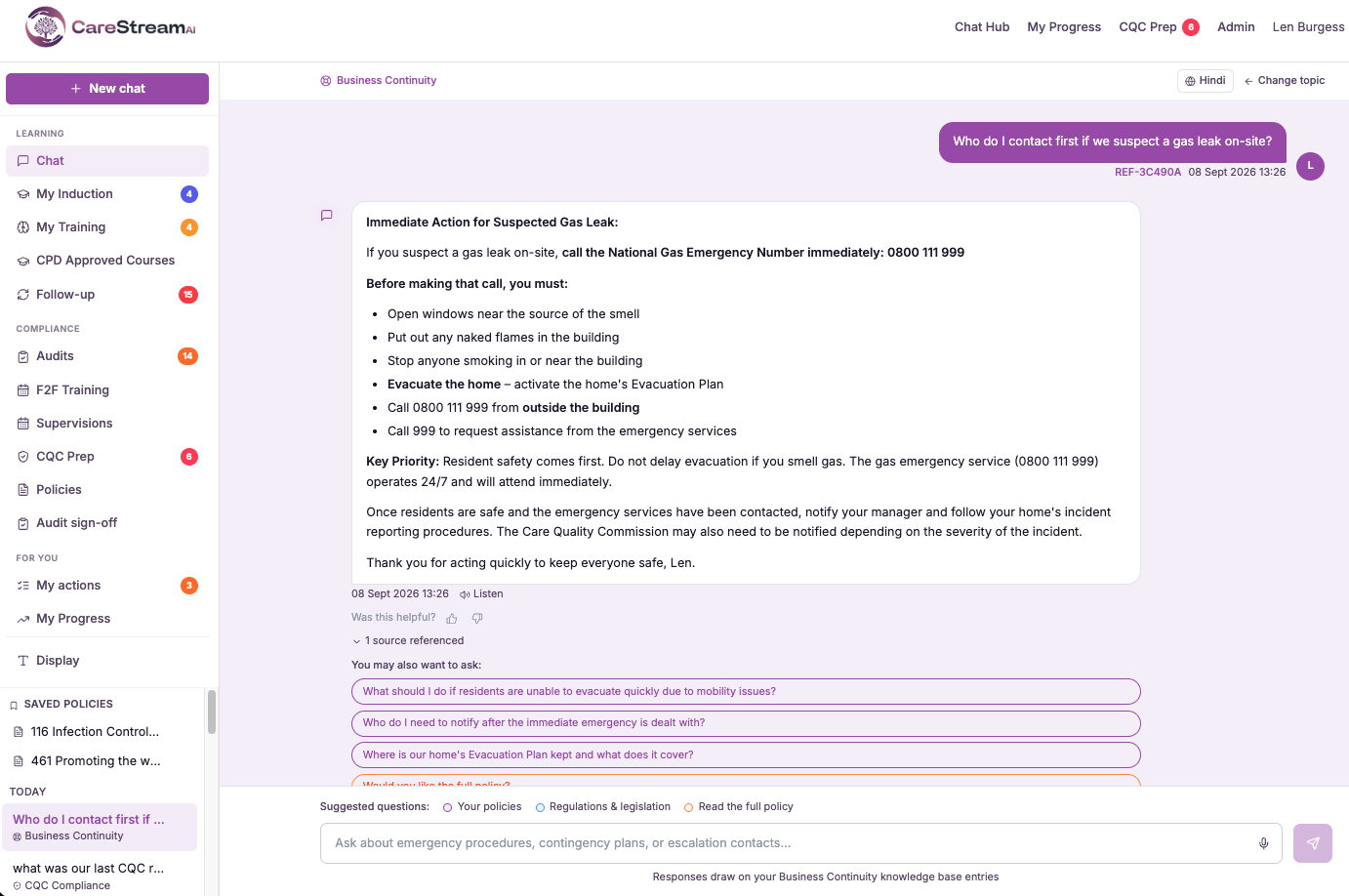
Frequently asked
01Care Sector Policies with Multi-language support
How many languages are supported?
CareStream supports more than 60 languages, so each member of staff can select the language they feel most confident in. The platform then presents the chat, care policies, and training content in that chosen language, making it straightforward for teams to engage with policies and procedures across health and social care settings. For care providers managing diverse workforces, access to care sector policies in multiple languages helps ensure that every team member can read, understand and follow the procedures in health and social care that matter most to the people in their care.
Do our records change language too?
Not at all. Even when care providers make care sector policies in multiple languages available to staff, your official records, audits and reporting remain in clear English throughout. Your compliance position and inspection readiness stay completely unaffected. For those responsible for care management, this means you can support a diverse workforce without creating two separate documentation trails or introducing any uncertainty into your policies and procedures.
Is there anything to set up for each person?
Not at all. The platform is built to serve your whole team straight away, with no extra setup required. Any member of staff simply selects their preferred language, and all care home policies, procedures and guidance display accordingly. For care providers supporting colleagues whose first language is not English, this makes accessing care sector policies in multiple languages entirely straightforward. In health and social care settings, where clear understanding of policies and procedures is essential to quality care, removing language as a barrier helps every team member work confidently and consistently from day one.
Does it work across training and induction too?
Yes. Whatever language a staff member selects, that choice carries through the chat, care home policies, induction steps, training modules and follow-up messages, creating one consistent experience from start to finish. For care providers managing a multilingual workforce, this means staff can engage with care sector policies in multiple languages without switching between systems or losing context at any point in their journey.
02Email interface
What can staff actually do by email?
The email interface is a two-way channel, so it is more than notifications. Staff and managers can receive things like training reminders and questions in their inbox, and they can respond straight back by replying, without opening the app or logging in anywhere. Those responses feed back into CareStream, so records and training progress stay current. For someone who spends their day in email, this means they can stay fully engaged with the platform without ever changing where they work.
Does using email mean staff miss out on the app?
No. The email interface runs alongside the app rather than replacing it. People who like the app carry on using it, and people who prefer email get the same engagement through their inbox, so nobody is forced onto a channel that does not suit them. This flexibility is the point. Different members of a care team work in different ways, and letting each person use whichever channel they are comfortable with is what keeps engagement high across the whole team.
Why does an email option matter for adoption?
Adoption is where most care platforms quietly fail. Busy staff and managers will engage with what is easy and ignore what adds steps, and having to log into a separate system is one of the most common reasons good intentions stall. By letting people work from the inbox they already check all day, the email interface removes that barrier. Reminders and questions are far more likely to get actioned when responding is as simple as replying to an email, which keeps your training and compliance activity moving.
Will email engagement still keep our records up to date?
Yes. When someone responds by email, that response flows back into CareStream, so training progress and related records stay current just as they would if the person had used the app. The channel changes, not the record keeping. That is important for inspection readiness, because it means the higher engagement you get from meeting people in their inbox translates directly into up-to-date compliance and training records rather than activity that happens outside the system.
03Voice input
Who benefits most from voice input?
Two groups in particular. First, care workers who are on the move, mid-round or between tasks, who cannot easily stop to type but can ask a question out loud and carry on. Second, staff who are less confident typing, for whom speaking is far more natural than a keyboard. By supporting both, voice input widens who can genuinely use the platform on a busy shift. It means engagement no longer depends on being a fast or confident typist sitting at a desk, which makes CareStream accessible to the whole team.
Does voice input replace typing?
No. Voice input sits alongside typing rather than replacing it, so each member of staff can choose whichever suits the moment. On the move it might be voice, at a desk it might be typing, and the same platform responds either way. That choice is the point. Different people and different situations call for different input, and letting staff pick keeps CareStream usable across the whole range of a care worker's day rather than forcing one way of interacting.
How does a member of staff use voice input?
It is designed to be simple. A member of staff starts voice input and speaks their question or request in ordinary everyday language, and CareStream interprets what was said and responds, so the whole exchange can happen out loud without reaching for a keyboard. Because it is hands free, this works well in the real conditions of a care setting, letting staff ask something mid-task and get an answer without breaking the flow of care they are providing.
Why does voice input matter for a care service?
Care is a hands-on, on-the-move job, and a platform only helps if staff can actually use it in those conditions. Voice input matters because it fits the reality of a shift, letting people engage without stopping what they are doing and without the barrier that typing can present for some staff. When the whole team can interact easily, questions get answered and training gets actioned on shift rather than being put off, which keeps practice and records current. That accessibility is what turns a platform staff could use into one they actually do.
04Home knowledge base (auto)
What does auto actually mean here?
It means CareStream builds and maintains the knowledge base for you, from the policies you already have, without anyone doing manual data entry. You are not asked to type your home's information into a separate system, and you are not asked to keep that system in sync every time a document changes. The knowledge base is generated from your existing policies and refreshed as they evolve. This is the crucial difference from a manual knowledge base, where the value depends entirely on someone finding time to keep it current. In a busy care service that time rarely appears, so manual stores go stale. Making it automatic removes that dependency, which is why the answers your staff receive stay grounded in your real, current documents.
Where do the answers come from?
They come from your own home's policies and procedures. The knowledge base is built from those documents, and your staff Q&A assistant answers from it, so when a carer asks a question they get a response grounded in what your service actually does rather than generic care information found elsewhere. That is what makes the answers trustworthy on shift. A generic reply might describe good practice in the abstract, but it cannot tell a member of staff your home's specific approach. Because the assistant draws on your real documents, the guidance staff receive matches the policies they are expected to follow, which supports consistency and safe practice.
What happens when I update a policy?
The knowledge base is kept up to date as your policies change, so an update to a document flows through to the answers staff receive. You do not have to separately re-enter the change into a knowledge store or worry that the assistant is still answering from an old version. This self-updating behaviour is central to why the feature is described as auto. Keeping a home-specific knowledge base accurate by hand is exactly the kind of ongoing task that slips, and a knowledge base that has drifted out of date can mislead staff. By refreshing from your current policies, CareStream keeps the answers aligned with what your documents actually say now.
How is this different from the external regulatory knowledge base?
The external regulatory knowledge base is a maintained store of sector-wide regulations, standards and statutory guidance that grounds CareStream's policy analysis in current rules. It is about the wider regulatory landscape that applies across providers. The home knowledge base is the opposite in scope: it is built from your own home's policies and answers questions specifically about your service. They serve different jobs and work well together. The regulatory knowledge base makes sure analysis reflects real sector rules, while the home knowledge base makes sure your staff get answers grounded in your own documents. One is about the rules everyone must meet, the other is about how your particular home does things, and both stay current so you can rely on them.
05Home knowledge base (manual)
How is this different from the automatic knowledge base?
The automatic knowledge base builds itself from your approved policies and procedures, so it answers questions that are grounded in formal documents. The manual knowledge base is the opposite: nothing is generated for you, and every entry is written and curated by hand so you control exactly what goes in. In practice the two work together. The automatic base handles questions rooted in your care home policies and nursing home policies, while the manual base covers local ways of working, extra guidance and common staff questions that no formal policy was ever meant to hold. Your team draws on both through a single staff Q&A assistant.
Who can add or edit manual knowledge entries?
Adding and editing entries is a manager and quality lead task, so control stays with the people responsible for standards in your service. You write entries in plain English, title and group them, and update them whenever practice changes. Because you hold that control, you always know exactly what your team is being told and where the answer came from. There is no risk of an entry appearing that you did not approve, which keeps the knowledge base trustworthy and firmly aligned with how your home works.
What kind of information should I put in the manual knowledge base?
It is ideal for the practical, local detail that keeps a service running but does not belong in a formal policy: the timing of a medication round, an out of hours contact, a resident's long-standing preference, or the plain-English answer to a question staff ask in every handover. Think of it as writing down the knowledge you currently keep repeating in person. Anything that a new starter or a member of staff on a quiet shift might reasonably ask, and that is specific to your home rather than to regulation, is a strong candidate for a curated entry.
Will staff know whether an answer came from a policy or a manual entry?
For staff the experience is seamless. They ask the Q&A assistant a question and receive a clear answer, whether it is grounded in an approved policy or in one of your curated manual entries, so there is no extra step or decision for them to make. For you as a manager the distinction stays visible and controllable behind the scenes. You know which entries you have written by hand, you can edit them at any time, and you can rely on the automatic base to keep answering the questions that are rooted in your formal policies and procedures.
06External regulatory knowledge base
Why does grounding the AI in a knowledge base matter?
A general AI model answers from memory that was fixed at the point it was trained, with no traceable source and no guarantee it is current. In most settings that is a minor inconvenience, but in compliance it is a real risk, because a confident answer about regulation can be out of date or subtly wrong and you have no way to tell. Grounding the analysis in a maintained knowledge base changes that. Recommendations are tied to real regulations, standards and statutory guidance rather than the model's recollection of them, so what you act on reflects the actual expectations placed on care providers. It is the difference between advice you can rely on and advice you have to second-guess.
How is the knowledge base kept up to date?
It is a maintained resource rather than a fixed snapshot, which means it is kept current as regulations, standards and guidance in the sector evolve. That maintenance is central to its value, because a knowledge base that was assembled once and left alone would slowly develop the very staleness it exists to prevent. Because every CareStream analysis feature draws on this same base, keeping it current strengthens the foundation under all of them at once. As the knowledge base is refreshed and expanded, the grounding behind every recommendation improves, which is why it underpins the reliability of the wider platform rather than sitting off to one side.
Is the knowledge base specific to adult social care?
Yes. The point of a curated, maintained knowledge base is that it focuses on the regulations, standards and statutory guidance that actually govern adult social care providers, rather than the broad general knowledge a model carries about everything. That focus is what makes the recommendations relevant to your world. A nursing home, a domiciliary agency and a supported living service all operate within a specific regulatory framework, and grounding the AI in that framework means its analysis speaks to your responsibilities directly. It is specialised on purpose, because generic advice is exactly what care providers do not need when preparing for inspection.
How does this relate to CareStream's other features?
The external regulatory knowledge base is the foundation the other analysis features stand on. When CareStream checks your policies for consistency, detects out-of-date content, tracks regulation changes or tailors requirements to your care setting, it does so on top of this grounded, current understanding of the rules rather than each feature guessing independently. That shared foundation is what keeps the platform coherent and trustworthy. Because every feature draws on the same maintained source of sector rules, you get consistent, grounded reasoning across the board, and improving the knowledge base lifts the reliability of everything built on it.
Explore more features
More of what the CareStream compliance platform does for UK care providers.
See it on your own policies.
Upload what you already have and see what CareStream finds, inside a fortnight.





