Structured audits that take minutes to complete and produce a report you can actually use.
Regular audits are a CQC expectation, but completing them manually is slow, inconsistently formatted, and rarely produces findings that lead to clear action. CareStream gives you over 30 ready-made audits, lets you build or import your own, schedules them to the right people, and turns every finding into an action that is followed through and re-checked at the next audit.
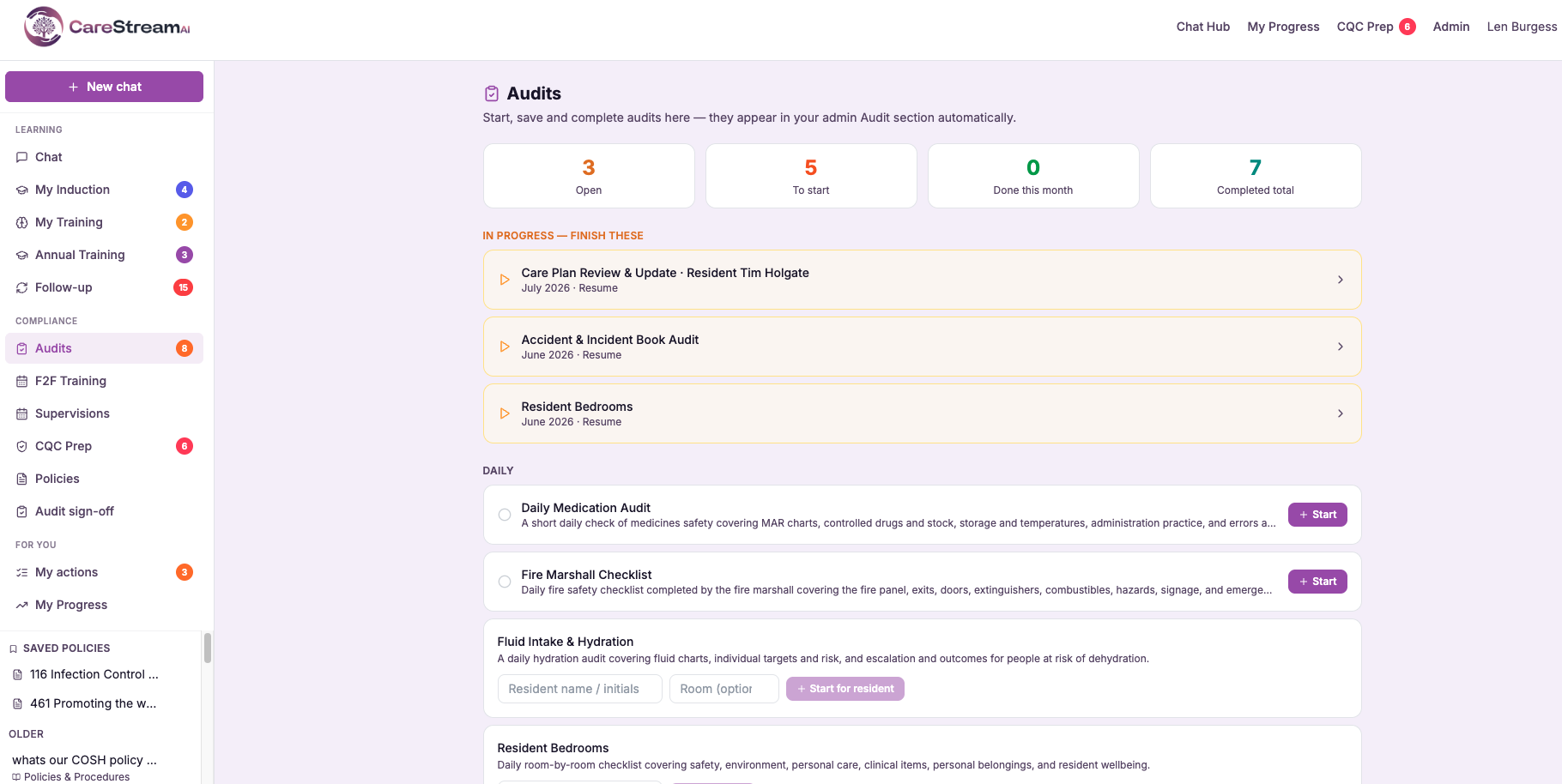
Most care setting audits take too long, read differently every time, and rarely lead to action.
A care manager filling in a paper audit form or a spreadsheet can spend two to three hours on a single audit. The questions vary from month to month depending on who does it. The resulting report is filed, a few actions are noted, and the cycle repeats with the same weaknesses.
CQC inspectors want to see that internal audits are consistent, that they produce clear findings, and that those findings come with sensible actions. CareStream gives every audit the same structure, scores each section as you go, and turns your answers into a formatted report with prioritised recommendations.
A manager spends two hours on a spreadsheet. The format changes each time. Findings are noted but inconsistently. The audit exists on paper but rarely reads the same way twice.
A structured audit is completed in the hub in well under an hour. Every section is scored, findings and actions are captured against each question, and a formatted report with AI recommendations is generated the moment you finish.
Choose it, work through it, receive your report. No formatting, no spreadsheets.
Choose from over 30 ready-made audits covering the areas CQC inspects, or use your own. Your team works through each one section by section on the web or in the hub, and the signed report is generated the moment the audit is complete.
CareStream includes over 30 ready-made audits, from medicines, infection control and fire safety to safeguarding, falls, pressure care, mealtimes, water safety and night shift walkrounds. Start one yourself, or schedule it to a named person with a due date.
Work through the audit section by section on a phone, tablet or computer. Questions can be yes or no, a reading with a pass range, a rating or a choice, and follow-up questions only appear when they apply. Answers save as you go, so you can pause and pick up later on any device.
When the audit is signed and complete, CareStream produces a PDF report with every answer, each section score, your findings, signatures and AI recommendations. It is saved with the audit and emailed to your managers automatically.
Not just our templates, your audits too.
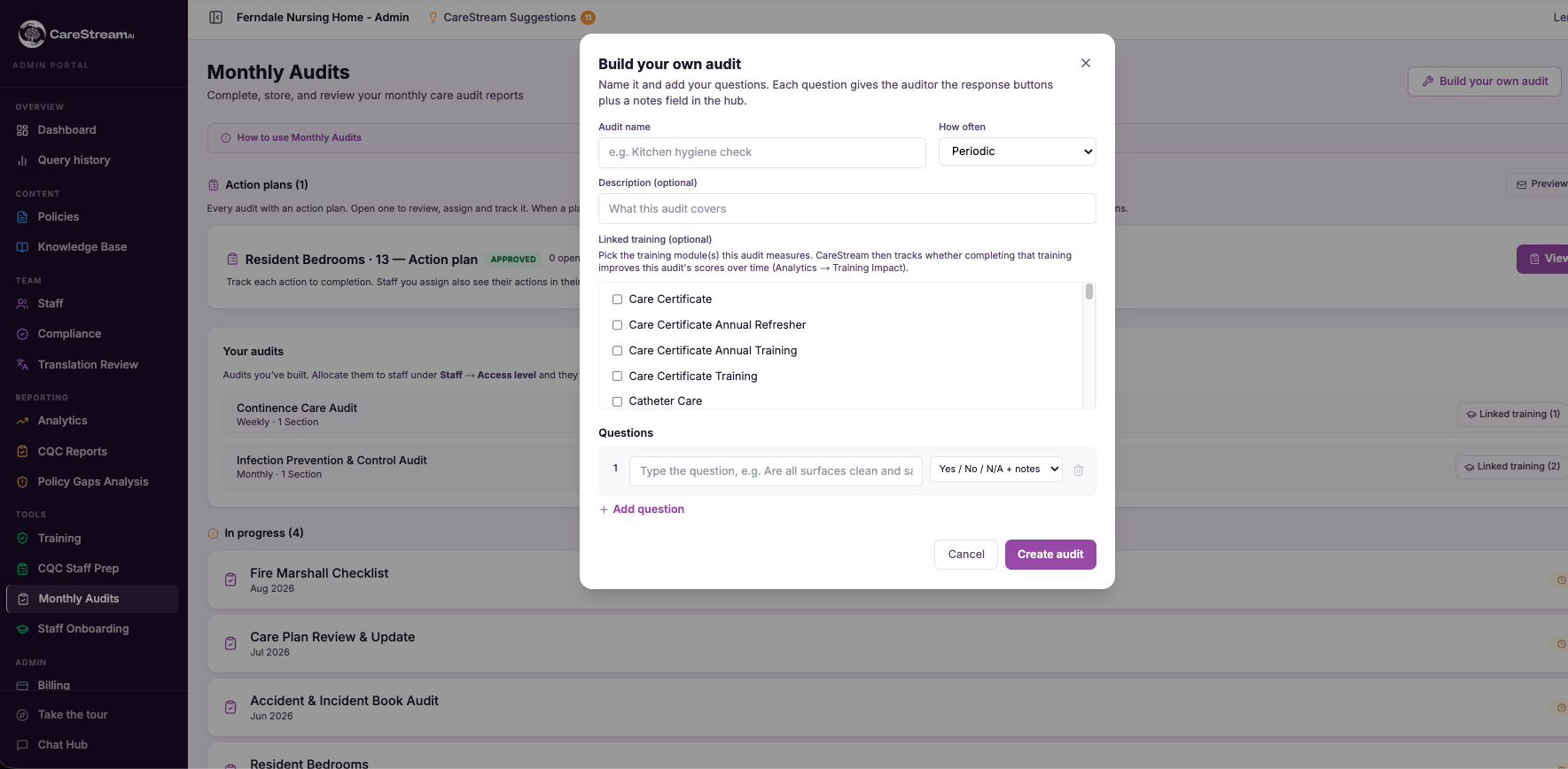
Every service audits things the standard templates do not cover. Build your own audit in minutes, import the one you already use, or copy a ready-made audit and adapt it. Your audits work exactly like the built-in ones.
Add sections and choose a type for every question: yes or no, a number with a pass range such as fridge temperatures, a date, a choice, a rating, or written findings. Follow-up questions can appear only when an earlier answer needs them.
Tag each question with the CQC quality statement it evidences, so every report shows inspectors exactly which part of the framework your audit covers.
Copy any ready-made audit to make it your own and hide the ones you do not use. Every change is saved as a new version with a note of what changed, and completed audits keep the questions they were answered against.
Every audit, custom or built-in, gets scoring, signatures, a PDF report, AI recommendations mapped to the CQC key questions, an action plan and trends over time.
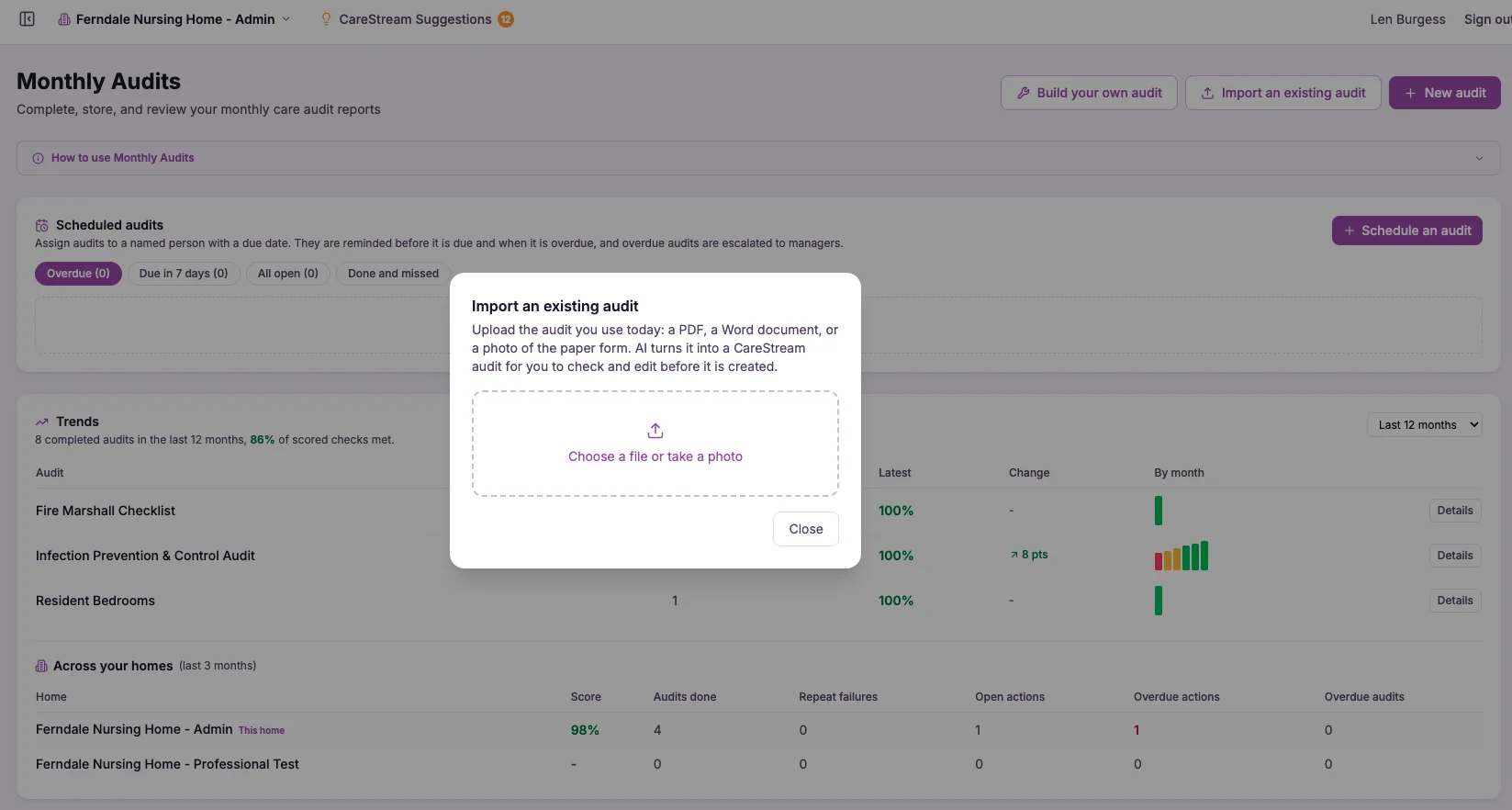
Already have audits on paper or in Word? Upload them and CareStream does the typing.
Upload the audit you use today as a PDF, a Word document or simply a photo of the paper form. AI reads it, including scanned and handwritten forms, and turns it into a CareStream audit with the sections, question types, options and CQC tags filled in.
You check it in the audit builder before anything is saved, with anything the AI was unsure about highlighted for you. Years of audits your team already trusts can be up and running in minutes.
Close the loop, from policy to proven impact.
Build your own audit, link it to the training it measures, and CareStream shows you whether that training is actually improving practice. It joins up the whole cycle, in one place.
- It needs a few monthly audit runs to show a meaningful trend, and it shows a correlation rather than proof of cause. Even so, it is exactly the train, audit, improve and re-audit cycle that CQC's well-led question looks for.
Add your own policy documents. They become the single source of truth everything else is built from.
CareStream creates training modules grounded in your policies, so staff learn your way of working, not a generic course.
Create an audit for the practice that training should improve, and link it to the module. The audit becomes your real-world measure of whether it worked.
CareStream tracks the audit's compliance score against training completion over time, so you can see whether the training is landing in practice.
Every question is consistent, and every answer is captured in the same structure.
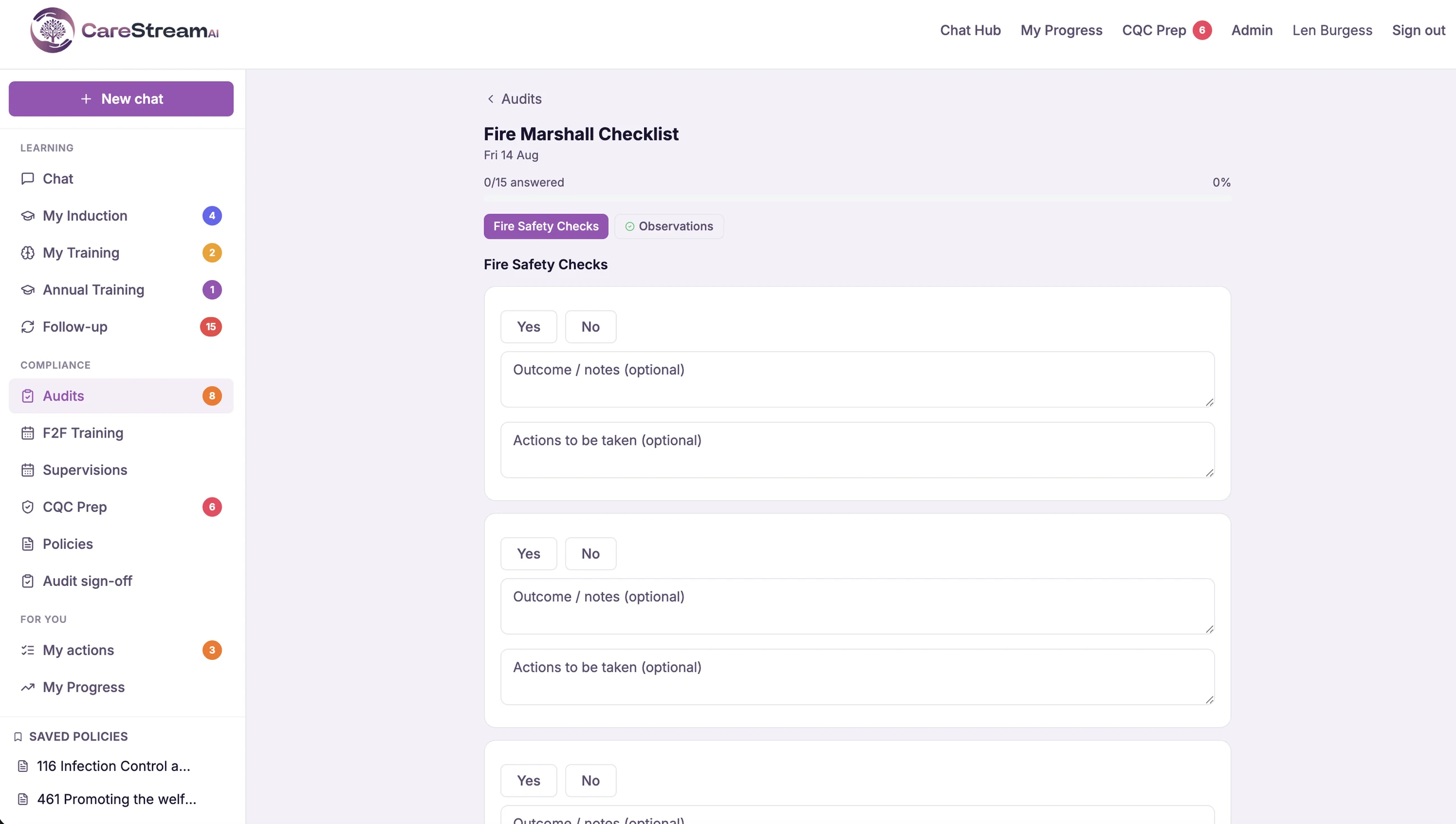
The guided audit walks you through every required question in the right order. Each question takes a Yes, No or Not Applicable, with space for what you found and the action to take, so every audit is formatted the same way regardless of who completes it.
It can be completed on any device, at any time. Answers save as you go, so a manager finishing a medicines audit at the end of a shift takes the same structured path as one completing it at the start of the day.
A clear answer and a note for every question, formatted identically every time.
The right audit, with the right person, on the right day.
Schedule each audit to a named member of staff with a due date and a repeat, daily, weekly, monthly or quarterly. It appears in their hub under Assigned to you, and the next one is set up automatically when they finish.
The assigned person is emailed when an audit is assigned, two days before it is due, and when it becomes overdue.
Choose how many days overdue an audit can be before it is escalated to your managers, so nothing slips quietly.
Admins get a daily or weekly summary of what is due, overdue, done and missed across the home.
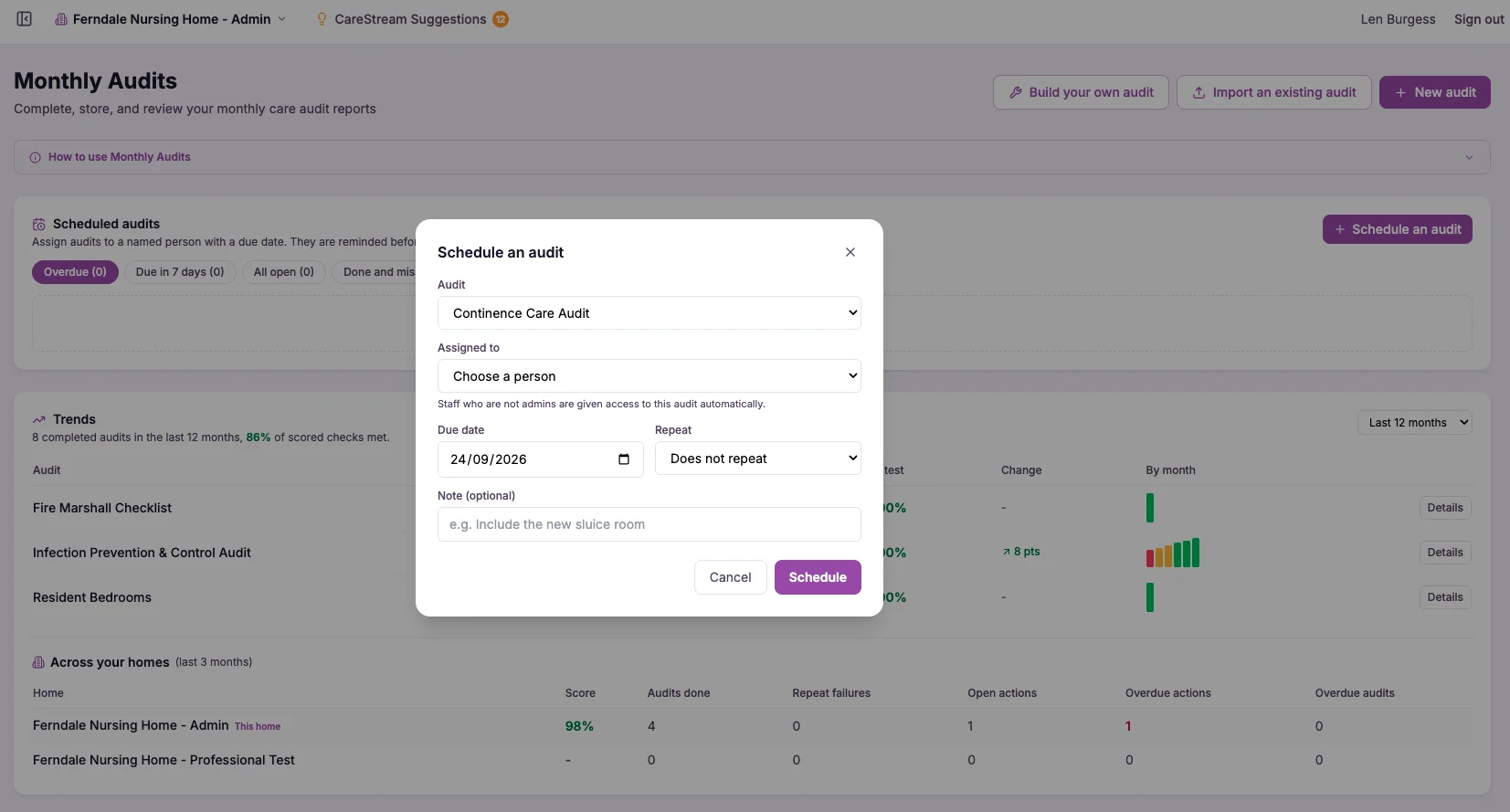
Capture the evidence, right on the question.
When you spot something as you walk the floor, take a photo there and then. On a phone or tablet, your team can attach photos to any audit question as they go, and draw on them to circle or point at the problem. The photos are compressed automatically and stored against that exact question, so the evidence is right there beside the answer.
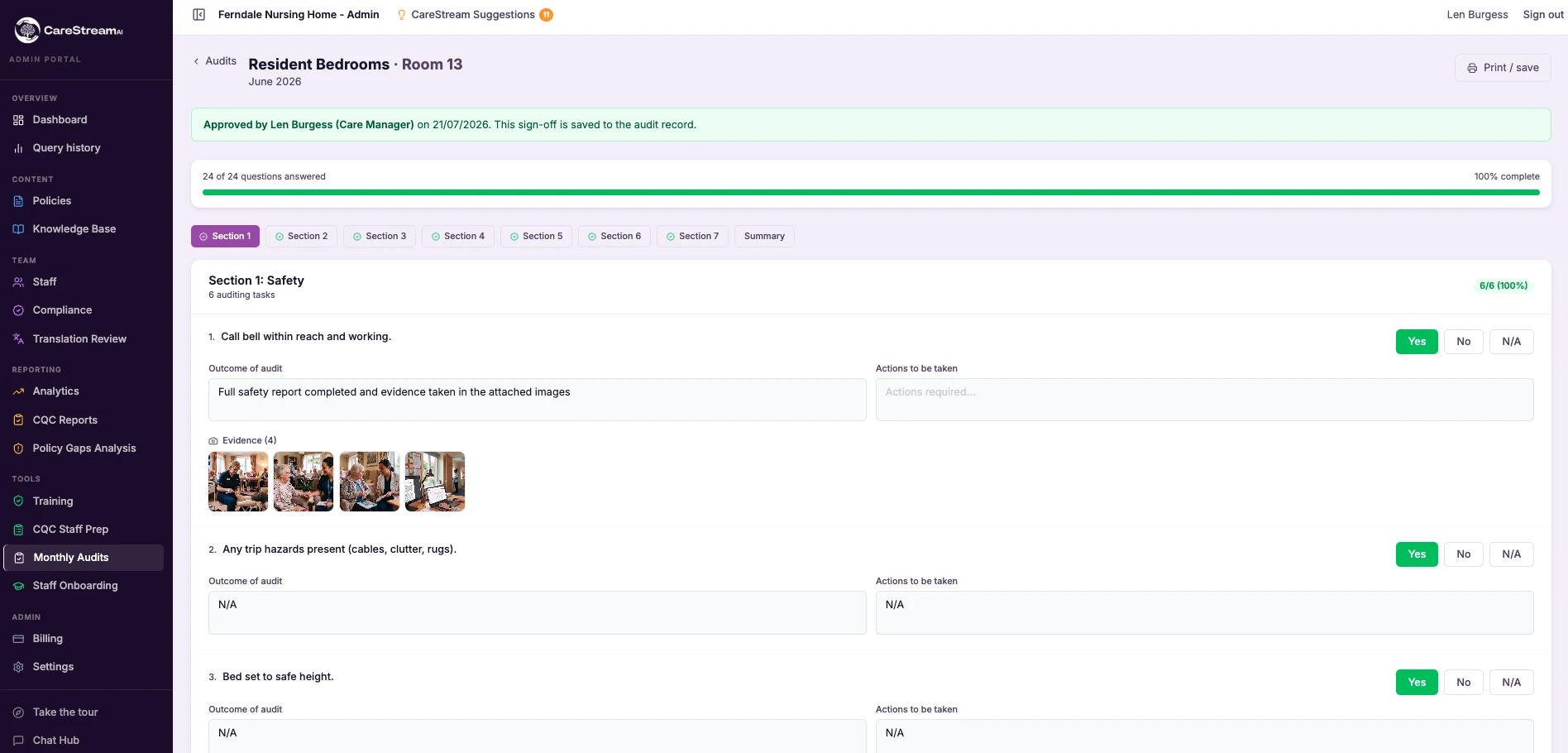
When a manager or inspector reviews the completed audit, the photos appear beneath each question. Click any thumbnail to open it full size as part of your evidence trail.
The evidence sits right under the answer, so anyone opening the audit can see exactly what was checked and what it looked like, not just a Yes or a No.
Out on the floor, tap Add to snap a photo or choose one from the gallery, then circle or arrow the problem before it is saved. Each image attaches to the question you are on, and they are compressed automatically so they upload quickly, even on care home wifi.
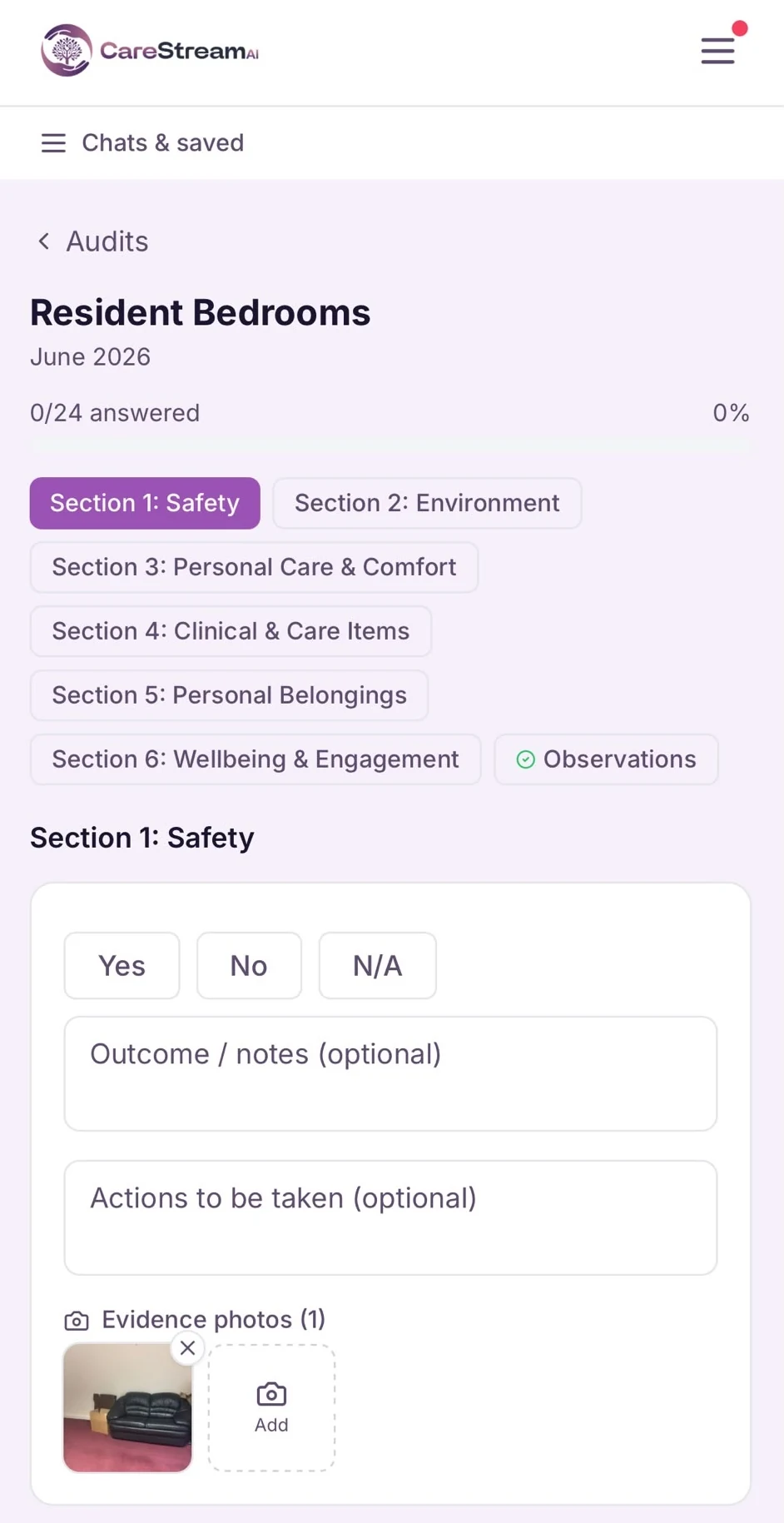
Signed by the auditor. Approved by the manager. Recorded on the report.
The auditor signs on screen with a finger or mouse to confirm the audit is a true record. Turn on manager approval and the completed audit goes to your care manager in the hub, who reviews it and signs it off.
Both signatures, names and dates are saved with the audit and printed on the PDF report, giving inspectors a clear record of who carried out each audit and who checked it.
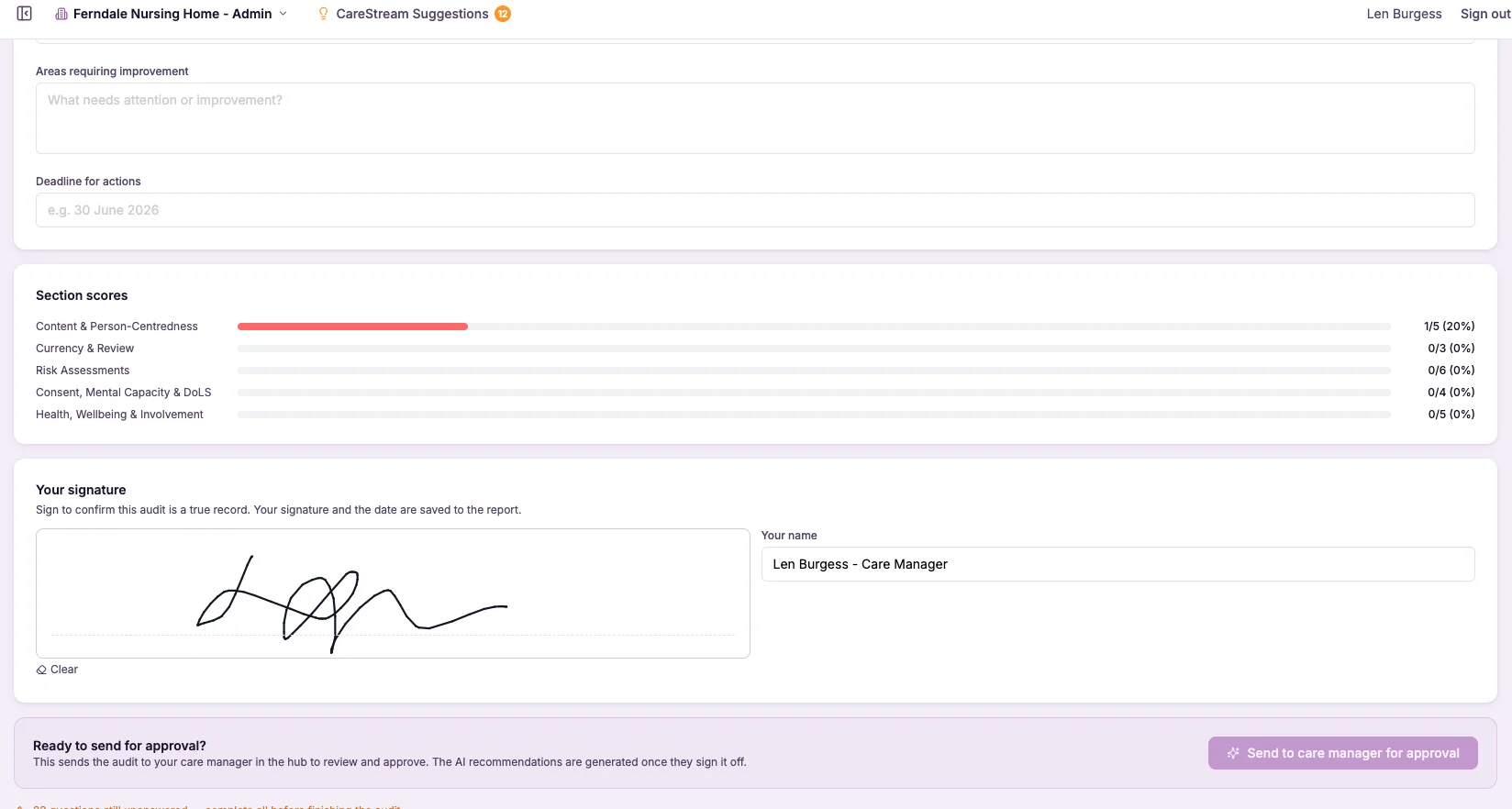
A signed PDF report with every response, every section score, and your summary. Generated instantly.
The moment the audit is signed and complete, the PDF report is ready. It includes every answer and finding, each section score, the CQC quality statements covered, signatures and the AI recommendations. It is saved with the audit, emailed to your managers automatically, and can be downloaded again at any time to share or present to a CQC inspector.
Every completed audit generates a prioritised improvement plan. Automatically.
CareStream reads the responses from each completed audit and generates specific, prioritised recommendations based on what your findings actually show. Not generic advice from a template. Every recommendation is drawn from the answers you gave and the actions you recorded in that audit.
Each recommendation references the specific finding it is based on, the risk it addresses, a suggested action, and a priority level, so managers can act immediately without having to interpret the audit data themselves.
Each completed audit is stored alongside its recommendations and an overall AI rating of Outstanding, Good, Requires Improvement, or Inadequate, giving you a clear, consistent picture of where the service stands at the end of every audit.
Recommendations tied directly to the findings that generated them.
Recommendations reference the exact questions that returned a No, not the audit as a whole.
Each recommendation carries a clear priority so the management team knows what to deal with first.
Every completed audit is given an Outstanding, Good, Requires Improvement, or Inadequate rating based on the responses.
Every action followed through, evidenced and re-checked.
Findings only matter if they get fixed. CareStream turns recommendations into an action plan you assign to staff, and follows each action through to proof that it worked.
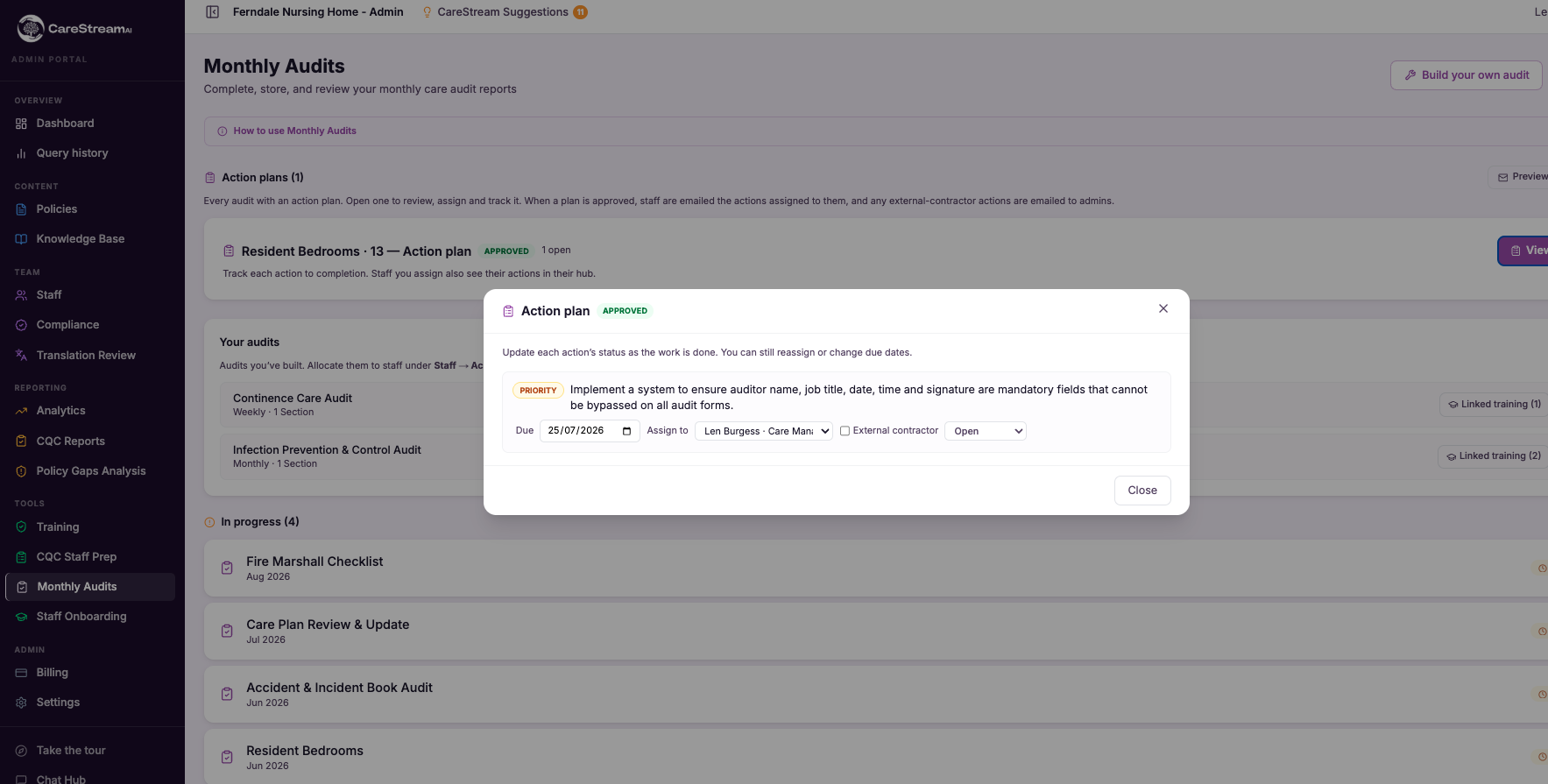
Review the drafted action plan, set priorities and due dates, and assign each action. It appears in that person's hub under My actions, with reminders if it goes overdue.
Staff close an action by saying what they did and adding photos of the fix. If they need longer, they ask for more time with a reason and a manager agrees or declines it.
When the same audit is next carried out, the auditor checks each previous action is still fixed. Anything that is not is reopened automatically.
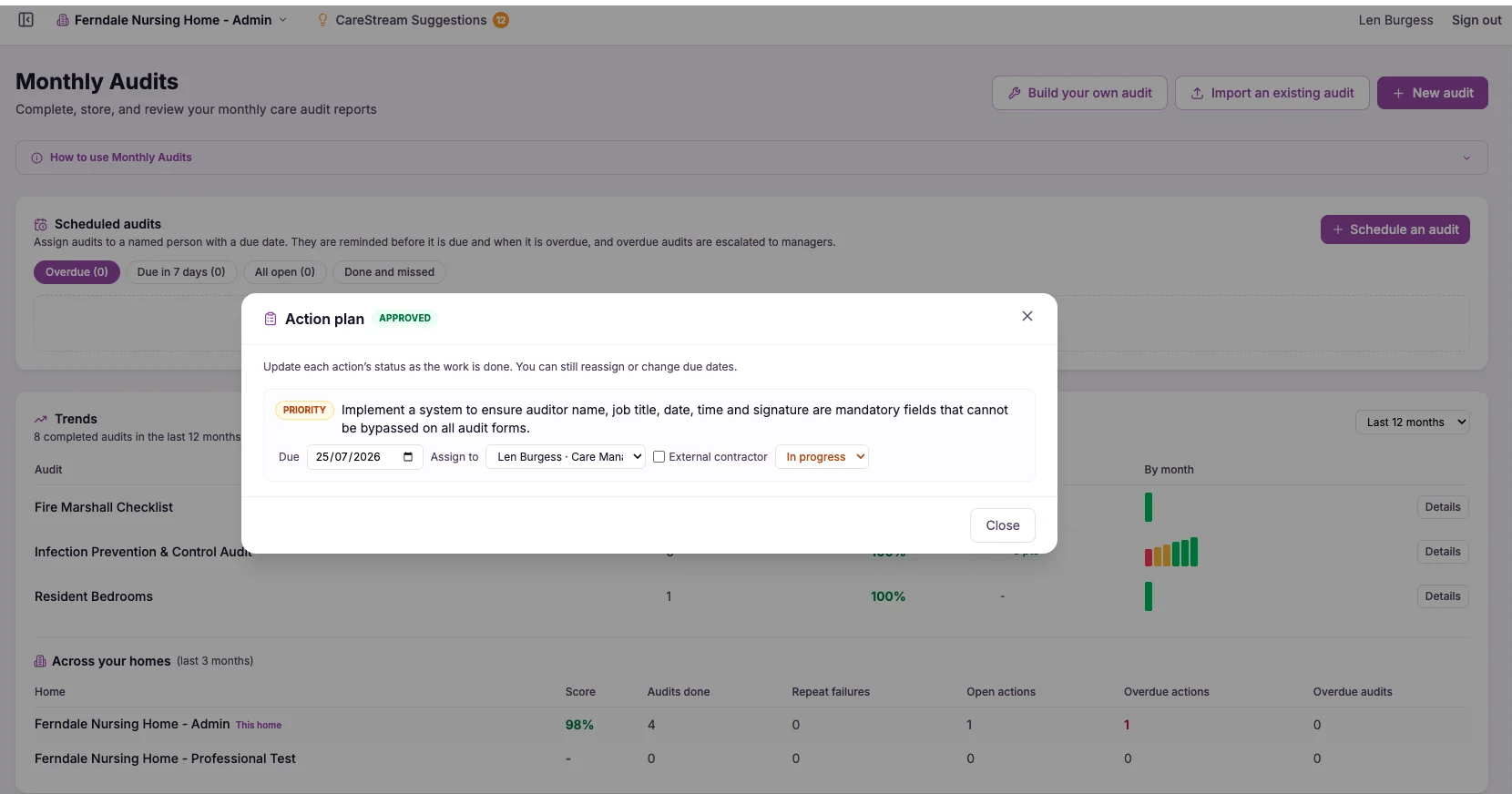
See whether quality is improving, and spot the problems that keep coming back.
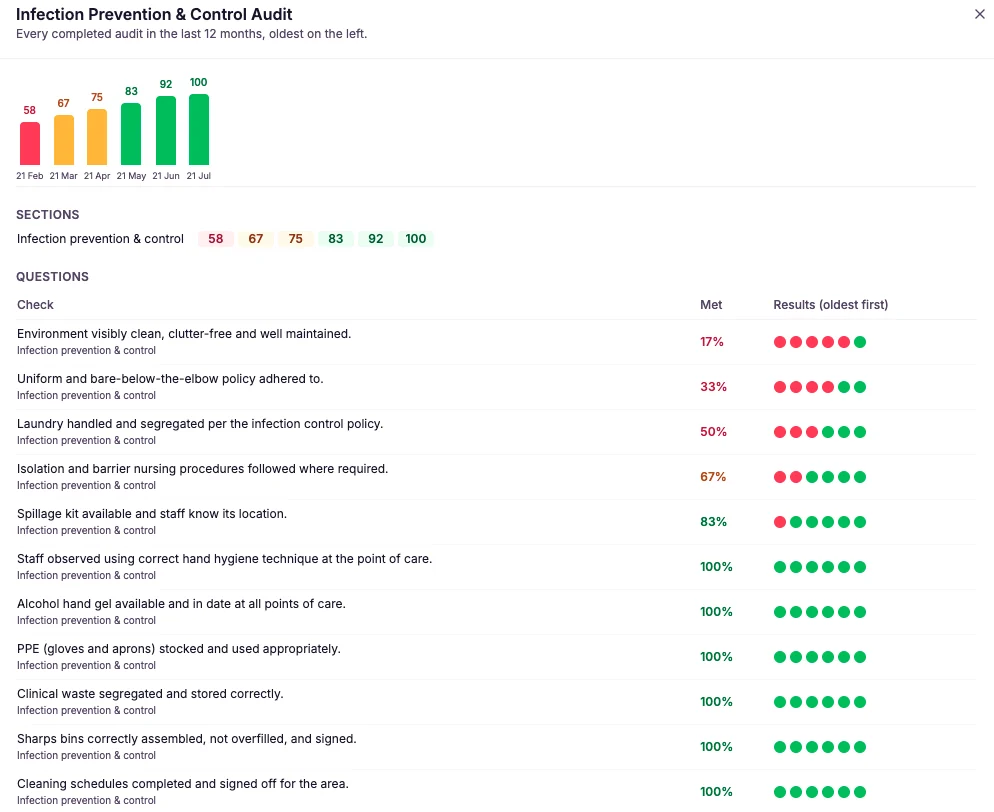
Every completed audit feeds the Trends panel: the percentage of checks met over the last 3 to 24 months, each audit's latest score and how it has changed, and which questions fail most often.
Repeat failures, the same check failing in audit after audit, are flagged first, because they usually mean an action has not worked. If you run more than one home, compare their audit scores side by side.
From guided completion to section scoring to AI recommendations. One place for the whole audit.
CareStream gives every audit the same structure, scores it as you go, and turns your answers into a formatted, inspection-ready report.
Medicines, infection control, health and safety, fire, safeguarding, falls, pressure care, mealtimes, water safety, night shift walkrounds, HR files and more. All ready to use, and you can build or import your own.
Every answer is scored as you go, including readings outside their pass range and ratings below the pass mark, so you can see which sections are strong and which need attention before you finish.
Answers save automatically as you work. Pause an audit and pick it up later on any device, exactly where you left off.
Run audits room by room, one resident or staff member at a time, or by day or night shift, so the record matches how the audit is actually carried out.
Each completed audit is signed, saved as a PDF and emailed to your managers, ready to present directly to a CQC inspector.
Every completed audit generates prioritised recommendations from your findings, plus an overall rating of Outstanding, Good, Requires Improvement, or Inadequate.
An audit record that shows inspectors a consistent, structured approach to quality.
CQC inspectors assess whether internal audits are consistent, whether they produce clear findings, and whether those findings are acted on. CareStream records the evidence for all three, and shows the fix was checked.
| What CareStream records | What this shows an inspector |
|---|---|
| Signed PDF report for every audit | A formatted report for every completed audit, with section scores, findings, actions and signatures. The same format regardless of who completed it. |
| Section scores | A clear score for each section of the audit, showing which areas were met in full and which were flagged for action on the day. |
| Findings and actions on every question | Each question carries the outcome of the audit and the action to be taken, so inspectors can see findings are noted and followed with a clear next step. |
| CQC quality statement tags | Each question is linked to the quality statement it evidences, so inspectors can see how your audits map to the Single Assessment Framework. |
| AI recommendations and overall rating | Each completed audit is stored with prioritised recommendations and an Outstanding, Good, Requires Improvement, or Inadequate rating, showing a structured approach to quality improvement. |
| A timestamped completion record | Every audit shows who completed it and when, demonstrating that audits are carried out and recorded as part of the routine of the service. |
| Manager sign-off | The auditor and the approving manager both sign, with names and dates on the report, showing audits are checked as well as completed. |
| Actions closed with evidence and re-checked | Each action records who fixed it, what they did, photos of the fix, and whether it was still fixed at the next audit. The improve and re-audit cycle the well-led question looks for. |
| Trends and repeat failures | Scores over time and checks that keep failing, showing you monitor quality and act when something is not improving. |
| Scheduled audits and version history | Who each audit was assigned to, when it was due and done, and every change made to your audits, showing a planned, controlled audit programme. |
The complete care audit toolkit.
Medicines, infection control, health and safety, fire, safeguarding, falls, pressure care, mealtimes, water safety, HR files and more. Use them as they are, copy them, or build your own.
Work through each audit section by section with a clear Yes, No or Not Applicable and notes on every question. Consistent regardless of who completes it.
A PDF report with section scores, findings, signatures and AI recommendations is saved and emailed the moment the audit is complete.
Every answer is scored as you go, so you can see which sections are strong and which need attention before you finish.
Answers save automatically as you work. Pause and pick the audit up later on any device, exactly where you left off.
Run audits room by room, per resident, per staff member or by shift, so the record matches how the audit was carried out.
Attach photos to any question on a phone or tablet and circle or arrow the problem, so the evidence sits beside the answer.
Every completed audit generates prioritised recommendations from your findings, plus an overall Outstanding to Inadequate rating.
Build audits with nine question types, conditional questions and CQC tags, or import the audits you already use from a PDF, Word document or photo.
Assign audits to named staff with due dates and repeats, with reminders, escalation and a summary email for managers.
Action plans assigned to staff, closed with notes and photos, and re-checked at the next audit so problems do not come back.
Scores over time, the checks that fail most, repeat failures flagged, and a comparison across your homes.
A guided, structured audit with answers that save as you go is far quicker than a blank form, and produces a better formatted report at the end of it.
Medicines, infection control, health and safety, fire, safeguarding, falls, pressure care, mealtimes, water safety and more. Use them as they are, or build and import your own.
See Care Audits against your own policies
Guided digital audits with AI recommendations. Upload what you already have and see it working inside a fortnight.





