A live position on readiness, not a report you assemble
Most services find out where they stand by building a spreadsheet the week before an inspection. These give you the position continuously, at whatever depth your plan includes.
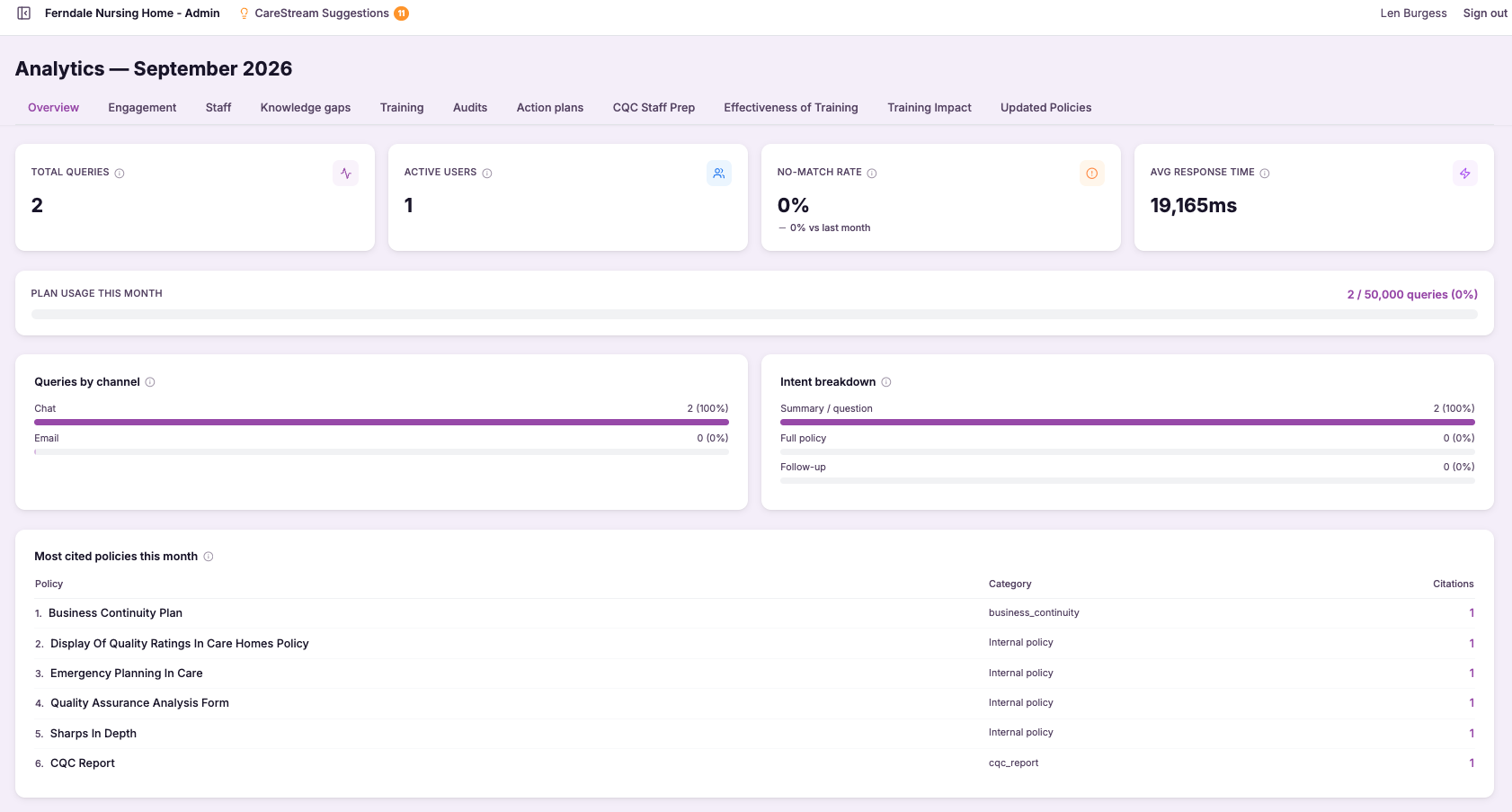
Basic analytics
Basic analytics is the entry-level reporting layer that comes with CareStream on every plan. It surfaces the numbers that matter most day to day, how much of your mandatory and annual training is complete, and where your core compliance stands, in a simple view a manager can read at a glance.
It matters because most single homes do not need, and do not have time for, deep data analysis to run well. They need a reliable snapshot that tells them whether training is on track and compliance is holding up. Basic analytics gives care providers exactly that baseline, so nobody is running blind, whatever plan they are on.
- See core training completion and compliance figures at a glance, without digging.
- Know instantly whether your mandatory and annual training is on track.
- Get a reliable baseline read on your service with no setup required.
- Spot obvious gaps in completion before they become an inspection problem.
- Run a single home confidently on essential numbers included with every plan.
- Have a clear starting point that you can build on with advanced analytics later.
How it works, step by step
The dashboard pulls current training and compliance data straight from your service with no manual updating.
It focuses on the essentials, training completion and headline compliance, rather than every possible metric.
Figures are presented as a simple snapshot a registered manager can take in during a quick check.
Where training completion is low or compliance is slipping, the numbers make it obvious.
As staff train and records update, the view refreshes so the snapshot always reflects today.
When you need trends and breakdowns, advanced analytics builds on the same foundation.
- Included as standard on every CareStream plan
- Focuses on core compliance and training completion numbers
- Designed as an at-a-glance snapshot for a single home
- Needs no setup and stays current automatically
- The entry-level layer beneath the deeper advanced analytics
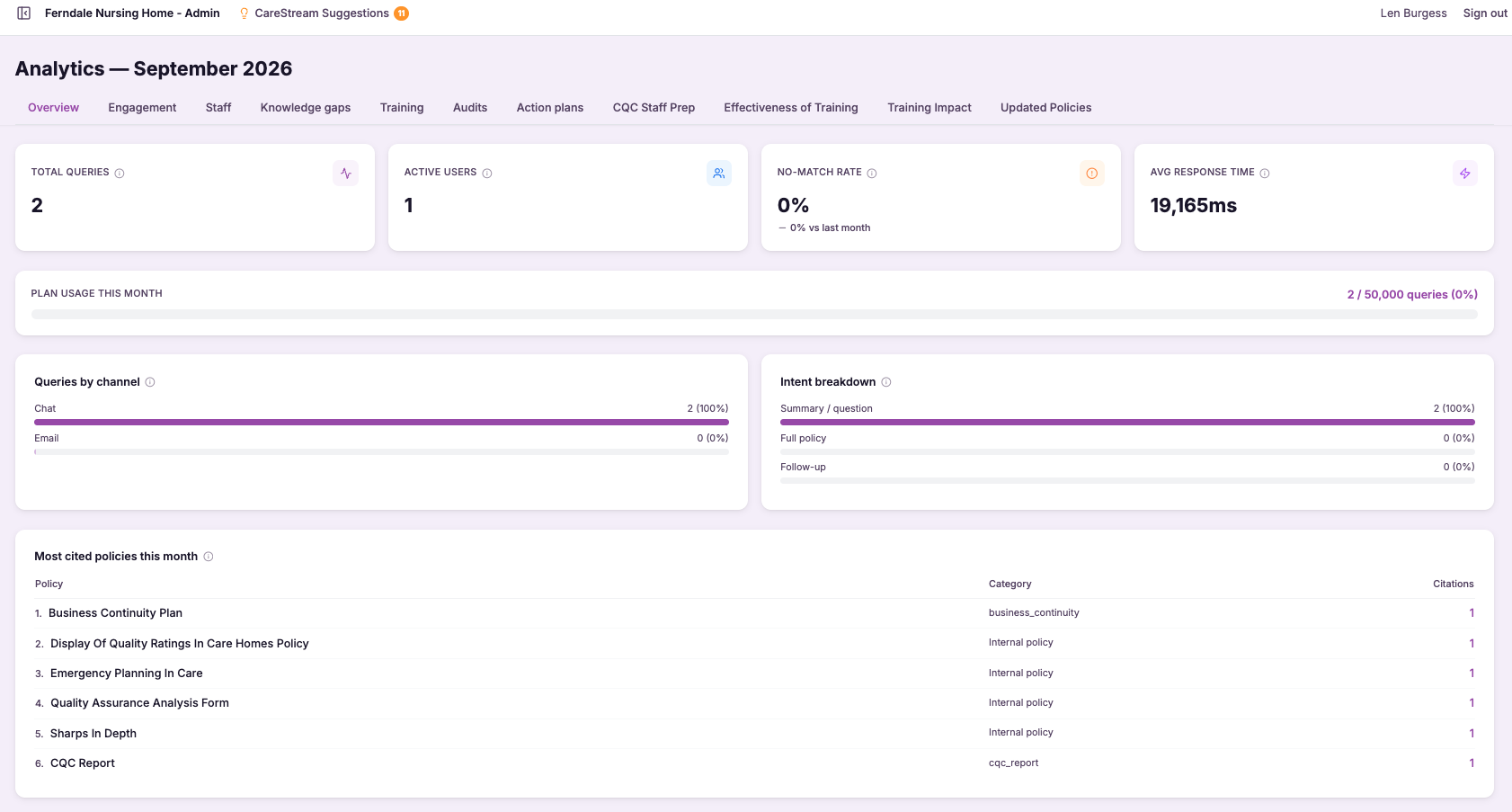
Advanced analytics
Advanced analytics is the higher-tier reporting layer that goes well beyond the core numbers. It tracks how your training completion and compliance move over time, breaks the picture down by team, role and site, and lets you drill into the detail behind any figure to understand what is really going on.
This matters because larger services and groups cannot run on a single snapshot. A registered manager or quality lead needs to see whether things are improving or drifting, which teams or roles are lagging, and where to focus effort. Advanced analytics gives care providers that depth, turning compliance and training data into insight you can act on.
- Track compliance and training trends over time to see whether you are improving or slipping.
- Break results down by team, role and site to find exactly where attention is needed.
- Drill into the detail behind any figure instead of settling for the headline.
- Compare parts of your service so support goes where it will make the most difference.
- Give quality leads and nominated individuals richer compliance insight for well-led evidence.
- Spot emerging gaps early, before they show up in an inspection.
How it works, step by step
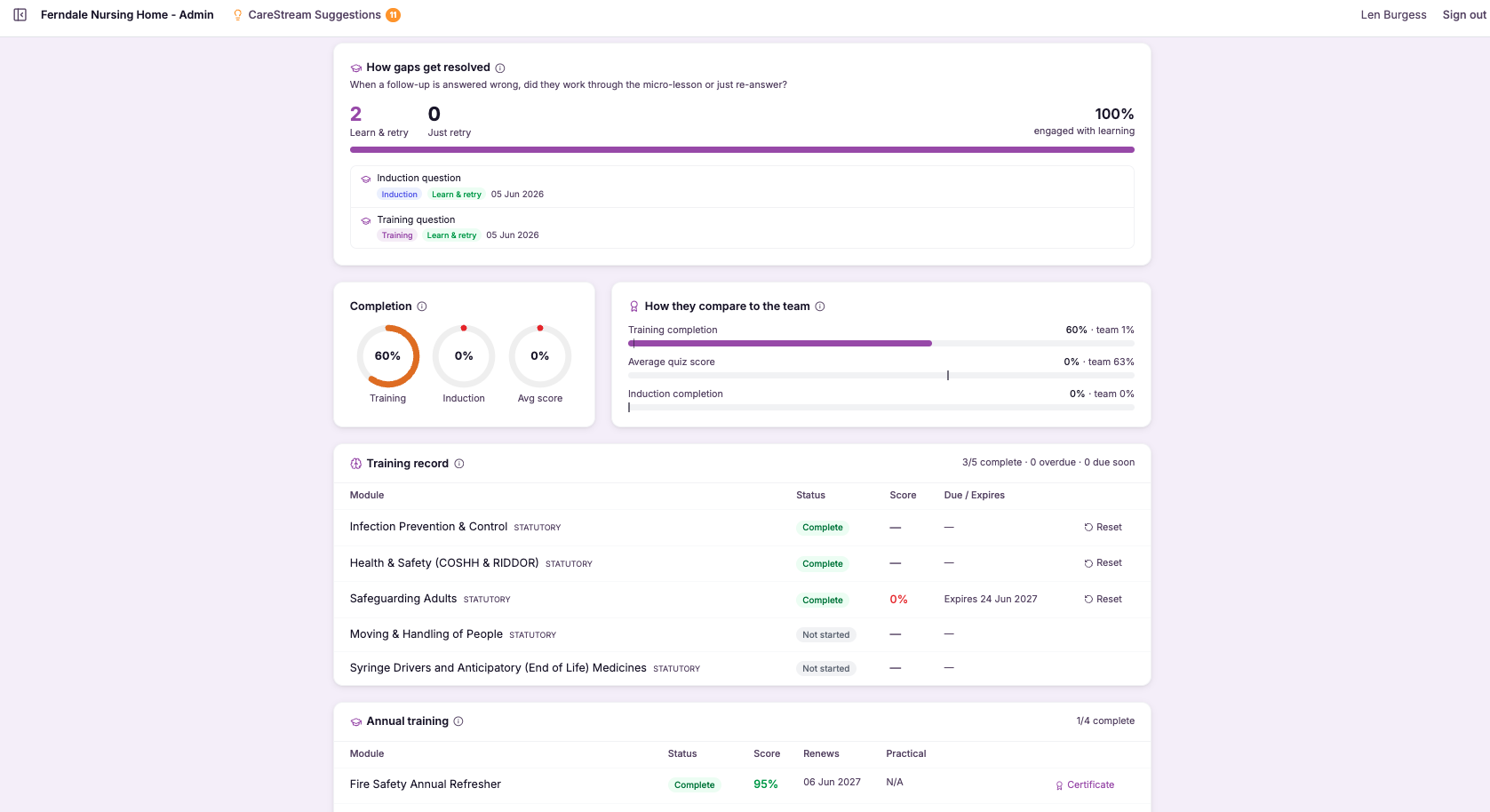
Compliance and training completion are plotted across weeks and months so you can see direction, not just position.
Results split by team and role so you can see who is on track and who needs support.
For multi-site services, figures break down by home so you can see how each location is performing.
Open up any headline figure to see the underlying records and understand what is driving it.
Richer compliance measures highlight patterns and gaps that a simple snapshot would miss.
Use the detail to target training, tighten audits and focus support where the data points.
- Adds trends over time on top of the core compliance and training numbers
- Breaks results down by team, role and site for targeted insight
- Lets you drill into the detail behind every figure
- Built for larger services and groups that need depth, not just a snapshot
- The higher-tier layer above the standard basic analytics
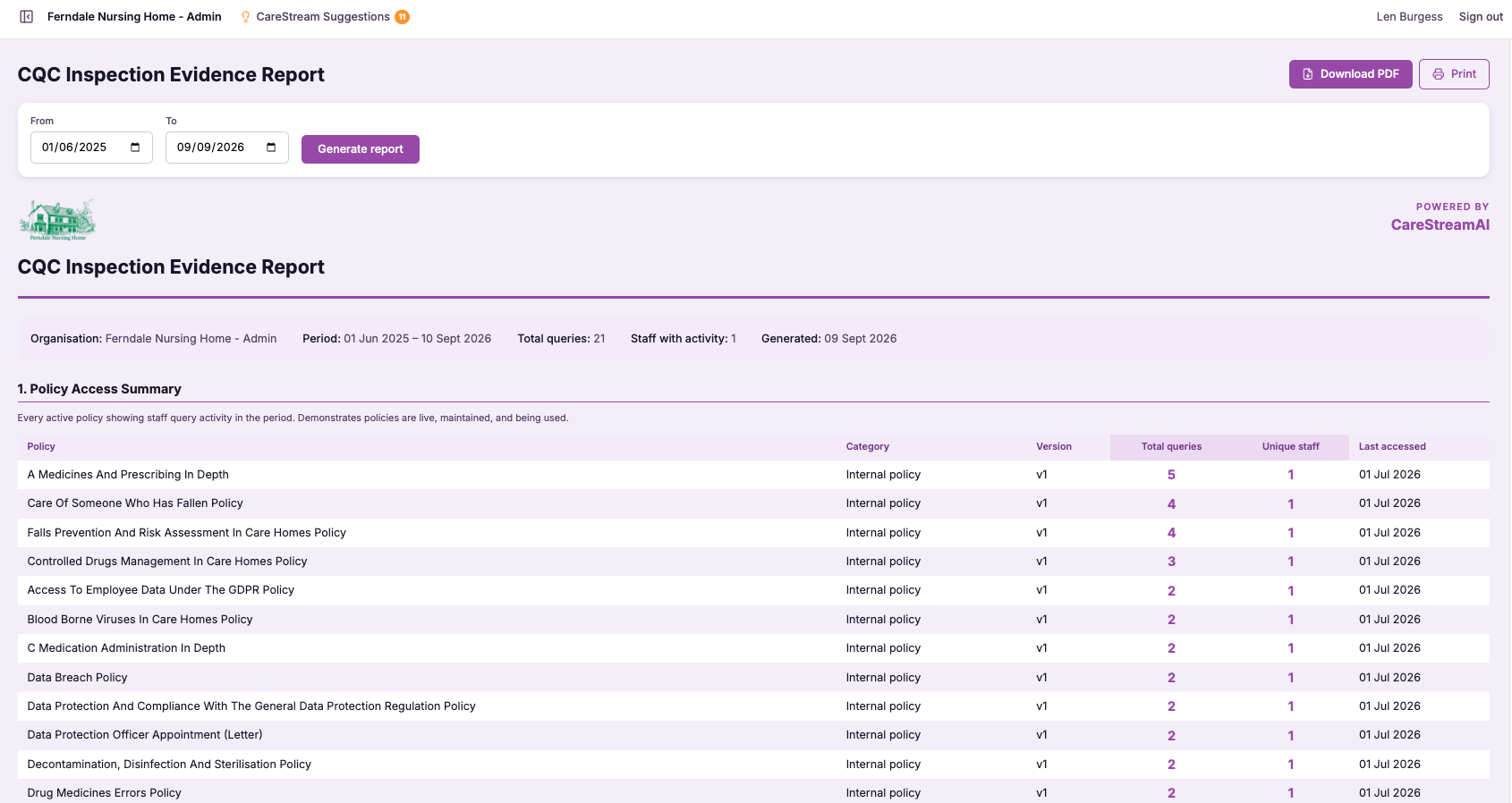
CQC Readiness Report
The CQC readiness report brings together the key strands of inspection preparation, your policies, your training and your supporting evidence, into one organised view. Rather than assessing each area in isolation, it gives you a consolidated picture of how ready your service is and highlights where things are incomplete or overdue.
This matters because readiness is only useful if you can see it before inspection, not after. Registered managers and nominated individuals carry the weight of being ready at any time, and a single report that shows both strengths and gaps turns that pressure into a clear plan. It connects the parts of your compliance that usually live apart, so you understand your true position across quality care and CQC expectations.
- See how prepared you are for inspection across policies, training and evidence in one place.
- Identify gaps before an inspector does, while there is still time to close them.
- Turn a vague sense of readiness into a clear, prioritised picture.
- Stop piecing your position together from separate systems and folders.
- Focus your effort where it will make the most difference to your rating.
- Walk into an inspection knowing exactly where you stand.
How it works, step by step
The report gathers your policies, training records and evidence from across the platform into one view.
It shows how prepared you are across the areas that matter for a CQC inspection.
Missing, incomplete or overdue items are surfaced clearly rather than left for you to find.
Where you are well prepared is made visible, so you know what is already in good shape.
The report points you to what needs attention, so your effort goes where it counts.
As you close gaps and update records, your readiness picture reflects the progress you make.
- Combines policies, training and evidence into a single readiness view
- Surfaces gaps before an inspector would find them
- Shows both your strengths and the areas needing attention
- Draws on data already held in CareStream, with no manual gathering
- Helps you prioritise your inspection preparation
Frequently asked
01Basic analytics
What is included in basic analytics?
Basic analytics gives you the core numbers a single home needs to know how it is doing: your training completion figures across mandatory and annual training, and a headline read on your compliance position. It is deliberately focused on the essentials so a registered manager can take it in at a glance. It does not include the deeper trend analysis, breakdowns by team, role or site, and drill-down that come with advanced analytics. Think of it as the reliable baseline every service gets, with the richer reporting available as a step up when you need it.
Is basic analytics available on all plans?
Yes. Basic analytics is included as standard on every CareStream plan, because we think no care service should be left without a clear view of its own compliance and training. Whatever plan you are on, the essential at-a-glance numbers are there. This makes it the natural starting point. When your service or group needs more depth, such as trends over time or comparisons across teams and sites, advanced analytics extends the same foundation without you having to move to a different system.
How is basic analytics different from advanced analytics?
Basic analytics answers how are we doing right now with core compliance and training completion numbers, presented simply for a single home. It is the entry-level layer and is included on every plan. Advanced analytics goes deeper. It adds trends over time, breakdowns by team, role and site, and richer compliance insight with drill-down, aimed at services and groups that need more than the headline figures. Many providers start on basic and move up as their reporting needs grow.
Do I need to set anything up to use basic analytics?
No. Basic analytics reads directly from the training and compliance activity already happening in CareStream, so there is nothing to configure. From the moment your service is running, the essential numbers are there to view. The view also stays current on its own. As staff complete training and records update, the snapshot refreshes, so what you see always reflects where your home stands today rather than a report you had to build or schedule.
02Advanced analytics
How is advanced analytics different from basic analytics?
Basic analytics gives a single home an at-a-glance read on its core compliance and training completion numbers, and is included on every plan. It answers how are we doing right now, simply and clearly. Advanced analytics goes deeper. It adds trends over time so you can see direction, breakdowns by team, role and site so you can see where gaps sit, and drill-down so you can understand what is behind any figure. It is aimed at larger services and groups that need richer compliance insight rather than a single snapshot.
Can I compare performance across different homes in my group?
Yes. Advanced analytics breaks your compliance and training figures down by site, so a group operator or nominated individual can see how each home is performing rather than only a combined total. That makes it easy to see which locations are strong and which need support. Combined with trends over time, this lets you tell whether a home is improving or slipping and act accordingly, directing training effort and oversight to where the data shows it will do the most good across your portfolio.
What does drill-down actually let me do?
Drill-down means you are never stuck with just the headline number. When a figure looks off, whether it is training completion for a team or a compliance measure for a site, you can open it up to see the underlying records and understand what is driving it. This is what separates advanced analytics from a simple dashboard. Instead of noticing a problem and then hunting for the cause elsewhere, you follow the number straight to the detail, which makes it far quicker to target the right fix.
Does advanced analytics help with well-led evidence for CQC?
It does. CQC's well-led expectations are about understanding your service, monitoring quality and acting on what you find. Advanced analytics gives you exactly that: trends that show whether performance is improving, breakdowns that show where attention is needed, and the drill-down to prove you understand the detail. Being able to demonstrate that you track compliance and training over time, spot gaps early and direct support based on the evidence is powerful support for a well-led judgement, and shows inspectors your oversight goes beyond a single snapshot.
03CQC Readiness Report
What does the readiness report actually pull together?
It brings your policies, training and supporting evidence into a single view, rather than leaving you to assess each of those areas separately. So instead of checking one system for training records, another for policies and a folder for evidence, you see a consolidated picture of your readiness in one place. This matters because inspection readiness is a whole-service question, not a set of isolated checks. By combining the strands, the report reflects how prepared you genuinely are across the areas a CQC inspection looks at, which is far more useful than any single view on its own.
How does it help me find gaps before inspection?
The report surfaces items that are missing, incomplete or overdue, so gaps are highlighted for you rather than left to be discovered. That means you learn where you are exposed while there is still time to act, instead of finding out when an inspector points it out. Seeing the gaps clearly also lets you prioritise. Rather than working through everything blind, you can direct your effort to the areas that need attention most, which makes your preparation both faster and more effective.
Do I have to gather the information myself?
No. Because your policies, training and evidence already live on CareStream, the report draws on that data directly and brings it together for you. There is no manual gathering, no chasing records across systems and no assembling a picture by hand. This is a large part of the value. The readiness report saves the very work that usually makes preparing for inspection so stressful, and because it uses live data it reflects your current position rather than a snapshot you had to compile.
Does the report update as we improve?
Yes. As you close gaps, complete training and update your records, your readiness picture reflects that progress. So the report is not a one-off assessment but an ongoing view of where you stand, which stays useful throughout your preparation. That ongoing quality is important for services that want to be ready at any time. Rather than preparing intensively only when an inspection looms, you can watch your readiness improve as you work, and maintain a strong position continuously.
Explore more features
More of what the CareStream compliance platform does for UK care providers.
See it on your own policies.
Upload what you already have and see what CareStream finds, inside a fortnight.





