
Your residential care home training ran on one shift. Who on the other team took it in?
Residential care home training usually reaches whoever is on shift that day. After the session, you can allocate a short module built from your own policies to the whole team. Each carer does it on their own phone, and a wrong answer turns into a short lesson on that exact point.
14 day free trial · Set up in a day · UK data residency
The session went well. Half the team was off.
A scenario we see in many care settings.
After a resident's second fall in a month, the manager of a residential home holds a thirty minute session in the lounge on what to do in the first ten minutes. The senior who runs it is clear and calm. The carers on shift that Wednesday listen and ask good questions. But the home runs 12 hour days on a rota, and the carers who work the other days were at home. The manager means to brief them at handover. Then a busy week arrives, and the second session never quite happens. Here is how that plays out.
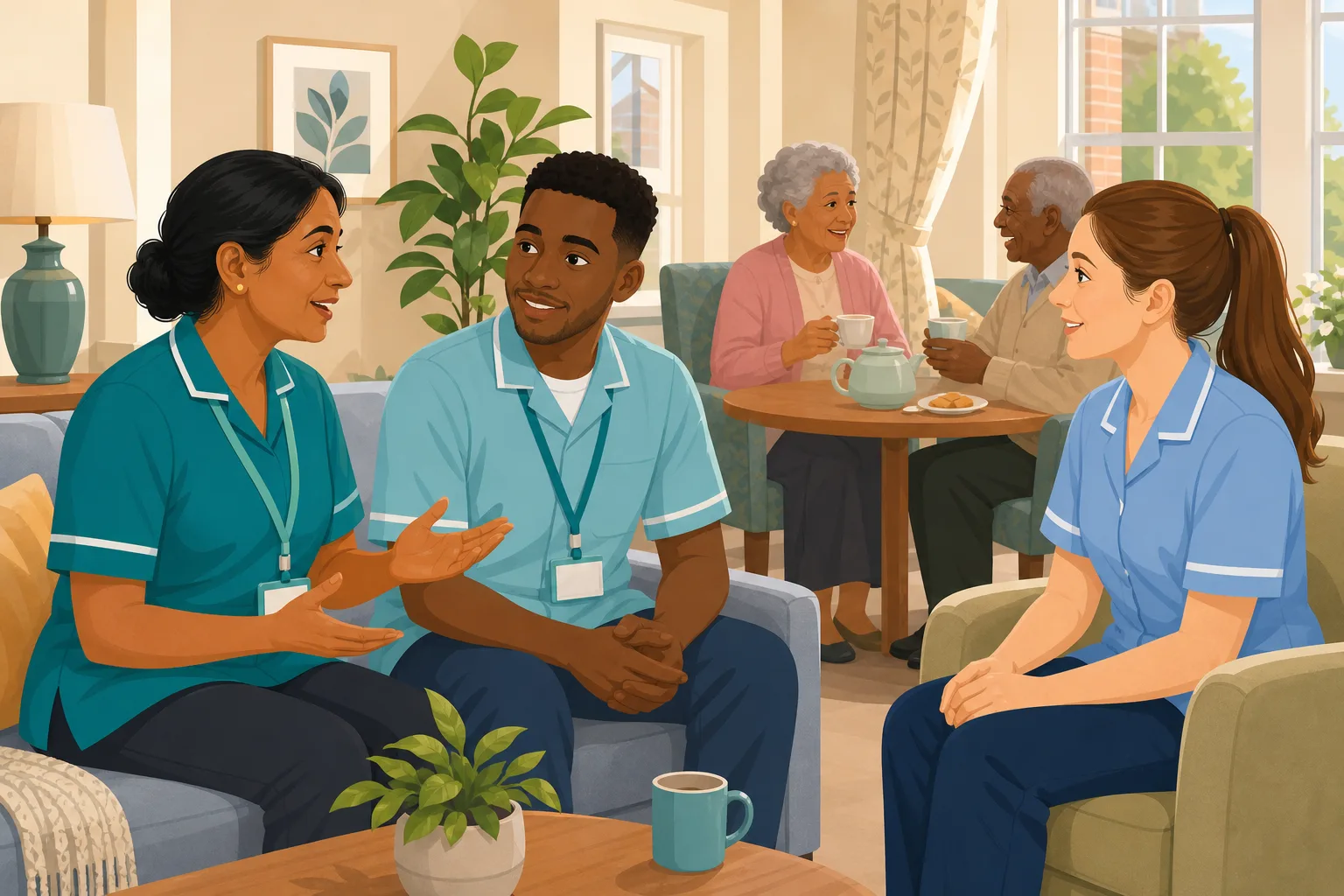
A senior carer runs a falls session in the lounge.
The carers on shift ask good questions and leave knowing the steps.
The manager notes the session and promises the others a catch up.
The other team is on shift. The catch up is squeezed out by a hospital appointment.
A new agency carer starts, and nobody mentions the falls session.
A carer who thinks you can help a fallen resident up to check they are fine.
A session note for one team. No view of what the rest of the home knows.
“A resident falls at the weekend. What do you do?” The carer hesitates.
The session was never the problem. The gap is between one team and the whole home. Here is how CareStream closes it using your own policies, without replacing the session.
An example scenario, not a named service.
On a rota, a session reaches a slice of the home
Residential care home training only works if it reaches everyone, and you can see that it did.
Twelve hour days split the team
Whoever is on shift hears the session. Everyone else relies on a retelling at handover, and each retelling drops a detail.
New starters and agency cover miss it
Homes with high turnover and regular agency carers keep meeting people who joined after the session and were never told what it covered.
Checking by hand never gets done
A manager cannot quiz every carer on every topic between medication rounds. Without something that does it for you, the gap stays unseen.
Your policies in, the whole home covered.
This is the Training built from your own policies feature, in the order a manager and a carer meet it. See also recording in person sessions and adhoc training after an incident.
Allocate a short module on the topic to the whole home
- In the Training screen, pick the topic module that matches the session and tick every carer who should have it, whichever shift they work
- CareStream builds the lesson and questions from your own policies where they cover the topic, with general good practice as the fallback, and you can edit and preview before anyone sees it
- Carers complete it in the Staff Hub, an installable app on their own phone, with an optional due date
Illustration based on the Training screen. Example questions.
A wrong answer becomes a short lesson on that point
- A wrong answer goes straight into the carer's Follow-up tab in the Staff Hub, and they get an email to say so, at most once a day and in English
- They choose Learn & retry, a short lesson (why it matters, what to remember, a realistic situation) then a fresh question, or Just retry the same question, as often as they need
- Nothing is written or chased by you, and the lesson draws on your own residential care home policies where they cover the point
A few things to revisit. Learn the point, then answer, or just retry. Either way it clears from here.
A resident may be hurt even if they say they are fine, and moving them too soon can make an injury worse.
Remember- Stay with the resident and keep them calm
- Call the senior before anyone moves them
- Record what you saw and did
You find a resident on the floor by their bed. They wave you away and say they just slipped.
Illustration based on the Staff Hub Follow-up tab. Example content.
Lessons in the language each carer thinks in
- A carer who answered wrongly because of one unfamiliar word can open the lesson in their own language
- Your admin sets their second language, and they switch to it in the hub
- Translation is part of the paid plans, and the reminder emails stay in English
Always communicate in their first language
All messages CareStream sends are translated into English.
Allow switching a set to their second language
In the hub they can flip any single training, induction or CQC set into Romanian, just for that set, if they are struggling in their first language.
Let them suggest better translations
They can propose improvements to translated content. Changes need your approval before going live.
Illustration based on the staff record Language settings. Translation is on the paid plans.
See which carers and topics need a second look
- The Knowledge gaps view shows open gaps, staff affected, gaps closed in the last 30 days, and the most missed questions
- Weakest topics and how gaps are being closed show whether the session needs a tweak or one carer needs a chat
- A Monday digest email, so the picture reaches you on the first day of the working week
Illustration based on the Knowledge gaps view. Example figures.
The questions managers ask, and how CareStream answers them
Read this as a conversation. The questions are the ones we hear most.
Half my team missed the session. Do I have to run it twice?
You can keep running it as you do now. What you add is a short module on the same topic that every carer completes in the Staff Hub, whichever days they work. The session teaches. The module shows what each person took in, including the ones who were never in the room.
Where does the content come from?
From your own policies. You pick a topic module, and CareStream builds the lesson and questions from what your home has written, with general good practice as the fallback where a policy is silent. You can edit it and preview it before anyone is given it.
What happens when a carer gets a question wrong?
It goes into their Follow-up tab in the hub, and they get an email, at most once a day and in English. They choose Learn & retry, a short lesson on that point followed by a fresh question, or Just retry the same question. They can retry as often as they need.
Do carers need to be on shift to do it?
No. It sits in the hub on their own phone, so they can open it when they have a few quiet minutes. You can set a due date when you allocate it. You decide how it fits their hours.
A lot of my carers speak English as a second language. Does that matter?
It matters. A carer may know exactly what to do and still miss one word in a question. On the paid plans they can open the lesson in their own language, so a wrong answer points to a gap in knowledge and not in vocabulary.
What do I see across the home?
The Knowledge gaps view in Analytics shows open gaps, how many staff are affected, gaps closed in the last 30 days, and the most missed questions and weakest topics. A digest email arrives each Monday. Nothing messages you every time someone gets an answer wrong.
Does this replace watching someone do the task?
No. A competent person still needs to observe hands on skills, such as helping a resident up safely. CareStream checks understanding and keeps the record. It does not replace the observation, and it is not a pass or a rating.
How do I try it?
Create a free account and start the 14 day free trial. Adhoc training is on the paid plans, so the trial is where you try it, and the pricing page shows which plan includes what.
A way to reach the whole home, not a replacement for the floor
It does not teach hands on skills
Helping a resident up after a fall, or using a hoist, needs a competent person to show the technique and watch it done.
It does not alert you to every wrong answer
The picture reaches you through the Knowledge gaps view and the Monday digest. A face to face session does not trigger anything by itself either, so you allocate the module.
Adhoc training and translation are on the paid plans
Both come with the paid plans, and the free plan does not include them. Emails to carers are in English only.
Training built from your own policies
Everything on this page is part of the product. Here is where to read more.
Training built from your own policies
Ad hoc training from your policies, face to face training organised, and wrong answers that become lessons.
See the featureAdhoc training after an event
Turn a fall, a near miss or a policy change into short training for the right people.
See adhoc trainingCQC and compliance
Evidence that builds itself, and a readiness report for your next inspection.
See CQC and complianceGuides on this subject
Policy Changed. Who Needs Retraining? A Four-Question Framework for Care Managers
A policy update lands in your inbox at 4.45pm on a Friday. Your first instinct is to retrain everyone, because retraining everyone feels safe. It...
Read article
Face to Face Training in Care: What Actually Has to Be in the Room?
You have sat through the same moving and handling refresher four times. You have watched staff check their phones under the table. You have paid for...
Read article
Micro Learning for Care Staff: What Works on a 12-Hour Shift
Your training room is empty because your staff are on shift. That is not a scheduling failure. It is the reality of running a 24/7 care service, and...
Read articleResidential care home training and CareStream, answered
About the training
How do I follow up residential care home training after a session?
Within a few days, allocate a short module on the same topic to everyone who needs it. Carers complete it on their phone, and a wrong answer becomes a short lesson and a fresh question. You then see the pattern in the Knowledge gaps view.
Can CareStream build training from our residential care home policies?
Yes. You pick a topic module and the lesson and questions draw on your own policies where they cover it. Where your policies do not, it falls back on general good practice, which is a sign a policy may need work. See policy gaps.
What should residential care home policies say about falls?
That is for your home to decide, based on your residents and your own risk assessments. Training only helps if it matches what your policy says, so the module is built from your wording rather than a generic script.
Does this cover induction and the Care Certificate?
It sits alongside them. New starters can be given short modules on topics from your policies. For the Care Certificate itself, see the Care Certificate course.
Does online follow up replace practical training?
No. Skills such as moving and handling need a competent person to show and observe the technique. The follow up checks that people understood and remembered.
What if a carer keeps getting the same question wrong?
They can keep retrying. If the same point keeps appearing in the Knowledge gaps view, treat it as information: it may need a conversation or clearer policy wording.
About compliance
What does care home compliance mean for staff training?
Regulation 18 says staff must receive the support, training, professional development, supervision and appraisal they need to carry out their duties. It does not list courses, so each provider decides what its staff need and must be able to show it.
What does CQC look for in residential care compliance?
The CQC guidance on Regulation 18 says training needs should be assessed at the start of employment and reviewed periodically, and that staff should be monitored with action taken when training is not completed. See also our guide to CQC evidence.
Will CareStream make us compliant?
No product can. CareStream gives you a record of what was asked, what was missed and what was learned. That is evidence you can use, and it sits alongside observation, supervision and your audits. It is not a pass, a rating or a regulator record.
A practical way to run training across a rota
Residential care home training has to work for people who are never in the same room at once. The aim is simple: everyone gets the same message, and you find out who did not take it in.
Make the session the start, not the end
A session is strongest when it has a clear single topic and a named senior who can answer questions. Treat it as the first of two steps. The second is a short check, within a few days, for everyone who needs to know, including the people who were not there.
Keep a note of who was in the room. That becomes your allocation list. Our guide to running in house training and short learning on a 12 hour shift go further.
A weekly rhythm that fits a busy home
- Same day: note who attended and who was off, so you know who needs the follow up.
- Within a few days: allocate a short module on the topic to everyone on that list.
- When an answer is wrong: the carer opens a short lesson on that point, then a fresh question.
- Each Monday: read the digest and look at the most missed questions and weakest topics.
Keep your policies and your training saying the same thing
Training that contradicts the policy on the shelf is worse than none. If the same question keeps being missed, check the wording of the policy first. It is often a sign the policy is long, vague or out of date. Our four question framework helps you decide who needs retraining when a policy changes, which also supports your wider care home compliance.
For the inspector. Keep the questions, the lessons and the results together with your session notes, so you can show who understood, not only who attended.




