
Safeguarding questions and answers after the training day. Who can give them?
A safeguarding day tells you who attended. It does not tell you whether each carer could answer the safeguarding questions and answers an inspector might put to them. After the session you allocate short training built from your own policies, and a wrong answer becomes a short lesson on that point.
14 day free trial · Set up in a day · UK data residency
The safeguarding day went well. Do you know what each carer took in?
A scenario we see in many care settings.
A trainer spends the morning on safeguarding adults training with the team in the staff room. Scenarios are discussed, questions are asked and most people nod along. Everyone is recorded as attended. A fortnight later a carer tells the manager, almost in passing, that she was not sure who she should tell about something she saw on a night shift. She did the right thing in the end, but only by chance. The manager now wonders how many others would be unsure, and has no way to find out without sitting down with each of them.
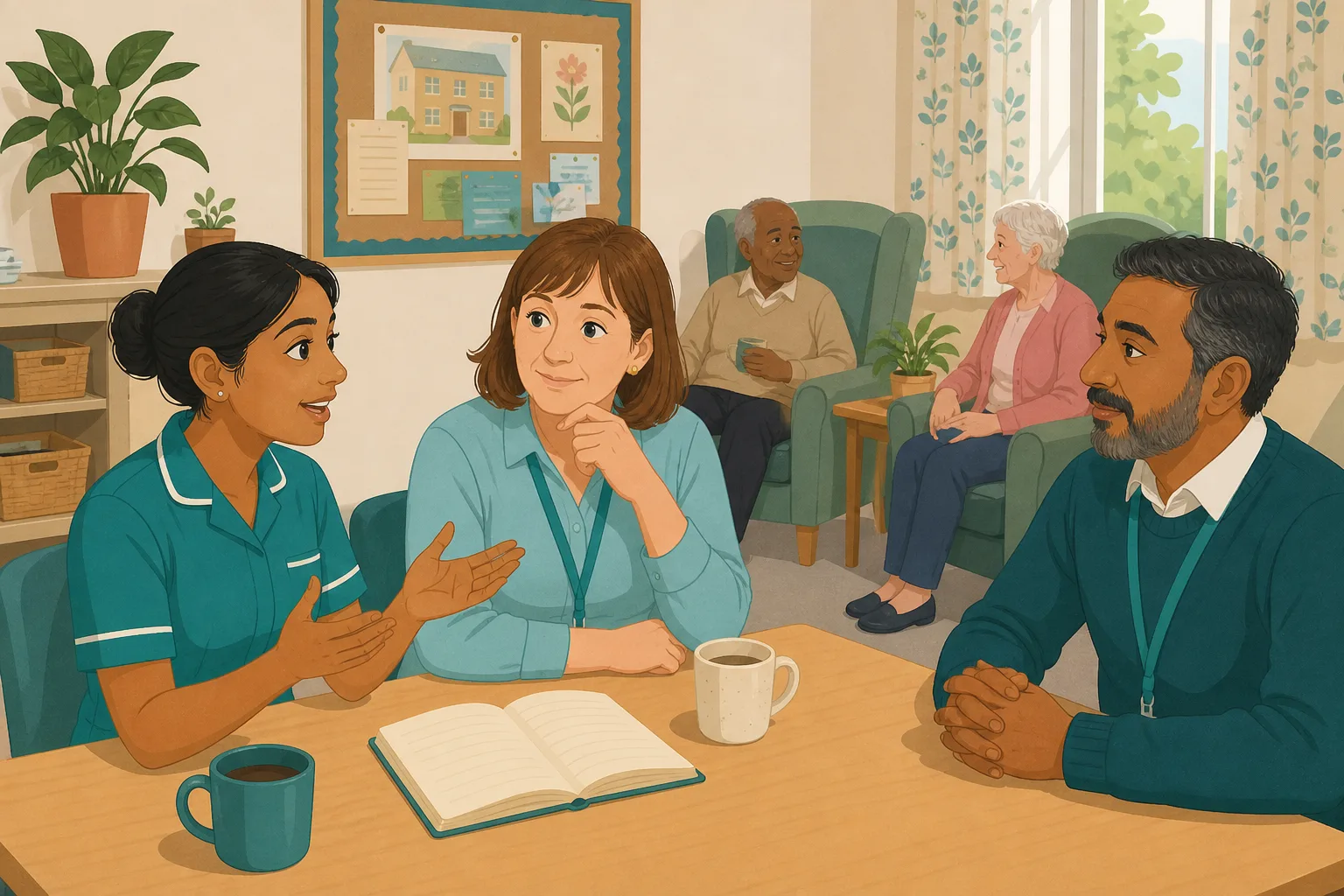
A trainer leads the safeguarding day for the team in the staff room.
Real scenarios are discussed and good questions come up.
Attendance is recorded and the certificates are filed.
A carer admits she was unsure who to tell about a concern.
If one carer was unsure, how many others were too?
Chat to each person in a busy shift and hope that is enough.
A list of names. No record of who could answer what.
“What would you do if you suspected abuse?” The answer has to come from the carer.
The training day was not the problem. The gap is between the day and knowing it worked. Here is how CareStream helps you close it, using your own safeguarding policy.
An example scenario, not a named service.
Attending a session is not the same as knowing what to do
An inspector is more likely to ask a carer than to count certificates.
Few people say they are unsure
Nobody wants to admit in front of colleagues that they do not know who to tell. The gap stays quiet until someone has to act.
Safeguarding is easy to forget
Most carers rarely face a real concern. Without a prompt, the details of who to tell and how to record it fade within weeks.
A chat on shift is not a record
Asking people one by one takes time you do not have, and leaves nothing to show afterwards. It also depends on who you happen to catch.
Your policy in, the follow up out.
This is the Training built from your own policies feature, in the order a manager and a carer meet it.
Set safeguarding questions and answers from your own policy
- After the day, allocate the Safeguarding Adults module in the Training screen and tick the staff who attended
- CareStream builds a short lesson and a safeguarding knowledge test from your own policies, where they cover it, with general good practice as the fallback. You can edit and preview it first
- Staff complete it in the Staff Hub on their own phone, with an optional due date
Illustration based on the Training screen. Example questions.
A wrong answer becomes a short lesson on that point
- A wrong answer goes into the carer's Follow-up tab in the Staff Hub, and they get an email to say so, at most once a day and in English
- They choose Learn & retry, a short lesson (why this matters, what to remember, a realistic situation) then a fresh question, or Just retry the same question. They can retry as often as they need
- The lesson is built from your own policies, so it teaches what your home does
A few things to revisit. Learn the point, then answer, or just retry. Either way it clears from here.
Concerns need to reach the right person quickly. Waiting to be sure can leave a resident at risk.
Remember- Tell your safeguarding lead, as your policy says
- Do not investigate it yourself
- Write down what you saw and heard
You notice a resident flinch when a colleague walks in, and later they seem upset.
Illustration based on the Staff Hub Follow-up tab. Example content.
Staff learn in the language they think in
- A carer who answers wrongly because of one unfamiliar word can open the lesson in their own language
- Your admin sets their second language, and they switch to it in the hub
- Translation is part of the paid plans, and the reminder emails stay in English
Always communicate in their first language
All messages CareStream sends are translated into English.
Allow switching a set to their second language
In the hub they can flip any single training, induction or CQC set into Romanian, just for that set, if they are struggling in their first language.
Let them suggest better translations
They can propose improvements to translated content. Changes need your approval before going live.
Illustration based on the staff record Language settings. Translation is on the paid plans.
See the gaps across the team, and whether they closed
- The Knowledge gaps view shows open gaps, staff affected and the most missed questions, so you see which part of the day needs another look
- See the weakest topics and how gaps are being closed, and mark a person's record as reviewed
- A Monday digest email, so the picture arrives without you asking for it
Illustration based on the Knowledge gaps view. Example figures.
The questions managers ask, and how CareStream answers them
Read this as a conversation. The questions are the ones we hear most.
We have had the trainer in. What would CareStream add?
A check after the day. The trainer teaches, and you then allocate a short safeguarding quiz built from your own policies, so you can see who understood what. It does not replace the session. It shows you what stayed with people.
How would I know whether a carer could answer a safeguarding question?
You pick the Safeguarding Adults module in the Training screen, edit and preview it, and allocate it to the team. Each carer completes it in the Staff Hub on their own phone. A wrong answer is recorded, so you can see who got what wrong.
What happens when someone gets an answer wrong?
It goes into their Follow-up tab and they get an email, at most once a day. They choose Learn & retry for a short lesson and a fresh question, or Just retry the same question, as often as they like. You do not need to chase them one by one.
Is the lesson generic, or about how we handle concerns?
It is built from your own policies where they cover the point, so a carer is taught what your home does, such as who the safeguarding lead is. Where a policy is silent, it falls back on general good practice, which is a prompt to improve the policy. You can edit and preview it first.
Do I get an alert every time someone gets one wrong?
No. Nothing alerts you on each wrong answer. You see the picture in Analytics, Knowledge gaps: open gaps, staff affected, gaps closed in 30 days, the most missed questions and the weakest topics. A digest email also arrives on Mondays.
Will this tell me whether someone would act properly in real life?
No. A knowledge check shows what someone understands, not what they would do under pressure. Supervision, observation and talking through real safeguarding scenarios in team meetings still matter. CareStream gives you the knowledge side, with a record.
Does it work for carers whose first language is not English?
The lesson can be opened in their own language, so a wrong answer points to a gap in knowledge and not in vocabulary. Translation is on the paid plans only. The reminder emails are in English.
How do I try it, and what does it cost?
You can create a free account and start a 14 day free trial of a paid plan, which includes the adhoc training screen. Plans and current prices are on the pricing page.
A check for understanding, not a replacement for the day or for supervision
It does not decide what a carer would do in a real situation
A quiz shows what someone knows. How they act when a resident discloses something is for supervision, observation and your safeguarding lead.
It does not alert you to every wrong answer
You see the picture in Knowledge gaps and the Monday digest, not as a message each time someone slips. Nothing is sent to you when a retry is wrong.
A training day does not set anything off by itself
You allocate the module yourself after the session. Adhoc training and translation are on the paid plans, and the free plan does not include them.
Training built from your own policies
Everything on this page is part of the product. Here is where to read more.
Training built from your own policies
Ad hoc training from your policies, face to face training organised, and wrong answers that become lessons.
See the featureAdhoc training after a session
Allocate a short module on the topic you have just covered, and see who needs another look.
See adhoc trainingCQC and compliance
Evidence that builds itself, and a readiness report for your next inspection.
See CQC and complianceGuides on this subject
The six principles of safeguarding adults, explained for care staff and managers
A plain reference to the six principles of safeguarding adults, with the source wording for each one, what it asks of a care service and how to...
Read article
Safeguarding Policy Care Home Example: One Bruise, Eight Steps
A made up bruise on an invented resident, followed step by step through what a safeguarding policy must make happen under Regulation 13, the Care Act...
Read article
Safeguarding Adults Training: What Staff Must Know and How Often
Which level of safeguarding training each care role needs, how often to refresh it, how children fit in, and the evidence an inspector can ask to see.
Read articleSafeguarding follow up and CareStream, answered
About the follow up
Where do the safeguarding questions and answers come from?
They are built from your own safeguarding policy, so they match what your home does. Where the policy does not cover a point, general good practice fills the gap. You can edit and preview everything before you allocate it.
Is this a safeguarding quiz or a safeguarding knowledge test?
It is a short check after the session, made of a lesson and questions. The point is not to catch anyone out. A wrong answer opens a short lesson, then a fresh question. Treat it as information, not failure.
Can I use safeguarding scenarios in the questions?
Yes. The lessons include a realistic situation to picture, and you can edit the questions to fit situations from your own home. Keep them realistic and follow your own policy for the answer.
Does this count as safeguarding refresher training?
It helps as a refresher check between courses. CareStream also offers a safeguarding course if people need the full topic again.
What is a quick way to check for understanding after a session?
Ask a few short questions within a few days, while the session is fresh. A knowledge check built from your own policy does this for the whole team, and shows you the most missed questions.
Does it replace face to face safeguarding adults training?
No. A good session lets people discuss real situations. CareStream checks what stayed with them and closes the gaps afterwards. For the session itself, see face to face training follow up.
About inspections and refreshers
Is safeguarding training a legal requirement for care staff?
Regulation 13 says systems and processes must be established and operated effectively to prevent abuse of service users. Regulation 18 says staff must receive the training and support they need for their duties. Neither names a course, so each provider decides what its staff need.
How often is safeguarding training required?
The regulations we checked do not set a fixed interval. Regulation 18 requires the training that is necessary for staff to do their duties, so most providers set their own refresh period in their policy. Whatever you choose, be ready to explain why.
What evidence helps show staff know how to safeguard?
A record of what each person was asked, what they got wrong, the lesson they were given and whether it then landed. It sits beside your CQC evidence and your safeguarding audit.
A practical way to follow up a safeguarding day
Safeguarding training only protects people if staff can use it when it matters. A short follow up gives you evidence of understanding, not just attendance.
What to ask in a safeguarding knowledge check
Keep the questions close to your own policy, not to a textbook. Ask who to tell, how to record a concern and what to do if someone discloses something. Add a scenario or two from your own home, such as a relative raising a worry. Use your policy for the answer, and ask your safeguarding lead to review the wording. Our guide to writing a safeguarding policy and the principles of safeguarding are good places to start.
Four checks that fit a busy service
- Within a week: allocate the Safeguarding Adults module to everyone who attended.
- Whenever an answer is wrong: the carer opens a short lesson on that point, then a fresh question.
- Each month: look at the most missed questions and the weakest topics in Knowledge gaps.
- In supervision: talk through one real scenario with each carer, and note what you heard.
For the inspector. Keep the questions, the lessons and the results together, so you can show that people understood the safeguarding training as well as attended it.




