
Sundowning dementia at dusk: a carer plays a family video, one gentle thing among others.
Evenings can be hard for people living with dementia, and teams often call it sundowning dementia. A carer needs a few gentle options within reach, and a message from someone loved is one of them. CareStream lets a carer find an approved family video in the Staff Hub and play it. It sits alongside the rest of your training and knowledge tools.
14 day free trial · Set up in a day · UK data residency
The family sent something kind. Nobody can lay a hand on it at dusk.
A scenario we see in many care settings.
By a quarter to five in winter the lounge is dim and Mrs Aldous is pacing between the chairs. Kwame, a carer on his second week, has offered a drink and checked she is comfortable. He knows her granddaughter, Ellie, recorded a short hello some weeks ago, but he does not know where it was put or whether anyone checked it. The office is shut for the day. He cannot leave her to look, and the one thing that might help is out of reach.
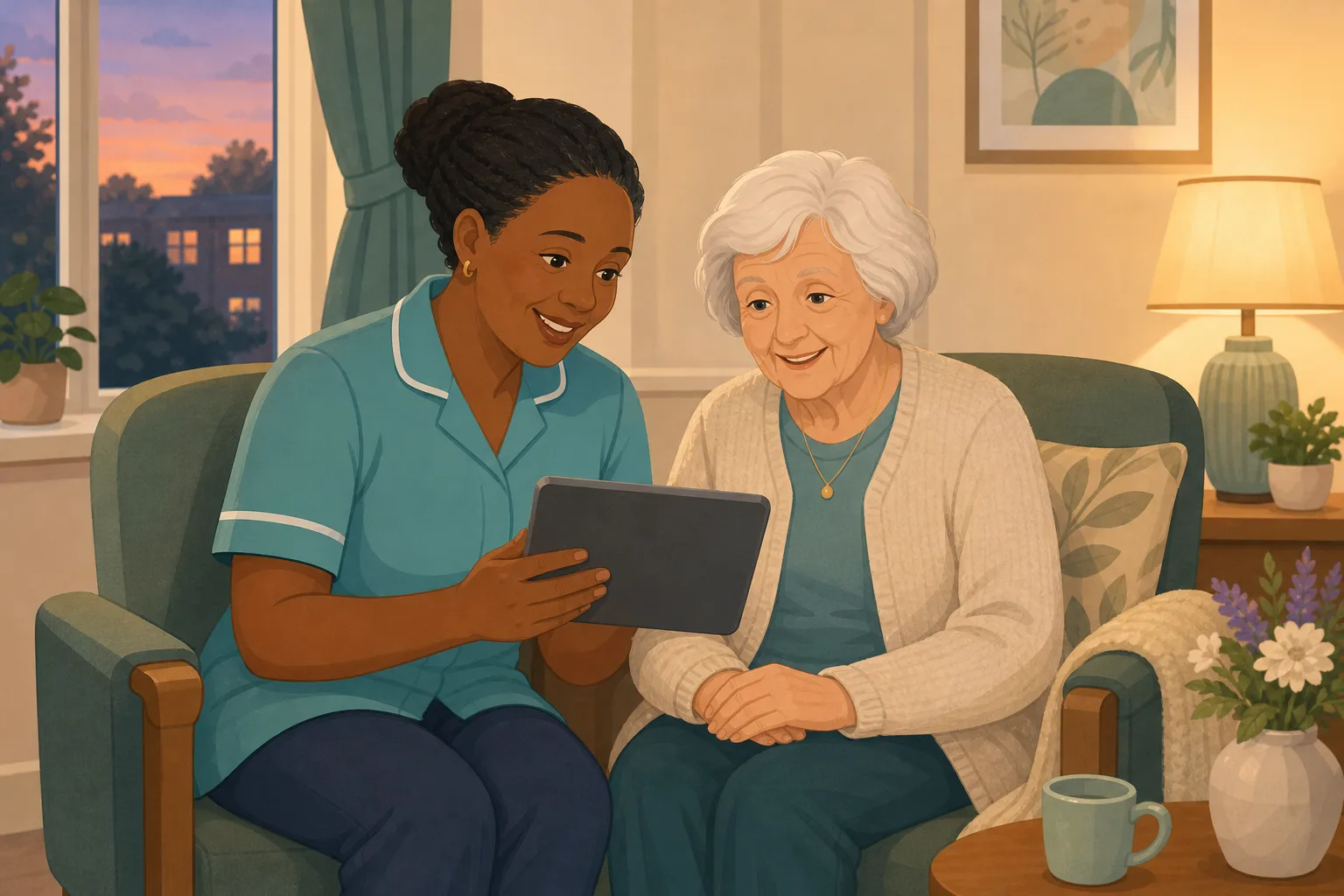
Mrs Aldous is restless as the light fades.
Kwame offers a drink and checks she is comfortable.
He remembers Ellie's video hello from weeks ago.
Nobody on shift knows where the clip is kept.
A colleague finds it on a personal phone, too late.
The same hour comes round with a different carer.
Ellie asks if the clip was ever played. Nobody can say.
“How do you use what her family gave you?” A phone is not an answer.
The family did their part. The gap is between a kind gift and a clip the team can find, trust and play in a minute. Here is how CareStream gets an approved video to the carer who needs it.
An example scenario, not a named service.
Why a familiar voice matters in the evening
It is one gentle thing among many, not a fix.
Sundowning is a pattern, not a rule
The Alzheimer's Society describes sundowning as changes in behaviour in the later afternoon or towards the end of the day, and notes it is not necessarily linked to the sun setting. It lists causes such as tiredness, hunger, pain and overstimulation. So a carer checks for unmet needs first.
Knowing what comforts this person
Care must meet needs and reflect preferences. For dementia agitation in the evening, family often know the voice, song or story that comforts. A video is a way to bring that knowledge into the room.
What is played should be safe
A clip on a personal phone is a privacy risk. Regulation 10 includes ensuring privacy. A clip a manager approved, played from a private link on the home's own device, is a safer way to share a loved voice.
From a hard evening to a clip playing.
Video messages are part of the resident profiles feature, in the same system as your policies and training. They are on Professional and above. See how staff use resident knowledge too.
A manager approved the video before the evening comes
- Family record a short message through a private link, with no app and no account
- It waits on the Approvals tab, where a manager previews it, edits the title and approves or rejects it
- Staff and the chat never see a video that is still waiting
Example only. Nothing here has reached the care team.
The carer asks the This is me chat
- In the Staff Hub, the carer opens the This is me chat and asks whether there is a video from the resident's granddaughter
- The chat answers from approved titles and notes, matched by meaning. It never watches the clip
- Matching videos appear under the answer with the resident's name and room number, a poster and a play button
Example only. Illustration, not a real resident.
It plays on the tablet, and the carer stays with her
- Tapping play opens just the video on a dimmed backdrop, with large controls and a close button
- The carer sits beside her, watches how she responds, and stops if it does not help
- Each play is logged with who and when, and a manager sees recent plays on the resident's record
Example only. Illustration, not a real resident.
Private, logged and gone when the person moves on
- Videos are shown only to signed in staff, through short lived links, never a public address
- Only approved videos of current residents appear. When someone dies or moves on, their videos leave the hub at once
- Approved files stay in private storage for the retention period, like the written profile, then are deleted with it
Example only. Illustration, not a real resident.
The questions managers ask, and how CareStream answers them
Read this as a conversation. The questions are the ones we hear most.
Does CareStream help with sundowning dementia?
It does not diagnose or treat anything. It helps a carer find and play an approved family video quickly. Whether that is the right thing at that moment is the carer's judgement, alongside the resident's care plan.
Will a video reduce dementia agitation?
We do not claim that. Some days a familiar voice may comfort someone and some days it will not. It is one gentle option among others such as a drink, a quiet space, company and your usual approach.
How does a carer find the video in the moment?
They open the This is me chat in the Staff Hub and ask, in everyday words. Matching approved videos appear under the answer with the resident's name and room number, and a play button.
How does the chat know which clip to show?
From the title and the note a manager approved, matched by meaning. It never watches the video. A clear title such as “Nana, it is Ellie” does the work.
Can staff play anything the family sends?
No. Every family video waits for a manager to preview and approve it. Staff and the chat only ever see approved videos of current residents.
Does the family need an app or an account?
No. They open a private link on their phone, tap Record a message or Choose a video, add a short title and press Send. A manager checks it before staff see it.
Is it recorded who played a video?
Yes. Each play is logged with who and when, and managers see recent plays on the resident's record. Nothing alerts the manager on each play.
Which plan is it on, and can I try it?
Resident profiles, photos and videos are on Professional and above. There is a 14 day free trial, and the pricing page shows which plan includes it. You can create an account or book a demo first.
Honest limits: a way to find and play, not a treatment
It does not treat or prevent anything
CareStream does not diagnose sundowning, treat it or promise a calmer evening. Your care plan and your team's judgement stay in charge, and a clip is only one thing a carer might try.
The chat reads titles, not clips
The chat cannot watch a video or describe what is in it. A video is found from its title and note, so a vague title is hard to find. The hub shows up to 10 newest videos per resident.
Plays are logged, not alerted
Managers can see who played what and when, but nothing tells them each time. A video only appears once a manager has approved it, and the chat only ever shows approved ones.
Training built from your own policies
Everything on this page is part of the product. Here is where to read more.
Training built from your own policies
Ad hoc training from your policies, face to face training organised, and wrong answers that become lessons.
See the featureResident knowledge for your team
Give staff quick, short answers about the people they care for, drawn from what you have recorded and approved.
See resident knowledgeDementia awareness training
A course that helps staff understand the person behind the diagnosis.
See the courseGuides on this subject
This Is Me Document: What Goes In It and How a Home Keeps It Alive
A line that says "likes tea" does nothing for a night carer. This reference sets out what a good This is me style document holds, and how a home...
Read article
Difference Between Policy and Procedure: Five Beliefs That Leave Care Staff Guessing
A policy says what a service commits to. A procedure says who does what. Five common beliefs about the two, tested against the law, and a quick test...
Read article
Dementia Training Standards Framework: What Should Happen After the Course
A seven step walkthrough of the Dementia Training Standards Framework, from choosing a tier to the follow-up and refresher that happen after the...
Read articleEvenings, family video and the hub, answered
About evenings and dementia
What is sundowning dementia?
It is the name many people use for changes in behaviour in the later afternoon or evening. The Alzheimer's Society explains that it is not necessarily linked to the sun setting, and that tiredness, hunger, pain or overstimulation can play a part.
What should a carer check before anything else?
Look for unmet needs such as thirst, hunger, the toilet, pain or a busy room, and follow the resident's care plan. A video comes after that, if at all.
How can family help with dementia memory?
Family hold the stories, names and voices that matter. A short message in their own words, or a photo with a caption, gives staff something personal to talk about. It supports the person, but it does not change their dementia memory.
Can the chat also find photos?
Yes. Approved photos appear under an answer as small pictures, found by their captions. The chat never looks inside a picture. See our guide to the this is me document for what to record.
About approval and privacy
Does a manager approve a video before staff can play it?
Yes. A family video stays hidden until a manager approves it. Videos a manager adds are approved at once.
What happens when the resident moves on?
Their videos leave the hub at once, and any waiting are deleted. Approved files stay in private storage for the retention period, then are deleted with the profile.
What does the law say about care preferences and privacy?
Regulation 9 says care must meet needs and reflect preferences, and regulation 10 includes ensuring privacy. Check your own policies for how you use recordings.
How to use a family video well in the evening
A clip works best when the team knows it exists and has already thought about when it might help. A little preparation helps.
Prepare before the light fades
Ask whether each resident who has a family message has a title that staff will find. When you approve a video, edit the title so it says who it is from, and use the note to say who is in it. Staff ask in everyday words, so write for them.
Many homes already close curtains at dusk, switch on lamps and keep the room calm. The video sits alongside those habits. Your dementia awareness training covers how to read distress and respond with kindness.
When you play one
Sit beside the person, not over them. Keep the volume gentle and watch how they respond. Stop if it upsets them, and tell the manager so the title or note can be improved. A short entry in the daily record about how it went helps the next carer.
- Have you checked for thirst, hunger, pain or the toilet first?
- Is the clip approved and shown under the resident's name and room?
- Is the tablet charged and the sound gentle?
- Will you note how the person responded afterwards?
Thank the family
A short thank you tells a relative their effort was used. It also makes it likelier they will send something new. See resident knowledge for the wider picture.
This page describes how the software works and is not legal or clinical advice. Follow each resident's care plan and your own policies for how you respond to distress and how you use recordings.




