
Evidence for CQC caring: your staff know people. Can you show it?
Evidence for CQC caring is hard to hold in your hands, because caring is about how people are treated. What you can show is that your staff have the information to treat each person as an individual. CareStream puts resident profiles, the questions staff ask and resident focused audits alongside training built from your own policies.
14 day free trial · Set up in a day · UK data residency
You know your residents. Can the whole team show they do?
A scenario we see in many care settings.
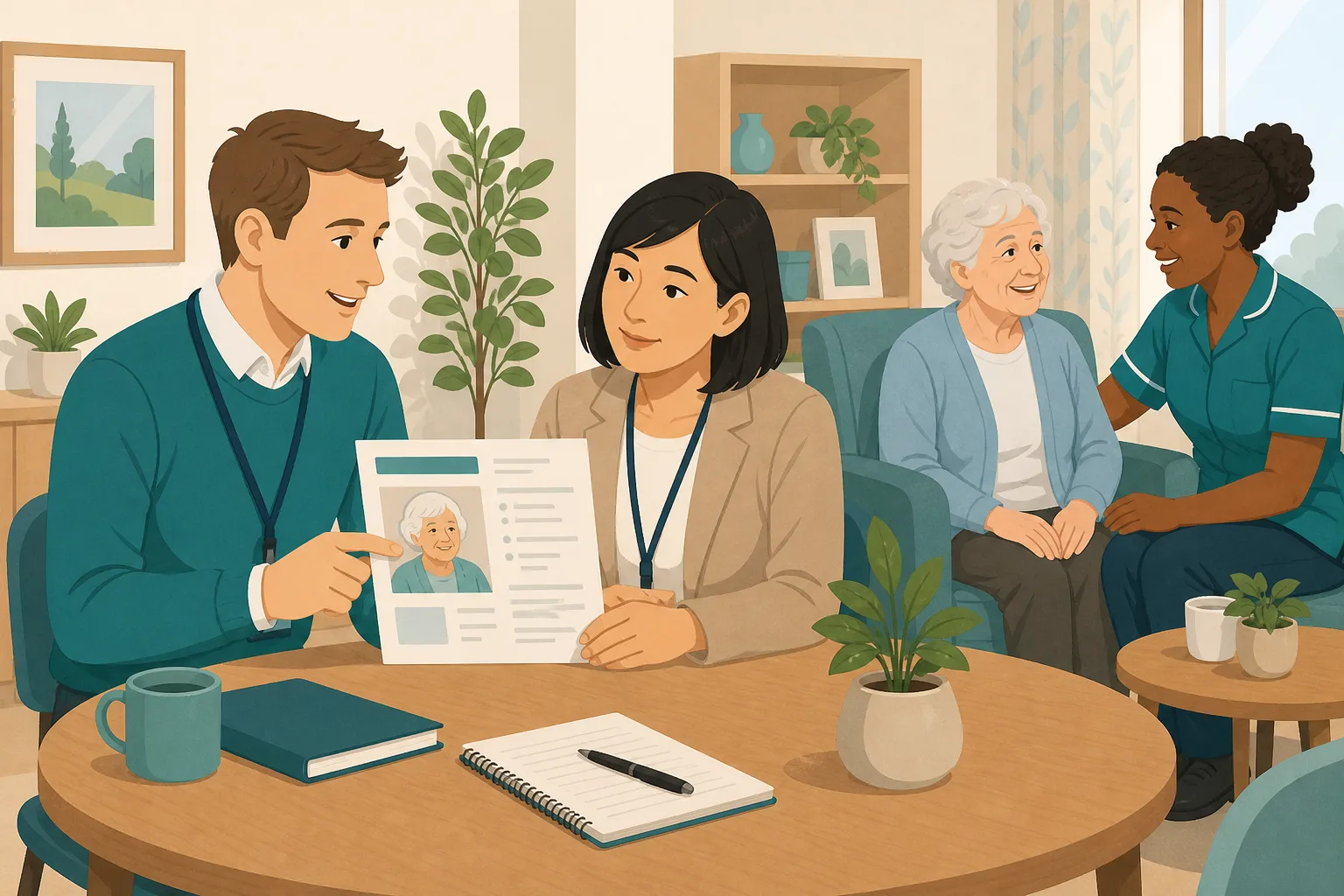
A registered manager has spent years collecting life stories. Some sit in care plans, some are on a printed sheet by the bed, and a few live only in the head of a long serving key worker. A new carer on a late shift has read none of them. When a visitor with a lanyard sits down and asks about one resident, the manager can answer. The manager cannot say the same for everyone on shift, and cannot show how anyone found out. Here is how that plays out.
Key workers gather life stories and likes from residents and families.
A one page profile is written for each new resident and filed.
Resident of the Day reviews are done and the staff chat warmly with people.
They are told the profiles are in the folder. Nobody checks they read them.
A resident is upset. The carer does not know what usually calms her.
A daughter mentions a detail the file does not hold. It stays in a conversation.
The manager cannot show which profiles are current or who has used them.
“Tell me about this person.” The carer shrugs. The resident answers for themselves.
The care may be excellent. The gap is between what the home knows about each person and what each carer can reach. Here is how CareStream helps close it, and where it stops.
An example scenario, not a named service.
A profile shows staff have information. It does not show how people felt.
Inspectors speak to residents and watch care. A file cannot stand in for that, so be honest about what each piece of evidence shows.
Knowing a person is not the same as using it
A life story in a folder helps nobody at 3pm when a resident is anxious. It only helps when a carer can find the answer in a few seconds.
Good profiles go stale
Preferences change, family remember more, and people pass away or move on. A profile nobody revisits quietly stops being true.
Evidence of caring is a mixed picture
Profiles show staff hold the information. Observation, feedback and audits that ask the person show what it was like to be cared for. You want both.
One profile per person, and a trail around it.
This sits beside training built from your own policies. For the wider picture see CQC and compliance and how staff learn about the people they support.
Keep each person's story in one place
- Admins add a profile for each resident with eleven sections, from life story work and interests to what helps when they are upset and how they like to communicate
- You can invite a family member or friend by email to answer a few questions, and nothing they write reaches your team until you approve it
- Resident profiles are on the Professional and Enterprise plans. They record who a person is, not their care record, so dietary needs and clinical detail stay in the care plan
Example only. Not a real resident.
Let staff ask, and see what they ask
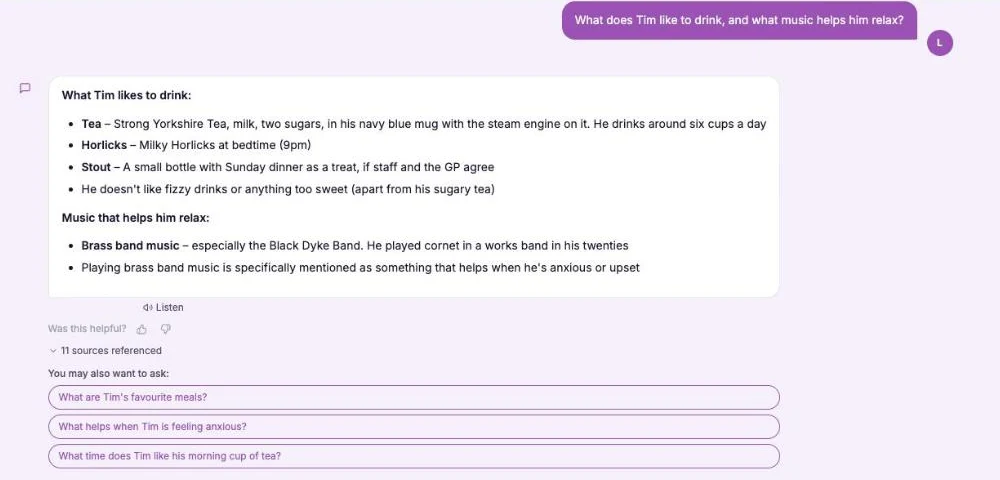
- In the Staff Hub, carers can use the This is me topic of the assistant to ask about a resident, such as what they like to be called
- It answers only from the approved profiles, keeps answers short and says when something is not recorded yet
- Questions are not private from you. Recent queries shows who asked what, so you can see which residents staff are checking and where a profile has a hole. Staff can also ask for a photo, and approved photos with a matching caption appear under the answer. Every family photo is approved by a manager first.
Example only. Plans differ, so see the pricing page for which includes Recent queries.
Add audits that ask the person themselves
- The built in library includes Resident of the Day, Mealtime Experience and Resident Feedback Round
- The feedback round records what people said about choice, dignity, food and activities, and whether anything was done about it
- Audits go on a schedule, actions can carry photos and are checked again at the next audit
Example wording only. The audit has its own questions.
See what you are holding, then fill the gaps
- Your admin view shows which profiles have empty sections, so you know where life story work is thin
- Set a monthly rhythm: one profile a week, one audit a month, and a look at the questions staff asked
- Pull it together before an inspection and keep it with the rest of your CQC evidence
Example figures only.
The questions managers ask, and how CareStream answers them
Read this as a conversation. The questions are the ones we hear most.
What does CareStream actually give me for the caring side of an inspection?
It helps you keep and use information about each person, and it keeps a trail around it. Admins write or collect a profile for each resident, staff can ask about them in the hub, and resident focused audits record what you observed and what people said. It supports your evidence. It does not prove how people felt.
Is this just a digital This is me document?
It covers the same ground as a this is me document: life story, likes, routine, what helps when someone is upset, who matters to them. The difference is that staff can ask the Staff Hub assistant about a resident and get a short answer from the approved profile. It is not the Alzheimer's Society leaflet, and it is not linked to it.
Can families add to it?
Yes, by invitation. You enter a name and email, and they get a private link that lasts 14 days. They answer a few questions about the person. Nothing is shown to staff until you have checked and approved it, and you can edit or reject any answer.
What can staff do with a profile?
They can ask the hub assistant, in plain words, things like what a resident likes to be called or what helps when they are upset. It answers only from the approved profiles and says when something is not recorded yet. It does not give clinical advice, so medical questions go back to the care plan and the nurse in charge.
Can I see what staff ask about residents?
Yes. Admins can see who asked what, when and whether an answer was found in Recent queries. Staff cannot hide their questions from you. Use it to see which residents carers check most and where a profile is missing something.
Does a completed profile prove we deliver person centred care?
No, and it is better to say so plainly. A profile shows your staff have information about a person. It does not show how that person was treated. Inspectors speak to residents and watch care, so profiles are one strand, and audits that ask people themselves are another.
Which audits help with this?
Resident of the Day, Mealtime Experience, Resident Feedback Round and Dignity and Respect are all in the built in library, which is free on every plan. See the audit library. They record what you saw and what you were told, with actions that are checked again next time.
What does it cost to try?
You can create a free account and start a 14 day free trial on a paid plan. Resident profiles are on the Professional and Enterprise plans, so check the pricing page for what each plan includes.
Evidence that staff know people, not proof of how people were treated
It is not a pass or a rating
A full set of profiles does not show a good outcome. CareStream is not a regulator record, and it cannot predict what an inspector will find.
It does not show how a person felt
Only people can tell you that. Talk to residents, watch care and use feedback audits. A profile shows information is held, not that it was used well.
It is not a care record
Profiles hold who a person is. Clinical detail, risks and dietary needs stay in your care plans, and the assistant sends clinical questions back to them. Profiles are on Professional and above.
Training built from your own policies
Everything on this page is part of the product. Here is where to read more.
Training built from your own policies
Short training and knowledge checks that start from what your service has written down.
See the featureResident focused audits
Resident of the Day, mealtimes and resident feedback, ready to use and free on every plan.
See the audit libraryCQC and compliance
Evidence that builds itself, and a readiness report for your next inspection.
See CQC and complianceGuides on this subject
This Is Me Document: What Goes In It and How a Home Keeps It Alive
A line that says "likes tea" does nothing for a night carer. This reference sets out what a good This is me style document holds, and how a home...
Read article
CQC Evidence Categories Explained: Where Your Evidence Base Is Thin, and How to Fix It
Your filing cabinet is full. Your training matrix is colour-coded. Your supervision records are signed and dated. And somewhere in the gap between...
Read articleShowing caring to an inspector, answered
About person centred care
What are some person centred care examples a manager can show?
Examples are small and specific: a carer who knows someone likes their tea in a particular cup, a resident who chooses when to get up, a mealtime with real choice, a room that holds the person's own things. A recorded profile helps staff do these things. Observation and feedback show whether they happened.
What is life story work in a care home?
It means finding out and recording where a person has come from: family, work, places, music, the big moments. It gives staff a way into a conversation. It works best when it is gathered with the person and their family, and kept up to date. The this is me document guide explains what goes in.
What goes in a this is me document?
CareStream's resident profile has eleven sections: life story and background, interests and hobbies, likes, dislikes, food and drink they enjoy, daily routine, what helps when they are upset or anxious, how they like to communicate, important people and pets, faith, culture and traditions, and anything else. Approved photos can sit with the profile too. Each one is approved by a manager, and staff can ask the chat for a photo and see matching ones under the answer.
Do staff need training to use resident profiles?
They need to know the profiles exist and how to ask about a person. The Care Certificate covers the wider principles, and short training from your own policies can cover how your home uses profiles.
Does a profile replace a care plan?
No. A profile is about who the person is. The care plan is about their care. Keep dietary needs, risks and clinical details in the care plan.
About inspections
What does Regulation 10 say about dignity and respect?
Regulation 10 says service users must be treated with dignity and respect. It names ensuring the person's privacy, supporting their autonomy, independence and involvement in the community, and having due regard to protected characteristics.
How does CQC explain dignity and respect to providers?
The CQC guidance on Regulation 10 covers privacy, supporting independence, respectful communication and personal preferences, and not leaving people in undignified situations. Read it for the full wording.
Will CareStream tell me what an inspector will ask about caring?
No. We do not predict an inspection. The CQC staff questions feature lets you practise open questions with your team, but it is practice and not a mock of any real visit.
A practical way to prepare your evidence of caring
CQC caring evidence is built up over months, not in the week before a visit. The aim is a home where staff know people, people are asked what they think, and you can show both.
Start with what the regulation says
The legal text is short. Regulation 10 says people must be treated with dignity and respect, and lists privacy, autonomy and independence, and due regard to protected characteristics. Use it to check your own routines, such as knocking before entering a room, offering choice and using the name each person prefers.
Keep the evidence honest. A profile shows staff hold information, a feedback round shows what people said, and an observation shows what you saw. Note which is which when you file them.
A monthly rhythm for life story work
- Each week: complete or refresh one resident profile with the person and their key worker.
- For each family visit: invite one relative or friend to add what they know, then approve it.
- Each month: run Resident of the Day, a mealtime observation and a resident feedback round.
- Each quarter: look at what staff asked about residents and fill the gaps they found.
For the inspector. Be ready to say plainly what each piece of evidence shows, and expect them to speak to residents themselves.




