
An agency care worker on a first shift can learn who a resident is, from the photos the family approved.
An agency care worker arrives for a first shift knowing a name and a room number. The regular team know the stories, but there is no time to tell them all. CareStream lets any signed in carer, including an agency carer given hub access, ask about a resident and see approved family photos with captions. It sits alongside the rest of your training and knowledge tools.
14 day free trial · Set up in a day · UK data residency
She has a name and a room number. The person is still a stranger.
A scenario we see in many care settings.
Grace is an agency care worker covering a day shift on the lower floor. The handover covers medication, mobility and who needs a drink. It does not cover that Mr Penhaligon drove a bus in Plymouth for thirty years, or that the framed photo on his table is his late wife. Joe, the regular carer, knows all of it, but is helping another resident. Grace does not like to interrupt, so she brings him tea and says very little.
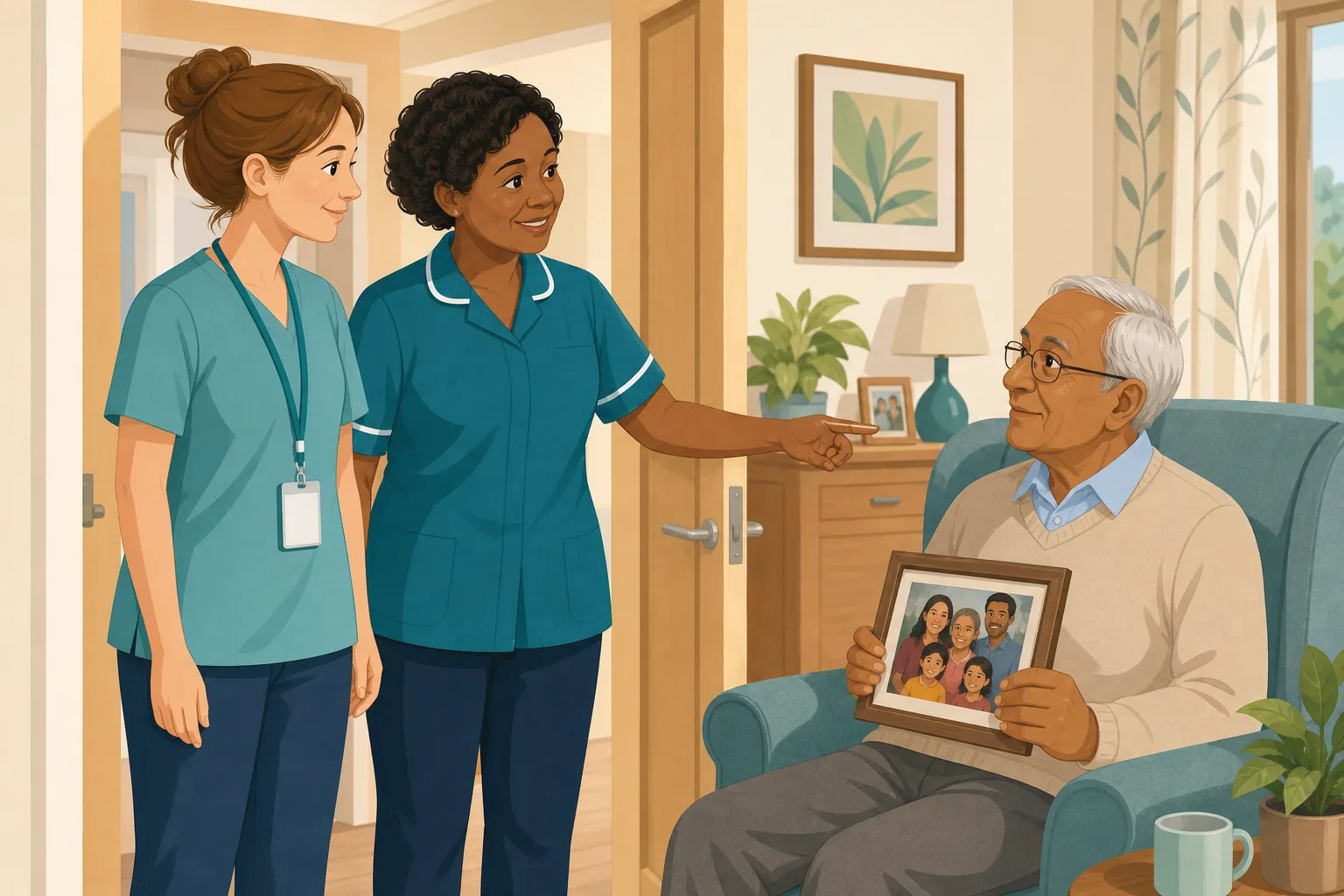
Grace arrives and gets a clear handover of tasks.
Joe shows her round and introduces her to residents.
She delivers personal care politely and carefully.
Nobody has time to tell her who Mr Penhaligon is.
The photos the family sent are in a folder nobody has opened.
A different visiting carer arrives and starts from scratch.
His daughter asks if new staff ever know the family photos.
“How do new and temporary staff get to know people?” A handover sheet is not an answer.
The regular team do know him. The gap is between what they carry in their heads and what a new face can find in a minute. Here is how CareStream gives a visiting carer a safe way in.
An example scenario, not a named service.
Why an agency carer needs to know the person
Good care starts with knowing who someone is.
Person centred care examples are small
Knowing he likes tea strong, once drove a bus and keeps his wife's photo close is what makes care personal. Many person centred care examples are that small. They only work if a new carer can find them.
Preferences must be reflected
Care must meet needs and reflect preferences, and that applies whoever is on shift. Regular staff hold the knowledge, so a temporary carer is the first to miss it.
Privacy still matters on day one
Regulation 10 includes ensuring privacy. Photos that a manager has approved, shown only to signed in staff through short lived links, are safer than pictures passed around on phones.
From a first shift to a face and a story.
Resident profiles and photos are on Professional and above, in the same system as your policies and training. See how staff use resident knowledge too.
The visitor has hub access for the dates you set
- A manager adds the person as an agency worker with an agency name, a first day and a last day
- Their hub access runs for those dates, and they use the hub the way employed staff do
- They do not use a seat on your plan
Example only. Nothing here is a real booking.
She asks the This is me chat
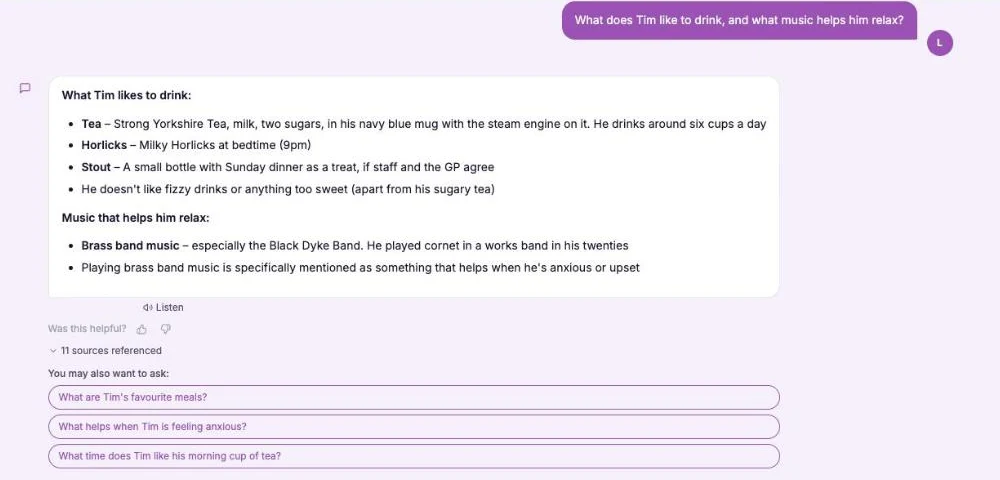
- In the Staff Hub, she opens the This is me chat and asks about the resident, or asks whether there is a photo of his wife
- The chat answers from approved captions and notes, matched by meaning, and shows photos as thumbnails under the answer
- If a question does not name a resident and several have photos, the chat asks who is meant
Example only. Illustration, not a real resident.
A regular carer still makes the introduction
- The photo gives a starting point. Joe adds the tone, the humour and what the day has been like
- Photos are shown only for living residents and only once a manager has approved them
- The chat never looks inside a picture. If there is no caption that matches, it shows the person's photos and says so
Example only. Names and wording are invented.
Private, and the access ends with the booking
- Photos are private, shown only to signed in staff through short lived links, never a public address
- When an agency booking ends, access stays on for 24 hours so a night shift is not cut off, then switches off
- If a resident moves on or dies, their photos leave the hub at once
Example only. Illustration, not a real resident.
The questions managers ask, and how CareStream answers them
Read this as a conversation. The questions are the ones we hear most.
Can an agency care worker use the Staff Hub?
Yes, once you add them as an agency worker with a first and last day. Their hub access runs for those dates, they use it as employed staff do, and they do not use a seat on your plan.
How does a visiting carer find out about a resident?
They open the This is me chat in the Staff Hub and ask about the person. The chat answers from approved profile entries and shows approved photos with captions under the answer.
Do agency staff see photos that are still waiting for approval?
No. Every family photo waits for a manager to approve it. Nothing is seen by staff until approved, and photos a manager adds from the resident record are approved at once.
Does the chat understand what is in a photo?
No. It never looks inside a picture. It matches the caption and notes people wrote, by meaning, so a clear caption such as “Margaret and Alan, 1974” does the work.
What if the resident has no profile?
Then there is nothing to show. The chat only answers from approved profile entries, so a resident without one gives a new carer nothing. A short profile and a few captioned photos are the way to start.
Does this replace the handover?
No. It adds to it. The regular team introduce people in person, and the chat gives a visiting carer a quick, private way to look back at what the family approved.
Can family add photos without an account?
Yes. They use a private link on their phone, add up to 5 photos with optional captions, and press Send. A manager approves each one.
Which plan is it on, and can I try it?
Resident profiles and photos are on Professional and above. There is a 14 day free trial, and the pricing page shows which plan includes it. You can create an account or book a demo first.
Honest limits: a way in, not a full introduction
Approved photos and captions only
A photo waits for a manager's approval before anyone on staff sees it. The chat reads captions and notes, not pictures, so an uncaptioned photo is hard to find.
No profile, nothing to show
If a resident has no profile or no approved photos, the chat has nothing to show a new carer. CareStream does not invent a life story. It reflects what you and the family recorded.
It does not check the agency or run their induction
The agency holds the carer's checks, and CareStream does not capture those documents. The photos help a visitor get to know a person. They do not replace your local induction or your handover.
Training built from your own policies
Everything on this page is part of the product. Here is where to read more.
Training built from your own policies
Ad hoc training from your policies, face to face training organised, and wrong answers that become lessons.
See the featureResident knowledge for your team
Give staff quick, short answers about the people they care for, drawn from what you have recorded and approved.
See resident knowledgeDementia awareness training
A course that helps staff understand the person behind the diagnosis.
See the courseGuides on this subject
This Is Me Document: What Goes In It and How a Home Keeps It Alive
A line that says "likes tea" does nothing for a night carer. This reference sets out what a good This is me style document holds, and how a home...
Read article
Difference Between Policy and Procedure: Five Beliefs That Leave Care Staff Guessing
A policy says what a service commits to. A procedure says who does what. Five common beliefs about the two, tested against the law, and a quick test...
Read article
Dementia Training Standards Framework: What Should Happen After the Course
A seven step walkthrough of the Dementia Training Standards Framework, from choosing a tier to the follow-up and refresher that happen after the...
Read articleAgency staff, photos and the hub, answered
About agency staff and the hub
What does an agency care worker need to know on day one?
Beyond tasks and risks, they need to know who each person is and what matters to them. A photo with a caption and a short profile give a quick start. Your local induction still applies.
Is an agency worker the same as an employed carer in the hub?
In the hub, yes. An agency worker reads policies and uses the chat the way employed staff do, for the dates you set. They are not counted against your staff limit.
Where can I see person centred care examples for my team?
Your own residents give the best ones. Our guide to the this is me document shows what to record, and the dementia awareness course covers the person behind the diagnosis.
What about night shifts at the end of a booking?
Access stays on for 24 hours after the last day, so a night shift is not cut off part way through. It then switches off.
About approval and privacy
Does a manager approve photos before staff see them?
Yes. A family photo is held until a manager approves, edits the caption of or rejects it. Pending photos show in the Approvals badge.
Are photos ever on a public address?
No. They are shown only to signed in staff of your service through short lived links.
What does the law say about preferences and privacy?
Regulation 9 says care must meet needs and reflect preferences, and regulation 10 covers dignity, respect and privacy. Check your own policies.
How to welcome an agency carer to a resident's story
A few habits make the hub useful to visitors and keep your regular team in the lead.
Caption photos so a stranger can use them
When you approve a photo, edit the caption so it says who is in it, where and roughly when. Use the who is in the photo note for names. A visitor will ask in plain words, such as who is in the wedding photo, so write for them.
Aim for a short profile and a handful of captioned photos for each resident, starting with the people agency staff meet most.
Before the first shift
Add the booking in good time so hub access is ready on the day. A regular carer should still introduce the person. A photo is a prompt for conversation, and conversation is where person centred care really happens.
- Is the agency booking added with the right first and last day?
- Do the residents they will care for have a profile and approved photos?
- Will a regular carer make introductions in person?
- Does the visitor know to ask the chat in the Staff Hub?
After the shift
Ask the visiting carer what they found helpful and what was missing. Edit captions that were too vague. See resident knowledge for the wider picture.
This page describes how the software works and is not legal or clinical advice. Your local induction, handover and agency arrangements still apply.




