Training payroll report (PDF + CSV, £ costing)
Training takes real time and real money, but that cost is often invisible until someone asks you to justify a budget or evidence a funding claim. The training payroll report puts a pound figure on the hours your team spends learning, then lets you export it as a PDF or CSV whenever you need it.
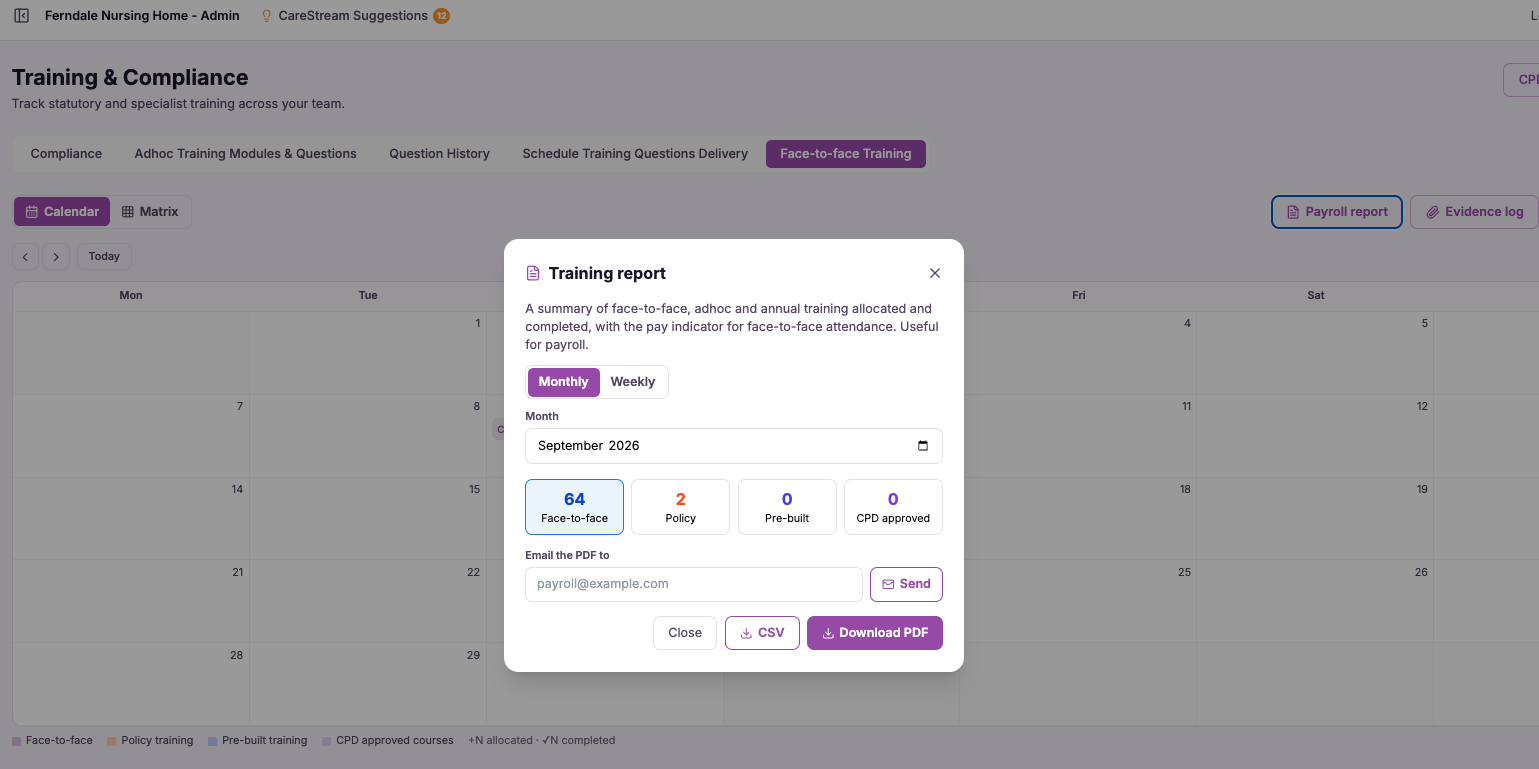
Put a real cost on training time.
The training payroll report takes the training your staff complete, attaches the time it took and applies a cost so you can see the hours and the money together. It then exports cleanly as a PDF for sharing or filing, or a CSV for dropping into payroll, finance or funding paperwork.
This matters because training is one of the few large costs in a care home or nursing home that usually goes unaccounted for. Managers know it is significant, but they rarely have a figure to point to. By costing training time, CareStream gives you the number, which you need for budgeting, for payroll accuracy and for evidencing workforce development spend to funders and commissioners.
For care providers, this turns training from an unmeasured overhead into a clear, accountable line you can plan around. Whether you are setting a budget, supporting a payroll run or claiming against workforce funding, you have a costed record of exactly what your training is worth in money and time.
Registered managers, finance leads and owners of care homes, nursing homes and home care services who need to budget for and account for training spend.
A costed training record shows CQC and commissioners that you take workforce development seriously and can evidence the investment behind your mandatory training.
The difference it makes day to day
- See the true cost of staff training in both hours and pounds, not just completion counts.
- Export a costed training report as a PDF for filing or sharing with owners and finance.
- Produce a CSV that drops straight into payroll and finance workflows.
- Support funding and workforce development claims with a clear, costed record.
- Build training budgets on real figures rather than rough estimates.
- Account for the hours staff spend learning so payroll and rotas stay accurate.
How the training payroll report works.
As your team completes training in CareStream, the platform records who trained and how much time it involved. The report then applies a cost to that time so the money and the hours sit side by side.
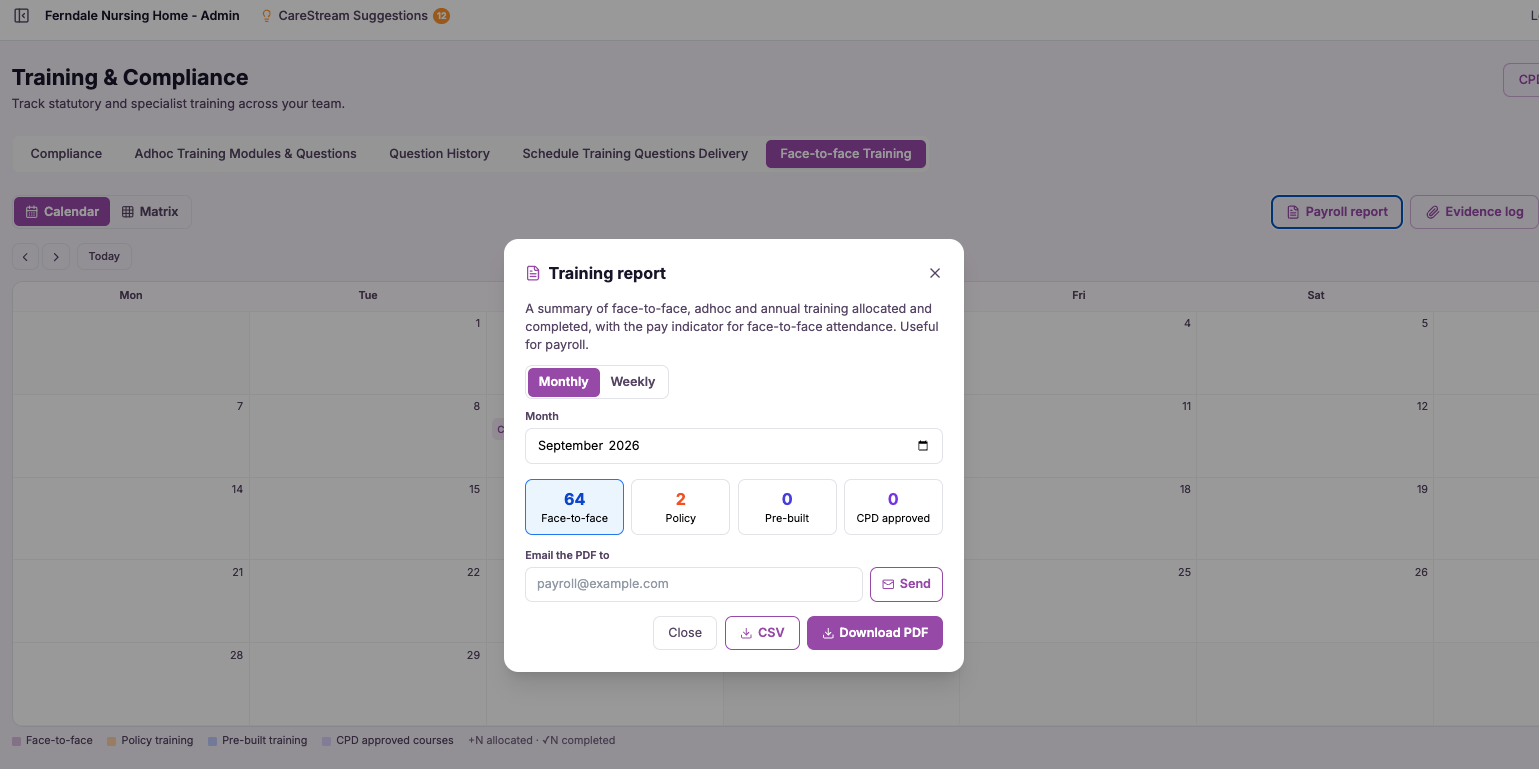
When you need it, you generate the report for the period you care about and export it in the format that suits the job, PDF for a clean document or CSV for further work in payroll or finance.
Capture training time
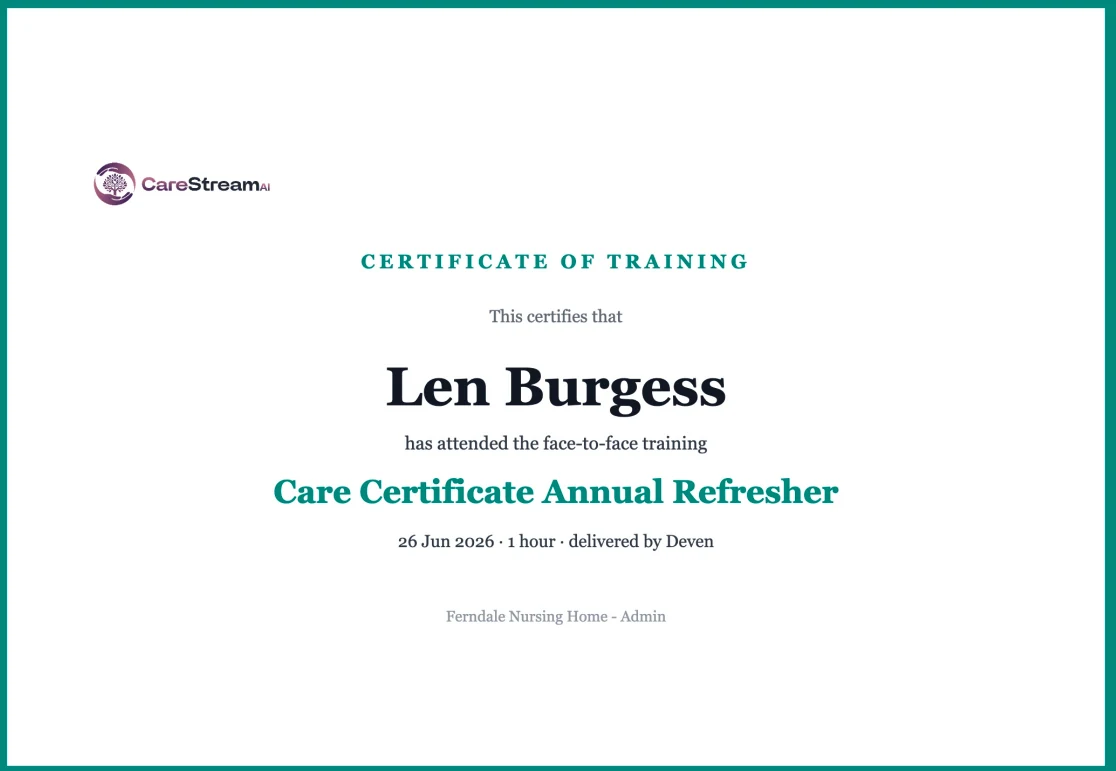
CareStream logs the time each member of staff spends on completed training across mandatory, annual and follow-up modules.
Apply a cost
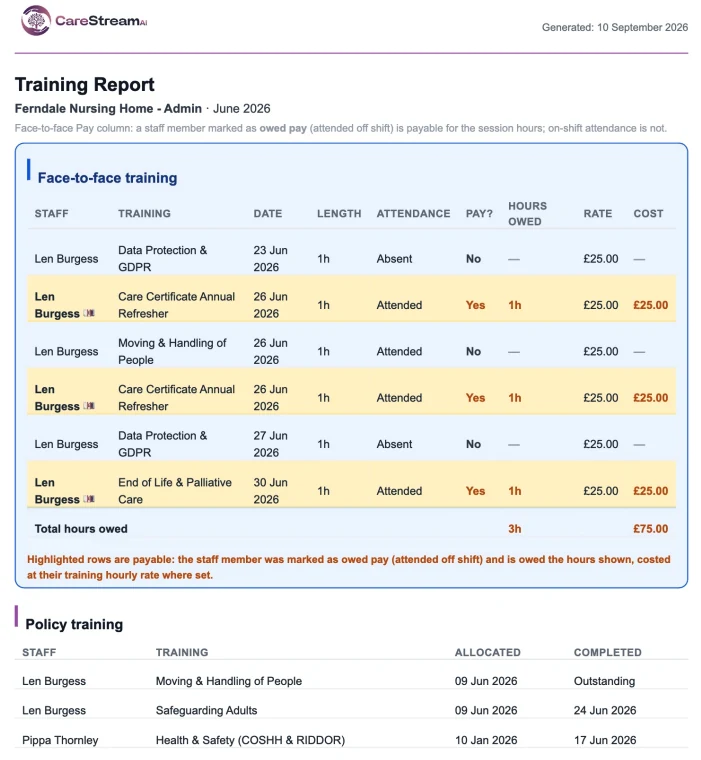
A pound cost is attached to that training time so hours are translated into money you can account for.
Choose a period
Select the date range you need, such as a month, a quarter or a funding claim window.
See training hours and cost summarised by your team so nothing is guessed or estimated.
Download a tidy PDF for filing and sharing, or a CSV to feed into payroll, finance or funding paperwork.
Keep the costed report on record to support budgets, payroll accuracy and funding claims.
- Costs training time with a pound figure attached, not just an hours count
- Exports as both PDF for sharing and CSV for payroll and finance
- Covers the training your staff complete across the period you choose
- Supports budgeting, payroll accuracy and workforce funding claims
- Built from training already recorded in CareStream, with no manual timing

You cannot manage what you cannot cost.
Training that has no price tag is training that gets underestimated, both when budgets are set and when funding is claimed. The training payroll report works because it makes the real cost visible in a form finance and payroll can actually use.
By handling both the hours and the pounds, and by exporting to the formats those teams already work in, it removes the guesswork and the manual timing that usually surround training spend.
Seeing cost and time together gives you the full picture of what training really involves.
PDF for a clean shareable document and CSV for payroll and finance means the report fits any workflow.
A costed record supports workforce development and funding claims without last-minute scrambling.
Because time is captured as staff train, you avoid the errors of estimating hours after the fact.
Frequently asked
How is the cost of training time calculated?
CareStream records the time each member of staff spends on completed training and applies a cost to those hours, so the report shows both the time invested and the money it represents. That gives you a pound figure you can put in front of finance, owners or funders rather than a vague sense that training is expensive. Because the time is captured as staff actually complete training, the cost is grounded in real activity rather than an after-the-fact estimate, which keeps your budgets and funding claims defensible.
What is the difference between the PDF and CSV exports?
The PDF gives you a clean, finished document that is easy to file, print or share with an owner, board or commissioner. It is the right choice when you need a tidy record that speaks for itself. The CSV is the working format. It drops straight into payroll systems, finance spreadsheets and funding paperwork so you can sort, total and combine the figures with your other data. Having both means the same costed training report serves both the presentation job and the number-crunching job.
Can I use this report to support a funding or workforce claim?
Yes. One of the main reasons providers ask for costed training is to evidence spend against workforce development funding and similar claims. The report gives you a clear record of who trained, for how long and at what cost over the period you select, which is exactly the kind of evidence those claims call for. You can generate the report for the specific claim window and export it as a PDF for your submission or a CSV to reconcile against your finance records, so the paperwork stands up to scrutiny.
Do I have to log training hours manually for this to work?
No. The whole point is to remove the manual timing that usually makes training costing painful. As your team completes training within CareStream, the time is captured automatically, so the report can cost it without anyone stopping to record hours by hand. This keeps the figures accurate and saves your managers from reconstructing training time after the event, which is where estimates and errors normally creep into budgets and claims.
Explore more features
More of what the CareStream compliance platform does for UK care providers.
Know exactly what your training costs.
Book a demo to see how CareStream costs training time and exports it as a PDF or CSV for budgeting, payroll and funding claims.





