Supervisions and appraisals tracking
Supervisions turn your 1:1s and annual appraisals into a single, repeatable flow. Book a session and choose who conducts it, record it on a structured form built around the questions a good supervision should cover, and turn what you agree into actions and allocations that land straight in the staff member's hub.
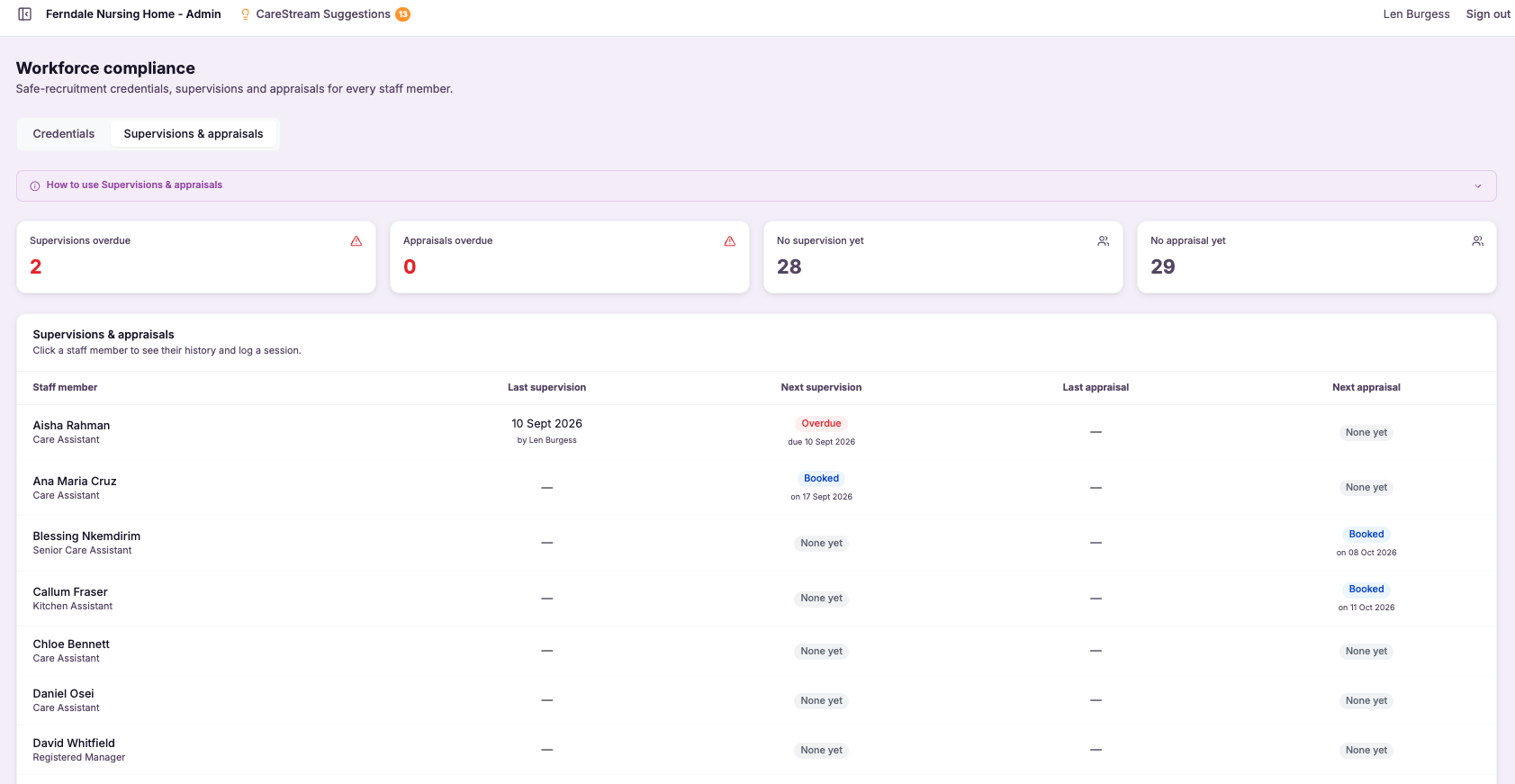
One flow from booking to follow-up.
Supervisions brings the whole supervision cycle into CareStream. You book supervisions and appraisals from the Compliance register, choose an administrator to conduct each one, and they complete a structured recording form from their own hub. The form is pre-filled with the person being supervised, the supervisor and the date, and it captures the conversation section by section. Anything you agree becomes an action in the staff member's hub, and you can allocate the exact training, induction or CQC prep that comes out of the session in the same place.
Every completed session is saved on the staff member's record as ready-made evidence for CQC, with the last session, the next one booked, and everything that came out of it in one place.
Any care service that runs regular supervisions and annual appraisals and wants them recorded consistently, from a single home to a large group.
Because every session is recorded on the same form and kept on the staff record, you can evidence supervision for your whole team in a few clicks.
The difference it makes day to day
- Supervisions actually happen, because the person conducting each one is told in their own hub and by email.
- Every session is recorded consistently, on the same structured form each time.
- What you agree turns into a clear to-do list the staff member can work through.
- Training, induction and CQC prep flow straight from the supervision into the staff member's hub.
- Nothing is lost between sessions, because the next date is booked as you finish the last one.
- You walk into inspection with a complete supervision record for every member of staff.
How supervisions work.
Three stages: book the session, record it, and allocate what comes out of it.
Book it and choose who conducts it
From Compliance, Supervisions and appraisals, log a session for a staff member. Choose supervision or appraisal, the date, and the administrator conducting it from a dropdown. Book a future date, or record one already held.
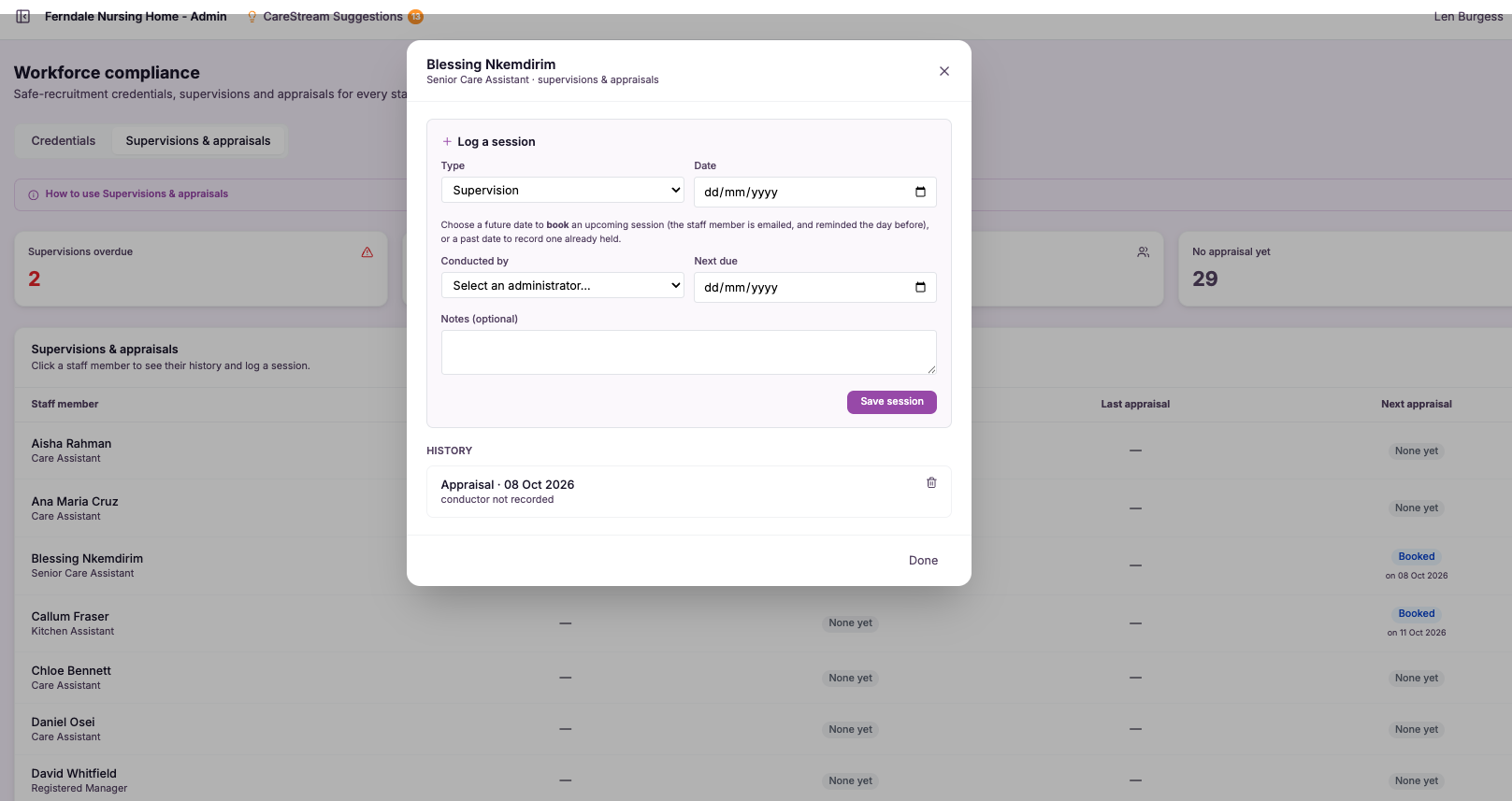
The conductor is notified
The person you choose to conduct the session is told straight away, in their own hub and by email, that they are conducting this staff member's session on the date. The staff member and your admins are kept in the loop too.
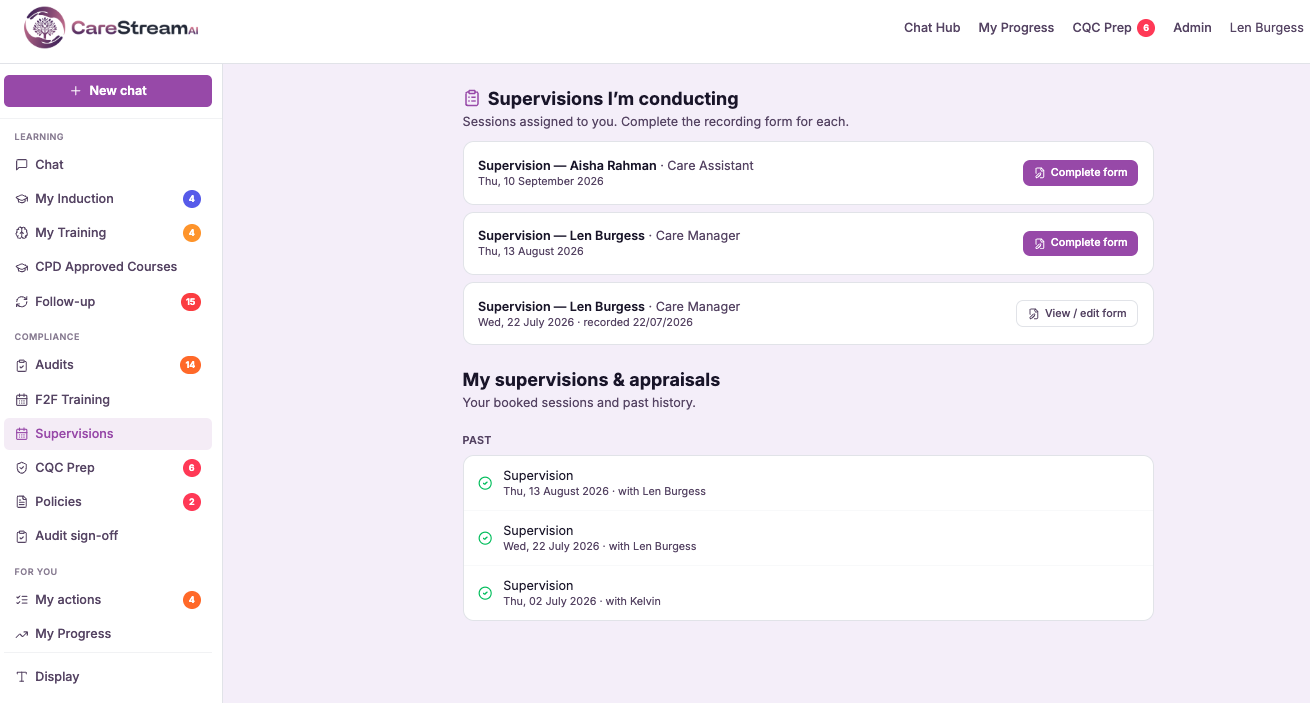
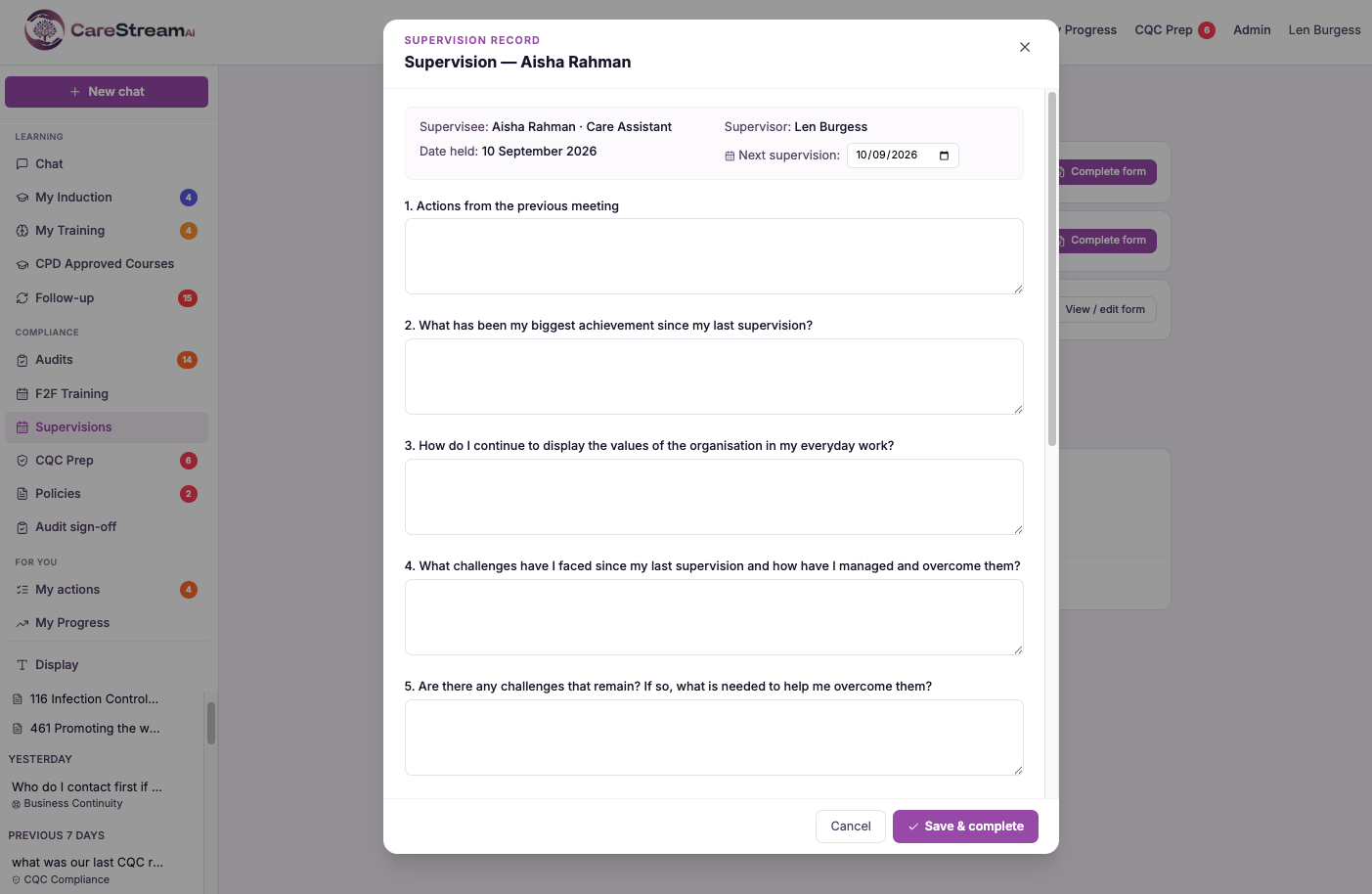
Record it on the form
The conductor opens the recording form from their hub. It is pre-filled with the supervisee, the supervisor and the date, and walks through the conversation section by section, ending with the agreed actions and the next supervision date.
Each agreed action is written into the staff member's hub under My actions, so it works as a shared to-do list they can start, complete or reopen, and that you can see is being handled.
Next to any action, choose to allocate a training module, an induction flow or a CQC prep question. It is sent to the staff member's hub exactly as a normal allocation, with the same notification.
The completed supervision is saved on the staff member's record, with a link to open the full form and the next session booked off it, ready to show at inspection.
- Included on every plan
- Choose the conductor from your administrators
- Structured recording form, pre-filled and ready
- Agreed actions become the staff member's My actions
- Allocate training, induction or CQC prep from any action
- Saved on the staff record with the next session booked
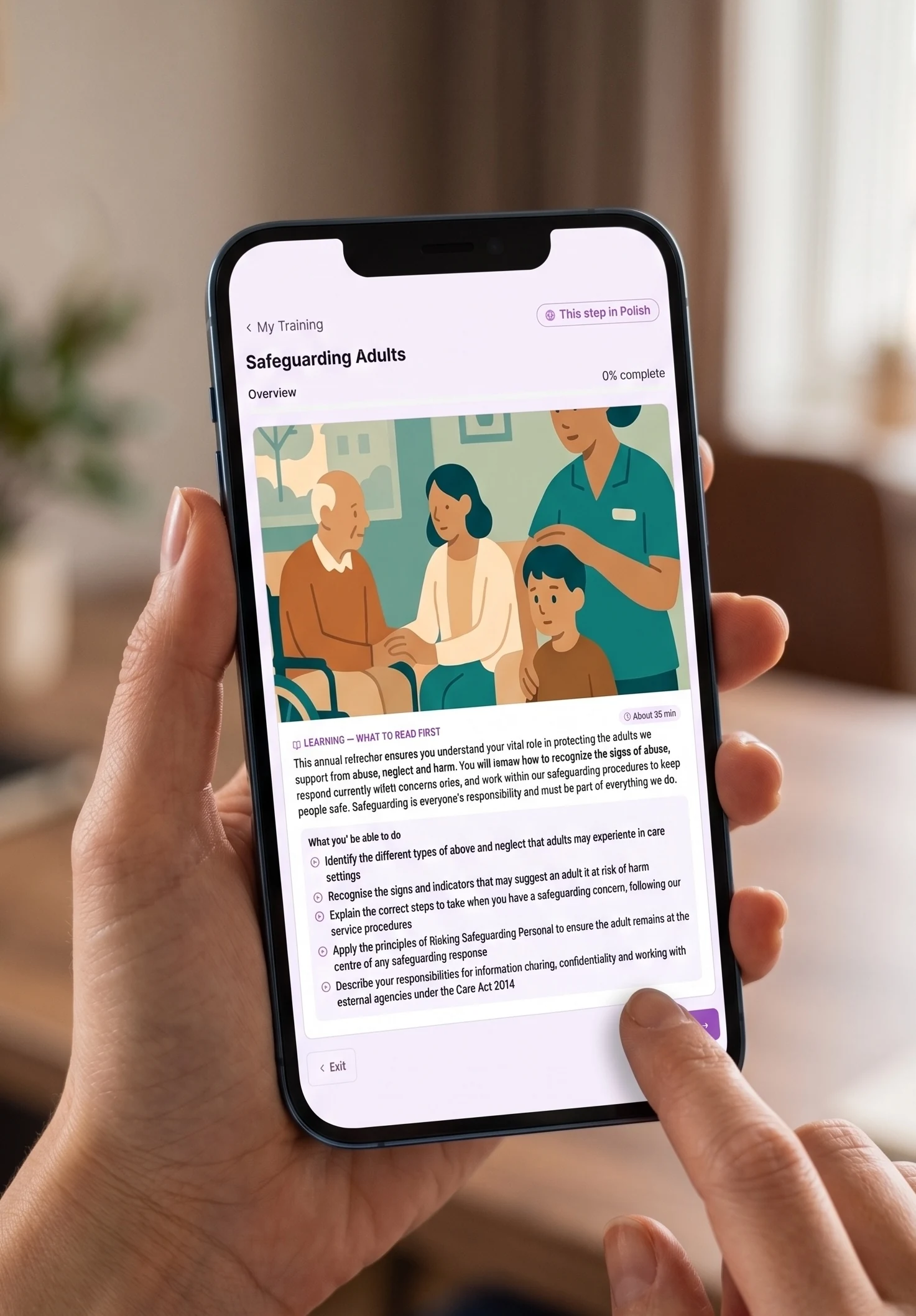
Supervision that leads somewhere.
A supervision is only as good as what happens after it. By turning agreed actions into a to-do list and allocations, CareStream makes sure the follow-up actually gets done.
Every session has a named conductor who is notified, so supervisions do not slip.
The same structured form each time, so nothing important is missed.
Agreed actions become a live to-do list for the staff member.
Completed sessions are kept on the staff record as CQC evidence.
Frequently asked
Which plans include supervisions?
All of them. Supervisions and appraisals are available on every CareStream plan.
Who can conduct a supervision?
Any of your administrators. When you book a session you choose the conductor from a dropdown, and they are notified in their hub and by email that they are conducting it.
What happens to the agreed actions?
Each agreed action is written into the staff member's hub under My actions, so it works as a shared to-do list. From any action you can also allocate a training module, an induction flow or a CQC prep question, which is sent straight to their hub.
Where are completed supervisions kept?
On the staff member's record page, with a link to open the full form and the next session booked off it, so you have a complete supervision history for inspection.
Explore more features
More of what the CareStream compliance platform does for UK care providers.
Make every supervision count.
See how CareStream takes a supervision from booking to recorded evidence, with the training and actions that come out of it handled in the same place.





