
Name one Super User to champion CareStream in your service
Most services have one person colleagues already ask when they are stuck: a senior carer, a trainer, a deputy. A Super User is that person, named in CareStream.
A champion, not a new job title.
A Super User is a tag on one member of staff. It does not change what they can see or do in CareStream, and an administrator can be the Super User if that suits your service. They are asked to use the hub week to week, to help colleagues get started, and to tell you what works and what does not. After the first 60 days you can see how it went, and CareStream says thank you to them when it has gone well.
You tag one member of staff. They use the hub properly themselves and help colleagues get started with their training and with getting quick answers at work. You can see how they are getting on, and how many more colleagues are using the hub since they began.
Registered managers and deputies who want a named person in the team to lead by example, so the hub is used day to day and not only by the manager.
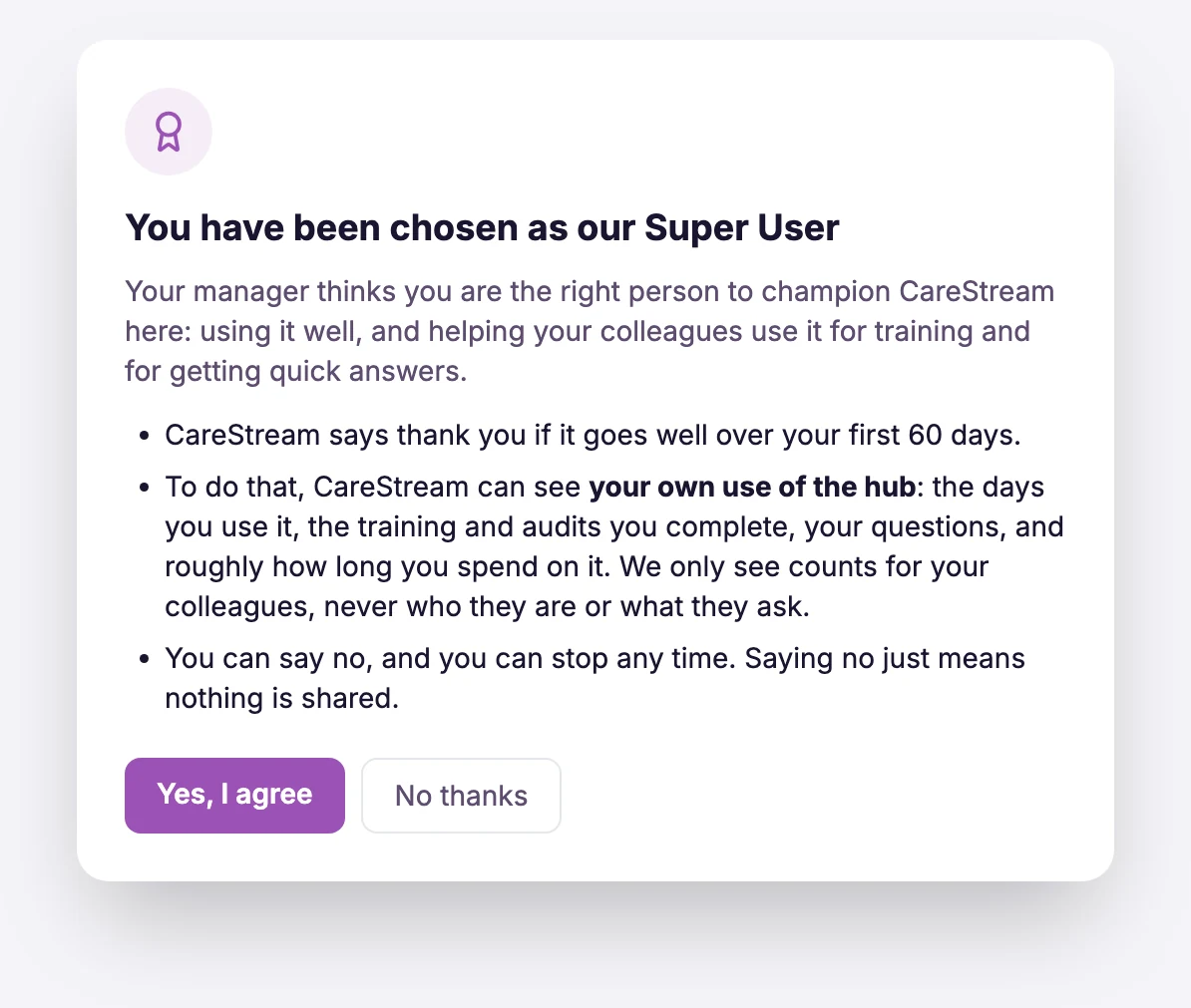
The Super User agrees first. CareStream sees their own use of the hub. For colleagues it sees only totals, never who they are or what they ask.
The difference it makes day to day
- One named person in the team who helps colleagues get started with the hub.
- A clear picture of how they are using it: the days they use it, their training, their questions and their audits.
- A count of how many colleagues are using the hub each week, compared with before they began.
- A fair measure over 60 days that does not reward clicking for the sake of it.
- A choice for the person: they are asked to agree and can say no.
- No extra cost on Starter, Professional or Enterprise.
How it works.
Choose someone, let them agree, and watch the hub get used more.
Choose your Super User
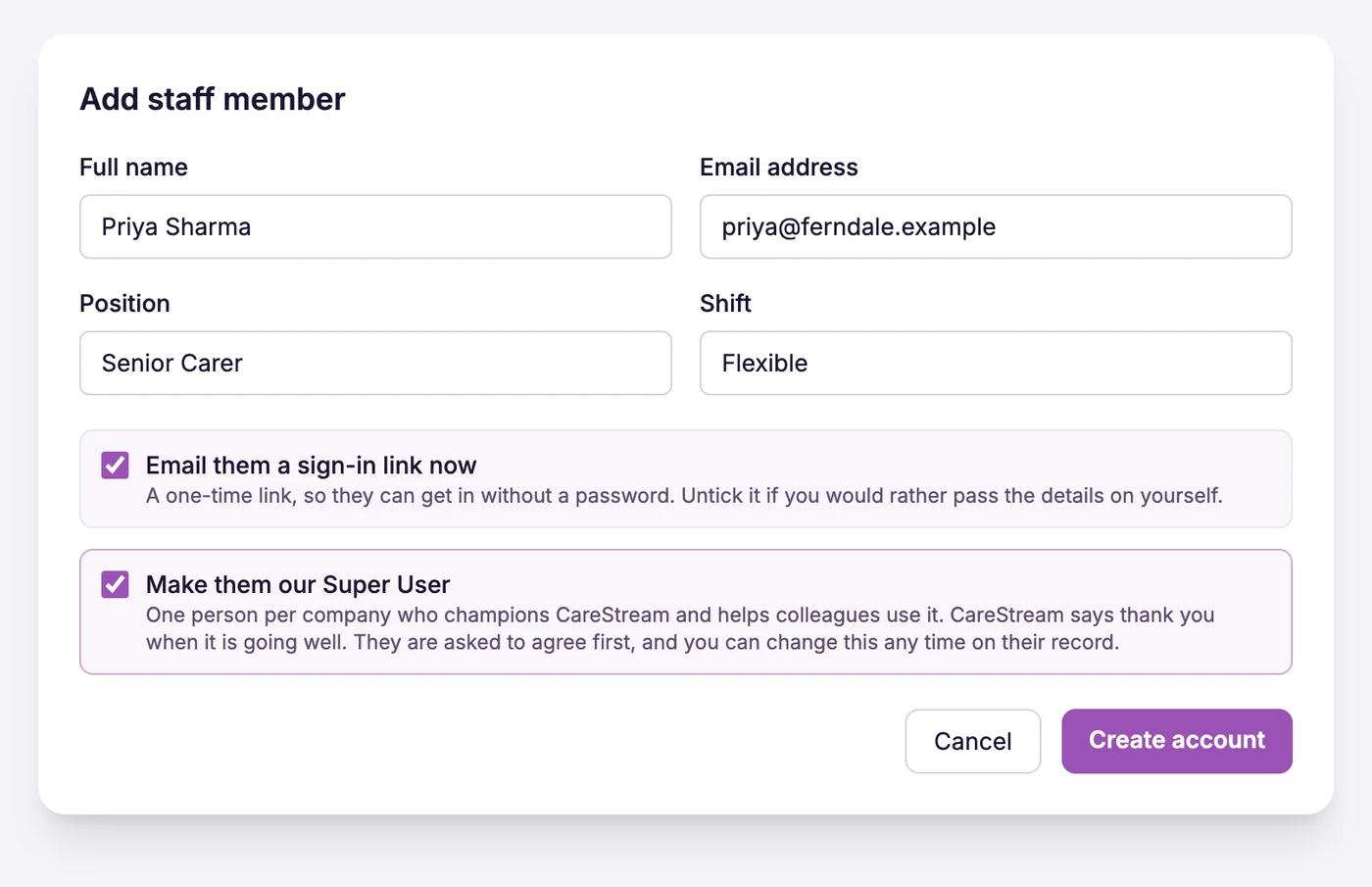
When you add a staff member, tick Make them our Super User. Or open anyone on the Staff page and press Make Super User. A service has one. If you tag someone else, CareStream asks whether to replace the first, and the new person starts their own 60 days.
They agree first
The person gets a short welcome email, and the next time they open the hub they are asked to agree. They can say no, and then nothing is shared and the tag is removed. Nothing about their use is recorded until they agree.
They lead by using it
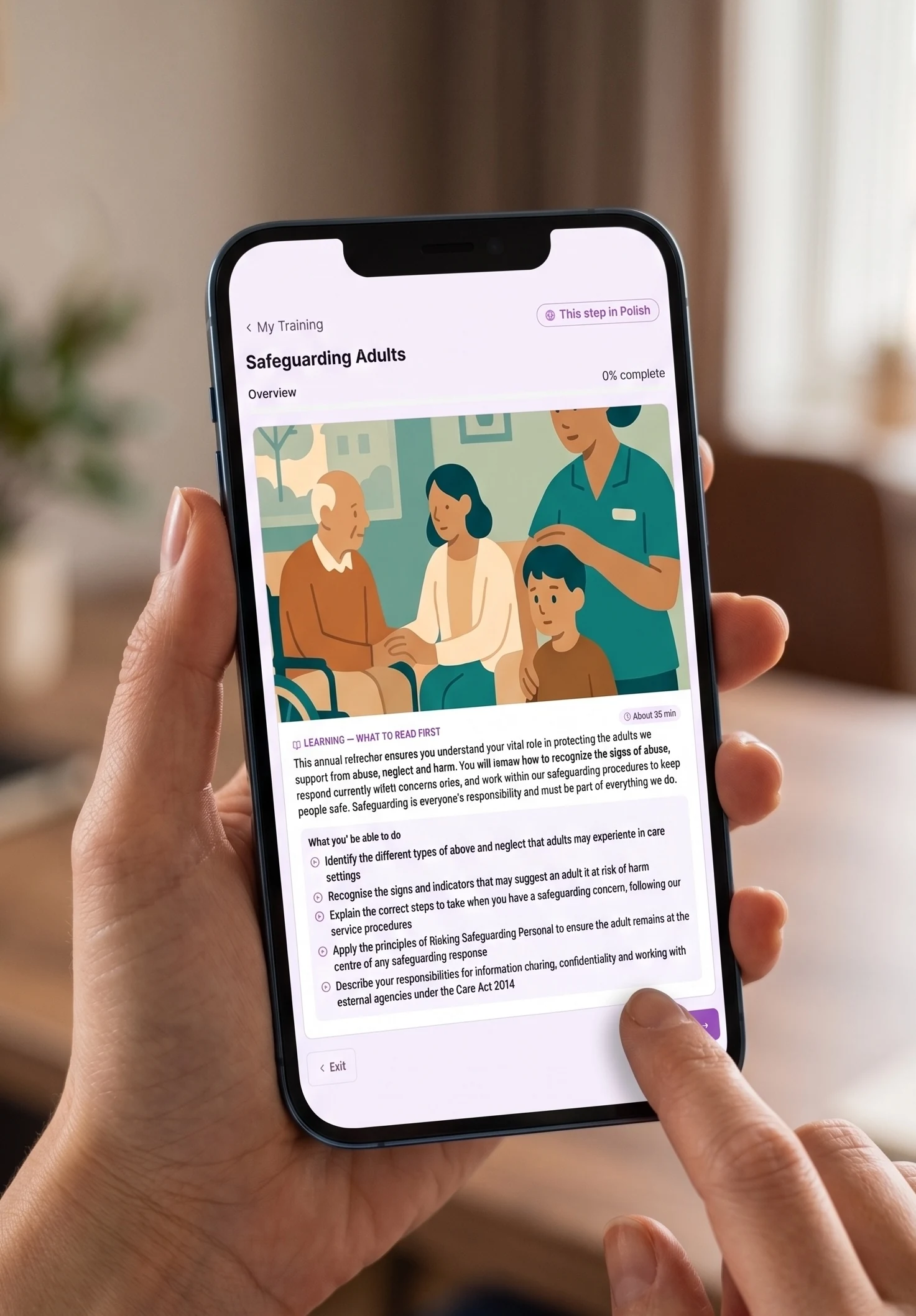
They use the hub as part of their week: their own training, any audits they carry out, the CQC prep questions, and asking CareStream when they are unsure. They show colleagues how to sign in and point them to a course or an answer.
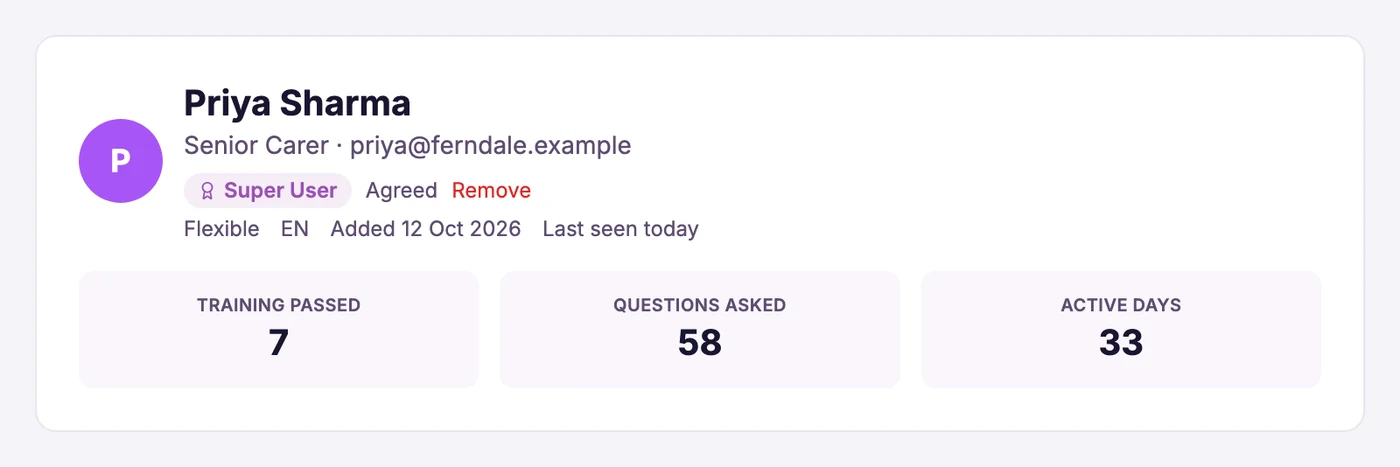
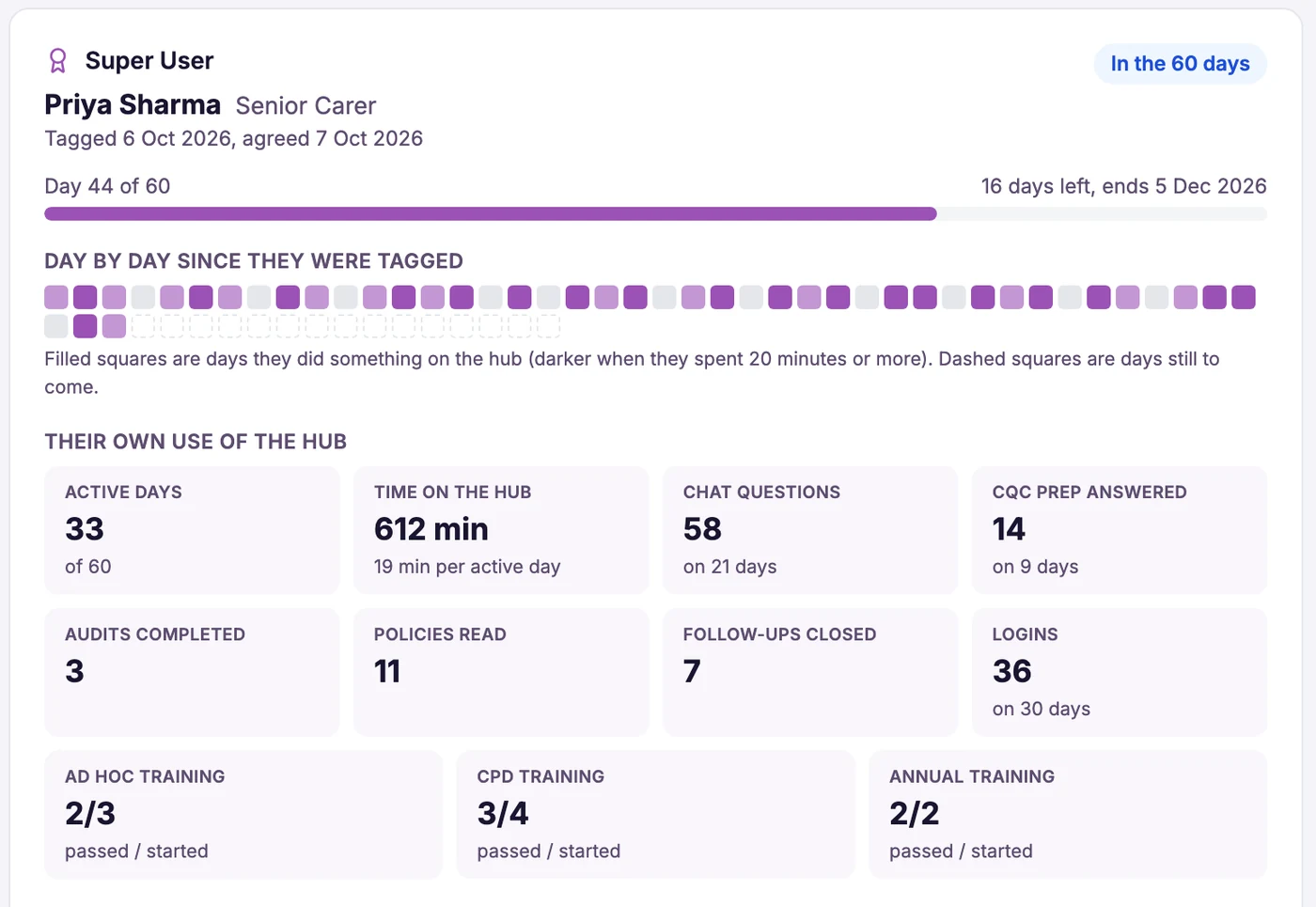
The Incentives page shows a Super User card for the 60 days: active days, time on the hub, questions, audits completed, policies read and training passed, split into ad hoc, CPD and annual. Beside it are counts for colleagues: how many are active each week compared with the 30 days before, how many are new to the hub, and how many have logged in. It says Rising, Steady, Falling or Too early.
Several questions in a minute do not add up, and a course counts only when it is passed. A small service counts as much as a large one: there is no minimum number of colleagues, and a rise from two a week to four is a real rise.
When the first 60 days have gone well, CareStream says thank you to the Super User. It is a thank you and not pay, and nothing is ever given for reviews or testimonials.
- On Starter, Professional and Enterprise
- One Super User per service, an administrator can be one
- Tag when you add a staff member, or later from their record
- The person agrees first and can say no
- Measured over 60 days from real use of the hub
- Colleagues are counted, never named or timed
- Shown on the Incentives page for your administrators
Why it helps.
A new tool is used when someone people trust shows them how.
Colleagues have a named person who has already used the hub and can show them, so questions do not all land on the manager.
You see whether more colleagues are using the hub since the Super User began, not just whether the Super User is.
They are asked to agree, they can decline, and only their own use is looked at. Nobody else is named or timed.
Active days count days when they did something real. Training counts when it is passed.
Frequently asked
Which plans include a Super User?
Starter, Professional and Enterprise. It is included in the plan, with no extra cost. It is not part of the Free plan.
How many Super Users can a service have?
One. If you tag a second person, CareStream asks whether to replace the first. The new person starts their own 60 days.
Can an administrator be the Super User?
Yes. It is your service's choice. The tag does not change what anyone can see or do in CareStream.
What can CareStream see about the Super User?
Only after they agree: their own use of the hub, such as the days they use it, their training and audits, their questions and roughly how long they spend on it. For colleagues it sees totals only, never who they are or what they ask.
Can the person say no?
Yes. They are asked the next time they open the hub. If they decline, the tag is removed and nothing is shared.
How is it measured, and is a small service at a disadvantage?
Over 60 days from the day they are tagged. There is no minimum number of colleagues. What counts is a noticeable rise in colleagues using the hub, compared with the 30 days before, so a rise from two a week to four is a real rise.
What does the Super User get?
A thank you from CareStream when the first 60 days have gone well. It is a thank you and not pay, and nothing is ever given for reviews or testimonials.
Explore more features
More of what the CareStream compliance platform does for UK care providers.
Give your service a champion.
Tag a Super User when you add your next member of staff, and see how the hub is used across your team.




