Out-of-date content detection (superseded law, placeholders)
Live policies age quietly. A template placeholder never gets filled, a law gets superseded, a role title changes, and a review date slides past, all while the document still sits in the folder looking official. Nobody sets out to keep out-of-date content, it just accumulates because there is always something more urgent than re-reading every page.
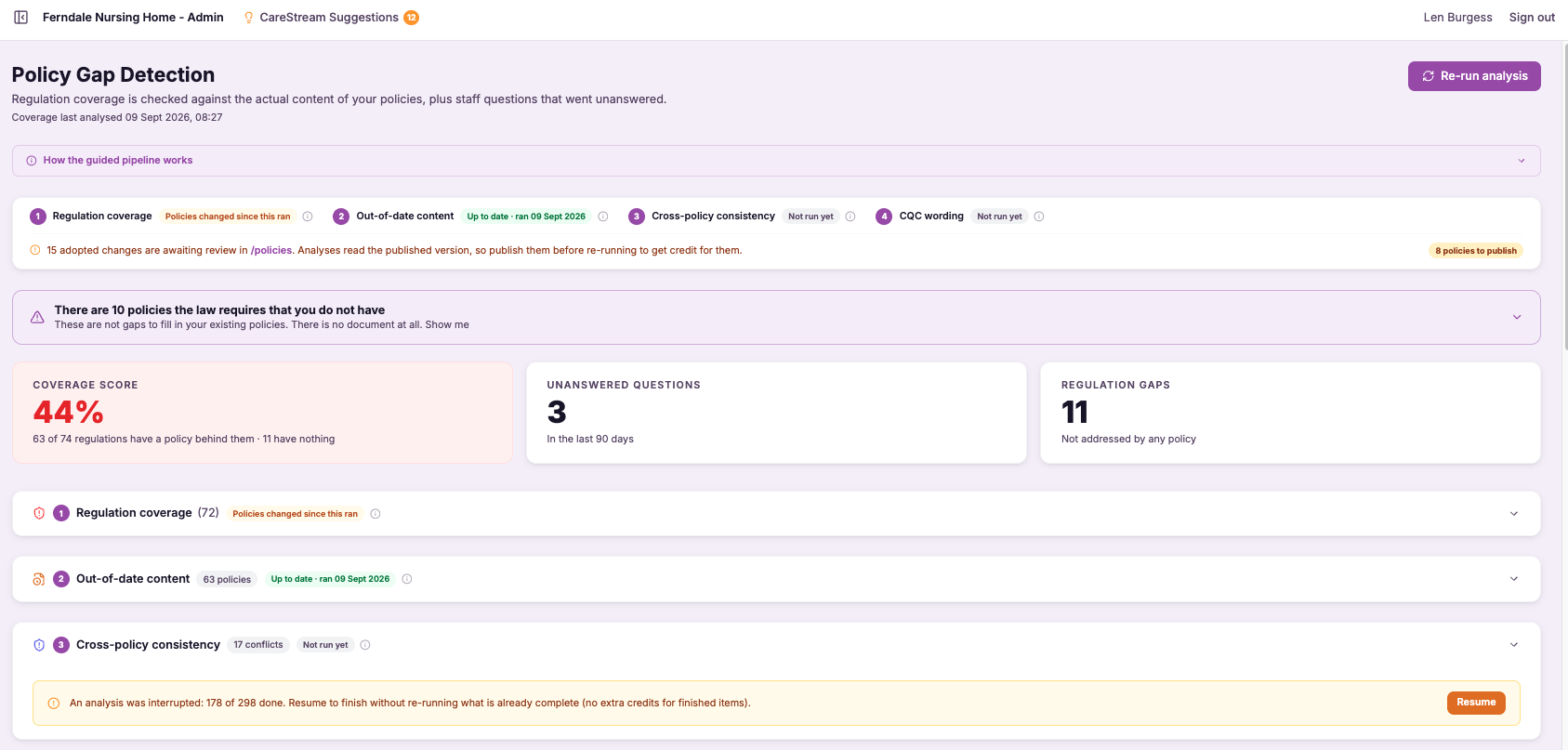
Nothing out of date left sitting in a live document.
The most damaging thing in a policy is often not what is wrong in principle, but what is out of date in practice. A reference to legislation that has since been replaced, a placeholder that still reads [insert name], a job title that no longer exists in your structure, or a review date that passed months ago all send the same message to an inspector: this document is not being kept alive.
Out-of-date content detection reads your care home policies and nursing home policies specifically hunting for that decay. It identifies superseded law and old guidance, unfilled template placeholders, outdated role titles and stale review dates, then lists them so you can put them right. It is the difference between a policy set that looks maintained and one that looks abandoned.
Out-of-date content detection scans your policies for exactly these problems: references to superseded law or old guidance, unfilled placeholders like [insert name], outdated role titles and stale review dates. It surfaces them in one list so nothing embarrassing or non-compliant is quietly sitting in a document you would hand to an inspector.
Any care provider whose policies were built from templates or have been in use long enough to start ageing, from a single home to a large group.
You know no live policy still cites superseded law, shows an unfilled placeholder or carries a review date that expired months ago.
The difference it makes day to day
- You catch references to superseded law and old guidance before they undermine a live policy.
- Unfilled placeholders like [insert name] are found and fixed instead of surfacing in front of an inspector.
- Outdated role titles are flagged so your policies match your actual staffing structure.
- Stale review dates are surfaced so your documents look maintained, not abandoned.
- You get one clear list of ageing content rather than having to re-read every page yourself.
- Your policy set consistently reflects current law, current roles and current dates.
How out-of-date content detection works.
CareStream reads through your policies looking specifically for the tell-tale signs that a document has aged: legal references that have been superseded, template artefacts that were never completed, role names that no longer fit, and dates that have quietly expired.
Rather than leaving you to trust that everything is current, it turns those weak points into a concrete, actionable list, each item pointing to where the problem sits so you can fix it in minutes rather than launching a full manual audit.
Scan every policy
CareStream reads across your full library, checking each document for signs of ageing content.
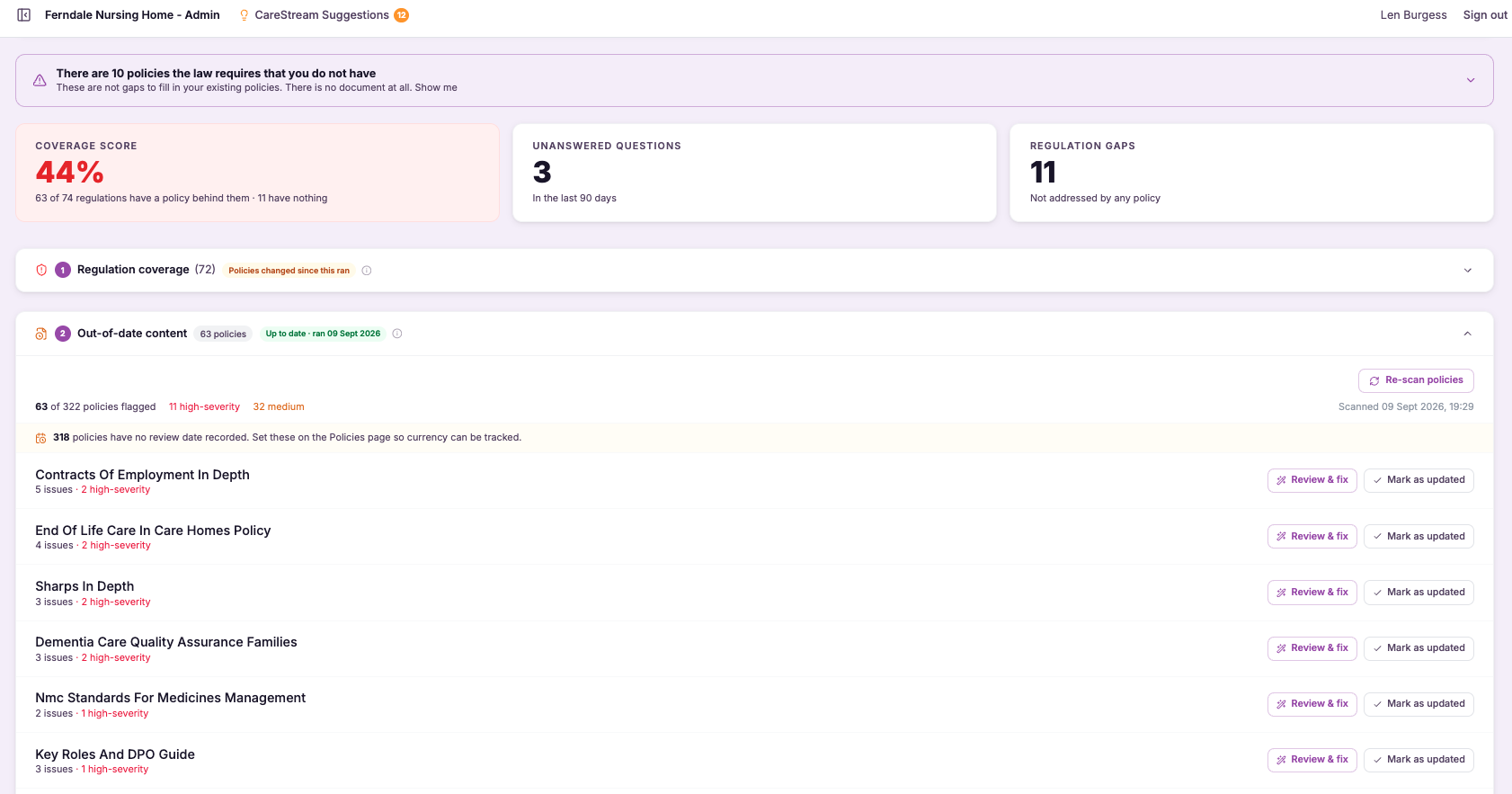
Check the law cited
It flags references to legislation and guidance that have been superseded or replaced.
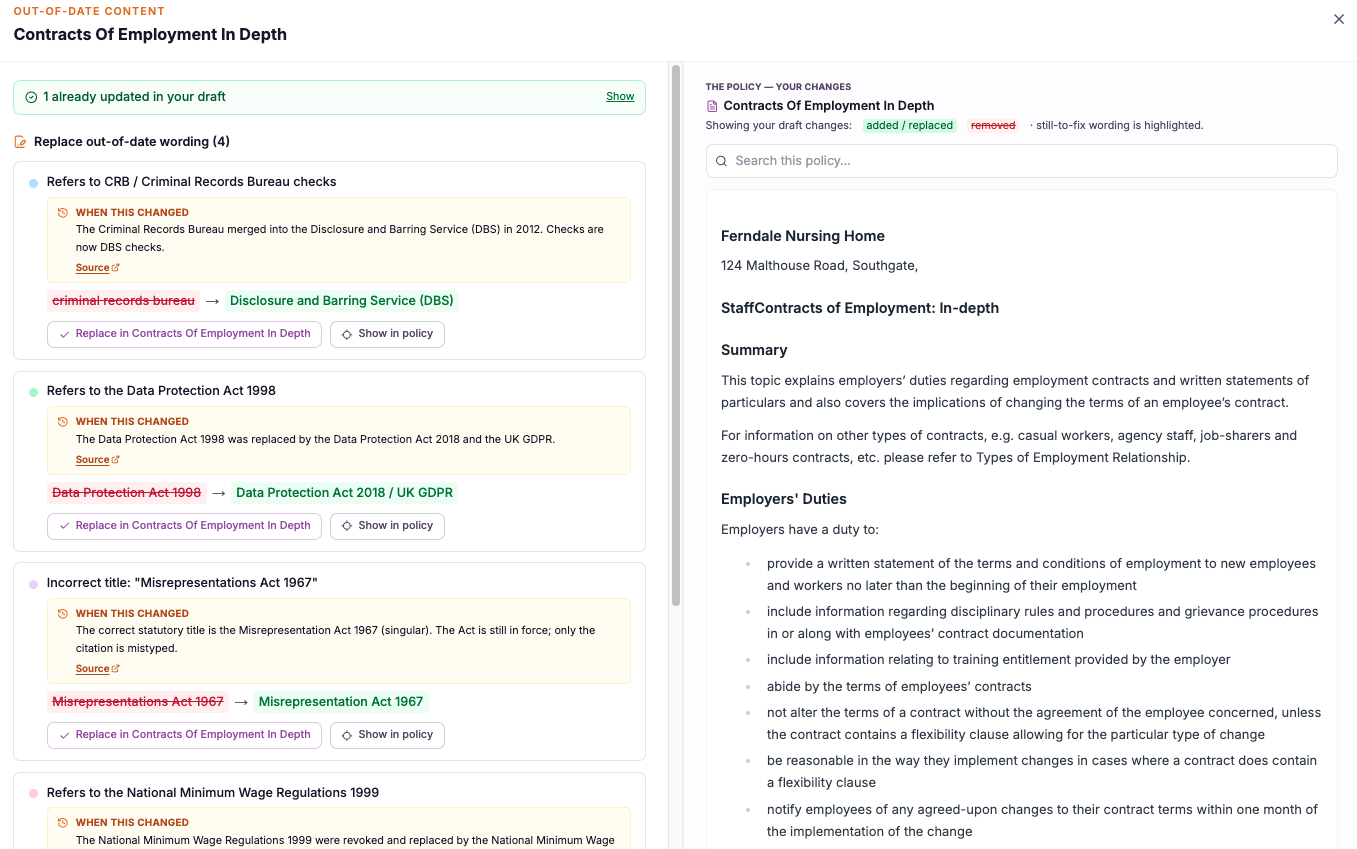
Find placeholders
It detects unfilled template placeholders such as [insert name] that were never completed.
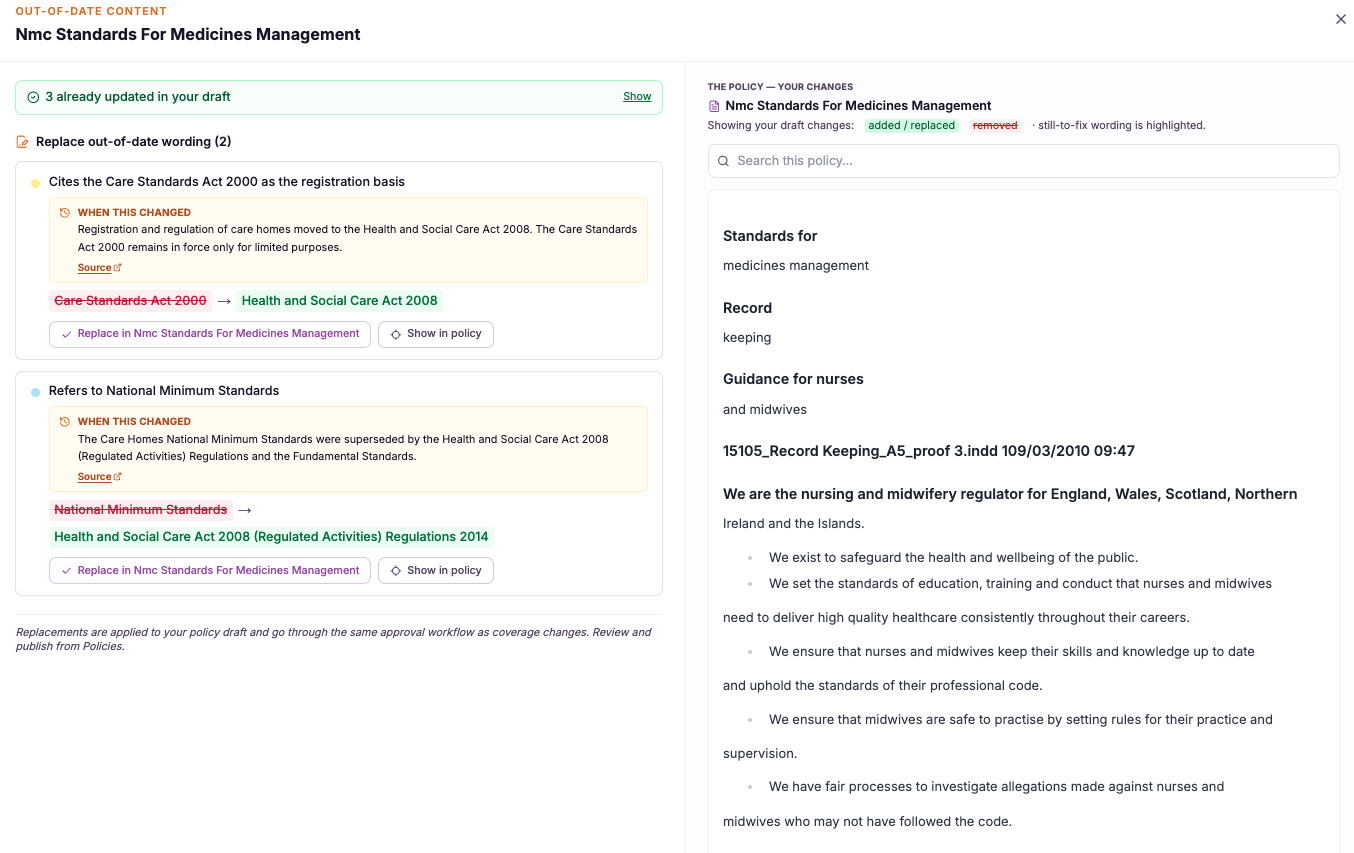
It highlights outdated or inconsistent role titles that no longer reflect your structure.
It surfaces review dates that have passed, so documents overdue for review stand out.
Everything is presented in one clear list so you can work through the fixes efficiently.
- Detects references to superseded law and outdated guidance
- Finds unfilled placeholders left over from templates
- Flags old role titles and expired review dates
- Presents findings as one actionable list, not a vague warning
- Keeps live documents current, consistent and inspection ready

Ageing content is invisible until someone looks for it.
The reason out-of-date content survives is that it hides in plain sight. A superseded legal reference reads perfectly fluently, an old role title looks like any other job title, and a passed review date is just a number nobody happens to check. You cannot fix what you never notice.
This feature works because it looks for the specific signatures of decay that a casual read glides past. It is targeted at the exact failure modes that make a policy set look neglected, which is why it catches the things a general skim reliably misses.
It hunts for superseded law, placeholders, old titles and stale dates specifically, not just general readability.
Ageing content that hides in fluent prose is pulled into a list you can actually act on.
Each flag points to where the problem sits, so putting it right takes minutes, not a full audit.
Current law, current roles and current dates tell an inspector your documents are alive and cared for.
Frequently asked
What exactly counts as out-of-date content?
It covers the specific things that make a live document look neglected: references to legislation or guidance that has since been superseded, template placeholders like [insert name] that were never filled in, role titles that no longer match your staffing structure, and review dates that have already passed. Each of these is small on its own but damaging when an inspector finds it. CareStream targets these signatures deliberately rather than giving you a vague sense that a policy might be old. That focus is what makes the output useful, because you get a concrete list of things to change rather than a warning you cannot act on.
Does it tell me the current law, or just flag the old reference?
The detection step flags where a policy cites law or guidance that has been superseded, so you can see clearly which documents are relying on something that has moved on. That alone is valuable, because these references read fluently and are easy to miss on a normal review. CareStream's wider analysis is grounded in a maintained external knowledge base of current sector rules, so recommendations sit on top of up-to-date regulation rather than the model's memory. The point of this feature specifically is to make sure no live document is still quietly pointing at the old version.
Will it flag placeholders even if they do not look like [insert name]?
Yes. Placeholders take many forms depending on the template a policy came from, and CareStream is designed to recognise the common patterns of content that was meant to be completed but never was. The classic square-bracket placeholder is only the most obvious example. The reason this matters is that an unfilled placeholder in a policy you hand to an inspector is one of the quickest ways to signal that documents are not being maintained. Surfacing them all in one list means you can clear them out before they ever cause that impression.
How is this different from the cross-policy consistency check?
Cross-policy consistency compares your documents against each other to find places where two policies contradict one another. It is about disagreement between separate documents. Out-of-date content detection instead looks within your policies for content that has simply aged, such as superseded law, placeholders, old titles and stale dates. The two work well together but answer different questions. One asks whether your policies agree with each other, the other asks whether each policy is still current. Running both gives you a set that is internally consistent and individually up to date, which is exactly what inspection readiness looks like.
Explore more features
More of what the CareStream compliance platform does for UK care providers.
Stop out-of-date content sitting in your live policies.
See how CareStream finds superseded law, unfilled placeholders, old role titles and stale dates in one pass.





