Credential document uploads + expiry alerts
Every member of your care team carries a small stack of documents that keep them safe to work: a DBS certificate, right to work evidence, professional registration where it applies, and the qualifications behind their role. When those documents live in filing cabinets, shared drives or someone's inbox, it is far too easy for one to quietly lapse without anyone noticing until an inspector asks to see it.
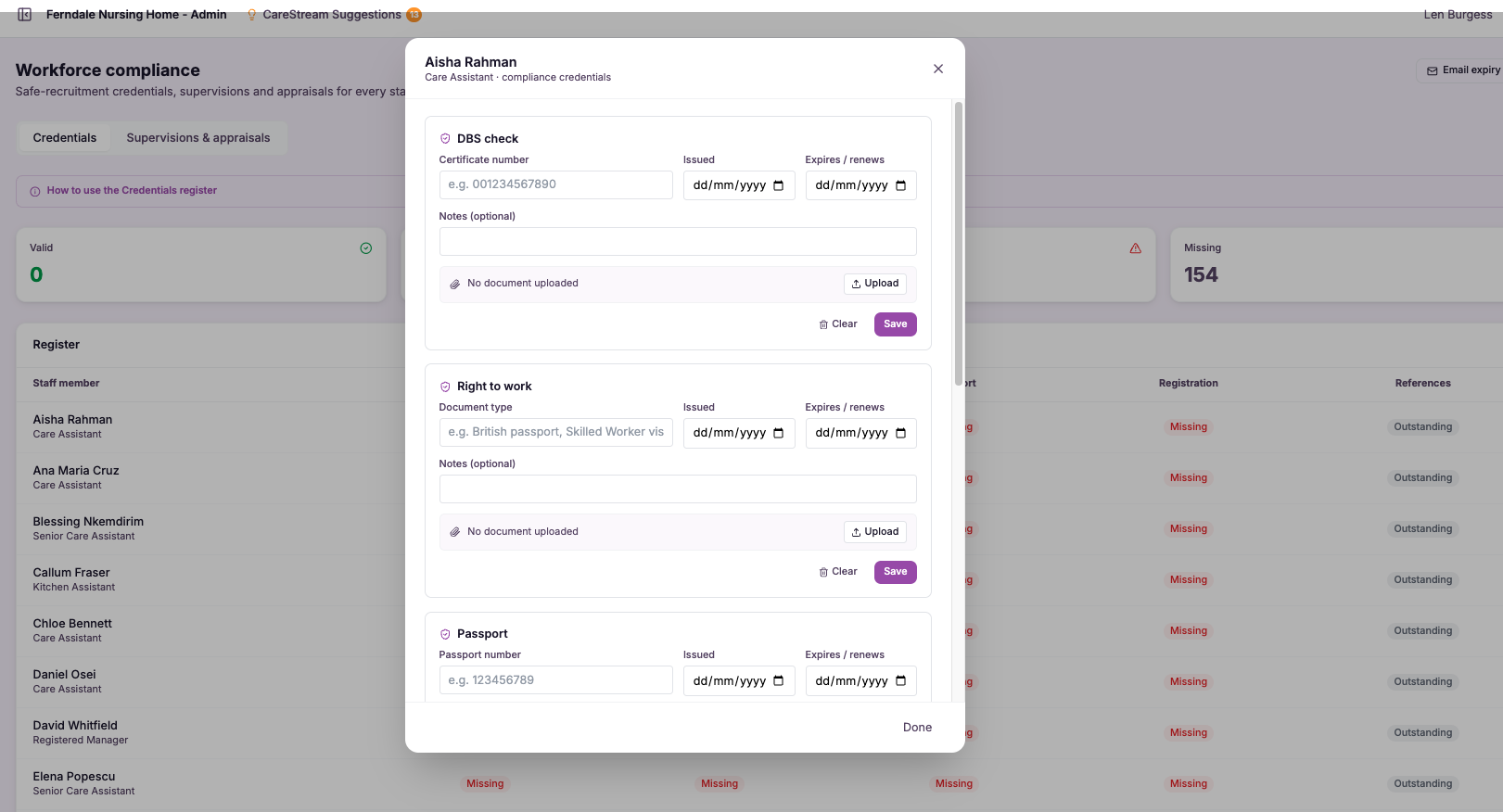
A living record of every credential, per person.
Credential document uploads give each member of staff their own secure place to hold the evidence that makes them safe to work in a regulated care setting. DBS certificates, right to work documents, professional registration such as NMC or HCPC where relevant, and the qualifications tied to their role all sit together against that individual, rather than scattered across drives and cabinets.
This matters because the CQC well-led and safe quality statements expect you to show that the right checks were done and remain current. A credential that expired months ago is not just an administrative slip, it is a gap in your safer recruitment evidence. Keeping documents and their dates in one place, with alerts, turns that risk into something you can manage in a few minutes a week.
CareStream lets you upload and store each of these credential documents against the person they belong to, then watches the expiry dates for you and warns you well before anything runs out. Instead of chasing paperwork in a panic, you get calm, early notice, so your recruitment and employment records stay complete and your safer recruitment story holds together.
Any CQC-regulated care home, nursing home, domiciliary or supported living service that has to evidence safer recruitment and current staff credentials.
Because every DBS, right to work and registration document is stored and dated in one place, you can answer safe and well-led questions immediately, with nothing expired in the background.
The difference it makes day to day
- You always know exactly which credential documents you hold for each member of staff, and which are still outstanding.
- DBS certificates, right to work evidence, registration and qualifications sit in one place, ready to show at inspection.
- Expiry alerts reach you before a document lapses, so you can renew in good time rather than react in a crisis.
- You reduce the risk of someone working with an expired check, protecting both the person and the people you support.
- Your safer recruitment and employment records stay complete without living inside one person's memory.
- New managers or nominated individuals can see the full credential picture from day one, without an inherited paper trail.
How credential uploads and alerts work.
The approach is deliberately simple, because credential management fails when it is fiddly. You upload each document once, tell CareStream when it expires, and let the platform do the watching from then on.
Every document is tied to the individual it belongs to, so the record moves with the person and stays meaningful. When a date approaches, the alert comes to you rather than waiting for you to go looking, which is the difference between staying ahead and being caught out.
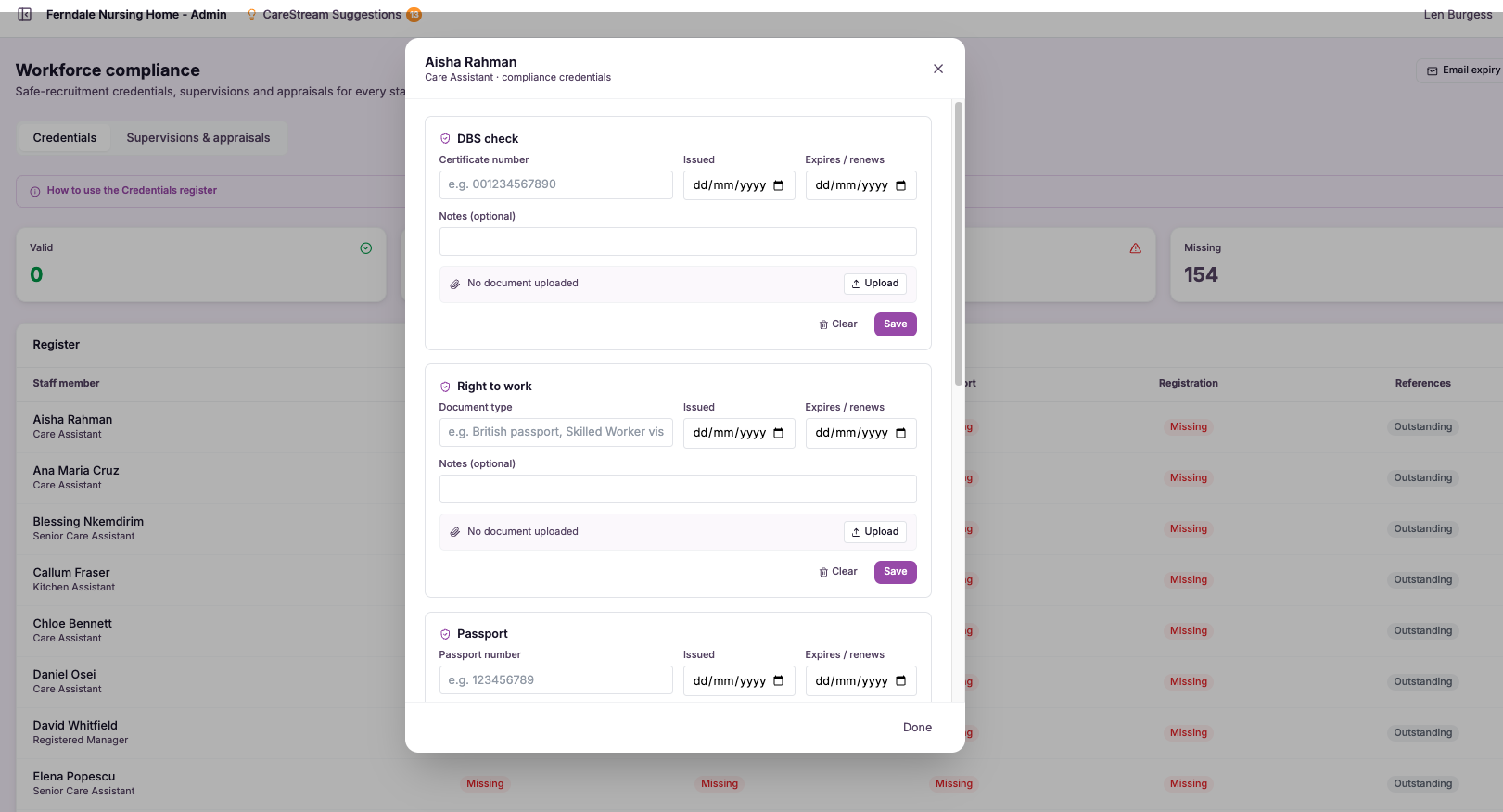
Upload the document
Add each DBS certificate, right to work document, registration or qualification straight onto the individual member of staff it belongs to.
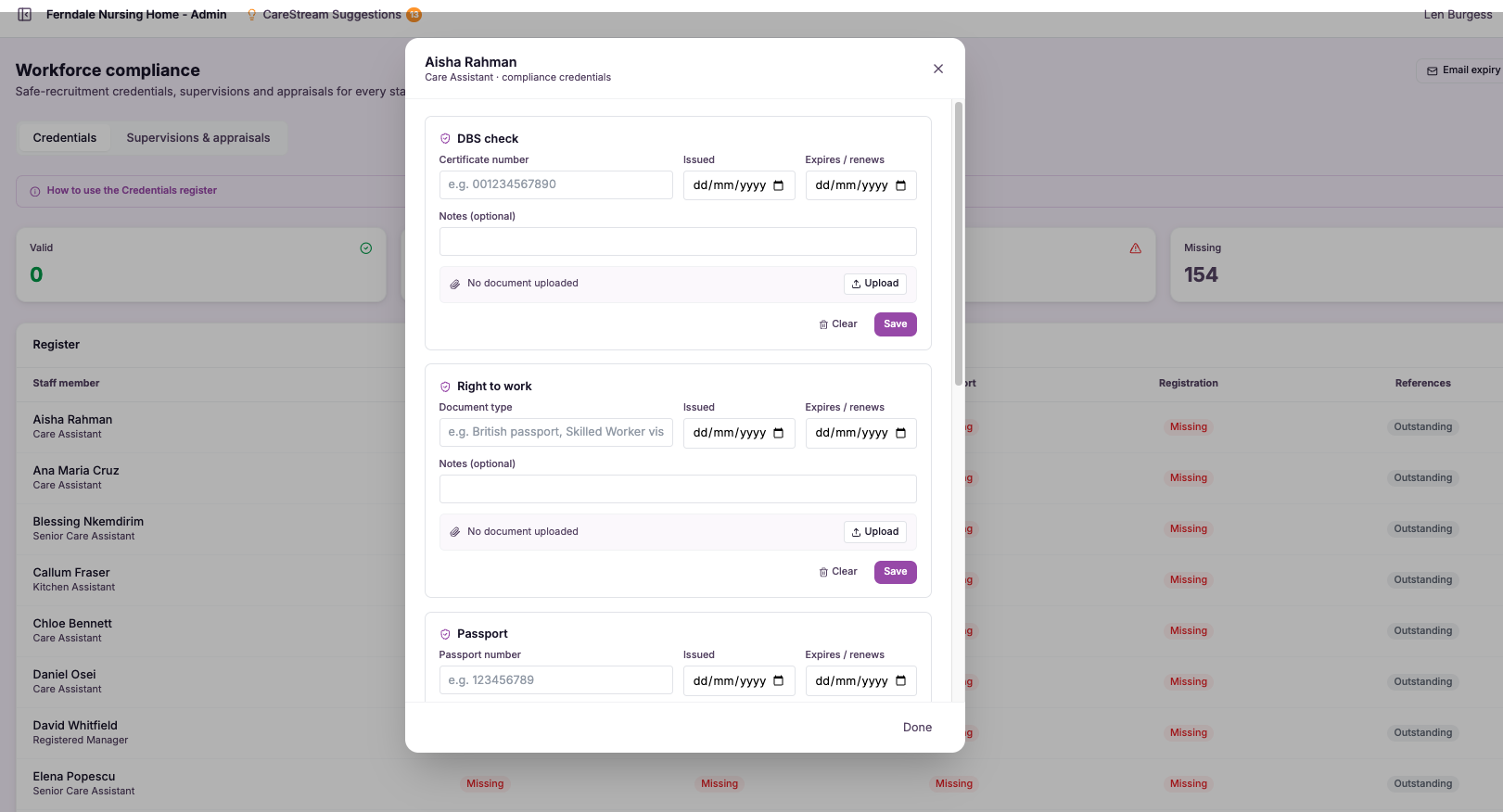
Record the expiry
Enter the expiry or renewal date for anything time-limited, so the platform knows when it needs to prompt you.
Watch runs in the background
CareStream tracks every dated document quietly, without you having to keep a separate spreadsheet or reminder list.
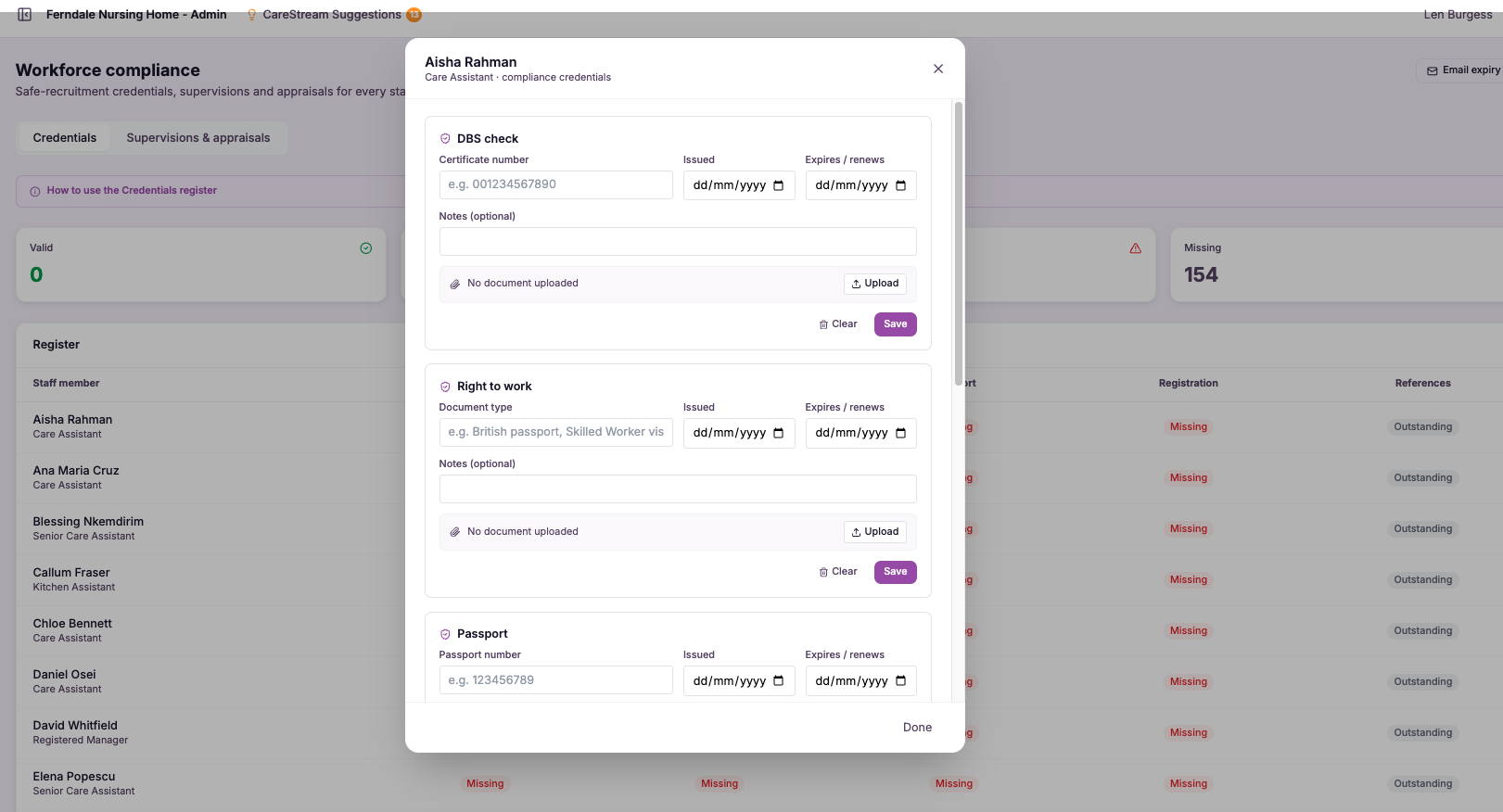
You receive expiry alerts ahead of the deadline, giving you time to arrange a renewal rather than discovering a gap.
When a fresh document arrives, upload the new version and the record updates cleanly against that person.
Pull up any individual and demonstrate the credentials you hold and their status, without hunting through cabinets.
- DBS, right to work, professional registration and qualifications stored against each person.
- Expiry dates recorded once, then tracked automatically by the platform.
- Alerts arrive before a document lapses, not after.
- Records move with the individual and stay accessible for inspection.
- Reduces the risk of anyone working on an expired or missing check.
Nothing should run out unnoticed.
The reason credentials lapse is almost never carelessness. It is that dates hide, people are busy, and no single system is watching every document at once. A manual reminder works right up until the week it does not.
CareStream works because it moves the watching off your shoulders and onto the platform. You still make the decisions and arrange the renewals, but you are prompted in good time, from records that are always complete and always tied to the right person.
DBS, right to work, registration and qualifications all live against the person, not across scattered drives.
Alerts land before a document expires, giving you room to renew calmly rather than react.
The platform tracks every dated document, so no single lapse depends on someone remembering.
Any individual's credential status can be produced on the spot when an inspector asks.
Frequently asked
Which documents can I store against a member of staff?
You can upload the credential documents that matter for safer recruitment and safe working in a regulated care setting: DBS certificates, right to work evidence, professional registration such as NMC or HCPC where it applies, and the qualifications tied to the person's role. Each document is stored against the individual it belongs to, so the full picture for any member of staff sits in one place. Because everything is held per person rather than in a shared folder, the record stays meaningful even as your team changes. A new manager or nominated individual can open any individual and see exactly which credentials you hold and their current status, without inheriting a paper trail.
How do the expiry alerts work?
When you upload a time-limited document, you record its expiry or renewal date. From then on, CareStream tracks that date in the background and sends you an alert ahead of the deadline, so you are prompted while there is still time to arrange a renewal rather than after a gap has already opened. This is the difference between staying ahead and being caught out. Instead of relying on a spreadsheet or someone's memory, the platform does the watching and brings the reminder to you, which keeps your recruitment and employment records complete without constant manual checking.
Does this help with CQC inspection readiness?
Yes. The safe and well-led quality statements expect you to show that the right checks were carried out and that they remain current. Storing DBS, right to work, registration and qualification documents in one place, with their dates tracked, means you can produce the evidence for any individual immediately when it is asked for. Just as importantly, the alerts reduce the underlying risk that an inspector is worried about, which is someone working on an expired or missing check. By keeping credentials current before they lapse, you strengthen your safer recruitment story rather than scrambling to explain a gap on the day.
What happens when a document is renewed?
When a fresh document arrives, you simply upload the new version against the same person and record its new expiry date. The record updates cleanly, so the individual's credential status always reflects the current, valid document rather than the one that lapsed. This keeps the history tidy and the picture accurate. Over time you build a clear, per-person record of current credentials that you can rely on for both day-to-day management and inspection, without ever having to dig through old paperwork to work out what is actually in force.
Explore more features
More of what the CareStream compliance platform does for UK care providers.
Never be caught out by an expired check again.
See how CareStream stores every staff credential in one place and warns you before anything lapses.





