
Your training records look fine. Do you know your weakest topics?
Your training records say everyone is up to date. They do not say who is shaky on infection control. With short training built from your own policies, wrong answers become a follow up lesson, and you see the weakest topics while there is still time to fix them.
14 day free trial · Set up in a day · UK data residency
Everything is green. That is not the same as everything is understood.
A scenario we see in many care settings.
A registered manager opens the spreadsheet on a quiet Tuesday. Every course is in date, every certificate is filed and the compliance figure reads one hundred percent. Then the deputy mentions that two carers could not say when to use gloves and aprons during a recent outbreak scare. Nobody wrote that down. The manager looks at the wall of cards and folders and realises the records show what was completed, not what was remembered. An inspection could be a few weeks away. Here is how that plays out.
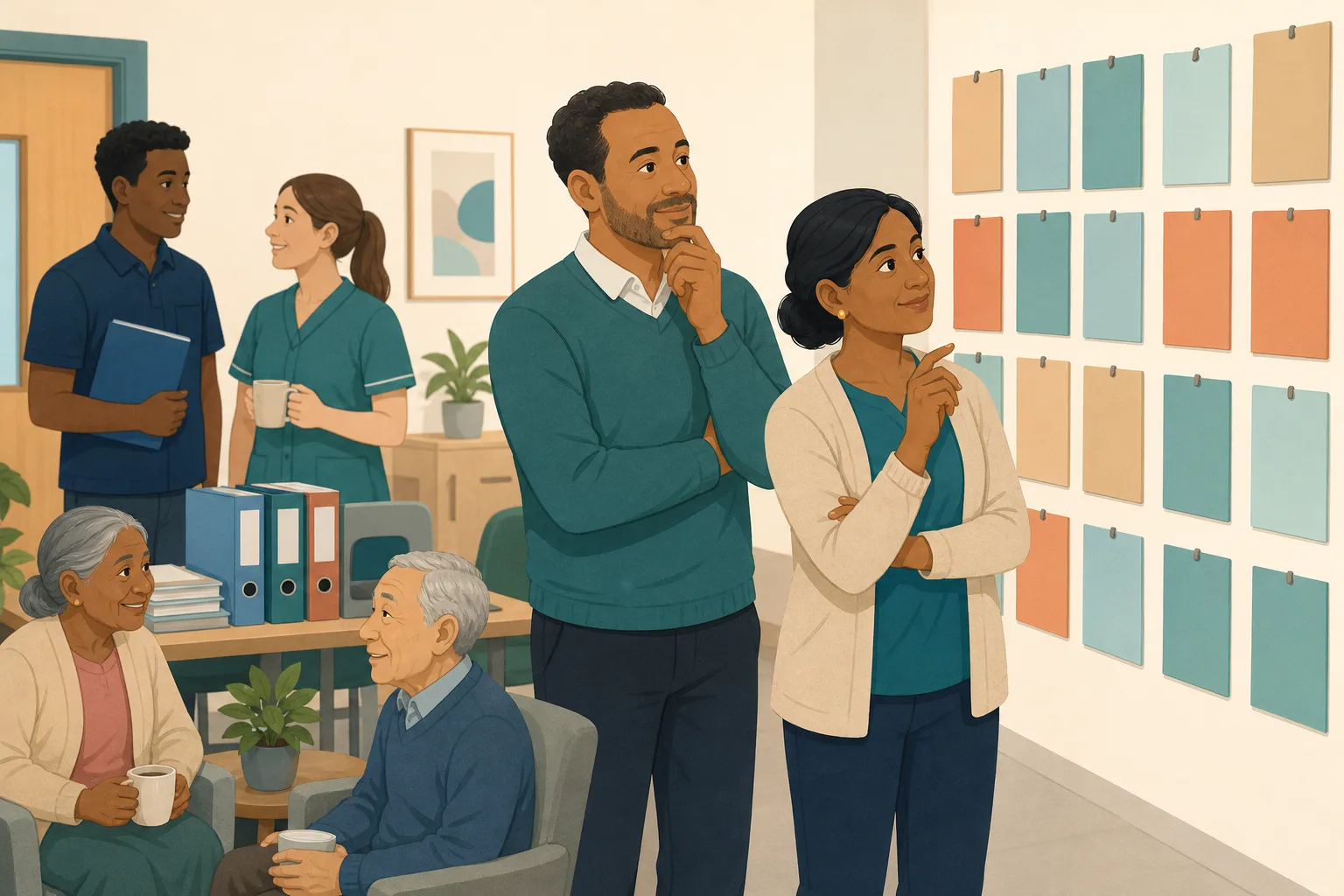
Infection control refresher is booked for the whole team.
Every carer completes the online course and passes.
Certificates are filed. The records show 100 percent.
The deputy overhears a carer unsure about hand hygiene steps.
A night carer cannot say where the spill kit is kept.
Nobody is sure how many others feel the same.
A full set of certificates and no view of the weak spots.
“Show us how you know your staff are confident.” Certificates are only part of it.
The gap is not in the filing. It is between finishing a course and being sure of the answers. The rest of this page shows how to find that gap early.
An example scenario, not a named service.
Why a clean record can hide a weak spot
Three things that catch good managers out.
Completed is not the same as understood
Staff training records show who attended or finished. A person can click through a course on a tired night shift and still be unsure on the day.
Problems surface by accident
Without a regular knowledge check, weak spots come out in a chance conversation, a near miss or a visitor's question. That is a late and stressful way to find them.
Spreadsheets cannot see answers
A tracker counts dates. It cannot tell you which question six carers keep missing. A simple skills gap analysis needs the answers themselves.
Your policies in, the weak spots out.
This is the Training built from your own policies feature, in the order a manager and a carer meet it. See also turning a worry into adhoc training and finding gaps in your policies.
Allocate a short module on the topic you are unsure about
- In the Training screen, pick a topic module such as Infection Prevention and Control and tick the staff you want to check
- CareStream builds the lessons and questions from your own policies where they cover the topic, and good practice where they do not. Edit and preview first
- Staff complete it in the Staff Hub on their own phone, with an optional due date
Illustration based on the Training screen. Example questions.
A wrong answer goes to the carer's Follow-up tab
- The wrong answer lands in the Follow-up tab in the Staff Hub, and the carer gets an email, at most once a day and in English
- They choose Learn & retry, a short lesson (why this matters, remember, picture this, then a fresh question), or Just retry, the same question again
- They can retry as often as they need, and nothing alerts you each time. The picture comes to you through the gaps view
A few things to revisit. Learn the point, then answer, or just retry. Either way it clears from here.
Gloves can carry germs from one task to the next, so they must change between tasks and between people.
Remember- Change gloves between tasks
- Clean your hands before and after
- Do not reuse single use gloves
You have just finished personal care and are about to tidy the bedside table.
Illustration based on the Staff Hub Follow-up tab. Example content.
The same check, in the language a carer thinks in
- If a missed word caused the wrong answer, the carer can open the lesson in their second language
- Your admin sets that language, and the carer switches to it in the hub
- Translation is on the paid plans only, and the hub menus stay in English
Always communicate in their first language
All messages CareStream sends are translated into English.
Allow switching a set to their second language
In the hub they can flip any single training, induction or CQC set into Polish, just for that set, if they are struggling in their first language.
Let them suggest better translations
They can propose improvements to translated content. Changes need your approval before going live.
Illustration based on the staff record Language settings. Translation is on the paid plans.
Open Knowledge gaps and see the weakest topics
- Analytics, Knowledge gaps shows open gaps, staff affected, gaps closed in 30 days and how many have engaged with learning
- The most missed questions and weakest topics give you a simple skills gap analysis from real answers
- See how gaps are being closed, and get a Monday digest email so the picture arrives without you asking
Illustration based on the Knowledge gaps view. Example figures.
The questions managers ask, and how CareStream answers them
Read this as a conversation. The questions are the ones we hear most.
My training compliance is 100 percent. Why would I need anything else?
Training compliance tells you who completed what and when. It does not tell you who is still unsure. A short knowledge check on the topic shows the difference, and costs staff a few minutes.
How do I find my weakest topics?
Allocate short adhoc training on a topic, built from your own policies. Staff answer in the Staff Hub. In Analytics, Knowledge gaps, the weakest topics and most missed questions are listed for you.
What happens when a carer gets a question wrong?
The question goes into their Follow-up tab in the Staff Hub and they get an email, at most once a day, in English. They choose Learn & retry for a short lesson and a fresh question, or Just retry for the same one. They can retry as often as they like.
Will I be told every time someone gets it wrong?
No. Nothing alerts you on each wrong answer. You see the pattern in Knowledge gaps and in the Monday digest email. That keeps you looking at themes, not noise.
Does this give me a CQC readiness score?
No. Knowledge gaps shows open gaps and weak topics, not a score. A separate CQC Inspection Evidence Report is on Professional and above. See CQC and compliance.
Where does the content come from?
CareStream searches your own policies for the topic. Where they do not cover it, it falls back on general good practice. You can edit and preview the module before anyone sees it, so check it matches how your home works.
Can staff who speak another first language use it?
Yes, on the paid plans. Your admin sets a second language and the carer opens lessons in it. The email nudge is English only, and the hub menus stay in English.
How can I try it?
Create a free account at register and start the 14 day free trial on a paid plan. Adhoc training is on the paid plans, not the free plan. You can also book a demo.
A way to see weak spots, not a verdict on your service
It is not a readiness score
Knowledge gaps shows gaps and weak topics from the answers staff give. It does not rate your service or predict how an inspection will go.
It does not alert you to each wrong answer
There are no instant alerts to the manager. You look in Knowledge gaps or read the Monday digest. If you want a fast view, open the screen yourself.
It checks knowledge, not practice on the floor
A good answer on a phone is not proof of good hand hygiene at 3am. Observation, supervision and audits still matter. Adhoc training and translation are also paid plan features.
Training built from your own policies
Everything on this page is part of the product. Here is where to read more.
Training built from your own policies
Adhoc training from your policies, a knowledge check on each topic, and wrong answers that become short lessons.
See the featureAdhoc training after an incident or a worry
Allocate a short module on any topic the day you spot a weak area.
See adhoc trainingCQC and compliance
Evidence that builds as your team works, and a readiness report on the higher plans.
See CQC and complianceGuides on this subject
CQC Inspection: How Long It Takes, What Happens and What Follows
CQC sets no fixed length or gap for an inspection. Here is what its own pages say about frequency, triggers, notice, the report and your right to...
Read article
CQC Readiness Report: What It Is, What It Holds and What It Cannot Tell You
A CQC readiness report is a private record of how prepared a service is. See how it differs from the regulator's report and a mock inspection, and...
Read article
What "Compliant" Actually Means for One Care Staff Member
The word "compliant" gets thrown around in team meetings, handover notes and inspection prep, but ask two managers to define it, and you will get two...
Read articleWeakest topics before an inspection, answered
Records and compliance
What should staff training records show?
At a minimum, who did which training and when. Regulation 18 says staff must receive appropriate support, training, professional development, supervision and appraisal as is necessary for their duties. Records show it happened. A knowledge check shows how well it landed.
Is 100 percent training compliance enough?
It is a good start, but it measures completion. Providers must also assess, monitor and improve the quality and safety of the services they provide. Knowing which topics are weak helps you do that.
Can CareStream replace my existing records?
It is not designed as a swap. Many homes keep their records and add short checks on top. See annual training for how the yearly plan fits together.
Finding weak topics
How do I do a skills gap analysis for care staff?
Allocate a short module on the topic, let staff answer, then open Knowledge gaps. The most missed questions and weakest topics are your skills gap analysis, built from real answers. Then close the gaps with follow up lessons.
What is a knowledge check in care training?
A few questions after a lesson to see what stuck. In CareStream the knowledge check is built from your own policies, and a wrong answer goes to the carer's Follow-up tab for a short lesson.
What counts as training evidence for an inspection?
Certificates, attendance records and results from checks all help show your training evidence. Keep it honest and current. For how evidence builds up, see CQC and compliance and the inspection day guide.
Do I see results as staff finish?
You see them in Analytics, Knowledge gaps whenever you open it, plus a Monday digest email. There is no alert for each answer.
A practical way to find weak topics before an inspection
Good records are the base. The extra step is to check what people remember on the topics that matter most, while you still have time to act on the results.
Look past completion
Start with your staff training records and pick the three topics that carry most risk in your home, such as infection control, safeguarding and medication. For each, ask whether you have any sign of understanding beyond a completion date. If the answer is no, that topic is where a short knowledge check earns its place.
Keep it small. Ten questions on one topic is more useful than a long test on everything. Staff on a 12 hour shift will finish a short set. They may not finish a long one.
A four week plan before an inspection window
- Week 1: allocate a short module on your highest risk topic and ask everyone to finish it within the week
- Week 2: open Knowledge gaps, note the most missed questions and talk to the team about them
- Week 3: let staff use Learn & retry, then allocate a second topic to the same group
- Week 4: review how gaps are closing, record what you changed and note any topic that still needs a face to face session
Keep the evidence honest
Write down what you found and what you did about it. A manager who can say that infection control looked weak in April, and what changed after, tells a clearer story than a page of identical certificates. Do not hide weak results. They show that you check and act.
This guide is general good practice, not legal advice. Check your own policies and the current CQC guidance.




