
Your report says CQC requires improvement. Build the 90 days from your own data.
A CQC requires improvement rating is hard to read and harder to act on. CareStream does not write your plan or change your rating. It helps you build a 90 day outline from your own audits, policies and staff records, so each step has an owner, a date and a record.
14 day free trial · Set up in a day · UK data residency
The rating has landed. The plan has not been written yet.
A scenario we see in many care settings.
The report arrives on a Thursday. The manager reads it twice, then reads it again with the deputy. The team is committed and the residents are cared for, but the home has been rated requires improvement. Some findings the manager expected. Others were a surprise. Last year's audits are in a folder, the policies were updated whenever someone had time, and nobody can say which actions were closed. Everyone wants a plan. Before there can be a plan, someone has to know exactly where the home stands. Here is how that week tends to go.
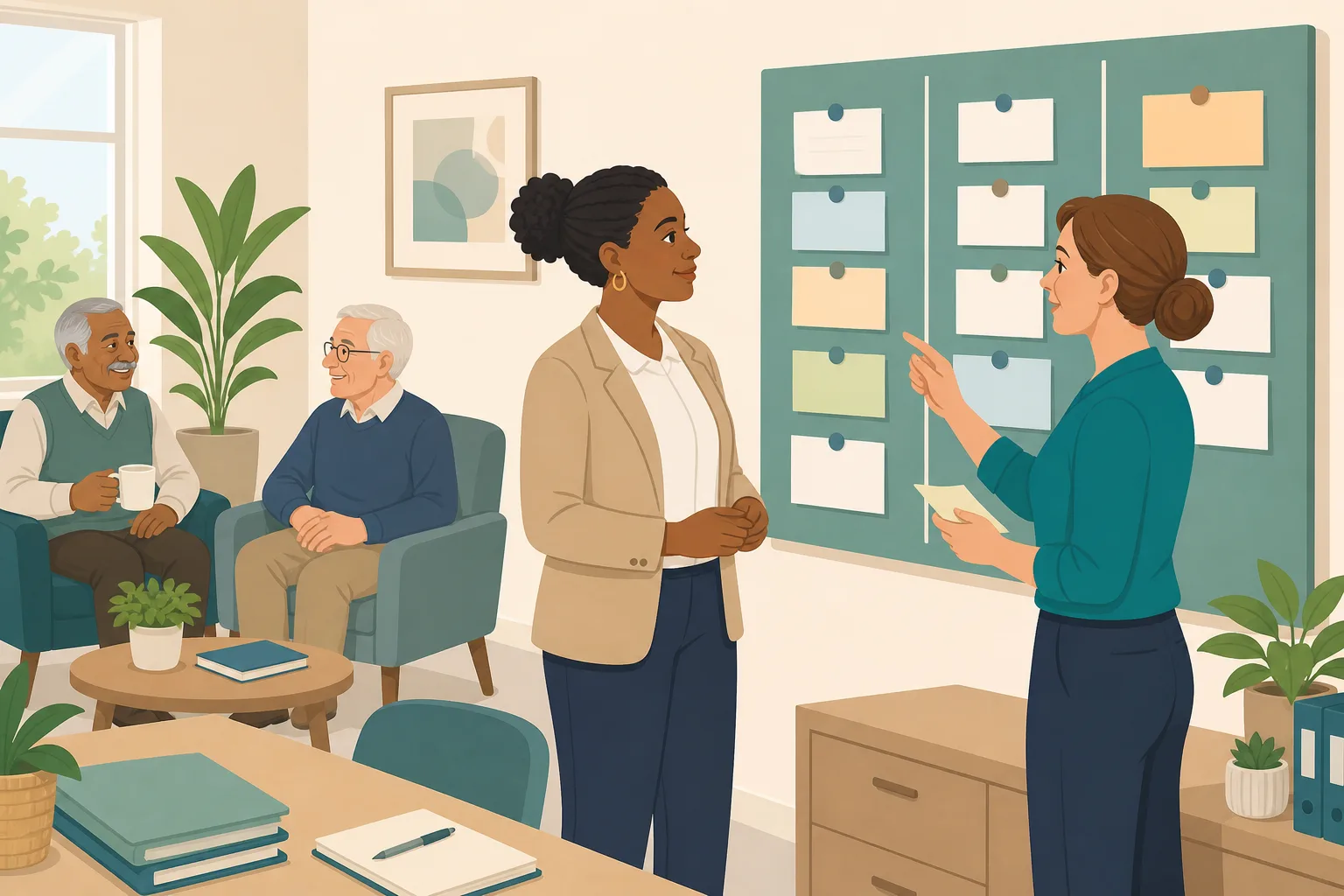
The report arrives. The manager and deputy read it together.
The team is told honestly. Everyone wants to help.
A wall board goes up with three columns: know, fix, prove.
Audit results are in folders and spreadsheets. Nobody has one view.
Which policies cover what the report raised? No one is sure.
Actions have names on cards, but no dates and no re-check.
Staff say they know the changes. The manager cannot yet show it.
A senior colleague asks: “What changed, and how do you know?”
The commitment is not the problem. The gap is between wanting to improve and being able to show it. Here is how CareStream helps you build the outline from your own data, and where its help stops.
An example scenario, not a named service.
A plan needs a starting point, an owner for every action, and proof
Good intentions are easy to see. Evidence takes more.
You cannot fix what you cannot see
Audit scores sit in different places and policies were reviewed at different times. Until it is in one view, the first month goes on finding things out.
Actions drift without owners and re-checks
A card on the wall with a name on it is a start. Without a due date, a reminder and a second look at the next audit, a fix can quietly slip back.
Staff knowing is not the same as staff showing
A policy can be rewritten and still not reach the floor. You need to see that people have opened it, understood it and can answer questions on it.
Know, fix, prove, in the order a manager meets it.
A 90 day outline for a CQC action plan built from what the home already holds. The figures in each example screen are illustrations only.
Days 1 to 30: know where you stand
- Run the built in audits that match what the report raised. They are free on every plan, and each one is scored by section so weak spots show up
- Upload your policies and run the policy gap checks. The Free plan screens up to 5 uploaded policies in total, and the out of date scan lists wording that has been superseded
- If you upload your CQC inspection report, the CQC Report Chat topic in the Staff Hub can search it together with your policies and handbook
Example only. Scores come from your own completed audits.
Days 31 to 60: fix, with an owner, a date and a re-check
- After an audit is completed, each action gets an owner, a due date and up to 10 photos as proof. Owners see their actions in the Staff Hub
- On the paid plans, a draft action list is built from the audit answers for you to edit and approve. You decide what goes on it
- At the next audit of the same kind, each earlier action is marked fixed or not fixed. A not fixed action reopens and the owner is emailed
Example only. Owners and dates are set by you.
Policy gaps and wording fixes stay suggestions until you approve them
- On Professional and above, the gap check shows which regulations your policies cover, what is missing, example wording and which policy it belongs in
- Nothing changes by itself. An admin adopts a suggestion as a tracked change, then it goes through your approval chain before it is published
- Published changes are re-read by the staff chat, so staff get the new wording. You can also turn a gap into training for staff
Example only. Example wording is for you to review, adapt and approve.
Days 61 to 90: prove it, and show staff know it
- The CQC readiness score on Professional and above blends your audit results with your policy coverage. It is CareStream's own measure, not a CQC rating
- The CQC Inspection Evidence Report shows staff using your policies over a period you choose. Print it or save it as a PDF from your browser
- CQC Staff Prep sends staff practice questions in the style of an inspector, with a score and feedback. It is practice, not an inspection
Example only. The readiness score is not a CQC rating.
The questions managers ask, and how CareStream answers them
Read this as a conversation. The questions are the ones we hear most.
Will CareStream write our CQC improvement plan?
No. The plan is yours, and so are its priorities. CareStream gives you the material to build it from: audit results, policy gaps, actions with owners and dates, and a record of what changed. Think of it as the wall board that keeps itself up to date.
Where do we start in the first 30 days?
Start with knowing where you stand. Run the built in audits that match what the report raised, which are free on every plan, and upload your policies for a gap check. The Free plan screens up to 5 uploaded policies in total.
How do actions get closed and checked?
After an audit, each action has an owner, a due date and optional photos as proof. The owner is reminded as it falls due, and it is escalated if it goes overdue. At the next audit of the same kind, the auditor marks each earlier action as fixed or not fixed. Not fixed reopens it.
Can it rewrite our policies for us?
It can suggest. On Professional and above, the gap check shows what is missing and offers example wording and where to put it. Those are suggestions until an admin adopts them. Then they go through your approval chain, which can include your care manager and an outside reviewer, before they are published.
Is the readiness score our CQC rating?
No. It is CareStream's own blend of your audit performance and your policy coverage, available on Professional and above. It helps you see movement. It is not a CQC rating and it does not predict one.
How do we show the changes reached the floor?
Staff can be given short training on a topic, built from your own policies, in the Staff Hub. A wrong answer goes into their Follow-up tab with an email, and they can choose a short lesson and retry. You see the weakest topics in the Knowledge gaps view and a Monday digest. Adhoc training is on the paid plans.
What can we show to evidence our CQC compliance?
The CQC Inspection Evidence Report, on Professional and above, shows staff using your policies over a period you choose, with version history and a knowledge gap log. It is evidence of use, not a pass or a rating. You will still want your audit reports and action records alongside it.
Can we try this before we commit?
Yes. You can create a free account and run audits straight away. The paid plans have a 14 day free trial. Our pricing page explains what each plan includes.
Support for the plan, not the plan itself
It does not write or approve your plan
CareStream is not part of CQC's process and cannot change or predict a rating. The priorities, the words and the decisions stay with you and your team.
It does not show what an inspector will find
Staff Prep is practice questions for staff. It does not simulate an inspection. The readiness score is our own measure, not a rating.
Some help is on the paid plans only
Gap fixes, the readiness score and the Inspection Evidence Report are Professional and above. Audit recommendations and adhoc training need a paid plan too. Audits themselves are free.
Training built from your own policies
Everything on this page is part of the product. Here is where to read more.
Training built from your own policies
Short training on a topic, built from your own policies, and a follow up lesson for every wrong answer.
See the featureAudits with owners and re-checks
More than 100 built in audits, free on every plan, with actions that are checked again at the next audit.
See the auditsCQC and compliance
Policy gaps, a readiness view and a report on staff using your policies, kept in one place.
See CQC and complianceGuides on this subject

CQC quality statements explained: the single assessment framework and what changes in 2026
The CQC has changed its assessment framework twice in three years, and many providers are still trying to work out what inspectors actually look at....
Read article
Policy Gap Analysis for Care Homes: A Step by Step Guide
Most care homes do not fail inspection because they lack policies. They fail because the policies they have do not match what actually happens on...
Read article
CQC Readiness Report: What It Is, What It Holds and What It Cannot Tell You
A CQC readiness report is a private record of how prepared a service is. See how it differs from the regulator's report and a mock inspection, and...
Read articleRecovering from requires improvement, answered
Building the plan
What is a CQC action plan and who writes it?
It is your own written list of what you will change, who will do it and by when. You write it, with your team. CareStream does not write it, but your audit actions, owners and dates can feed it. A completed audit produces exactly that kind of record.
What should a CQC improvement plan include?
Be guided by the report itself and by your provider's own governance. A useful plan names each finding, the action, an owner, a due date and how you will check it worked. Keep your CQC improvement plan short enough that people actually read it.
Where do we find out which policies the report affects?
Run a policy gap check. It looks at what your policies say against a regulation checklist and lists what is missing or partial. The Free plan screens up to 5 uploaded policies in total. Gap fixes are on Professional and above.
Evidence and the rating
Does CareStream improve our CQC rating?
No. CareStream cannot change a rating. It helps you see where you stand, close actions with records, and keep evidence that your changes reached staff. A rating is for CQC to decide.
What does Regulation 17 say about governance?
Regulation 17 says systems or processes must be established and operated effectively, and they must enable the provider to assess, monitor and improve the quality and safety of the service. Regular audits with recorded actions are one way to show that.
What does Regulation 12 say about safe care?
Regulation 12 says care and treatment must be provided in a safe way, which includes assessing the risks to the health and safety of people using the service and doing all that is reasonably practicable to mitigate them. Your risk related audits can help you check this.
How do we keep our CQC compliance evidence tidy?
Keep audit reports, action records, policy version history and training results in one place. On Professional and above the Inspection Evidence Report brings together evidence of staff using your policies. See CQC and compliance for how the pieces fit.
A practical 90 day outline after a requires improvement rating
This is a way of organising the work, not a CQC process. Adapt it to your service, your report and your own governance.
Days 1 to 30: know where you stand
Read the report with your deputy and the senior team, then list each finding in your own words. Next, find what your own records already say about each one: the latest audit, the policy behind it and its last review date.
- List every finding in the report, one per card.
- Run the audits that match each finding and note the lowest scores.
- Check the policy behind each finding and its last review date.
- Name one person to keep the board up to date.
Days 31 to 60: fix
Turn each finding into actions small enough to finish, each with an owner, a due date and a way of checking it worked. Add a photo where the fix can be seen. Update the policy wording behind the finding, then tell staff. A policy that is rewritten but never read has not yet changed anything.
Days 61 to 90: prove
Run the same audits again and compare. Mark each earlier action as fixed or not fixed, and reopen what slipped. Ask staff a few practice questions on the changes and look at where answers were weak. Keep the before and after together. Read more about the CQC quality framework to see how the questions are grouped.
For the next conversation. Keep the audits, the actions, the policy versions and the staff results together, so you can show what changed and how you checked it.




