
Time for the probation review. What has the new starter really learned?
Before a probation review, most managers rely on memory and a half filled induction form. CareStream keeps a staff record built from your own policies that shows what the new starter has read, answered and got wrong. It is evidence of understanding to bring to the conversation, and the conversation stays with you.
14 day free trial · Set up in a day · UK data residency
The review is on Friday. What can you actually say about week twelve?
A scenario we see in many care settings.
A new carer started three months ago. She has been warm with residents, turns up on time and the team likes her. Her review is on Friday, and the manager wants to talk about more than first impressions. The induction was split across busy weeks. Some policies were read on shift, some at home. Nobody can say which ones, or whether the medication and safeguarding basics went in. The manager has opinions but no record, and a good opinion is hard to put on paper. Here is how that week plays out.

The new carer shadows two senior staff and is given the induction policies.
She reads the policies and answers the induction questions on her phone.
Shifts go well. Residents like her and colleagues say so.
The manager opens the induction folder. It is half filled in.
Nobody remembers which policies were read, or how carefully.
Medication and safeguarding were covered in week one. Did they stick?
Opinions, but nothing printed to put on the table.
She asks, “How have I done?” The answer is a feeling, not a record.
The carer may be doing well. The gap is the evidence for the conversation. Here is how CareStream fills it, using your own policies, without replacing your judgement.
An example scenario, not a named service.
A good feeling is not the same as a record
A fair review needs something in front of both people.
Impressions differ by shift
The day team sees one side of a new starter and the night team another. Without a shared record, the review rests on whoever remembers most.
Reading is not the same as understanding
A tick on an induction form shows a policy was handed over. It does not show whether it was read carefully or what the carer took from it.
Gaps are cheapest to fix early
A misunderstanding found at the review can be put right in a week. One found after a medication error or a safeguarding concern is much harder.
From induction to a printed record, step by step.
This is the Training built from your own policies feature, in the order a manager and a new carer meet it. See also adhoc training after an incident or a gap and the staff training library.
Induction training starts when the new starter is added
- Add the person as a New starter and CareStream enrols them in the induction flows that match their job role
- Induction has two kinds of step: read a policy and mark it as read, or answer a question. There is no manager sign off step inside a flow
- The questions come from your own policies and you can edit them before anyone sees them
Illustration based on the Training screen. Example questions.
A wrong answer becomes a short lesson, not a mark against them
- A wrong induction answer goes into the carer's Follow-up tab in the Staff Hub, and they get an email, at most once a day
- They choose Learn & retry, a short lesson then a fresh question, or Just retry the same question, as often as they need
- Nothing alerts you each time. You see the picture on the staff record and in Analytics
A few things to revisit. Learn the point, then answer, or just retry. Either way it clears from here.
Acting quickly and telling the right person protects the resident, so you should not wait or try to deal with it alone.
Remember- Tell your safeguarding lead straight away
- Write down what you saw and heard
- Do not promise to keep it secret
A resident has an unexplained bruise and seems frightened when a colleague comes near.
Illustration based on the Staff Hub Follow-up tab. Example content.
Open the staff record before the review meeting
- The Training & Induction Record shows induction progress, induction questions with results, training status and average quiz score
- It also shows follow ups, how carefully each policy was read, certificates and benchmarks against the team
- Print it or download it as a PDF to take into the review
Illustration based on the Training screen. Example questions.
See the gaps across the team, and whether they closed
- The Knowledge gaps view shows the most missed questions and weakest topics, so you can tell a personal gap from a weak induction question
- See how gaps are being closed, and mark a person's record as reviewed
- A Monday digest email brings the picture to you without asking
Illustration based on the Knowledge gaps view. Example figures.
The questions managers ask, and how CareStream answers them
Read this as a conversation. The questions are the ones we hear most.
What can I bring to the review from CareStream?
The new starter's Training & Induction Record. It shows induction progress, the induction questions and their results, training status, average quiz score, follow ups, how carefully each policy was read, and certificates. You can print it or download a PDF.
Does it tell me whether she is doing the job well?
No. It evidences understanding of your policies and training, not performance, conduct, attendance or competence in practice. How she is with residents is something you see and judge on the floor. The record is one input to the conversation.
How does a new starter get onto induction training?
When you add them with the staff type New starter, CareStream enrols them in the induction flows that match their job role. Each flow is made of steps to read a policy or answer a question, built from your own policies.
What happens when she gets an induction question wrong?
She cannot move on until she retries. The wrong answer goes to her Follow-up tab and she gets an email, at most once a day. She picks Learn & retry, a short lesson then a fresh question, or Just retry the same question.
Can I see whether she actually read the policies?
You can see reading engagement for each policy, such as time spent and whether she reached the end and marked it read. It shows how a policy was read, not whether it was understood, which is why the questions matter.
Is there a manager sign off inside the induction?
No. A flow has no signature or sign off step. When a hands on skill needs sign off, such as an observed practical for some courses, you record it separately. Your observation stays with you.
What if the record shows a gap just before the review?
Allocate a short adhoc training module on that topic, for example medication. It is built from your policies, and you can edit and preview it first. Adhoc training is on the paid plans.
Can I try this before paying?
Yes. Create a free account and start the 14 day free trial. You can add a new starter, see the induction flow and open their staff record. See the plans for what each includes.
Evidence for the conversation, not the conversation itself
It does not judge performance
The record shows what was read and answered. It says nothing about kindness, reliability or practice on the floor. Your observation and supervision stay with you.
It does not replace your HR process
CareStream gives no employment advice. Your contract, your HR support and your own procedures decide how a review is run and what follows.
It does not alert you to each wrong answer
The picture reaches you on the staff record, in the Knowledge gaps view and in the Monday digest. Adhoc training and translation are on the paid plans.
Training built from your own policies
Everything on this page is part of the product. Here is where to read more.
Training built from your own policies
Induction and adhoc training from your policies, with wrong answers that become short lessons.
See the featureAdhoc training for one person or a few
Allocate a short module on a topic when the record shows a gap.
See adhoc trainingThe multilingual Staff Hub
Induction content in the language each new starter thinks in.
See the Staff HubGuides on this subject

Onboarding International Care Staff: A 4-Week Induction Playbook for UK Providers
The uncomfortable truth is this: the Health and Care Worker visa route for care workers has closed. Every international recruit you hire from now on...
Read article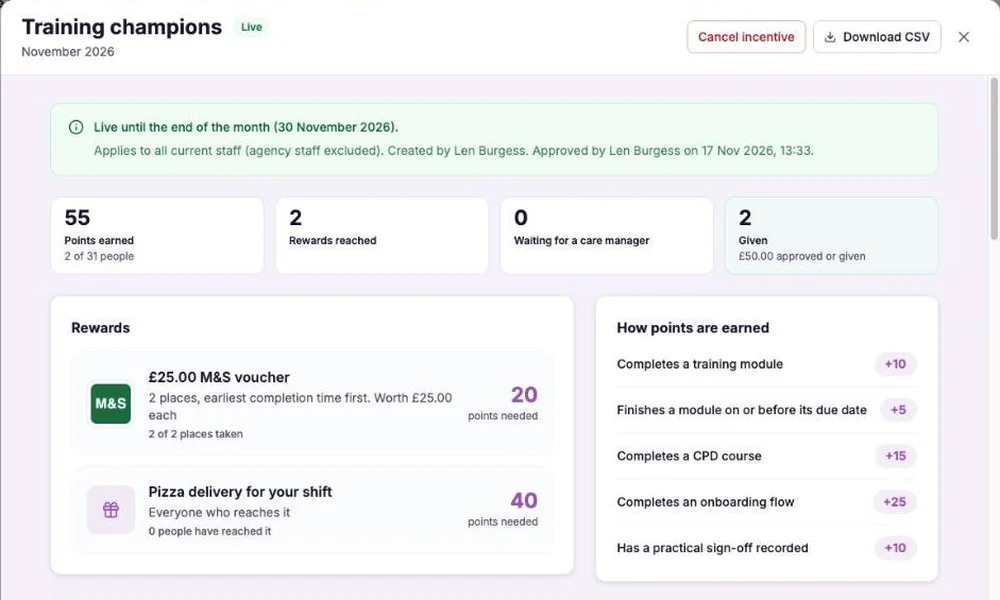
Care Home Staff Incentive Scheme: Rewarding Training Without a Leaderboard
A monthly incentive can lift training completion, or it can sour a team. A worked example shows the rules that keep a scheme fair, capped and honest...
Read article
What "Compliant" Actually Means for One Care Staff Member
The word "compliant" gets thrown around in team meetings, handover notes and inspection prep, but ask two managers to define it, and you will get two...
Read articleNew starter reviews and CareStream, answered
Preparing the review
What should a probation review meeting cover?
That is for your own procedure to decide. A useful starting point is what the person has learned, how they have settled in, what support they need and what happens next. The staff record in CareStream can inform the first of those. See our induction playbook for how to structure the early weeks.
What probation review questions can I ask about induction training?
Ask what stuck and what is still unclear. For example, “What would you do if a resident refused their medication?” or “Who would you tell about a safeguarding concern?” The record shows which induction questions were missed, so you can ask about those first.
How do I prepare for a probation period review?
Open the new starter's Training & Induction Record a few days early. Check induction progress, missed questions, follow ups and any risk flags. If a gap shows, allocate a short module so it has time to close before the meeting.
What is a knowledge check in induction?
A short set of questions on what the person has just read or learned. In CareStream, a wrong answer becomes a follow up lesson and a fresh question, so the check teaches as well as tests.
Does CareStream replace the induction training I already run?
No. Shadowing, shift routines and the Care Certificate work stay as they are. CareStream adds induction training built from your own policies, with a knowledge check and a record. Skills for Care says workers must be assessed on what they know and what they do.
Is there a medication or safeguarding example I can use?
Yes. Medication and safeguarding are common topics to check early. See the medication course and the safeguarding course.
Records and inspections
Does the record show a new starter is competent?
It shows understanding of policies and training. Competence in practice needs observation by a person who can judge it. The two together make a stronger picture than either alone.
What does the law say about training for new staff?
Regulation 18 says staff must receive the support, training, professional development, supervision and appraisal necessary to carry out their duties. See Regulation 18 on staffing. It does not describe how to run a review, so check your own procedure for that.
A practical way to prepare for the meeting
A good review is a conversation backed by facts. This guide covers the facts you can gather about learning, and leaves the rest to you.
Gather the learning evidence a week before
Open the staff record a week early, not the night before. A week gives you time to act on what you find. Look at induction progress first, then the questions the person got wrong, then how they read the policies. A policy marked as read in under a minute is worth a friendly question, not a conclusion.
Four checks before the meeting
- Induction: are all steps complete, and is anything overdue or not started?
- Questions: which were missed, and did the follow up close them?
- Topics that matter most: look at medication and safeguarding specifically.
- On the floor: note one observed example for each skill that needs hands on practice.
Keep the record and your judgement apart
Use the record to ask better questions, not to settle the answer. A low quiz score may mean a poor question, a tired night or a second language. A high score does not show good care. Your observation, supervision and procedure do the judging.
For the meeting. Print the record, mark the two points you want to discuss, and ask the carer what they would like more help with.




