
The audit found it. Can you show it was fixed? Plan the re audit.
A finding on an audit is only half the story. The other half is proof that someone fixed it and that you looked again. CareStream gives every finding an owner, a due date and photos, then shows it back to you at the next re audit. Audits are free on every plan, and the wider training and compliance toolkit sits alongside them.
14 day free trial · Set up in a day · UK data residency
You found the problem. Now you need to show it was fixed.
A scenario we see in many care settings.
During the monthly premises audit, a manager notices that a handrail in the first floor corridor has worked loose. She marks it as a finding and tells maintenance in passing. The repair gets done, or she believes it does. Two months later the same audit comes round and nobody can say when the rail was fixed, who did it or whether it was ever checked. The audit was done properly. What is missing is the trail from the finding to the fix, and the proof that someone looked again.
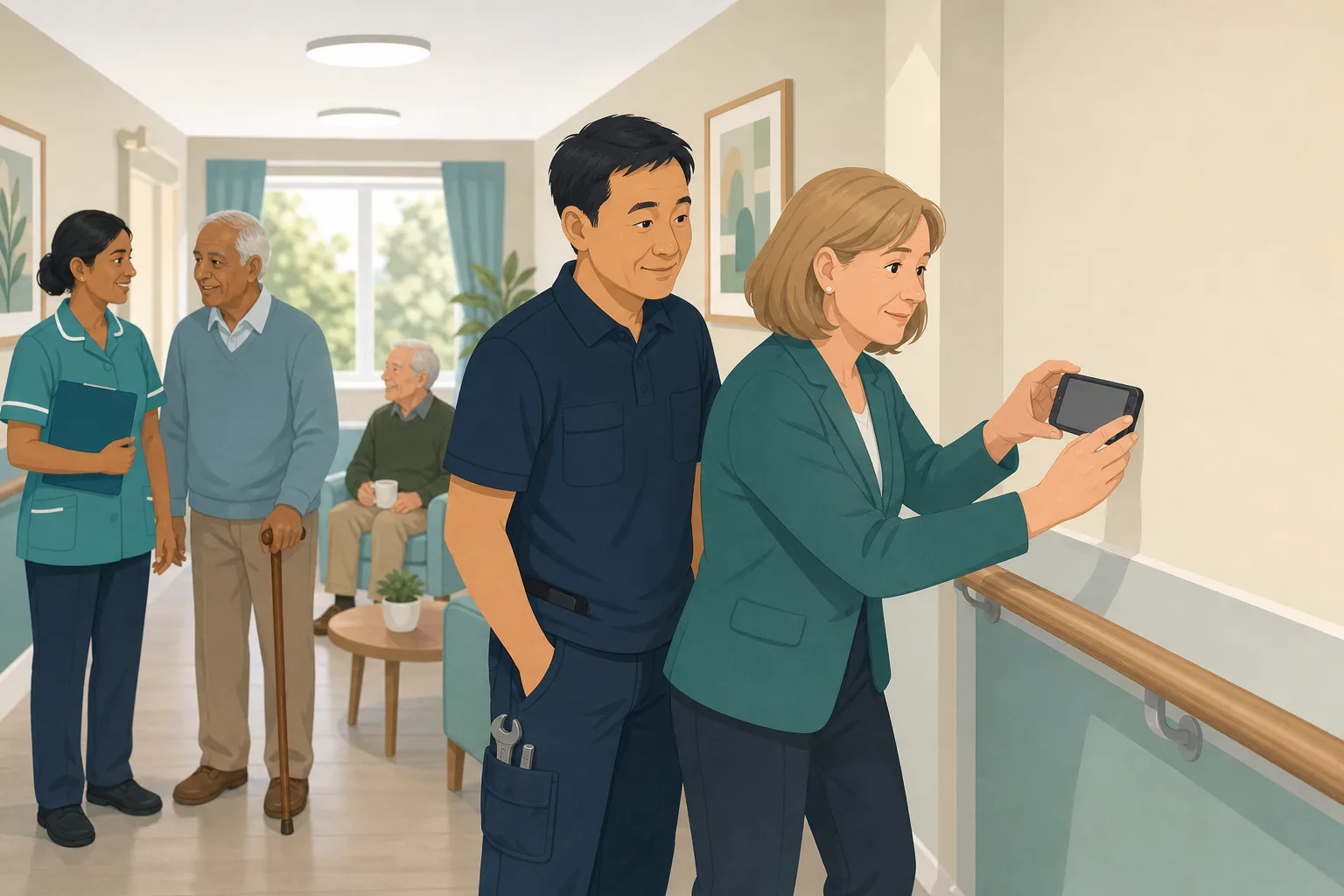
The manager walks the premises audit and spots a loose handrail.
She marks it as a finding and the audit is completed and scored.
She mentions it to the maintenance worker in the corridor.
Nobody wrote down who owns the repair or when it is due.
The rail may have been fixed. There is no photo and no note.
The audit comes round again. Nobody remembers last time's finding.
No one can say if it was fixed, or whether anyone checked.
“You found this in March. Show me it was closed.”
The audit did its job. The gap is what happens after it. Here is how CareStream turns a finding into an action, keeps the audit evidence, and brings it back for a re check.
An example scenario, not a named service.
A finding without proof of closing is only half an audit
Finding a problem shows you look. Showing it was fixed shows you act.
Verbal handovers get lost
A quick word in a corridor feels like action. A week on, nobody is sure who agreed to what, or by when.
A fixed job needs proof
Saying a repair was done is not the same as showing it. A dated photo and a note from the person who did it settle the question.
Fixes can slip back
A problem can return. Unless the next audit looks at last time's actions, a repeat fault can sit unnoticed for months.
From finding to fix to re check.
This is how the audit library works in the order a manager meets it. The audit features are free on every plan. See also turning a finding into adhoc training when the cause is knowledge, not equipment.
Run the audit in the Staff Hub and record the finding
- Pick an audit from more than 100, such as Premises and Maintenance, and run it on a phone, tablet or desktop in the Staff Hub
- Answer each question and add photos from the phone camera as audit evidence for what you see
- Finish with your signature and a scored report, ready for the audit follow up
Illustration of an audit screen. Example content.
Turn the finding into an action with an owner
- Add an action with an owner, a priority and a due date. The owner can be a staff member or an outside contractor
- This is your audit action plan for the run. Adding actions by hand is on every plan, including Free
- On the paid plans, recommendations from our own machine learning can draft a plan for you to edit and approve
Illustration of an audit screen. Example content.
Keep the action tracker moving, with reminders and proof
- The action tracker shows each action as open, in progress or done. Owners update it in the Staff Hub under My actions
- Add up to 10 photos per action as proof. Photos are optional, but they are the strongest audit evidence
- The owner gets an email when an action is due within two days and when it is overdue. Late actions go to admins after your escalation days
- If more time is needed, the owner asks with a reason and an admin approves or declines
Illustration of an audit screen. Example content.
Re check it at the next audit and see the whole picture
- There is no separate re audit button. The re check happens when you next run that audit, which lists last time's actions
- The auditor marks each one fixed or not fixed. Not fixed reopens it and emails the owner
- The PDF report includes action plan outcomes and re check results, and the Insights view shows repeat failures across audits
Illustration of an audit screen. Example content.
The questions managers ask, and how CareStream answers them
Read this as a conversation. The questions are the ones we hear most.
We already do audits. What is missing?
Usually the middle. The audit finds something, then the fix lives in someone's head or a notebook. CareStream gives each finding an action with an owner, a priority and a due date, so there is a record of who was asked to do what, and when.
How do I show that a problem was actually fixed?
The person who did the work marks the action done and can add up to 10 photos and a short note. Photos are optional, but a dated photo of a repaired handrail is hard to argue with. It all stays with the audit.
Is there a re audit button?
No, and we would rather say so plainly. The re check happens at the next run of that audit. It shows the previous actions, and the auditor marks each one fixed or not fixed. If it is not fixed, the action reopens and the owner is emailed.
What if the action is overdue?
The owner is emailed when it is due within two days and again when it is overdue. After the number of days you set for your service, it is escalated to admins. An owner can also ask for more time with a reason, and an admin decides.
Can I use it for a contractor?
Yes. An action owner can be a staff member or an outside contractor. Actions for contractors are tracked by admins, since a contractor does not use the Staff Hub.
Do I have to write the action plan myself?
You can add actions by hand on every plan. On the paid plans, recommendations from our own machine learning can draft an audit action plan from the evidence. It starts as a draft, and you edit it, set owners and dates, and approve it.
What if the finding is a training problem?
Then fix the knowledge as well as the fault. You can link an audit to our free CPD courses or your own training modules, and the finished audit offers them. For a quick refresher on a topic, see adhoc training.
How do I try it, and what does it cost?
Audits are free on every plan, so you can create a free account and run one today. The paid plans add things such as drafted action plans, and come with a 14 day free trial. See pricing for the detail.
A trail from finding to fix, not a regulator's record
It does not fix anything for you
CareStream records the action, reminds the owner and keeps the proof. Someone still has to do the repair, the retraining or the review.
Scores are ours, not a rating
Audit scores are CareStream's own measure. They are not a CQC rating, and an audit is not a record submitted to the regulator.
Photos and the re check are not forced
Photo proof is optional, and the re check only happens when you run that audit again. A drafted action plan is on the paid plans only.
Training built from your own policies
Everything on this page is part of the product. Here is where to read more.
Training built from your own policies
Short training from your own policies, for when an audit shows staff need a refresher.
See the featureMore than 100 care audits
Browse the audit library by care service. Every audit is free to run on every plan.
See the auditsCQC and compliance
Evidence that builds itself as you work, and a clear view of where you stand.
See CQC and complianceGuides on this subject
The Complete Guide to Care Home Audits: Digital Solutions for Daily, Weekly and Monthly Compliance
As a care home manager, you are expected to juggle dozens of regulatory checks each month, from the medicine cupboard to fire evacuations.
Read article
CQC Audit: What Inspectors Check and the Evidence to Keep
Inspectors ask how you know, not whether you audit. Here are the questions they can ask under each of the five key questions, the audit that answers...
Read article
How often should care home audits be done? A suggested schedule
Four audits are daily, one is weekly, eighteen monthly, five quarterly and two periodic. The schedule laid out first, then the reasoning, the changes...
Read articleAudit actions and re audits, answered
About audit actions
What is a re audit in a care home?
It is a second look at something an audit found, to check the fix held. In CareStream the re check happens at the next run of the same audit, which lists last time's actions for the auditor to mark fixed or not fixed.
What should an audit action plan include?
For each finding: what needs to happen, who owns it, how urgent it is and the date it is due. Then the outcome, ideally with a photo or note. CareStream actions carry an owner, a priority and a due date.
How do I keep track of audit actions?
Use one action tracker, not notebooks and emails. Each action shows as open, in progress or done, and owners update it in the Staff Hub. Reminders go out when it is due soon and when it is overdue.
What counts as good audit evidence for a closed action?
A dated photo, a short note from the person who did the work and the sign off at the next audit. CareStream lets you add up to 10 photos per action. Photos are optional, so decide what your service expects.
What does audit follow up look like day to day?
The owner is told, reminded and can ask for more time. An admin sees what is overdue. At the next audit the auditor checks each action. You can browse the audit library to see what is covered.
Does this cost anything?
Running audits, adding actions by hand, photos, scoring and the PDF report are free on every plan, including Free. Drafted action plans from our own machine learning are on the paid plans. See pricing.
About inspections
Do providers have to audit their own services?
Regulation 17 says systems or processes must be established and operated effectively, including to assess, monitor and improve the quality and safety of the services provided. See Regulation 17 on good governance. It does not say how, so each provider chooses its own method.
Why does a repair need a record?
Regulation 15 says premises and equipment must be, among other things, suitable and properly maintained. See Regulation 15 on premises and equipment. A dated action and photo show you noticed a fault and dealt with it.
Will an audit report count as CQC evidence?
It helps show that you check your own service and act on what you find. Keep it alongside your other CQC evidence. It is your own record, not a regulator rating or a submission.
A practical way to close the loop on audit findings
Most services audit well. The weak point is the stretch between a finding and proof it was closed. A few small habits make that stretch visible.
Write the action while the finding is fresh
Do it before you leave the corridor. An action written on the day has an owner and a date, and a verbal word does not. Keep the wording specific: not "sort the handrail" but "refix the first floor corridor handrail by Friday". If the fault cannot wait, give it the top priority and make the owner aware straight away.
Decide what proof you expect for each kind of action. A repair suits a photo. A review suits a short note. Agreeing this in advance makes the audit evidence consistent from one audit to the next.
Four checks that keep audit follow up honest
- Every finding that needs work has an owner, a priority and a due date.
- Closed actions carry a note, and a photo where one helps.
- Overdue actions are looked at weekly, and extensions are approved or declined with a reason.
- At the next audit, each previous action is marked fixed or not fixed.
Look for repeats, not only one-offs
If the same question fails audit after audit, the fix is not holding. That is a prompt to look at the cause: equipment, process or training. The Insights view in CareStream flags repeat failures, which helps you decide where to look first.
For the inspector. Keep the finding, the action, the proof and the re check together, so you can show it was found, fixed and checked.




