Role-holder names merged into policies
Policies are full of responsible people. The registered manager signs this off, the nominated individual is accountable for that, the infection prevention lead oversees the other. Yet in most template-derived policies those responsibilities sit next to blanks or generic labels, and updating a real name across a whole library by hand is a job nobody looks forward to.
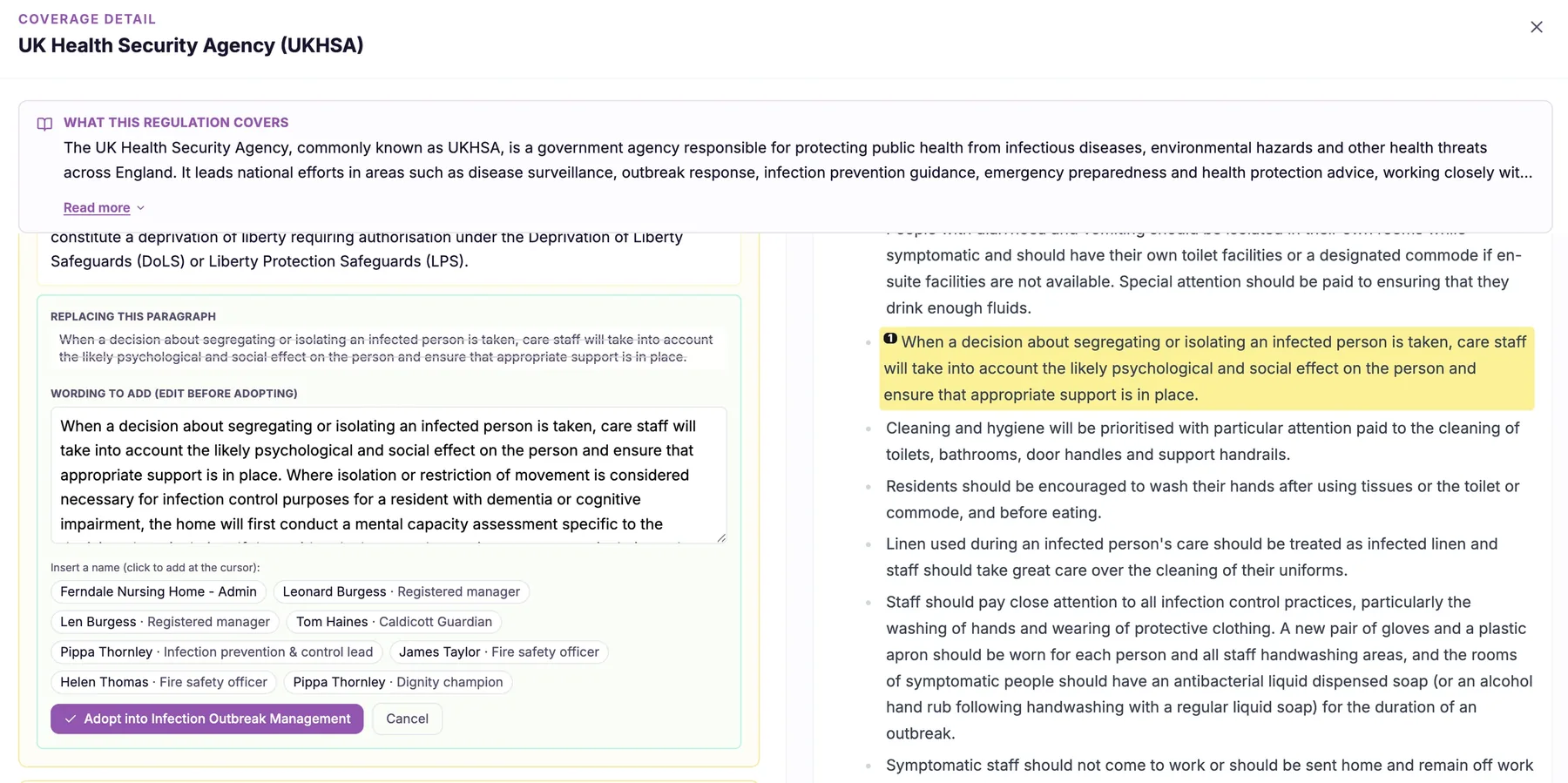
Your policies name real, current responsible people.
An inspector reading a policy wants to know who is actually responsible, not to see a placeholder where a name should be. Documents that still say [registered manager] or leave the accountable person blank suggest the policy is a template that was never truly adopted, and manually keeping real names correct across an entire library is the kind of task that quietly slips.
Role-holder names merged into policies solves both problems. CareStream holds your role holders, the registered manager, nominated individual, infection prevention lead and others, and merges their real names into your policies wherever those responsibilities appear. When a role holder changes, you update it once and every affected document reflects the new person, so your policies always show named, current, responsible people.
Role-holder names merged into policies puts your actual people into your documents automatically. Your registered manager, nominated individual, infection prevention lead and other role holders appear by name where they are responsible, and when someone changes role, the update flows through everywhere at once instead of leaving old names scattered across dozens of files.
Any care provider whose policies name responsible roles, from a single home to a group, where role holders change and documents must keep up.
Your policies show real, current, named responsible people rather than blank placeholders, demonstrating genuine ownership of each duty.
The difference it makes day to day
- Your policies show real named people rather than blanks or generic placeholders.
- The registered manager, nominated individual and named leads appear where they are actually responsible.
- When someone changes role, the name updates across every affected policy at once.
- You avoid manual find-and-replace across dozens of documents whenever a role holder changes.
- Inspectors see clearly accountable, named individuals instead of unfinished template text.
- Your documents stay current as your team changes, without a manual re-editing marathon.
How role-holder merging works.
You tell CareStream who holds each role in your service once, and it takes responsibility for putting those names into your policies wherever they belong. The names are connected to the role, not typed into each document by hand, which is what makes updates effortless.
Because the link is to the role rather than to loose text, changing a role holder is a single action that ripples through your whole library. There is no hunting for every occurrence and no risk of an old name lingering in a forgotten file.
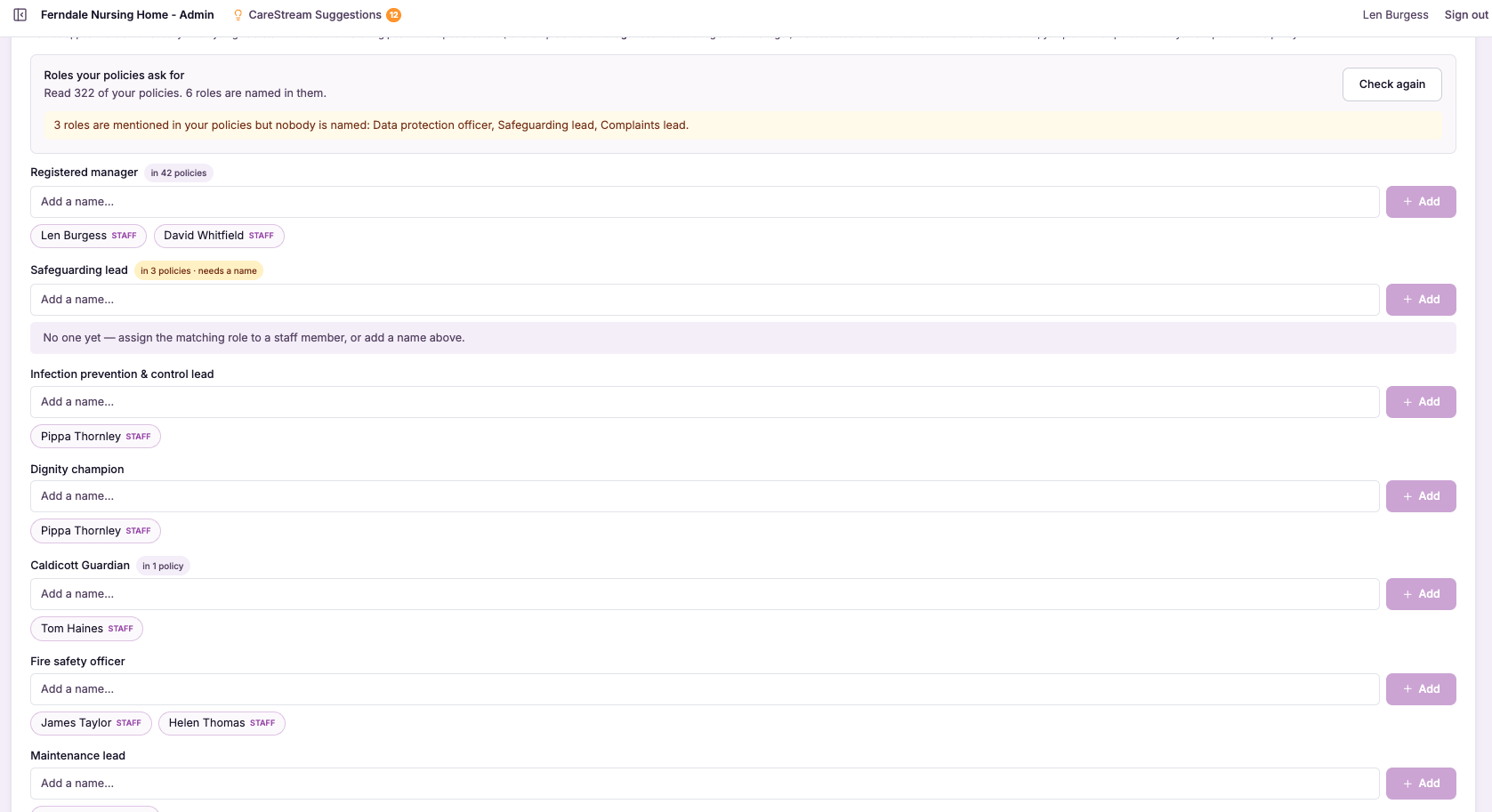
Record your role holders
You set who holds each role, such as registered manager, nominated individual and infection prevention lead.
Link roles to policies
CareStream connects each role to the places in your policies where that responsibility appears.
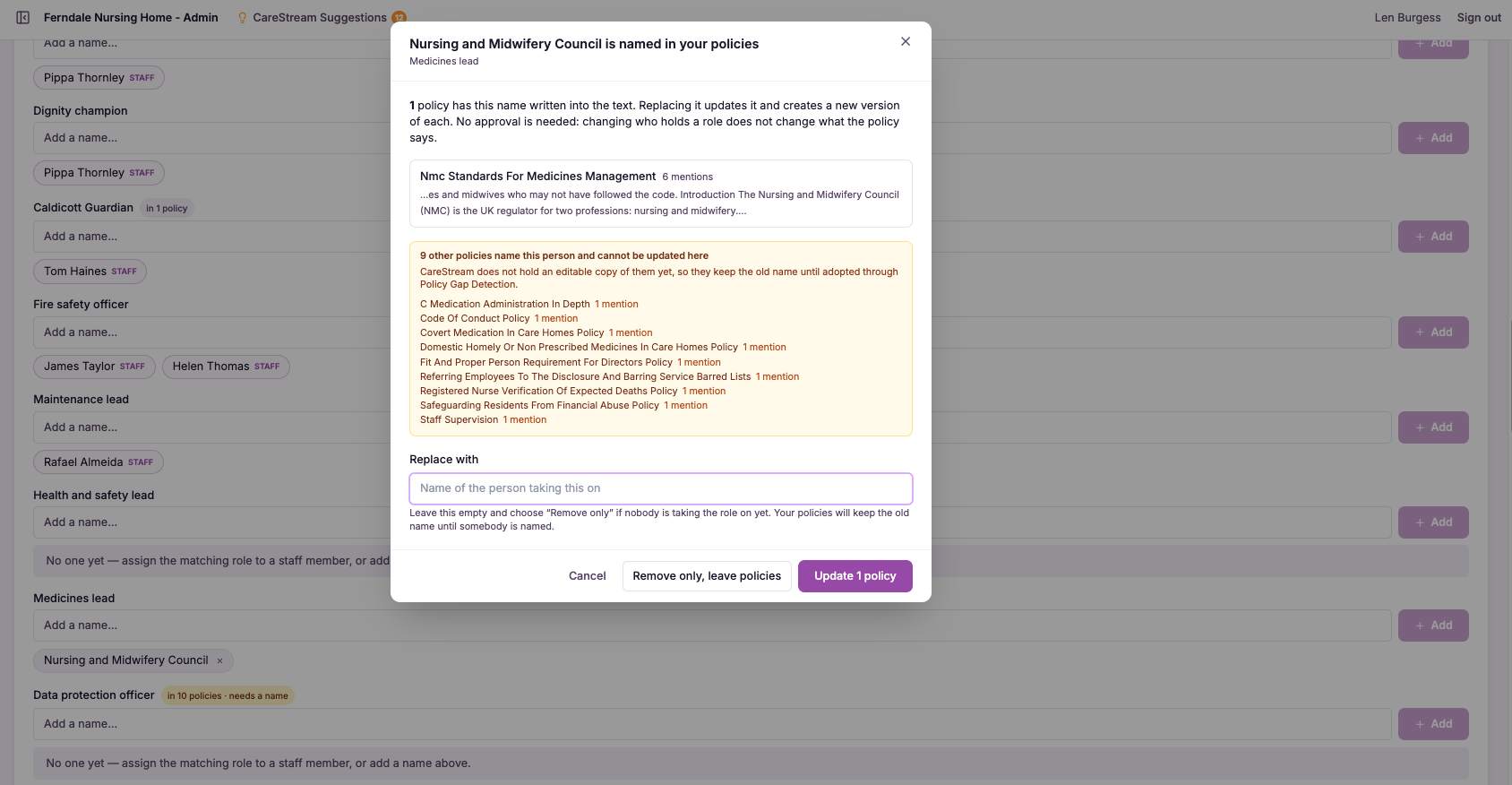
Merge in real names
The actual names are merged into the documents, replacing blanks and generic placeholders.
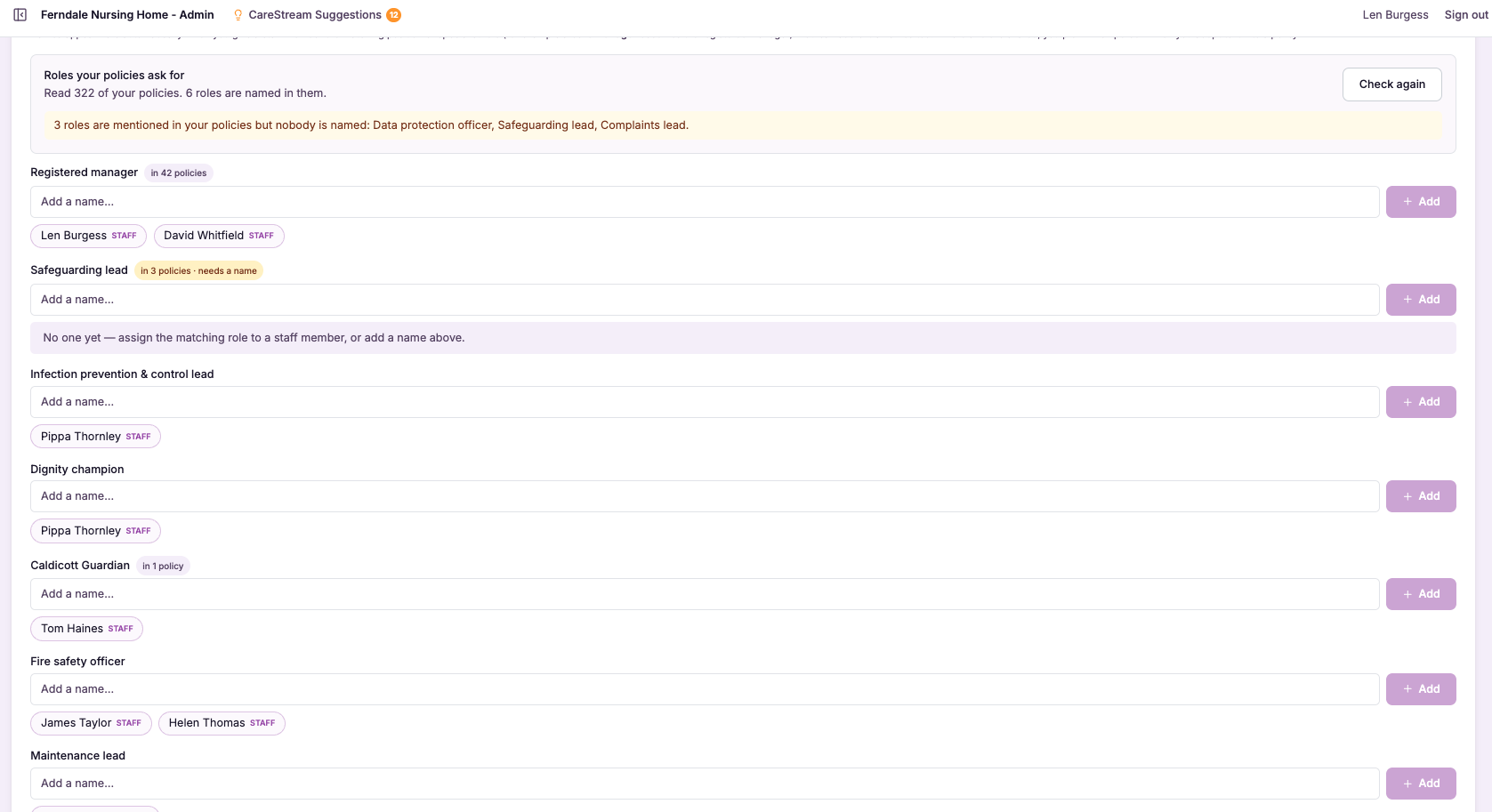
Each policy displays the real, current person accountable for the relevant duty.
When a role holder changes, you update the role and every affected policy reflects it.
Your whole library keeps showing accurate named people as your team evolves.
- Merges real role-holder names into policies automatically
- Covers registered manager, nominated individual, named leads and more
- Replaces blanks and generic placeholders with accountable people
- A single role change updates every affected document
- Keeps named responsibility accurate as your team changes
A named person is worth more than a placeholder.
Accountability in care is personal. A duty that belongs to a named registered manager or nominated individual reads as something a real person owns, while the same duty next to an empty bracket reads as something nobody has quite taken on. That difference shapes how an inspector reads your whole document set.
Merging role-holder names works because it makes accountability visible and keeps it accurate without manual effort. By tying names to roles rather than to scattered text, it removes the very thing that made keeping names current so painful, which is why the names actually stay right over time.
Real people appear against real duties, so accountability is visible rather than implied by a placeholder.
Change a role holder once and every affected policy follows, with no file-by-file editing.
Because names are linked to roles, an old name cannot linger unnoticed in a forgotten document.
Completed, named policies show inspectors that your documents are genuinely yours, not untouched templates.
Frequently asked
Which roles can be merged into my policies?
The feature is built around the responsible roles that care policies actually reference, such as the registered manager, nominated individual and named leads like the infection prevention lead, alongside the other role holders your documents depend on. Wherever a policy points to a person by their role, that is where a real name can be merged in. The aim is to make sure every duty that names a role also shows the real person who holds it. That turns a document full of generic labels into one where accountability is visible and specific, which is exactly what an inspector is looking for when they ask who is responsible for something.
What happens when a role holder leaves or changes?
Because names are linked to the role rather than typed into each document, you update the role holder once and every affected policy reflects the new person automatically. There is no need to open dozens of files and find and replace an old name, and no risk of one being missed in a document you forgot about. This is the part that saves the most work and prevents the most embarrassment. Staff changes are frequent in care, and manually keeping names correct across a whole library is exactly the sort of task that slips. Tying the name to the role means your documents simply stay current as your team changes.
How is this different from filling in placeholders manually?
Filling placeholders by hand fixes a document once, at that moment. The instant a role holder changes, the name you typed is wrong again, and you are back to editing files one by one. It also does nothing to stop the same blank reappearing in a new policy you add later. Merging role-holder names is a living link between your people and your documents. The names are always the current ones because they flow from the role, so the policies stay right as your team evolves. It replaces a repeated manual chore with something that maintains itself, which is why the names actually stay accurate over time rather than drifting out of date.
Does this help with inspection specifically?
Yes, in a direct and practical way. Inspectors routinely want to know who is responsible for a given area, and a policy that names a real, current person answers that immediately. A policy that leaves the responsible person blank, or still shows a generic label, invites the opposite impression: that the document was never truly adopted. By ensuring your registered manager, nominated individual and named leads appear by name where they are accountable, the feature turns your policies into clear evidence of ownership. It is a small detail that quietly reinforces the message that your service knows who does what and keeps its documents alive.
Explore more features
More of what the CareStream compliance platform does for UK care providers.
Put your real responsible people into every policy.
See how CareStream merges your role holders into your documents and keeps them current with one update.





