External approval by one-off link (consultant, trustee)
Some of the people who need to sign off your policies do not sit inside your service every day. A trustee, a director, an external compliance consultant or a group quality lead may need to review a policy before it goes live, and until now that has meant emailing documents back and forth and hoping the right version comes back approved. CareStream lets you send a policy out for approval by a one-off secure link, so the person reviewing it can read it and sign it off without ever needing a CareStream login.
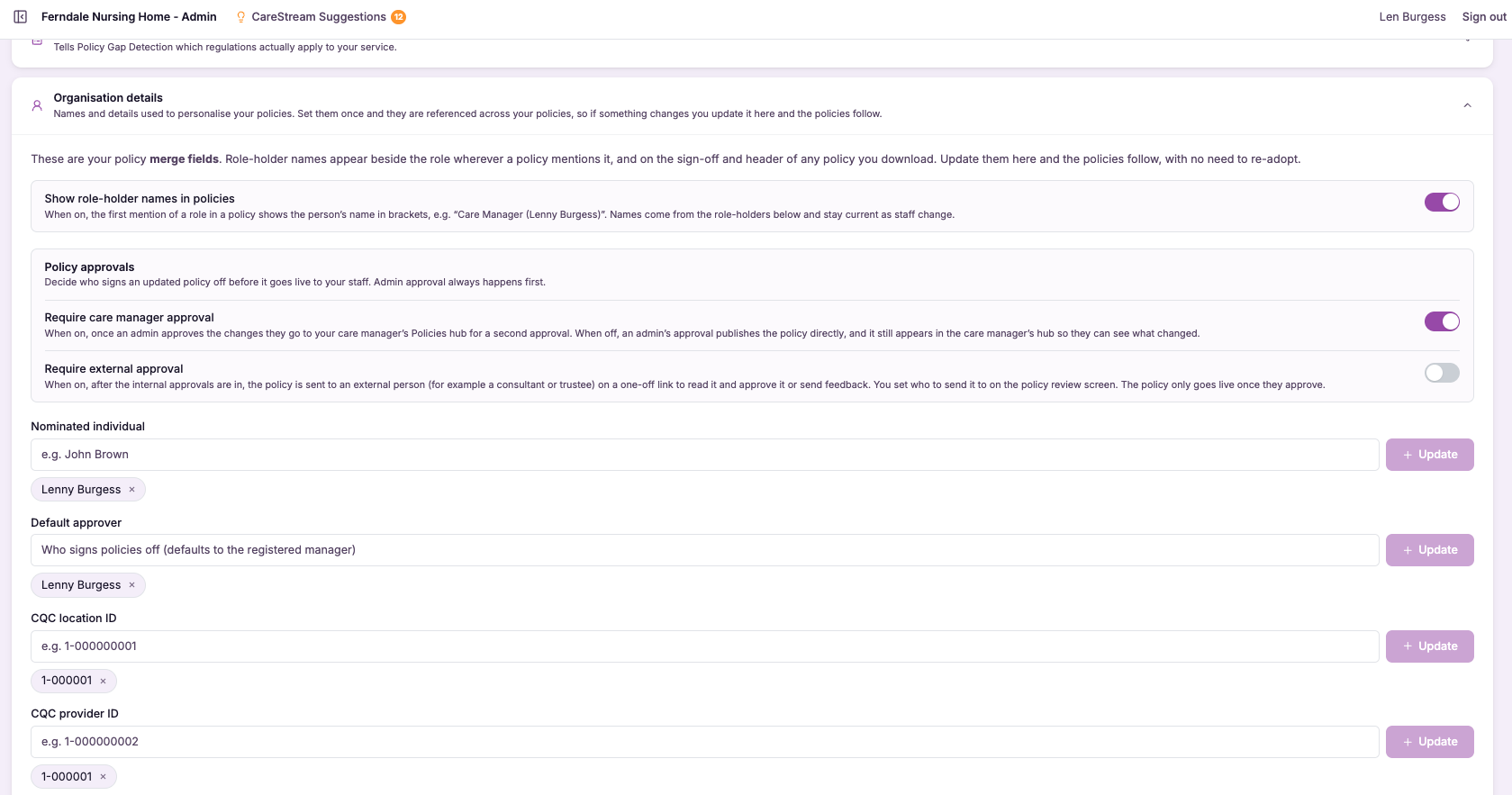
Approval that reaches people outside your platform.
External approval by one-off link is a way to bring a named reviewer who does not use CareStream into your policy sign-off process. You choose the policy, generate a secure link and send it to your consultant, trustee or director, and they open it, read the exact version you sent and record their approval or feedback directly against it.
This matters because governance in adult social care often sits with people beyond the registered manager. Nominated individuals, boards of trustees and external advisers all carry accountability for policies and procedures in health and social care, and they need a clean, traceable way to sign off without being onboarded onto a system they will only touch occasionally. This feature gives them exactly that, while keeping the record complete for you.
The link is single use and tied to the exact policy and version you sent, so there is no account to create, no password to reset and no risk of them seeing anything else in your platform. For care providers who rely on external oversight, this keeps approval moving without slowing the process down or leaving policies stuck waiting in an inbox.
Any care home, nursing home or care provider whose policies need sign-off from trustees, directors or external consultants who do not use CareStream day to day.
Because external approvals sit in the same audit trail as internal ones, you can show an inspector exactly who signed off each policy and when, including reviewers outside your service.
The difference it makes day to day
- Get policies approved by trustees, directors and consultants without setting them up with accounts.
- Send a single policy for review without exposing the rest of your platform or your data.
- Know that the version reviewed is the exact version that was approved, with no mix-ups.
- Capture external sign-off in the same audit trail as your internal approvals.
- Keep approval moving even when the decision-maker sits outside your service.
- Show inspectors that policies carry proper external oversight where your governance requires it.
How external approval works.
You stay in control of what goes out and to whom. From the policy itself, you choose to send it for external approval and enter the reviewer's details, and CareStream produces a secure link that only opens the version you selected.
The reviewer does everything through that link. They never see your dashboard, your other policies or any staff records, and once they have acted the link is spent, so it cannot be reused or forwarded to open the document again.
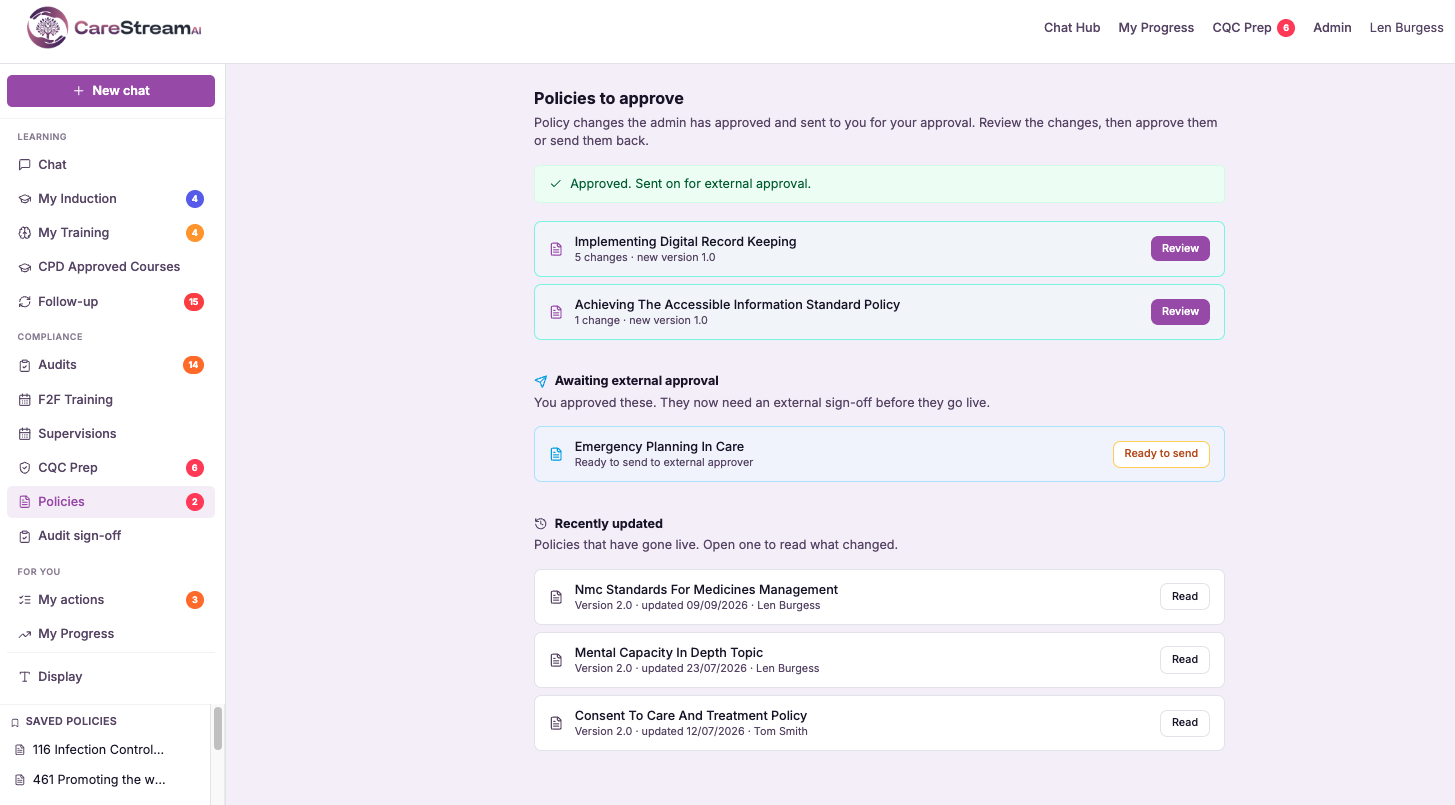
Choose the policy
Open the policy you need signed off and select the option to send it for external approval.
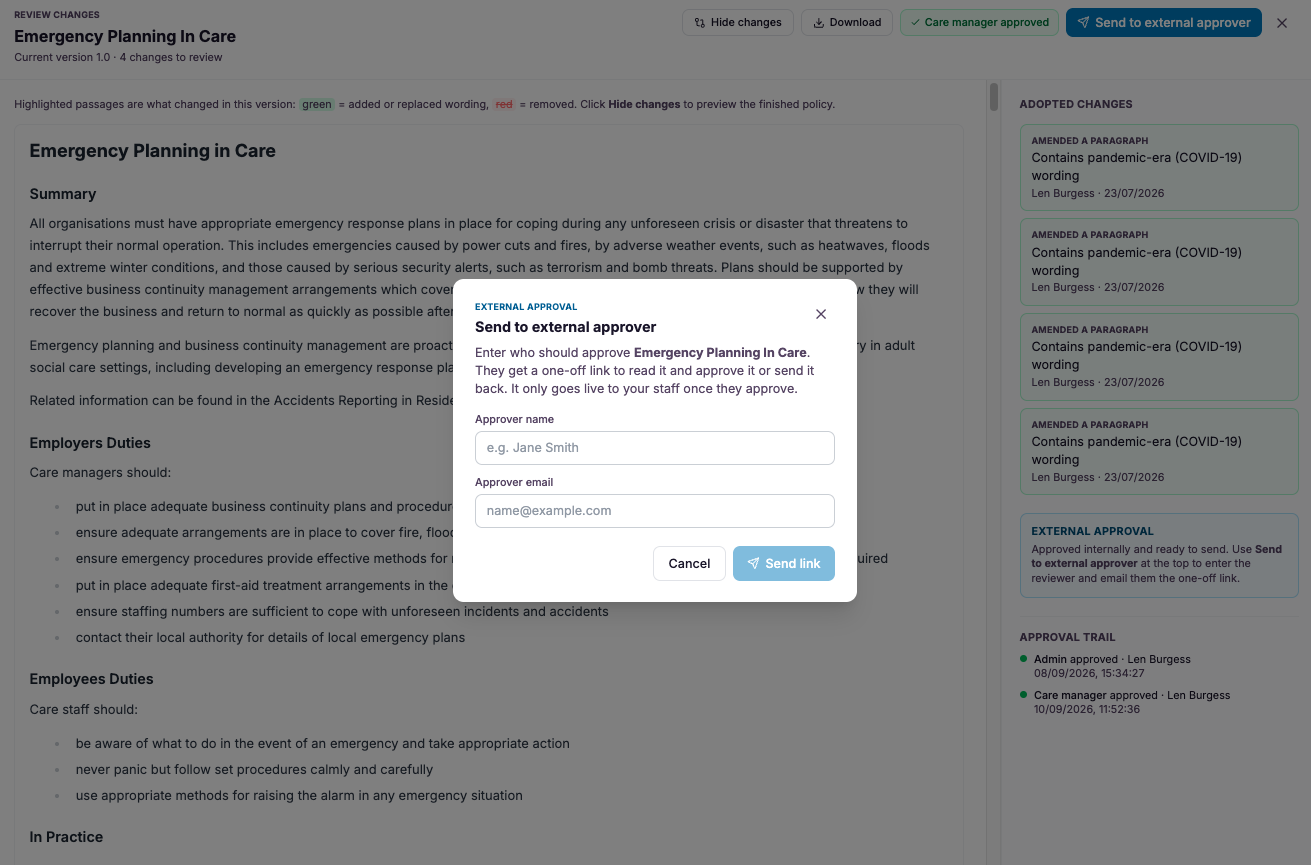
Add the reviewer
Enter the name and email of the trustee, director or consultant who needs to review it, so their identity is recorded against the approval.
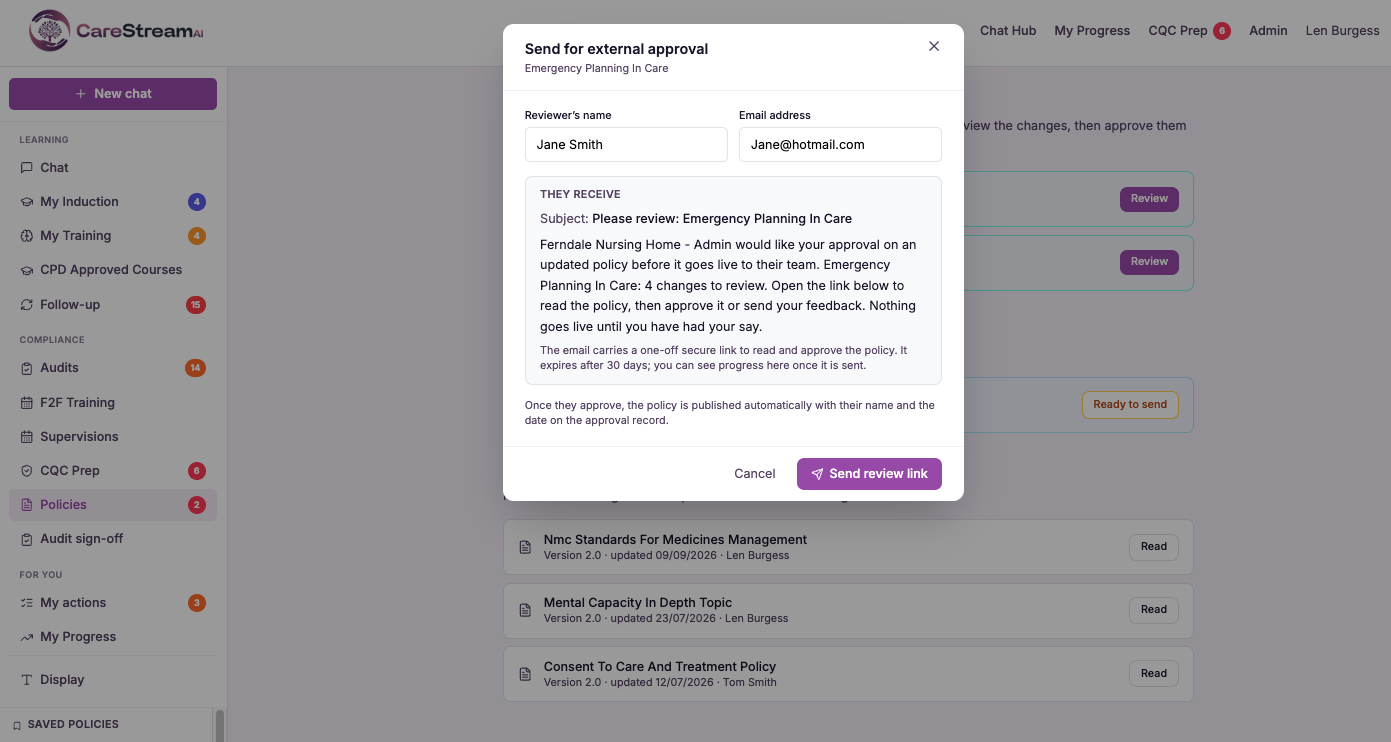
Generate the link
CareStream creates a one-off secure link tied to that exact policy and version, which you send to the reviewer.
The reviewer opens the link, reads the full policy and records their decision without needing a CareStream account.
Their approval or feedback is written straight into the policy's approval trail alongside your internal steps.
Once acted on, the single-use link expires so the document cannot be reopened or shared onward.
- Reviewers need no CareStream login, password or account setup
- Each link is single use and tied to one specific policy version
- External sign-off is recorded in the same approval trail as internal steps
- Reviewers only ever see the policy you sent, nothing else in your platform
- Ideal for trustees, directors, group quality leads and external consultants
Oversight without onboarding.
The people who provide independent scrutiny of your policies are often the least likely to want another login. Trustees and consultants review occasionally, and asking them to learn a new system is friction that delays sign-off and frustrates everyone.
By removing the account entirely and locking each link to a single version, CareStream makes external review effortless for the reviewer while keeping it rigorous for you. Nothing about the record is weaker for having come from outside the platform.
Reviewers act through a single link with no login, so external sign-off never stalls on onboarding.
Each link opens only the version you sent, keeping the rest of your platform and data private.
Once the reviewer has acted the link expires, so approvals stay tied to a specific version.
External sign-off lands in the same audit trail as your internal steps, with name and date.
Frequently asked
Does the external reviewer need a CareStream account?
No. The whole point of this feature is that trustees, directors and external consultants can review and sign off a policy without ever creating a login. You send them a one-off secure link, they open it, read the policy and record their decision, and that is the entire process for them. This removes the friction that usually delays external sign-off. There is no password to set, no onboarding to complete and nothing for you to administer on their behalf, so occasional reviewers can act quickly whenever a policy needs their approval.
Can the reviewer see the rest of our platform or other policies?
No. The secure link opens only the exact policy and version you chose to send. The reviewer cannot browse your other policies, your staff records, your training data or anything else inside CareStream, because the link is scoped to that single document. This keeps your data protected while still giving the reviewer everything they need to make an informed decision. They see the full policy in context, sign it off or return feedback, and never gain access to anything beyond it.
Is the external approval recorded for inspection?
Yes. When an external reviewer signs off through the link, their approval is written into the same audit trail as your internal approval steps, with their name and the date. So the record shows clearly who reviewed the policy, which version they saw and when they approved it. This means external oversight carries the same evidential weight as internal sign-off. At inspection you can demonstrate that policies requiring board, trustee or consultant approval genuinely received it, with a clean, dated trail behind every one.
What stops the link being reused or forwarded?
Each link is single use and tied to one specific policy version. Once the reviewer has acted on it, the link expires, so it cannot be reopened, and because it is bound to a particular version it will never surface a different or later document. If you need the same person to review a revised version later, you simply send a fresh link for that version. This keeps every approval unambiguous, because there is never any doubt about which version of a policy a reviewer actually signed off.
Explore more features
More of what the CareStream compliance platform does for UK care providers.
Get external sign-off without the back and forth.
See how CareStream lets trustees, directors and consultants approve your policies through one secure link, with the sign-off captured in full.





