Admin approval with full version history
A policy is a living document, and over time it will change many times. The question that matters when something goes wrong, or when an inspector asks, is simple: who approved this version, and what did the one before it say? Without a record, those questions are impossible to answer with confidence.
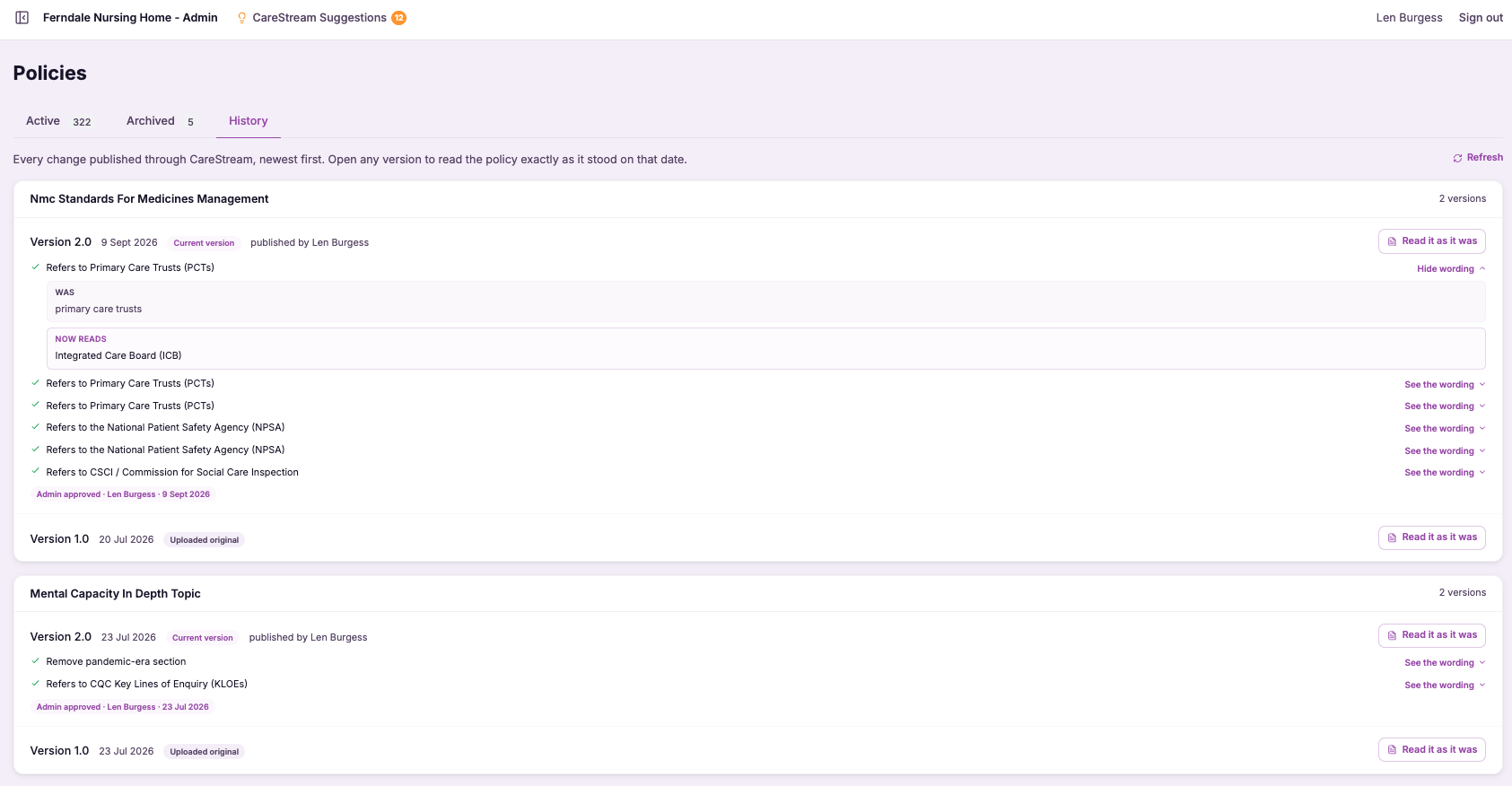
Admin-approved changes with a complete lineage.
Admin approval with full version history means two things working together. Every change to a policy is signed off by an administrator before it takes effect, and every version, past and present, is retained so nothing is ever lost. The result is a policy that carries its own complete record of how it came to be what it is today.
This matters because governance in a care service depends on traceability. When you can show who approved a change and when, and demonstrate exactly what the previous wording was, you turn your policies and procedures in health and social care from static files into evidence. If a change ever needs undoing, a full version history means you can roll back rather than reconstruct.
CareStream keeps every policy change admin-approved and stored with a full version history. You can see who approved what and when, compare any two versions, and roll back to a previous one if you need to. Your care home policies and nursing home policies gain a complete, traceable lineage rather than a single current copy with no memory.
Nominated individuals, registered managers and compliance leads responsible for the governance of policies across one or more services.
You can show who approved every policy version and when, and produce any earlier wording on request as clear evidence of control.
The difference it makes day to day
- Every policy change is signed off by an administrator before it takes effect.
- You can see who approved each version and exactly when they approved it.
- No previous version is ever lost, because the full history is retained.
- You can compare any two versions to see precisely what changed between them.
- You can roll back to an earlier version if a change needs undoing.
- Your policies become traceable evidence of sound governance, not just current files.
How version history works.
Each time a policy changes, that moment is captured as a distinct version with the approval attached to it. The current policy is simply the latest approved version in an unbroken chain.
Because every version is kept, the history becomes a tool you can use: to compare, to check who approved a change, or to restore an earlier wording. Nothing is overwritten and forgotten.
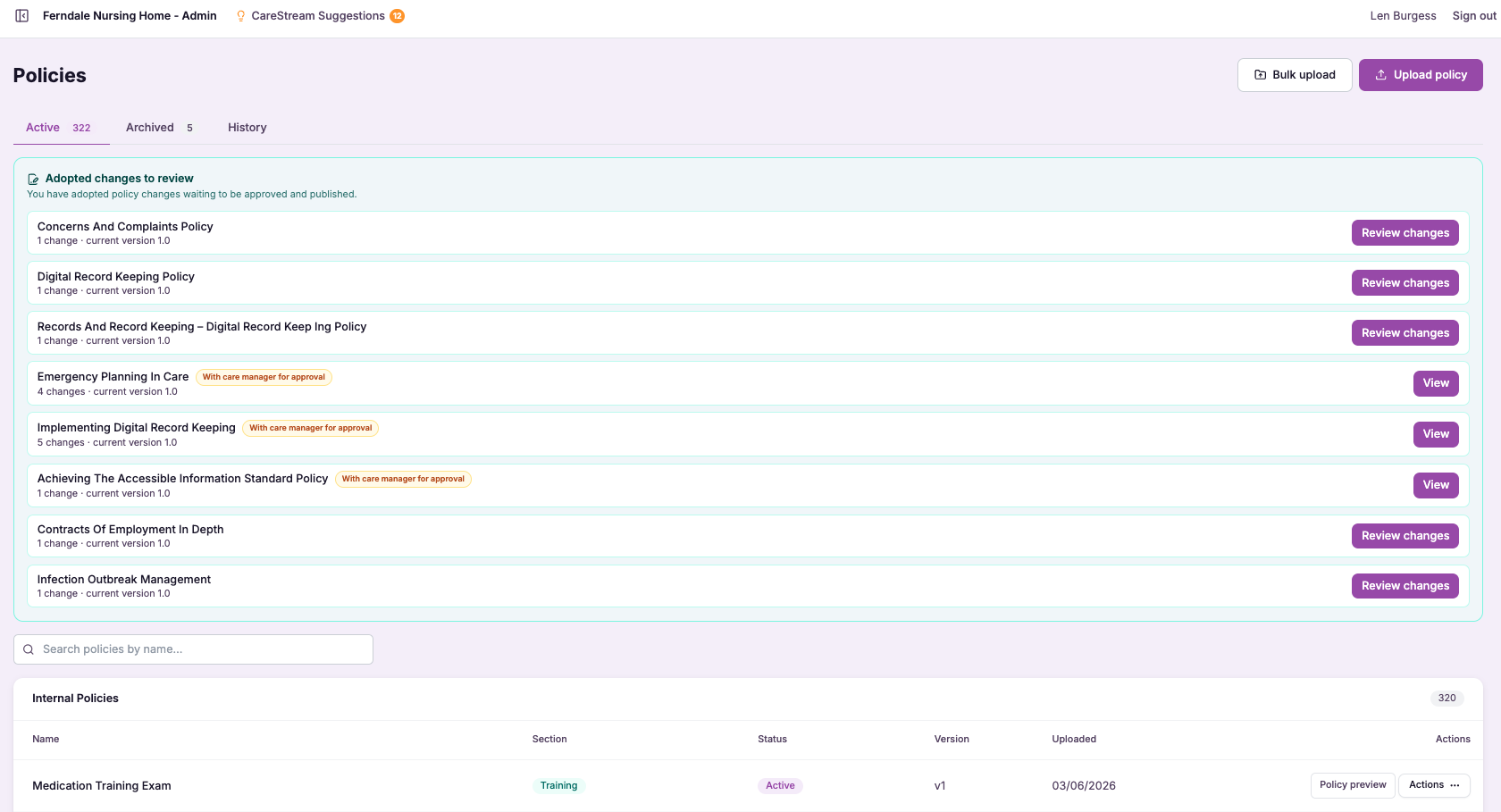
A change is prepared
An update to a policy is drafted, ready to move through admin approval before it can go live.
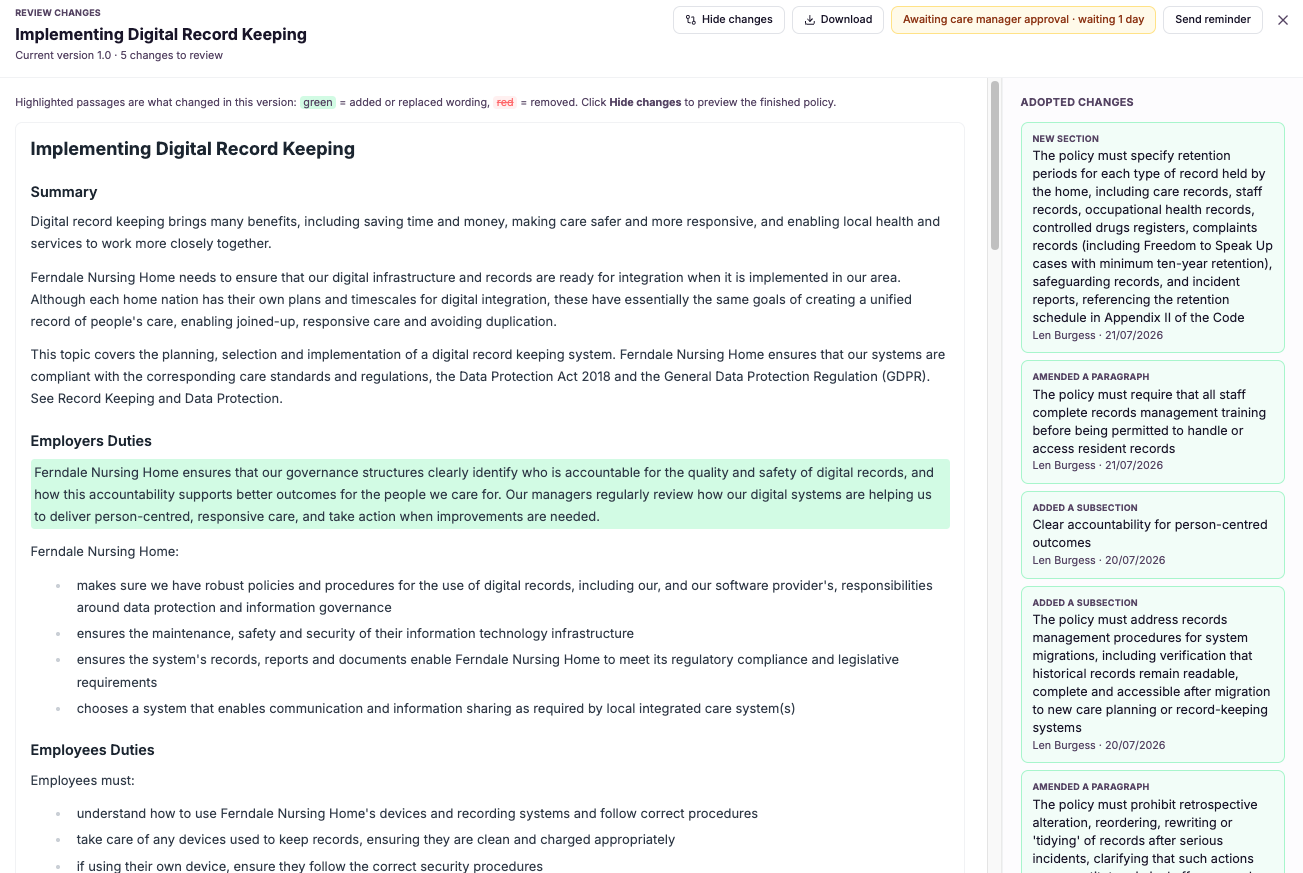
An admin approves it
An administrator signs off the change, and that approval, with who and when, is recorded against the new version.
A version is stored
The approved change is saved as a distinct version, taking its place in the policy's ongoing history.
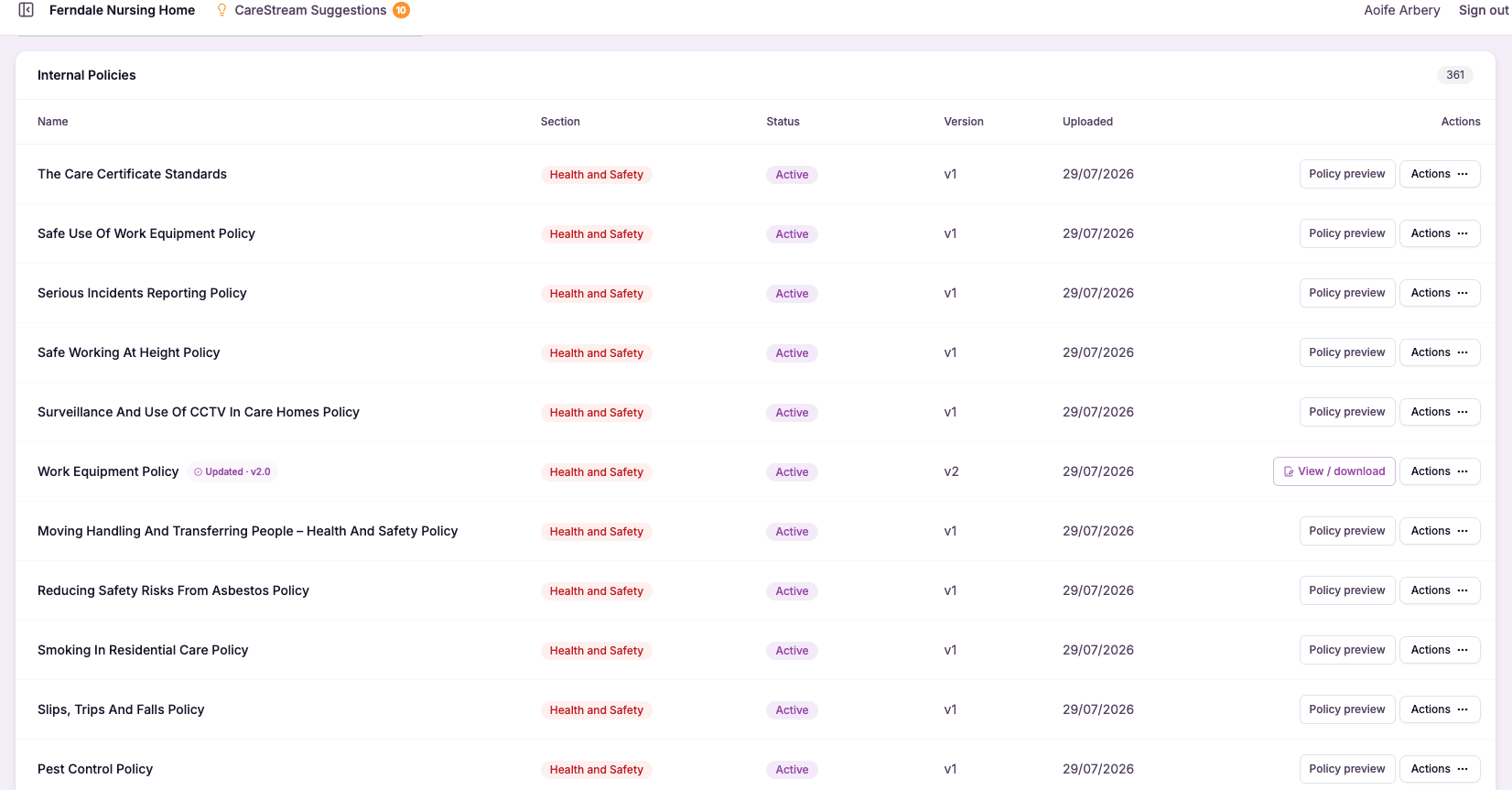
Every previous version stays available, so the full lineage of the policy is never lost.
You can view any two versions side by side to see exactly what changed between them.
If a change needs undoing, you can restore an earlier approved version rather than rebuilding it by hand.
- Every policy change is admin-approved before it takes effect.
- A full version history is retained, so no previous version is ever lost.
- You can see who approved each version and when.
- Any two versions can be compared to reveal exactly what changed.
- You can roll back to a previous version at any time.
Traceability that stands up to scrutiny.
The difference between a policy you can defend and one you cannot often comes down to records. Being able to say who approved a version, and to show what the previous one said, is what turns a document into evidence.
By pairing admin approval with a full version history, CareStream makes every change accountable and every earlier version recoverable, so your governance holds up whether the question comes from an inspector, a complaint or your own review.
Every change is admin-approved, so no version takes effect without accountability.
The full history is retained, so any previous version can be produced on request.
See exactly what changed between any two versions without guesswork.
Restore an earlier approved version instantly if a change needs undoing.
Frequently asked
What exactly does the version history record?
For every change to a policy, CareStream stores a distinct version along with the approval attached to it, so you can see who approved that version and precisely when. Every previous version is retained too, giving each policy a complete and unbroken lineage. This turns your care home policies and nursing home policies into traceable records rather than single current files. Whether you need to answer an inspector, investigate a complaint or simply understand how a policy evolved, the full history is there to show exactly what happened and when.
Can I roll back to a previous version?
Yes. Because the full version history is retained and nothing is overwritten, you can restore an earlier approved version if a change needs undoing. You do not have to reconstruct the old wording by hand or hunt for a copy, because it is already stored. This is a real safeguard for governance. If a change turns out to have been a mistake or no longer fits your service, rolling back is fast and clean, and the rollback itself becomes part of the traceable history of the policy.
Does every single change need admin approval?
Yes. Admin approval is the point at which a change takes effect, so every version that goes live has been signed off by an administrator. That approval, including who gave it and when, is recorded against the version. This matters because governance depends on accountability. By requiring admin sign-off for each change, CareStream ensures there is always a named person and a moment behind every version of your policies and procedures in health and social care, which is exactly what strong control looks like.
How does this help at a CQC inspection?
Inspectors want to see that your policies are controlled, not just present. Being able to show who approved each version and when, and to produce any earlier wording on request, is powerful evidence that your service governs its policies deliberately and carefully. A full version history also lets you demonstrate exactly what changed and why over time. Rather than presenting a single current document with no memory, you present a traceable lineage, which strengthens your inspection readiness and your wider approach to quality care.
Explore more features
More of what the CareStream compliance platform does for UK care providers.
Know who approved what, and when.
See how CareStream keeps every policy change admin-approved with a full version history you can compare and roll back.





