Home knowledge base (manual)
Not everything your team needs to know lives in a formal policy. The little local details, the way your home actually does things, the answers you find yourself repeating in every handover, all of that sits in people's heads and walks out the door when they do. The manual knowledge base gives you a place to write it down once, in your own words, so the staff Q&A assistant can answer from it too.
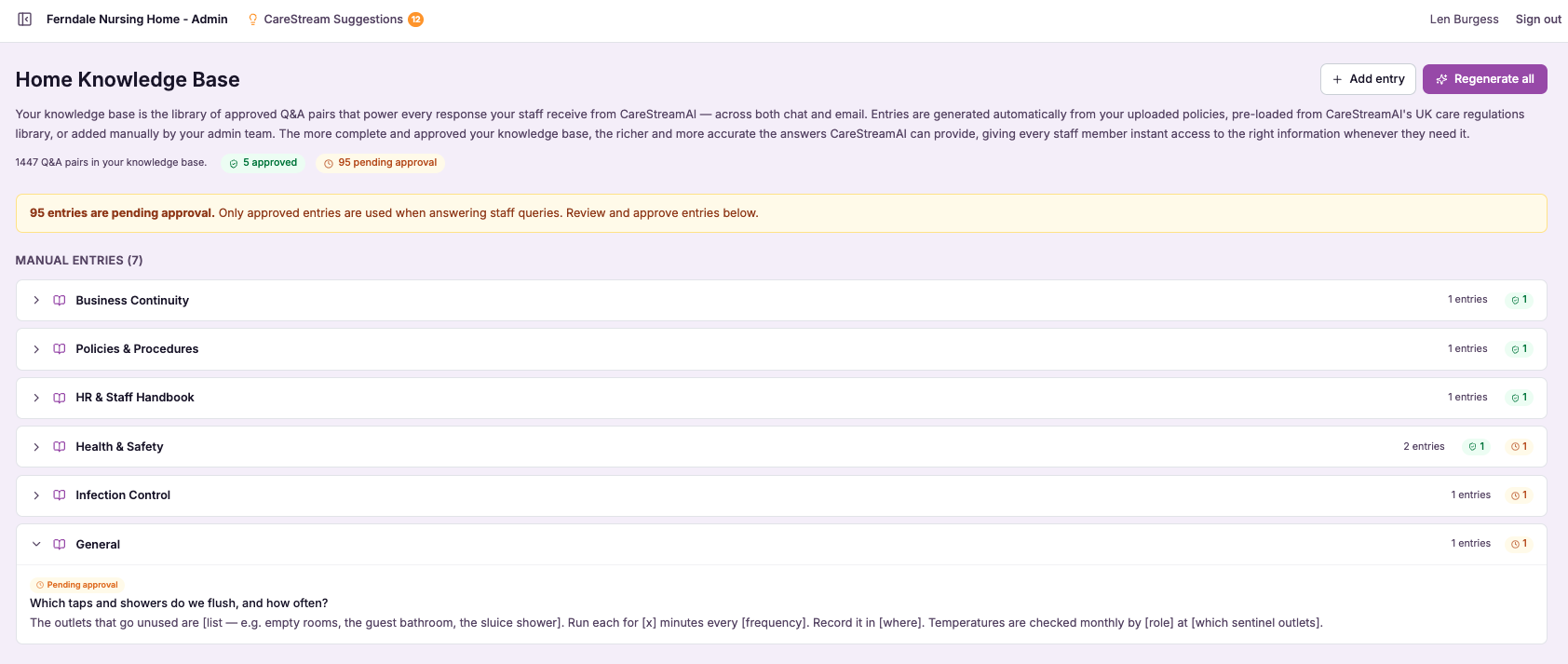
The knowledge you control, by hand.
The manual knowledge base is a curated library of home-specific entries that you and your managers add and edit directly. It captures the practical, local knowledge that keeps a service running: how your medication round is timed, which contact to use out of hours, the small preferences of a long-standing resident, or the plain-English answer to a question staff ask again and again.
This matters because a formal policy cannot, and should not, hold every detail of daily practice. By writing these things down yourself, you turn scattered corridor knowledge into a single dependable source. The word manual is the point here: nothing is generated or assumed, so every entry reads exactly as you intended and reflects how your home genuinely works.
Where the automatic knowledge base builds itself from your approved policies and procedures, the manual knowledge base is curated entirely by you. You decide exactly what goes in, phrased exactly how you want staff to read it, so your team gets consistent answers to the everyday questions that no care home policy or nursing home policy was ever written to cover.
Any care home, nursing home or domiciliary service where managers want direct control over the everyday guidance staff receive.
You can show a curated, up to date source of local practice that supports staff to work consistently and evidence how knowledge is shared.
The difference it makes day to day
- New starters get consistent answers to everyday questions without waiting for a senior to be free.
- Local ways of working are written down once instead of being explained over and over in handover.
- Knowledge stays in the service when an experienced member of staff moves on or retires.
- Staff get guidance on the practical details that no formal policy was ever meant to cover.
- You keep full editorial control, so every answer reflects your standards and your language.
- Your care team feels supported day to day, which strengthens confidence and quality care.
How the manual knowledge base works.
You build the manual knowledge base at your own pace, adding entries as questions come up and refining them whenever practice changes. It sits quietly behind the staff Q&A assistant, ready to answer the moment someone asks.
Because you write and curate every entry, you always know exactly what your team is being told. There is no guesswork about where an answer came from, and updating guidance is as simple as editing the entry.
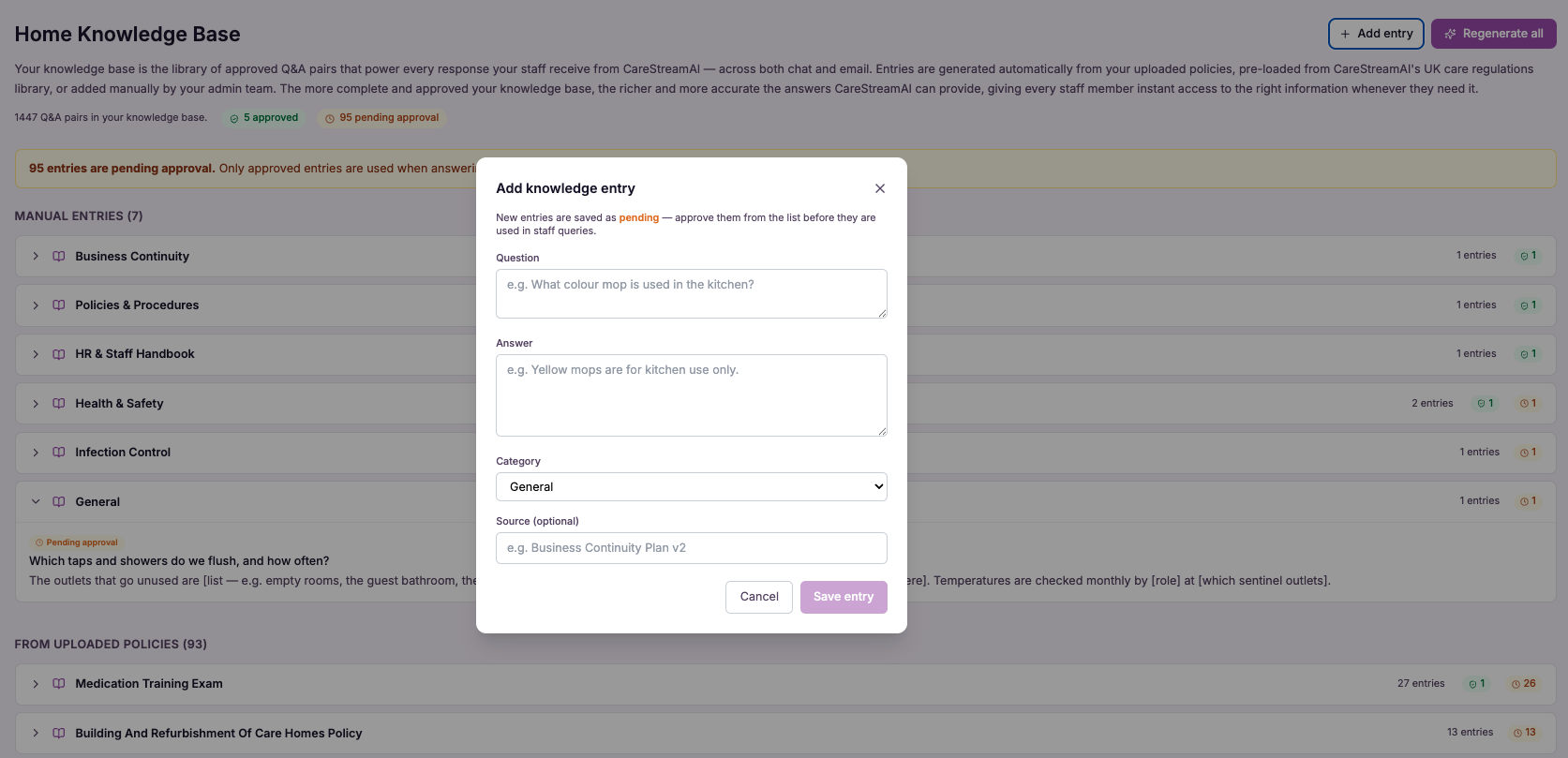
Add an entry
Write a knowledge entry in plain English, covering a local practice, a common question or a piece of extra guidance your team needs.
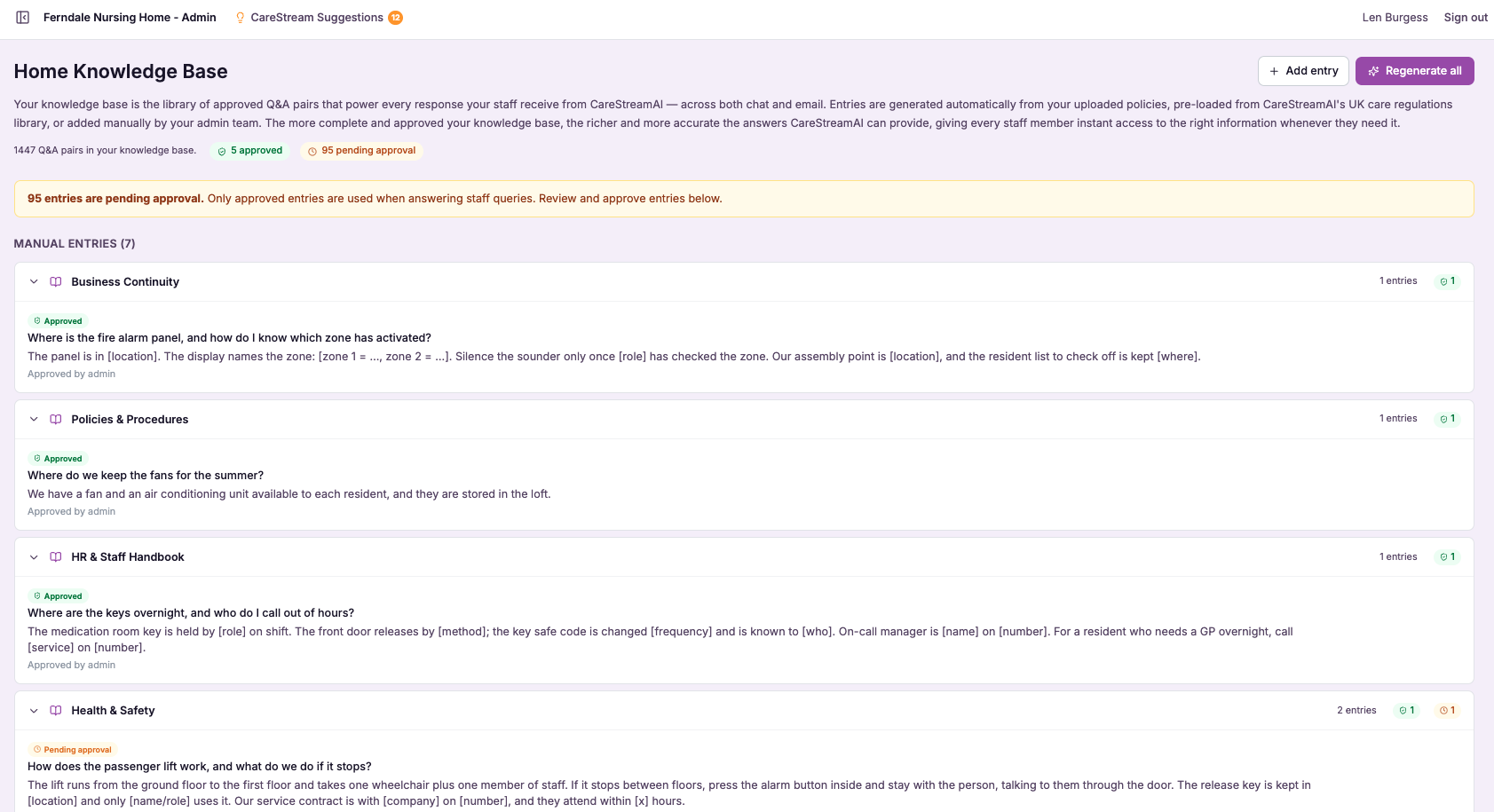
Curate the library
Group, title and tidy your entries so the assistant can find the right one and staff always get a clear, relevant answer.
Sits beside policies
Your manual entries work alongside the automatic knowledge base drawn from approved policies, so staff draw on both without knowing the difference.
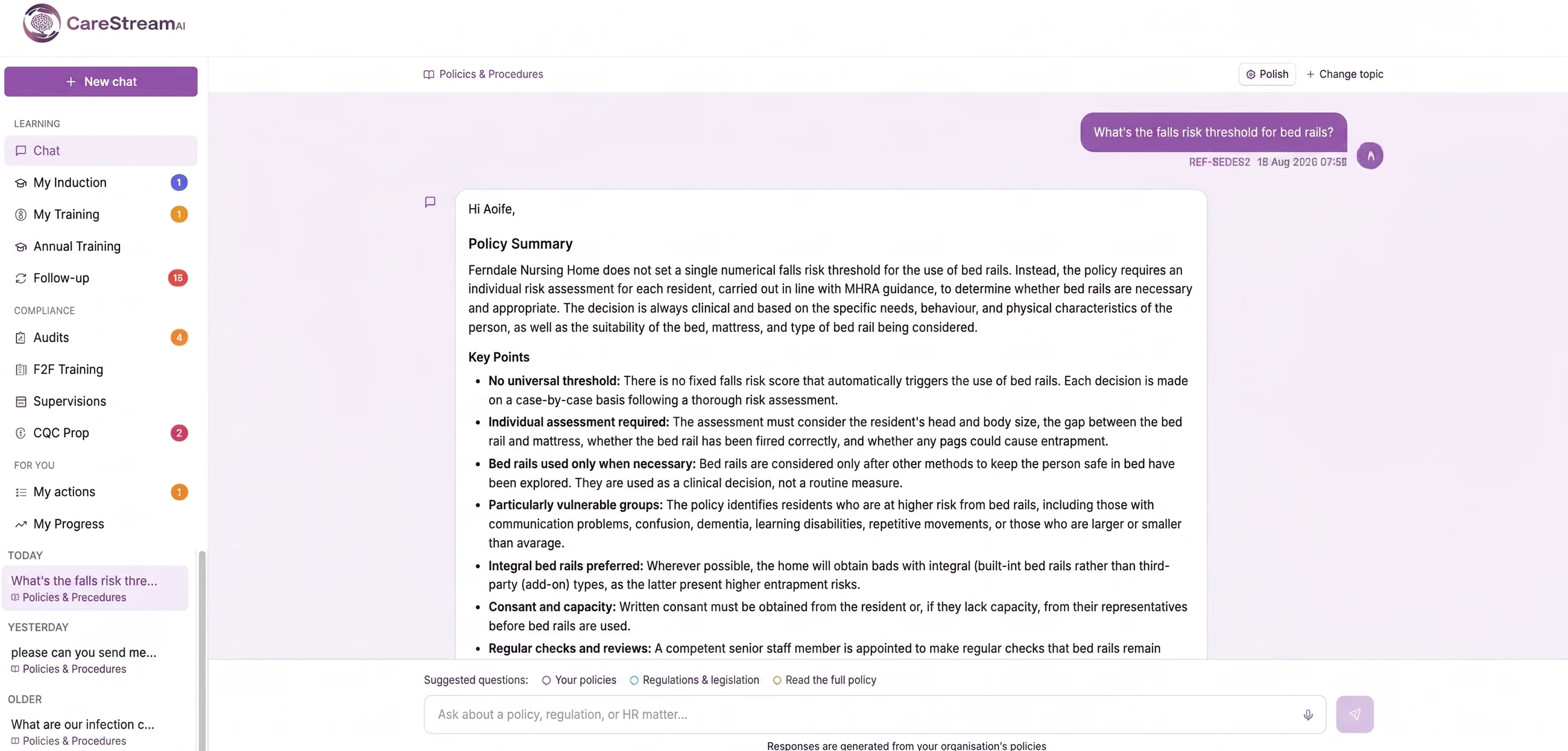
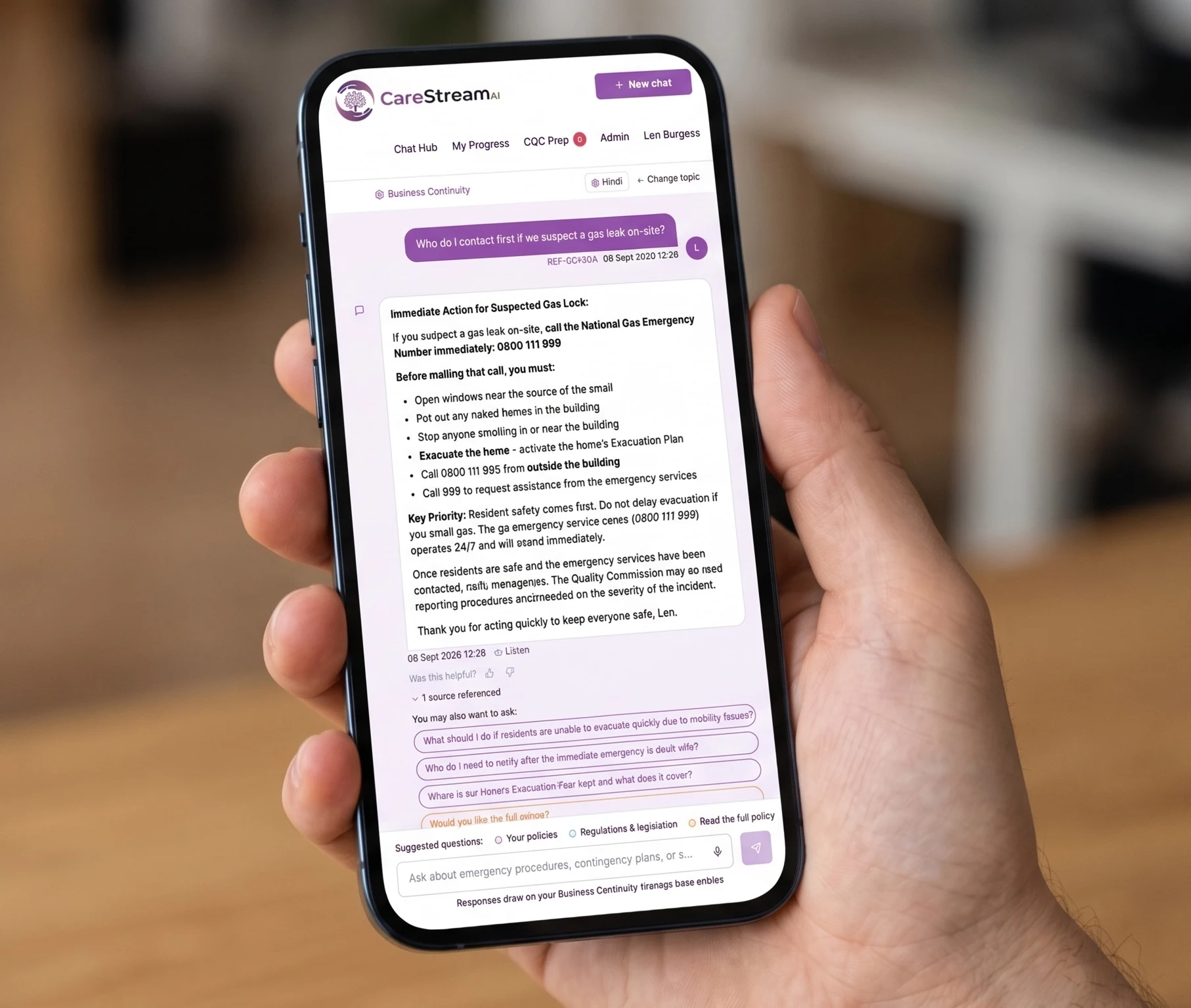
When a member of staff asks the Q&A assistant something not covered by a formal policy, the answer can come straight from your curated entries.
When practice changes, you update the entry in seconds and every future answer reflects the new guidance immediately.
Review your entries periodically so the local knowledge stays current, correct and genuinely useful to your team.
- Every entry is written and curated by you, not generated automatically.
- Captures local practice and common questions that formal policies do not cover.
- Works alongside the automatic policy knowledge base to power the staff Q&A assistant.
- Editable at any time, so guidance stays current with how your home actually works.
- Keeps hard-won knowledge inside the service rather than in individual heads.
The answers your team really needs.
Staff rarely ask about the wording of a policy. They ask about the practical, local detail of getting the job done well, and those are exactly the questions that go unanswered when the person who knows is off shift.
By giving you a manual, curated space to capture that knowledge, CareStream turns your experience into something every member of staff can reach in seconds, without diluting the control you have over what they are told.
Every entry reflects your words and your standards because you write and curate it yourself.
Answers the everyday questions that sit outside any formal care home or nursing home policy.
Edit an entry once and every future answer reflects the change straight away.
Local knowledge stays in the service even as your team changes over time.
Frequently asked
How is this different from the automatic knowledge base?
The automatic knowledge base builds itself from your approved policies and procedures, so it answers questions that are grounded in formal documents. The manual knowledge base is the opposite: nothing is generated for you, and every entry is written and curated by hand so you control exactly what goes in. In practice the two work together. The automatic base handles questions rooted in your care home policies and nursing home policies, while the manual base covers local ways of working, extra guidance and common staff questions that no formal policy was ever meant to hold. Your team draws on both through a single staff Q&A assistant.
Who can add or edit manual knowledge entries?
Adding and editing entries is a manager and quality lead task, so control stays with the people responsible for standards in your service. You write entries in plain English, title and group them, and update them whenever practice changes. Because you hold that control, you always know exactly what your team is being told and where the answer came from. There is no risk of an entry appearing that you did not approve, which keeps the knowledge base trustworthy and firmly aligned with how your home works.
What kind of information should I put in the manual knowledge base?
It is ideal for the practical, local detail that keeps a service running but does not belong in a formal policy: the timing of a medication round, an out of hours contact, a resident's long-standing preference, or the plain-English answer to a question staff ask in every handover. Think of it as writing down the knowledge you currently keep repeating in person. Anything that a new starter or a member of staff on a quiet shift might reasonably ask, and that is specific to your home rather than to regulation, is a strong candidate for a curated entry.
Will staff know whether an answer came from a policy or a manual entry?
For staff the experience is seamless. They ask the Q&A assistant a question and receive a clear answer, whether it is grounded in an approved policy or in one of your curated manual entries, so there is no extra step or decision for them to make. For you as a manager the distinction stays visible and controllable behind the scenes. You know which entries you have written by hand, you can edit them at any time, and you can rely on the automatic base to keep answering the questions that are rooted in your formal policies and procedures.
Explore more features
More of what the CareStream compliance platform does for UK care providers.
Capture how your home really works.
See how CareStream lets you curate local knowledge by hand so your team gets consistent answers to the questions policies never cover.





